
Green Printing Practices Guide for 2026


Your green printing practices guide for a cleaner office
Green printing practices cover every decision that shrinks the environmental footprint of your print jobs, from the paper stock you pick to the ink that hits the sheet. 4OVER4.COM has spent 25+ years helping 150,000+ businesses print smarter, and that includes offering green printing options that never sacrifice quality. If you want a guide that actually changes how your office operates, you are in the right place.
Every company, whether a five-person startup or a 500-seat corporate office, generates print waste. Reducing it does not mean you stop printing. It means you print with intention. You choose better materials, you rethink defaults, and you partner with a printer that takes sustainability as seriously as color accuracy.
What green printing actually means

Green printing uses sustainable, eco-friendly methods across the whole production cycle. That means recycled and FSC-certified paper stocks, vegetable-based or soy-based inks, energy-efficient equipment, and waste reduction at every stage. It is not only about recycling old printouts. It is about making better choices before the ink ever touches the page.
When you work with a printer committed to green practices, you cut out toxic chemicals, volatile organic compounds, and unnecessary solvents, and you replace them with natural alternatives that perform just as well. Products like business cards and stationery, marketing collateral, and packaging can all be produced with a lighter footprint, so being responsible never costs you quality.
Why green printing matters for your business

Going green is not only about feeling good. It drives real results. Cleaner air from non-toxic inks helps people focus, cutting waste saves money on supplies, and customers increasingly prefer brands that show environmental responsibility.
Here is what a green printing practices guide delivers once you put it to work across the office.
- Sharper focus. Cleaner air quality from low-VOC inks and less chemical exposure helps employees think clearly and respond faster.
- Higher morale. Staff who see real sustainability investment report better concentration and more pride in their work.
- Lower costs. Duplex defaults, draft mode, and consolidated runs cut paper and toner spend over a fiscal year.
- Smaller carbon footprint. Fewer deliveries, less waste hauling, and efficient equipment shrink overall emissions.
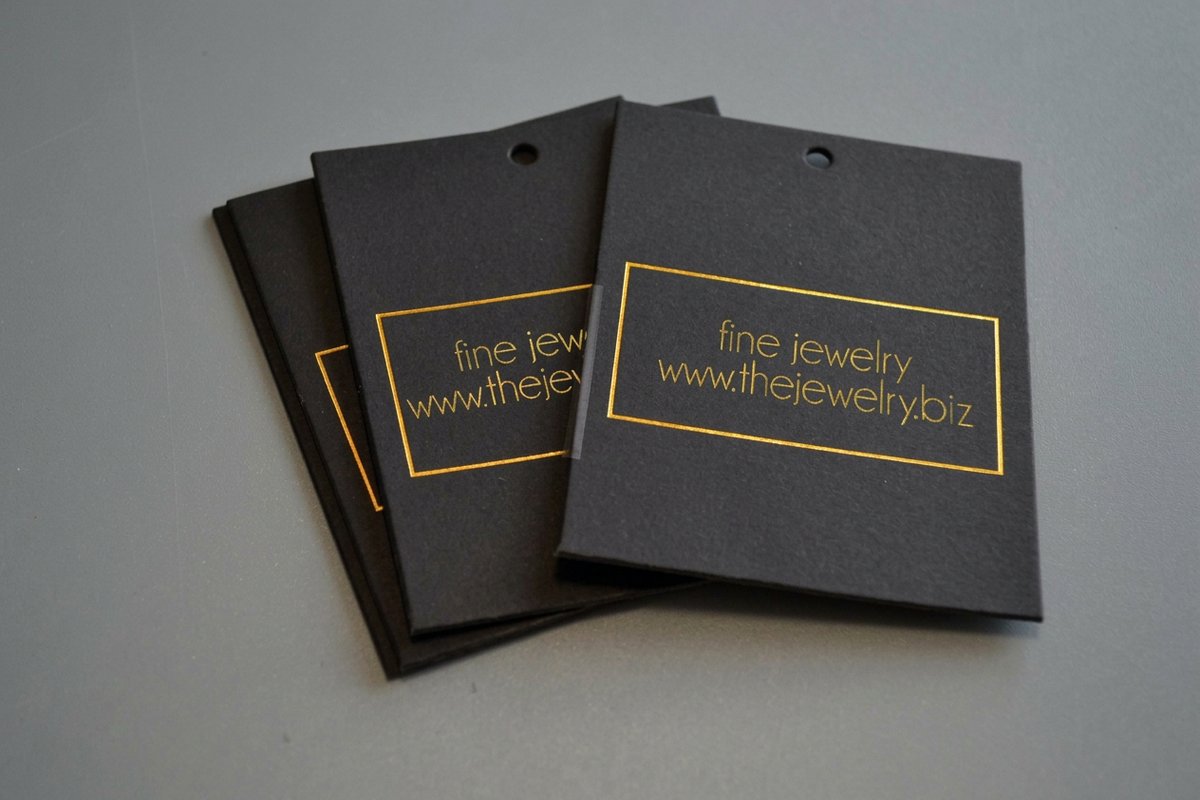
- Stronger brand. Clients notice when your Black Hangtags, packaging, and collateral are printed on recycled or sustainably sourced stock.
Green printing versus a green office

Green printing is one piece of a bigger picture. It focuses on the printing process itself, the inks, the substrates, the equipment settings, and the waste output. A green office covers more, from energy-efficient lighting and HVAC to non-toxic cleaning products and recycled furniture.
Printing is one of the most resource-heavy activities in any office. Paper, toner, electricity, and cartridges add up fast. According to the Environmental Paper Network, the paper industry is the fourth largest source of greenhouse gas emissions among manufacturing sectors, so green printing practices tackle one of your largest impacts directly.
A truly green office combines both. You optimize the physical space for efficiency, and you optimize the print workflow for sustainability. That means proofing digitally before you print, consolidating print runs, and choosing materials that recycle or compost after use.
Print it green
Hang tags on sustainable stock
Uncoated recycled stocks give hang tags a natural feel that signals sustainability the moment a customer holds them.
Ten practical ways to make your printing greener
This is where the guide gets tactical. These are specific changes you can put in place this week.
- Default to duplex. Two-sided printing is the fastest way to halve paper use. Set every printer to duplex by default and most people will not even notice.
- Use draft or fast mode. High-resolution printing burns more toner and energy. Reserve standard quality for client-facing work and let internal reports print in draft.
- Print in black and white. Color pulls far more toner. For text-heavy contracts, memos, and emails, monochrome keeps color cartridges untouched.
- Program eco-friendly defaults. Do not rely on memory. Configure duplex, draft, and monochrome as the default on every device so the sustainable path is the easy one.
- Proof digitally first. Catch typos on screen before anything hits paper. The 4OVER4.COM Online Designer previews your design with accurate color so you print once.
- Choose recycled and FSC-certified paper. Look for Forest Stewardship Council certification or post-consumer recycled content. Both run well in laser and inkjet printers.
- Use vegetable and soy-based inks. They deliver vivid color with far fewer VOCs and de-ink more easily during recycling.
- Consolidate print runs. Batch jobs instead of printing small piles all week. Fewer startups mean less setup waste and better energy use.
- Go digital where you can. Agendas can live on a screen and newsletters can be emailed. Save printing for materials that benefit from a tangible format, like proposals, signage, and site pieces such as Barricade Tape.
- Recycle responsibly. Label recycling stations near every printer and separate paper, toner cartridges, and ink containers. Many toner makers run take-back programs.
| Setting | Recommended default | When to override | Estimated savings |
|---|---|---|---|
| Print Sides | Duplex (two-sided) | Client presentations, formal proposals | Up to 50% less paper |
| Print Quality | Draft or fast mode | Final client deliverables, photography | 30 to 40% toner savings |
| Color Mode | Monochrome (black and white) | Marketing materials, branded documents | Up to 60% color toner savings |
| Pages Per Sheet | 2-up for reference docs | Documents needing standard readability | Extra paper reduction |
| Proofing Method | Digital preview first | Color-critical final checks | Eliminates reprint waste |
Quantity and price
Real hang tag pricing and specs
Live configurator numbers. The more you order, the lower the per-unit cost drops, and consolidated runs keep waste down.
| Quantity | Price Per Unit | Total |
|---|---|---|
| 50 | 61.5¢ | $30.76 |
| 100 | 39.5¢ | $39.54 |
| 200 | 26.9¢ | $53.83 |
| 300 | 23.4¢ | $70.30 |
| 400 | 21.1¢ | $84.57 |
| 500 | 19.8¢ | $98.86 |
Green printing versus conventional printing
The difference shows up at every stage, from the ink chemistry to how easily the finished piece recycles. Here is how the two approaches compare side by side.
| Factor | Conventional printing | Green printing |
|---|---|---|
| Ink Type | Petroleum-based inks with high VOCs | Soy or vegetable-based inks with low VOCs |
| Paper Stock | Virgin fiber, non-certified sources | FSC-certified, post-consumer recycled content |
| Print Defaults | Single-sided, full color, high quality | Duplex, monochrome, draft for internal docs |
| Finish Options | Glossy UV coating, plastic lamination | Aqueous coating, uncoated finishes |
| Waste Output | High setup waste, overprinting common | Consolidated runs, print-on-demand quantities |
| Recyclability | Limited by coatings and ink chemistry | Fully recyclable with easier de-inking |
Choosing the right materials for eco-friendly print jobs
When you order professional print products, the material choice matters as much as the design. Recycled paper stocks work well for most standard products. Business cards, postcards, flyers, and letterheads all look crisp on recycled substrates.
For thicker applications like hang tags and packaging inserts, uncoated recycled stocks bring a natural, textured feel that communicates sustainability to whoever holds them. Soy-based inks cover the full CMYK spectrum, so you keep rich, bold color while gaining easier recycling at end of life. Labels are a good example, and options like Any Shape Wine Labels print beautifully on responsibly sourced stock.
Label it responsibly
Wine label specs, eco-ready
Indoor and outdoor stocks, coatings, and finishing options. Pick uncoated or aqueous-coated finishes to keep labels easy to recycle.

Green printing for specific industries
Different businesses face different printing challenges. Here is how green practices apply across a few of them.
- Restaurants and food service. Menus, table tents, and flyers turn over fast. Print on recycled stock with soy inks, and consider QR-code menus for daily specials to cut reprints entirely.
- Real estate. Property flyers, open-house signage, and business cards are staples. Choose recycled card stocks and print to your actual pipeline, since overprinting is the biggest source of waste here.
- Retail and e-commerce. Packaging inserts, hang tags, and product labels all print on sustainable substrates. Eco-friendly packaging tends to build stronger loyalty, especially with younger buyers.
- Events and nonprofits. Invitations, programs, and signage are often single-use. Keep them recyclable with uncoated stocks and no plastic lamination. The 4OVER4.COM event invitations let you test eco-friendly options without a big upfront spend.
- Creative professionals. Designers and photographers need print that shows off their work. Recycled stocks with a smooth, bright finish hold color accuracy, and branding pieces like logo stickers can use sustainable adhesive materials.
How to measure your green printing impact
You cannot improve what you do not measure. Track these numbers to understand your progress.
- Paper consumption per employee. Set a baseline, then watch it fall after duplex defaults and digital proofing take hold.
- Toner and ink usage. Monitor how draft mode and monochrome defaults change replacement frequency.
- Recycling volume. Weigh or count recycled paper and cartridges monthly to see your diversion rate climb.
- Print job consolidation. Track how many single jobs get batched into consolidated runs.
- Share of recycled or FSC-certified stock. Aim to raise this quarter over quarter.
Share these numbers with your team. When people see real progress, they stay motivated, so post a monthly update near the printer or in a shared dashboard.
Common mistakes in green printing and how to avoid them
Some well-meaning green efforts backfire. Watch for these pitfalls.
- Overprinting just in case. Ordering 5,000 brochures when you need 2,000 is not green, whatever stock you use. Print what you need and reorder when you run low. With 82% of 4OVER4.COM orders shipping early, you will not be caught short.
- Ignoring the finish. Glossy UV coatings and plastic lamination make paper hard to recycle. Choose uncoated or aqueous-coated finishes instead.
- Focusing only on paper. Green printing also covers ink chemistry, energy use, shipping, and end-of-life recyclability. A complete approach beats one material swap.
- Skipping team training. New defaults do not help if people override them. A quick 15-minute session on why the defaults changed makes them stick.
The future of green printing
The printing industry keeps moving toward sustainability. Waterless printing removes the dampening solutions that contain isopropyl alcohol, digital printing cuts the setup waste of traditional offset, and new bio-based substrates made from agricultural waste are reaching the market.
Businesses that adopt green printing practices now stay ahead of tightening regulations and shifting expectations. 4OVER4.COM offers 60+ paper types including eco-conscious options and keeps updating production to reduce impact, so your guide evolves as better materials arrive. For more sustainable design and printing tips, browse the full library of printing articles on the 4OVER4.COM blog.
What to remember from this green printing guide
Wally makes your office print greener
Small default changes, big waste savings
Green printing starts before the ink hits the page. Set printers to duplex, draft, and monochrome, proof on screen so you print once, and pick recycled or FSC-certified paper with soy-based inks. 4OVER4.COM prints it sharp on eco-conscious stock, so you cut waste without cutting quality.
Explore green printing →Explore more
More ways to print responsibly
Related pages across 4OVER4.COM, one card each, so you can keep building a greener print workflow.
Ready to print greener?
Set your defaults, choose recycled stock and soy-based inks, and let 4OVER4.COM print it sharp on eco-conscious materials, as fast as same day.
Common questions about eco-friendly printing
What are the best practices for green printing?
The best green printing practices start with duplex printing, monochrome defaults, and digital proofing to stop waste before it happens. Choose recycled or FSC-certified paper and soy-based inks for every job, and consolidate print runs to save energy. Even packaging like Custom CD Covers prints on eco-friendly stock without losing quality.
How do I choose the right green printing materials?
Look for paper labeled FSC-certified or made from post-consumer recycled content. For inks, vegetable and soy-based options give vivid color with fewer toxic emissions. Avoid plastic lamination and glossy UV coatings, since they make materials harder to recycle. Products like Custom CD Sleeves and hang tags feel natural on uncoated recycled substrates.
What makes green printing effective for marketing?
Buyers increasingly favor brands that show environmental responsibility. Printing marketing materials on recycled stock with soy inks signals that your company cares about more than profit, and the textured feel of uncoated paper stands out against glossy competitors. A QR code generator links physical pieces to digital content so you print less.
How much should I budget for green printing?
Green printing does not have to cost more than conventional printing. Recycled stocks are competitively priced and soy-based inks are standard at 4OVER4.COM. The real savings come from cutting waste, since duplex halves paper costs, draft mode extends toner life, and consolidated orders lower per-unit pricing. A solid green printing practices guide usually lowers total print spend over time.
