
Content Hub
Stories, Ideas and Advice — Page 80
 story
story Finding the Ideal Size of a Poster in Pixels
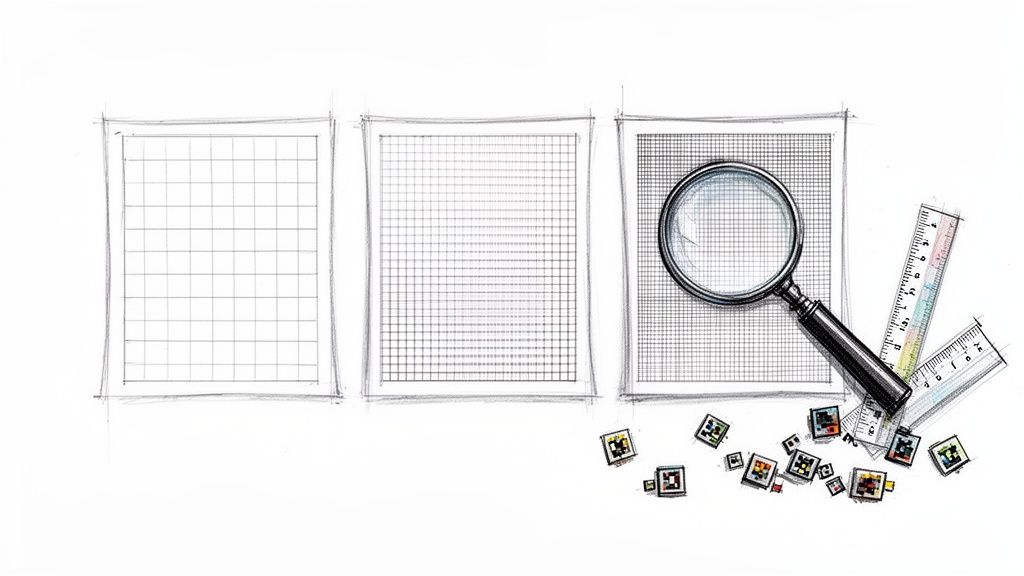
If you're designing a standard 18x24 inch poster , you’ll want a file that’s 5400 x 7200 pixels to get professional-quality results. This is based on the print industry's gold standard resolution of 300 Pixels Per Inch (PPI) , which guarantees every detail comes out looking sharp and clean. Decoding Poster Pixels for Perfect Prints When you're getting a poster ready for print, one of the most common slip-ups is worrying about the file size (like 5MB) instead of the actual pixel dimensions. The real secret to print quality isn't how much space the file takes up on your hard drive, but how many tiny colored squares—or pixels—are packed into every single inch of your design. This density is what we call Pixels Per Inch (PPI) . Think of your design like a mosaic. If you use big, chunky tiles (that’s low PPI), the final image will look blocky and rough, especially up close. But if you use thousands of tiny, intricate tiles (high PPI), you get a smooth, detailed picture. For professional printing, 300 PPI is the sweet spot because it packs the pixels so tightly that the human eye sees a single, crisp image instead of the individual dots. Why Your Screen Image Is Not Print-Ready A standard Full HD screen resolution is 1920 x 1080 pixels . That looks fantastic on your monitor, but it's nowhere near enough for a large poster. If you tried to print that 1080p image on an 18x24 inch poster, you'd be stretching those pixels way too thin. The result? A blurry, pixelated mess. The printer would essentially have to guess what colors should go in the gaps between the pixels, which never ends well. This is exactly why knowing the right pixel dimensions for your poster is the first and most critical step. When you set up your design canvas with the correct dimensions from the start, you ensure every line of text, graphic element, and photo will look just as sharp on paper as it does on your screen. You can browse our collection of professional online posters to see how pixel-perfect designs translate into stunning physical products. Key Takeaway: Always start your poster design with the end in mind. Calculate the final pixel dimensions by multiplying the poster’s inches by 300 PPI to ensure a high-resolution file ready for flawless printing. To make things easier, here's a quick-reference table with the minimum pixel dimensions needed for a high-quality 300 PPI print on some of the most common poster sizes. Quick Reference Poster Pixel Dimensions at 300 PPI This table provides a summary of the minimum pixel dimensions required for common poster sizes to achieve professional print quality. Common Poster Size (Inches) Required Pixel Dimensions (Width x Height) 11 x 17 3300 x 5100 pixels 18 x 24 5400 x 7200 pixels 24 x 36 7200 x 10800 pixels 27 x 40 8100 x 12000 pixels Having these numbers handy before you begin designing will save you a lot of headaches later on and ensure your final print looks absolutely perfect. Understanding the Role of Pixels Per Inch To get the pixel dimensions of your poster right, you first have to wrap your head around the terms that control print quality. You've probably heard people throw around PPI and DPI like they're the same thing, but they’re two totally different—and equally vital—parts of the printing puzzle. Getting this right is the secret to turning a design on your screen into a poster you’re proud to hang up. Think of Pixels Per Inch (PPI) as the DNA of your digital design. It’s a measure of how many pixels are packed into one square inch of your file on a screen. A design with a high PPI is dense with visual information, which translates to sharp details and smooth, beautiful color transitions. Dots Per Inch (DPI) , on the other hand, lives in the physical world. It describes the number of tiny ink dots a printer can physically squeeze into a one-inch line on paper. While you have total control over the PPI of your design file, the DPI is a fixed spec of the printer itself. The Digital Blueprint Meets the Physical Printer Here’s a helpful way to think about it: imagine you're building a huge, detailed mosaic wall out of tiny colored tiles. Your digital design file (your PPI) is the blueprint. It tells you exactly which color tile goes where. The printer (the DPI) is the skilled craftsman who physically places each tile. If your blueprint is low-resolution (low PPI), it’s like a vague sketch. The instructions are fuzzy, and the craftsman can only guess where the tiles go. The result? A blocky, pixelated mess where you can see all the individual tiles. But if you hand over a high-resolution blueprint ( 300 PPI ), it’s incredibly precise. Every single tile’s location is mapped out perfectly. This allows the craftsman to create a stunning, sharp image where the individual tiles blend together seamlessly. That’s why a higher PPI is non-negotiable for a high-quality poster. Why 300 PPI is the Gold Standard: For anything that people will see up close—like art prints, event posters, or marketing materials— 300 PPI is the industry standard. At this pixel density, the human eye can't pick out the individual pixels. The image just looks crisp, continuous, and professional. How to Check and Set Your Poster's PPI The good news is that professional design software gives you full control over your document’s resolution. Setting this up correctly before you start designing is the single most important thing you can do for a great print. Here’s where to find this setting in a few popular tools: Adobe Photoshop: When creating a new document ( File > New ), you’ll see a field labeled "Resolution." Just type in 300 and make sure the dropdown says "Pixels/Inch." Adobe Illustrator: In the "New Document" window, you might need to click "More Settings" or "Advanced Options." Look for "Raster Effects" and set it to "High (300 ppi)." This ensures any pixel-based effects look sharp. Canva: When you’re ready to download, choose the "PDF Print" option. Canva is smart enough to automatically export your file at a high resolution that’s perfect for printing, essentially targeting the 300 DPI equivalent. By locking in 300 PPI from the very beginning, you’re guaranteeing that every shape, photo, and line you add has enough data to look fantastic in print. This one simple step saves you from the headache of discovering your design is too blurry after it’s already been printed. For projects that need that extra professional touch, exploring different digital printing services can help you find the perfect paper and finish to complement your high-resolution file. How to Calculate Your Poster's Pixel Dimensions Now that we've covered what PPI means for your print, let's roll up our sleeves and put it into action. Figuring out the ideal pixel dimensions for your poster is way easier than you might think. You don't need any fancy software or a graphic design degree—just a simple formula and a clear idea of what you want to create. Here's the only math you'll need: Poster Dimension in Inches x Desired PPI = Required Pixel Dimension That's it. Just apply this to both the width and the height of your poster, and you'll know the exact pixel dimensions to set up your design file. Getting this right from the start is the key to building your artwork on a solid, high-resolution foundation. Let's walk through a quick example. Say you're designing a standard 18 x 24-inch poster and want to hit that industry-standard 300 PPI for top-notch quality. Width: 18 inches x 300 PPI = 5400 pixels Height: 24 inches x 300 PPI = 7200 pixels Your design canvas should be exactly 5400 x 7200 pixels . Starting with these dimensions ensures your final print will be crisp, clear, and totally professional. Why Viewing Distance Is a Game-Changer While 300 PPI is the gold standard for quality, it's not a one-size-fits-all rule. The resolution you actually need is directly tied to how far away people will be when they see your poster. This is a simple but critical concept called viewing distance . Picture a giant billboard on the highway. You're seeing it from hundreds of feet away, so your eyes naturally blend the image together. That billboard might be printed at an incredibly low resolution—sometimes as low as 20-50 PPI —and it still looks perfectly sharp from inside a moving car. Now, imagine an art print in a gallery. You're standing just a few inches from it, taking in every last detail. In this case, 300 PPI is absolutely essential for a flawless reproduction without any distracting pixels. A Practical Rule of Thumb: The closer the viewer, the higher the PPI needs to be. For posters seen from a few feet away (like in an office or a hallway), 150-200 PPI is often perfectly fine. For large banners viewed from across a room or street, even 100 PPI can do the job beautifully. Choosing the right resolution for your project's viewing distance is a smart move. It stops you from creating unnecessarily huge files when a lower PPI would look just as good, saving you time and hard drive space. This is an especially handy tip for any online large format print project. Poster Pixel Dimensions for Different Resolutions and Sizes To save you from pulling out the calculator, we've put together a handy chart. Below, you’ll find the exact pixel dimensions needed for common poster sizes at various resolutions—whether you're aiming for pristine gallery quality or an effective large-format display. Poster Pixel Dimensions for Different Resolutions and Sizes Poster Size (Inches/ISO) Pixel Dimensions at 300 PPI (Width x Height) Pixel Dimensions at 150 PPI (Width x Height) Pixel Dimensions at 100 PPI (Width x Height) 11 x 17 (Ledger) 3300 x 5100 pixels 1650 x 2550 pixels 1100 x 1700 pixels 18 x 24 (Arch C) 5400 x 7200 pixels 2700 x 3600 pixels 1800 x 2400 pixels 24 x 36 (Arch D) 7200 x 10800 pixels 3600 x 5400 pixels 2400 x 3600 pixels A2 (16.5 x 23.4) 4961 x 7016 pixels 2480 x 3508 pixels 1654 x 2339 pixels A1 (23.4 x 33.1) 7016 x 9933 pixels 3508 x 4967 pixels 2339 x 3311 pixels As you can see, the pixel counts for professional printing are pretty substantial. A classic 18 x 24-inch promotional poster needs a file that's 5400 x 7200 pixels to look its best at 300 PPI. A larger 24 x 36-inch poster, perfect for retail or events, requires a massive 7200 x 10800 pixel canvas. The popular European A-series sizes have similar demands for achieving those sharp, high-quality results we all want. Getting Your Poster File Ready for a Flawless Print Nailing the pixel dimensions for your poster is a huge first step, but even a perfectly sized, high-resolution file can turn into a printing disaster if it isn't prepped correctly. Before you hit "send" on that design, there are a few final checks you absolutely have to make. Think of these pre-press steps as the final polish that ensures the poster in your hands looks just as amazing as it did on your screen. It helps to think of your design file like an un-matted photograph and the final poster as the framed picture. To get that perfect, edge-to-edge look in the frame, you need a little extra image around the sides for the framer to work with. In the world of printing, this extra margin is broken down into three critical parts: bleed , trim , and the safe zone . The Anatomy of a Print-Ready File These three components work together to prevent common printing mishaps, like those ugly slivers of white paper that can show up after a poster is cut down to size. Trim Line: This is simple—it’s the final, intended edge of your poster. If you ordered an 18x24 inch poster, this is the line where the blade will cut to create those exact dimensions. Bleed Area: This is a small buffer zone, usually 0.125 inches (or 1/8th of an inch) , that extends beyond the trim line on all four sides. If you have any background colors or images that are supposed to go to the edge, they must stretch all the way out to this bleed line. Safe Zone: This is an inner margin, also typically 0.125 inches , set inside the trim line. You need to keep all your important stuff—like text and logos—within this boundary to make sure nothing gets accidentally chopped off during trimming. When you extend your design into the bleed area, you’re basically giving the printing machinery a small margin for error. Mechanical cutting is incredibly precise, but tiny shifts can happen. The bleed ensures that even if a cut is a fraction of a millimeter off, the color still goes all the way to the edge for a clean, professional finish. The visual guide below shows how different resolutions work for different viewing situations, from an art gallery to a highway billboard. As you can see, while 300 PPI is the gold standard for prints you'll see up close, something like 150 PPI or even 100 PPI is perfectly fine for posters that people will be viewing from several feet away. Choosing the Right File Format The format you save your file in has a direct impact on its print quality. Not all file types are created equal, and picking the right one is key to preserving all the hard work you poured into your design. For professional printing, these are your best bets: PDF (Press Quality): This is the undisputed king of print files. A press-quality PDF locks everything in place—it embeds your fonts, images, and color profiles into a single, self-contained file. This guarantees that nothing will shift, change, or look weird when we open it on our end. TIFF: A TIFF is a "lossless" format. What does that mean? Unlike a JPEG, it doesn't compress and throw away image data to make the file smaller. This makes it a fantastic choice for posters that are heavily photographic, since it maintains every last bit of image quality. JPEG (High Quality): While JPEGs are mostly used for the web, one saved at the absolute highest quality setting can work for print. Just be aware that it uses "lossy" compression, which can sometimes introduce tiny imperfections or artifacts into the image. The classic US one-sheet movie poster, which is 27 x 40 inches , is typically designed as an 8100 x 12000 pixel file to achieve that premium 300 PPI quality. Similarly, another popular large format size, the 24 x 36 inch poster, requires a 7200 x 10800 pixel file. It just goes to show how these standards apply even to massive projects. For truly flawless results, especially with photographic posters, a good guide to noise reduction in images can also be a game-changer. CMYK vs. RGB: The Critical Color Difference Finally, let’s talk color. This one is huge. Your computer monitor creates color by mixing Red, Green, and Blue light. This is called the RGB color model, and it's designed for digital screens that emit light. Commercial printers, on the other hand, don't use light—they use ink. They reproduce colors by mixing Cyan, Magenta, Yellow, and Black ( CMYK ) inks on paper. This is a "subtractive" color model designed for physical media that absorbs light. If you send us a file in RGB mode, our printing software has to convert it to CMYK on the fly. This automatic conversion can cause unexpected color shifts. Your vibrant electric blues might look a little dull, or bright greens could come out looking muddy. To make sure your colors print exactly as you see them, always convert your design file to CMYK color mode before you save the final version. This puts you in the driver's seat and gives you full control over how your colors will look on paper. Getting these details right is what makes for incredible, high-impact visuals like our custom mounted prints . Taking Your Poster From Print to Screen So, we've spent all this time nailing the perfect print file, but what happens when your poster needs to live on a screen? This is a whole different ballgame. Whether it's for social media, digital signage at a trade show, or a conference presentation, the rules for ink and paper go right out the window. Forget everything you just learned about PPI. On a screen, the only things that matter are the absolute pixel dimensions and the aspect ratio . You’re no longer designing for a physical size in inches; you're designing for a specific digital canvas. Think of it this way: your target isn't a piece of paper anymore. It's a TV, a smartphone, or a projector screen. Your job is to fill that glowing rectangle perfectly, ensuring your design is crisp, clear, and makes an impact without any weird stretching, cropping, or blurry text that screams "amateur." A New Set of Rules for a Digital World You can't just save your print file as a JPEG and call it a day. The viewing environment is completely different, and your design needs to adapt. Here’s what you need to change in your thinking: Switch Your Colors: Screens use the RGB (Red, Green, Blue) color model. It's an "additive" model that works with light, which is why colors on your phone look so vibrant. You absolutely must design or convert your file to RGB. Using a CMYK file will result in dull, muddy colors on screen. Master the Aspect Ratio: This is simply the relationship between the width and height of a screen. A standard TV or presentation screen has a 16:9 aspect ratio. A vertical Instagram Story, on the other hand, is 9:16 . Get this wrong, and you'll end up with those ugly black bars or, even worse, your beautiful design gets clumsily cropped. Simplify for Readability: People view screens differently—often at a glance or from a distance. That complex layout with tiny, elegant text that looked great on paper? It's going to be a blurry, unreadable mess on a digital display. Your best bet is to simplify the message, pump up the font sizes, and use high-contrast colors to make sure everything is legible. Common Pixel Dimensions for Digital Posters The exact size you need will vary wildly depending on where the poster is going. For virtual academic conferences, for instance, the organizers will tell you exactly what they need. A common request is 1920 x 1080 pixels for Full HD displays (a 16:9 ratio). For presentations that need to show off fine details in charts and graphs, you might even be asked for 3840 x 2160 pixels for a 4K screen. That's four times the pixels of HD! When you're creating content for specific platforms, like social media, you have to play by their rules. To get the perfect dimensions for short-form video, for example, check out this super helpful Instagram Reels format guide . Key Insight: For digital posters, stop thinking in inches and start thinking in pixels. Your canvas is the screen itself. Match its resolution and aspect ratio, and always design in RGB for the most vibrant, accurate colors. By mastering these screen-specific rules, you'll create versatile designs that look just as stunning on a monitor as they do on paper. This way, your message will connect with your audience, no matter how they see it. Common Questions About Poster Pixels Even after you've got the basics down, a few questions always seem to pop up right when you're about to finalize your poster design. Let's tackle the most common ones to clear up any lingering confusion so you can send your file to print with total confidence. Can I Use a 72 PPI Image for a Printed Poster? In almost every situation, the answer is a hard no. An image saved at 72 PPI is built for screens and just doesn't have enough data packed into it for a quality print job. If you try to print it, especially on something as large as a poster, the result will be blurry, soft, and noticeably pixelated. For anything that people will see up close, 300 PPI is the undisputed industry standard for a reason. While you can sometimes get away with a lower resolution like 100-150 PPI for massive posters meant to be viewed from a distance, 72 PPI is almost never enough to create a crisp, professional-looking physical print. What Is the Best File Format to Submit for Printing? For the best quality and the most reliable results, a Press-Quality PDF (PDF/X-1a) is the gold standard. This format is perfect because it locks everything—your fonts, images, and color profiles—into a single, self-contained file. It’s the closest you can get to ensuring what you see on your monitor is exactly what comes off the press. High-resolution TIFF files are another fantastic option because they use lossless compression, meaning no image data is thrown away. A high-quality JPEG can also work in a pinch, but it's important to know that it uses lossy compression, which can sometimes degrade the image quality, even if it's only slightly. Pro Tip: Pay close attention to your export settings. In your design software, actively choosing a preset like "PDF/X-1a" or "Press Quality" is your best defense against unexpected printing headaches and the surest way to get a flawless poster. What Happens If My Pixel Dimensions Are Too Low? If your file just doesn't have enough pixels for the poster size you've chosen, the printing software has to step in and essentially invent new pixels to fill the gaps. This process is called interpolation, and it's basically the software making its best guess about what the missing image data should look like. The end result is almost always a soft, blurry, or pixelated print. What was once sharp text will lose its clean edges, and all the fine details in your photos will turn muddy. The only way to guarantee a professional, high-quality outcome is to start with the right pixel dimensions from the very beginning. This is even more crucial for huge projects like custom wall graphics , where every pixel counts. Ready to turn that perfectly prepared file into a beautiful, high-quality poster? At 4OVER4 , we specialize in bringing your vision to life with vibrant colors and crisp details. Start your poster order today!
 Jan 11, 2026
  story
story Unique Posters for Changing Corporate Culture
According to Indeed.com, Corporate Culture refers to the values, ethics, vision, behaviors, and work environment of an organization. It is the x-factor that makes the organization unique and impacts everything from the public image, employee engagement, and retention. If your employees share your company’s vision, ethics, and other cultural elements then the company’s bottom line is in for a good treat. The best part is that it all starts with the writing on the wall, posters , corporate printings and visual artwork. Good corporate culture often results in high workplace morale and productive staff. Why should you use corporate posters? Corporate posters are like big, colorful messages that help tell people about a company or its cool stuff! They're great because they catch people's attention quickly, especially in places like offices or stores where lots of people go. Plus, they can show off things like new products or important messages in a fun and eye-catching way. Using corporate posters is a smart way for companies to share their story with everyone! Explain The Importance Of Corporate Culture With Dry Erase Posters According to his book, Motivation Management, Thad Green states that the offering is never enough. To extract top performance from employees, managers need to see the critical connection between motivation and performance. Employees must have fuel to power them into action. Managers must indulge more in motivation and fewer complaints. Modern management is based on theories that state, offering people something they want as an incentive to perform, or deny them an incentive or offer a consequence and they will be driven to perform. The only trouble is that true managers know that these theories do not work because they do not take reality into context. A company should go to the root of the problem, mitigate it, and form a habit from the solution. Corporate culture sprouts from what your managers and employees do. It stems from what you allow in encouragement and in silence. How Posters Propagate A Culture I once worked in an office that had a kitchen. There were some of us who used the cups and spoons and just threw them in the sink. It made the kitchen look ugly so the editor in chief printed a warning and the next day, habits changed from cup throwing to cup placing. One inexpensive way of entrenching office culture is through the use of corporate printing. Did you know that Facebook offices have posters hanging on their walls? The man who is responsible for what those posters say is Scott Boms. "It really breaks the bubble in many ways," he told Inc. "We don't want to make things just to make people happy or to make them feel comfortable--or ask when it's appropriate to push the needle a little bit." Tech companies have started lining their walls with colorful posters containing inspirational quotes. Nokia Bell Labs started this trend in the 60s by collaborating with artists. Corporate artwork will always spark reactions both positive and negative. Question is, what is your agenda? Why Use Hanging Poster Display A poster is a print essential that promotes an idea, product, or event. Corporate culture is the way of life in a company. Question is, what ideas and thoughts do you want to promote in your organization? Out of sight out of mind but with posters, your employees are constantly reminded of what they should do and it sticks. Hanging Poster Displays are affordable and can be custom designed to fit with your organization’s needs, brand colors, tastes, and so forth. Posters prints and visual artwork kill the nagging manager who is always micromanaging. Remember, people do not quit jobs, they quit managers. Posters do not shout or complain but they definitely keep everyone on their toes. Framed Posters are great wall hangings. Why should your office look dull while you can pass a message and make it the most beautiful thing? Elements Of Great Corporate Culture Using Hanging Poster Display It is also important that you communicate your culture appropriately and in a way that would be appreciated by your employees. Posters kill these two birds with one stone. We have defined corporate culture but now, let us see how we can incorporate the elements of great corporate culture into posters. Vision : Good corporate culture is steered by a vision also known as a mission statement. This is a phrase that guides all the company values and grants them legitimacy. Are you just not tired of blank sheets of paper with sentence after sentence of what a company believes? When a vision is properly displayed it will go a long way in orienting everyone onboard. Values : A vision articulates your organization’s purpose while the values act as a guideline on how the vision will be achieved. Take an example of Google’s values in its unofficial motto since 2000, Don’t be evil. They practically had this entrenched in their service and so even though it was changed, the value still sticks. Practices : What you don’t use, you soon lose. This means that your values are as powerful as the number of times they are implemented. People : People are what make corporate culture come alive. They will practice what you preach. Invest in people in visible ways. People stick with work cultures that bring out the best in them even if the salary is low. The narrative : What story did you tell your employees/ what won them over? Every organization needs to have a unique history or story that is embedded in its culture creation. Coca Cola has a great story. Facebook too has a great story on how it was formed in someone’s campus dormitory room. The founder of Instagram taught himself how to code. What’s your story? Identify it, shape it, and give it a formal residency in your large format printing. The place : Silicon Valley is the hub for all techies. It is their zone. Wall Street is the financial zone. Question is, do your employees feel like your company is their zone? Are they in their element? You can improve your office decor but you need to put up some nice posters that remind them that it is the place to be. You might not be able to change the geographic location of the place but you can do something with an aesthetically designed wall hanging poster display. Now more than ever, it is important to recalibrate and identify what stands out in your organization and what needs to be done away with completely. Interested in finding out where to print posters? Talk to us about your unique custom mounted posters that deal with mental health, productivity, engagement, poster among other things. Meanwhile, our free template gallery offers thousands of poster templates for all of your poster designs. FAQs Q: What is the purpose of corporate posters in changing corporate culture? A: Corporate posters are used to communicate key messages, values, and goals within a company to enhance and promote a positive corporate culture. Q: How can I download free corporate poster templates for my business? A: You can download free corporate poster templates from various online platforms that offer a wide range of designs and styles for business use. Q: What types of designs are available for corporate posters? A: Corporate posters come in various designs such as modern, minimalist, vintage, and illustrative styles to suit different business needs and preferences. Q: Are the corporate poster templates available in vector format? A: Yes, you can find corporate poster templates in vector format, which allows for easy customization and scaling without losing quality. Q: Where can I find high-quality stock photos to use in my corporate poster designs? A: You can search for high-quality stock photos on online platforms that offer a wide collection of images for download and commercial use in poster designs. Q: Can I use royalty-free stock photos in my corporate poster projects? A: Yes, you can use royalty-free stock photos to enhance your corporate poster designs without worrying about copyright issues for commercial use. Q: How can corporate posters help in boosting employee morale and motivation? A: Corporate posters with inspiring messages and visuals can create a positive work environment, boost employee morale, and motivate them to achieve company goals.
Mar 27, 2010  story
story Vector vs Raster Graphics A Complete Guide
When you get down to it, the difference between vector and raster graphics is pretty straightforward: raster images are built from pixels , while vector images are made from mathematical formulas . Imagine a raster image as a massive, detailed mosaic, assembled from thousands of tiny colored tiles. It's perfect for capturing the rich detail of a photograph. A vector image, on the other hand, is more like an architectural blueprint, using precise lines and curves that can be scaled up or down infinitely without ever losing their sharpness. This makes them ideal for things like logos. Understanding The Core Difference To really get a handle on the vector vs. raster debate, you have to look at how they're constructed from the ground up. Each type has a fundamentally different structure, which in turn dictates its strengths, weaknesses, and where it shines in both digital and print design. Knowing this is the key to making the right call for any project. A raster graphic , sometimes called a bitmap image, is essentially a grid of individual pixels. Every tiny square in that grid contains specific color information. Digital photos are the classic example of this; zoom in far enough on any photograph, and you'll eventually see the distinct pixels that form the complete image. A vector graphic , however, is built from paths defined by mathematical equations. Instead of a pixel grid, it uses a system of points, lines, and curves to create shapes. Because the image is basically a set of instructions, it can be scaled to any size—from a tiny icon on a business card to a massive billboard—without ever getting blurry or pixelated. How Structure Impacts Use This core structural difference is exactly why each format is cut out for different jobs. The pixel-based foundation of raster images lets them capture the complex color blends and subtle tonal shifts you find in photographs and detailed digital paintings. They absolutely excel at realism. Vectors, in contrast, are the undisputed champions of scalability and crispness. Their mathematical DNA makes them the go-to for logos, typography, and icons that need to stay sharp and clean across a huge range of sizes and materials. That kind of adaptability is non-negotiable for brand assets that will appear everywhere. The most important takeaway is this: Raster graphics are resolution-dependent, meaning their quality is tied to the number of pixels they contain. Vectors are resolution-independent, offering unlimited scalability without quality loss. Understanding this distinction is critical for getting professional results, especially when it comes to services like high-quality digital printing , where choosing the right format is the first step to a flawless final product. Raster vs Vector At a Glance To make it even clearer, let's break down the fundamental differences side-by-side. This table gives you a quick snapshot of how raster and vector graphics stack up against each other based on their core attributes. Attribute Raster Graphics (Pixel-Based) Vector Graphics (Path-Based) Basic Structure Fixed grid of colored pixels Mathematical paths, lines, and curves Scalability Loses quality and pixelates when enlarged Infinitely scalable with no loss of quality Best For Detailed photographs, digital paintings Logos, icons, typography, illustrations File Size Larger, especially for high-resolution images Smaller for simple designs Editability Requires pixel-by-pixel adjustments Easy to edit individual shapes and paths Ultimately, choosing between raster and vector isn't about which one is "better" but which one is the right tool for the specific task you have in front of you. A Deep Dive Into Raster Graphics While vector graphics are all about math, raster graphics—which you'll often hear called bitmap images —are built from a much simpler foundation: a grid of tiny squares known as pixels . The easiest way to think about it is like a digital mosaic. Each little tile is a pixel, and every single pixel is assigned a specific color. When you pack millions of these pixels together, they blend to create a complete, continuous-tone image. This pixel-based structure is precisely why raster files are unbeatable at capturing complex color gradients, subtle shifts in lighting, and the rich textures that make an image look real. The Critical Role of Resolution With raster images, everything comes down to resolution . This is the single most important factor determining quality and clarity, and it's usually measured in Dots Per Inch (DPI) for print or Pixels Per Inch (PPI) for screens. The higher the resolution, the more pixels are crammed into a specific area, which gives you a sharper, more detailed final image. Herein lies the biggest catch with raster graphics. Because they are made from a fixed number of pixels, they are resolution-dependent . If you try to blow up a raster image, the software has to make up information that isn't there. It does this by stretching the existing pixels, which is what leads to that blurry, blocky effect we all know as pixelation . The key takeaway is that a raster image's quality is finite. You can always scale a high-resolution image down without losing detail, but you can never scale a low-resolution image up without a significant drop in quality. This is a make-or-break rule for printing. That gorgeous photo might look perfect on your 72 PPI monitor, but it will look blurry and unprofessional if you send it to print at that resolution. For professional-grade results, like turning your photos into beautiful https://www.4over4.com/printing/category/canvas-prints , 300 DPI is the industry standard. It's the magic number that ensures every little detail comes out crisp and clear. When Raster Graphics Excel The pixel-based DNA of raster graphics makes them the clear winner for any project that needs photorealism and intricate detail. Their ability to manage millions of individual color data points makes them absolutely essential for a huge range of visual media. Here are a few prime examples where raster is really the only way to go: Digital Photography: Every photo you snap with a digital camera or smartphone is a raster image. It's the only format that can perfectly capture the nuanced colors and light of the real world. Digital Painting and Illustration: Artists turn to raster-based software like Adobe Photoshop to create incredibly detailed work with complex brush strokes, textures, and color blends that are simply impossible to achieve with vectors. Scanned Artwork: When you scan a physical drawing or document, you're creating a pixel-for-pixel digital copy. This preserves the original's texture and detail in a raster format. The dominance of raster graphics is clear when you look at the tools used to create them. The global digital illustration software market, which leans heavily on raster-based tools, was recently valued at around USD 5.3 billion . With forecasts predicting that market could more than double, it's a testament to the strong global demand for detailed, pixel-based imagery. If you want a more hands-on feel for how these images are refined, mastering essential photo editing techniques is the best place to start. That practical knowledge is invaluable for anyone looking to get the most out of this powerful format. Digging Into the Power of Vector Graphics While raster graphics are all about pixels on a grid, vectors play by a completely different set of rules. Instead of tiny colored squares, vector graphics are built using mathematical equations that plot out points, lines, and curves. This might sound complicated, but it’s the secret sauce behind their most celebrated feature: infinite scalability . Think of a vector file less like a static picture and more like a detailed recipe. Each line and shape is defined by a mathematical formula, telling the computer exactly where to place nodes (points) and how to draw the paths connecting them. This foundational difference is what makes them so unique. Because the image is just a set of instructions, it can be perfectly recreated at any size imaginable. Shrink a vector logo down to fit on a pen or blow it up to cover a billboard—the software just recalculates the math. The result? Perfectly crisp, clean lines every single time, with zero loss of quality or pixelation. The Anatomy of a Vector Graphic To really get how vectors work, it helps to break them down into their core components. These simple elements are the building blocks for every shape and line in a vector illustration, logo, or icon. Every vector object is made up of a few key parts: Nodes (or Anchor Points): These are the individual points that define the start and end of a path. You can move, add, or delete them to completely change a shape’s structure. Paths: These are the lines or curves that connect the nodes. Paths can be straight or curved, open (like a line), or closed (like a circle). Fills and Strokes: A fill is the color, gradient, or pattern inside a closed path. A stroke is the visible outline of a path, and you can change its color, thickness, and style. This component-based structure makes editing incredibly intuitive. Need to adjust the curve of a letter in a logo? Just grab the node and move it. This kind of precise, object-level control is a huge advantage over raster editing, which often means pushing pixels around. The real game-changer for vector graphics is their editability. Since every shape is its own distinct object, you can easily change colors, resize individual elements, or alter shapes without messing up the rest of the image. Where Vectors Are the Undisputed Choice Given their unique strengths, vector graphics are the go-to for any visual asset that needs to be clear, scalable, and versatile. Their clean, mathematical precision makes them the only logical choice for a huge range of professional design work. Industry-standard software like Adobe Illustrator and CorelDRAW are built from the ground up to create and manipulate these powerful graphics. The global vector graphics software market reflects this, valued at around USD 3.5 billion and still growing. This trend really highlights the demand for resolution-independent images in modern branding and media. The flexibility of vectors also makes them perfect for large-scale projects, like creating sharp, high-quality adhesive vinyls for storefronts or vehicle wraps. For any project where an image has to look flawless at multiple sizes, vectors provide the solid foundation you need for a perfect outcome. From simple icons to complex typography, their mathematical precision ensures a professional finish every time. Comparing Scalability, Realism, And Editability Once we move past the basic definitions, the real-world differences between vector and raster graphics snap into focus. It all comes down to three key areas: scalability, realism, and how you can edit them. These aren't just technical details; they dictate how an image behaves, whether it's for a tiny app icon or a massive trade show banner. Honestly, the whole "vector vs. raster" debate isn't about which one is better overall. It's about picking the right tool for the job you have in front of you. You have to weigh the unique strengths of each format against what you're trying to accomplish. The Scalability Showdown This is where the difference between the two is most dramatic. Vector graphics are infinitely scalable . Because they’re built on mathematical equations, you could blow one up to the size of a building and it would stay perfectly sharp. The software just re-runs the math, giving you flawless quality at any size. Raster graphics, however, are resolution-dependent . They're made from a fixed grid of pixels. When you try to make a raster image bigger, you're essentially just stretching those pixels out. The software has to guess what to put in the new, empty space, which leads straight to that blurry, pixelated mess we’ve all seen. Key Insight: Think of it like this—a vector logo is a blueprint that can be built to any scale. A raster logo is a finished mosaic; if you try to make it bigger, you just end up with larger, more obvious tiles. This visual breakdown really highlights the core differences in how vectors and rasters handle scaling, file size, and resolution. As you can see, being resolution-independent gives vectors a huge leg up in scalability and often leads to smaller file sizes for simpler graphics. Realism And Detail While vectors absolutely crush it on scalability, raster graphics are the undisputed champions of realism. Their pixel-based structure is perfect for capturing the complex and subtle shifts in color you find in real life. Each tiny pixel holds its own color information, which is how you get the smooth gradients, textures, and lighting that make a digital photograph look real. Vectors just can't replicate that level of detail. Sure, you can create some pretty complex illustrations with gradients and blends, but they will never have the continuous tone of a photograph. The strength of vectors is in clean lines, solid colors, and geometric shapes, which is why they're the go-to for logos, icons, and more stylized illustrations. Choose Raster for: Digital photography, detailed digital paintings, and complex textures where capturing every little nuance is critical. Choose Vector for: Logos, typography, icons, and illustrations that need to be clean, sharp, and scalable more than they need to be photorealistic. Editability And Flexibility How you edit each format is also completely different, and it has a big impact on your workflow. Since vector graphics are made of individual objects—like paths, shapes, and lines—editing is non-destructive and super precise. You can grab a single shape, tweak its color, resize it, or move it around without messing up anything else in the image. Editing raster graphics is a more direct, and often destructive, process. You're making changes at the pixel level. While powerful tools like Adobe Photoshop give you amazing control, altering one part of an image means changing the actual pixels in that spot. This makes it tough to cleanly isolate and modify individual elements once they're part of the whole. This distinction even shows up in highly specialized fields. For example, in geospatial data, a fundamental distinction between vector and raster graphics lies in how that data is handled. Raster data shows spatial info as a grid of pixels, great for continuous things like temperature, but it pixelates when you zoom. Vector data uses mathematical points and lines, allowing for precise mapping of features like roads and buildings at any scale. You can find more insights about geospatial data on carto.com . It’s a perfect example of how the core structure of each format defines its practical use. Choosing The Right File Format For Your Project So, you’ve got a handle on the difference between vector and raster graphics. That’s the first hurdle. Now comes the practical part: picking the right file format for your actual project. Each format was created for a specific job, bringing its own mix of compression, quality, and features to the table. Nailing this choice is what ensures your graphics look sharp and behave exactly how you need them to, whether they’re going on a website, in a print run, or inside a digital app. Get this wrong, and you run into those classic, frustrating problems—a logo that looks fuzzy on a big screen or a print job where the colors are just… off. By matching the file type to what the project actually demands, you can sidestep these headaches and make sure the final result is professional and high-quality every single time. Common Raster File Formats Raster formats are the language of pixels. They are the go-to for anything with photorealistic detail. Think of these as the workhorses for digital photos and most of what you see on the web, each with its own specialty. JPEG (Joint Photographic Experts Group): This is easily the most common image format you'll find online. JPEGs rely on lossy compression , a smart trick that shrinks file sizes by ditching some of the image data. This is a lifesaver for web photos where you need pages to load fast. Just be careful—every time you re-save a JPEG, the quality degrades a little more. PNG (Portable Network Graphics): The superpower of a PNG is its ability to handle transparency . It uses lossless compression , which means it hangs onto all the original image data. The result is a crisper image than a JPEG, but the file size will be larger. PNGs are perfect for web graphics like logos and icons, or any image that needs to sit on a colored background without a white box around it. GIF (Graphics InterchangeFormat): It might be an older format, but the GIF is still king of simple, looping animations. Its palette is limited to just 256 colors , so it’s not great for detailed photos. But for those small, animated icons and, of course, memes? It's perfect. TIFF (Tagged Image File Format): For print projects, the TIFF is often considered the gold standard. It’s a lossless format that can manage incredibly high-quality images without any weird compression artifacts. Since they support layers, TIFFs are a top pick for professional photographers and for archiving master files that are headed for high-resolution printing. Essential Vector File Formats Vector formats are built from mathematical paths, not pixels, making them the clear winner for any graphic that needs to be scaled up or down without losing an ounce of quality. These are fundamental for branding, illustration, and type. SVG (Scalable Vector Graphics): SVGs were designed specifically for the web. They're an XML-based format that lets you display vector graphics right in a browser. Because they're infinitely scalable, support animation, and usually have tiny file sizes, they are ideal for online logos, icons, and interactive charts. AI (Adobe Illustrator): This is the native, proprietary format for Adobe Illustrator , the undisputed industry standard for vector work. AI files are your master source files for logos and illustrations, keeping all your layers and editing power intact. EPS (Encapsulated PostScript): While it's an older format, EPS files are still a reliable workhorse for saving vector graphics for print. They play nicely with a wide range of design software and are often what professional printers request for logos and other brand assets to guarantee top quality. PDF (Portable Document Format): Most people think of PDFs for documents, but they are incredibly flexible and can hold both vector and raster graphics. When you save a PDF correctly from a vector program, it keeps all the scalability of the original vector file, making it a fantastic, universal format for sharing and printing designs. When you're designing something like professional business cards, a vector format like AI, EPS, or a vector-based PDF is almost always the right call. This is how you guarantee your logo and text will be perfectly crisp and sharp, no matter how it's printed. You can see the difference for yourself with 4OVER4's high-quality business cards printing . For anyone starting a new digital project, getting these graphic types right from the get-go is essential, a point driven home in a complete guide to designing a website from scratch . Choosing the correct format at the start of a project saves you a ton of trouble later and keeps your brand's visuals looking sharp and professional everywhere they appear. Preparing Your Graphics For Flawless Printing Moving a design from your screen to a physical, printed product isn't as simple as hitting "print." What looks sharp on your monitor can easily become a blurry, discolored mess if you haven't prepared your files correctly. This is where the whole vector vs. raster debate gets real, fast. To get a truly professional outcome, you need to start thinking like a printer. That means getting serious about resolution, color models, and file formats to make sure your vision translates perfectly onto paper, vinyl, or whatever you're printing on. Mastering Prepress Essentials First things first, let's nail the non-negotiables. Any raster images in your design—think photographs, complex textures, or detailed illustrations—must be set to 300 Dots Per Inch (DPI) . This is the gold standard for high-quality printing, ensuring every pixel-based element is crisp and clear, with no fuzziness in sight. Vector elements like logos and text present a different challenge. If a printer doesn't have the exact font you used, their system will automatically swap it for a default one, which can completely wreck your layout. The fix? Convert all text to outlines or curves. This simple step turns your typography into fixed vector shapes, locking its appearance in place for good. Key Insight: Always design for print using the CMYK (Cyan, Magenta, Yellow, Key/Black) color model, not RGB (Red, Green, Blue). RGB is built for screens and has a much wider color range. If you send an RGB file to print, you’ll likely end up with muted or unpredictable colors. Your Print-Readiness Checklist You can sidestep the most common printing headaches with a simple checklist. Before you send any file off to be printed, give it a final once-over with these key steps. It’s a small bit of effort that can save you from the frustration and expense of a reprint. Here’s what to double-check: Raster Resolution: Are all photos and bitmap images set to 300 DPI at their final print size? Vector Text: Have all fonts been converted to outlines to prevent any substitution errors? Color Mode: Is the entire document in the CMYK color space? File Format: Did you save the final design in a print-ready format? A vector-based PDF or an EPS file is usually best for mixed designs, while a high-resolution TIFF is perfect for photo-only prints. Following these guidelines bridges the critical gap between digital creation and physical reality. Whether it's business cards, brochures, or massive banners, these prepress steps are your best insurance for a perfect result. And once your design is ready, consider how a professional finish can take it to the next level. For ideas on how to add durability and a premium feel, check out the benefits of professional laminating services . Common Questions About Vector And Raster Graphics Even after you get the hang of the technical stuff, real-world questions always pop up when you're trying to choose between vector and raster files for a project. Knowing how to handle these common curveballs is the secret to getting professional results every single time. Here are the clear-cut answers to the questions we hear the most. Can I Convert A Raster Image To A Vector? Absolutely. You can convert a raster image into a vector through a process called image tracing , or vectorization. Most professional design software, like Adobe Illustrator , has built-in tools that automatically trace the pixels in a raster image to create editable vector paths. But here’s the catch: the results can be a mixed bag. This automated process works best on simple, high-contrast graphics like logos or icons. If you try it on a complex photograph, the software will generate an incredibly complicated vector file that’s a nightmare to edit. It often ends up looking more like a stylized illustration than a clean, usable graphic. For anything intricate, a manual trace by a skilled designer will give you a far superior result. Is A PDF A Vector Or Raster File? This is a great question because a PDF (Portable Document Format) is a bit of a chameleon. It's a unique container format that can hold both vector and raster elements inside the same file. That’s precisely why it's the go-to format for printing complex documents that mix sharp text, scalable logos, and detailed photos. The real key is understanding how the PDF was made. If you save a design from Adobe Illustrator and choose to preserve the editing capabilities, all the vector elements inside will stay perfectly scalable. On the other hand, if you just save a JPEG from Photoshop as a PDF, you’ve simply put a raster image inside a PDF wrapper. Which Is Better For Web Design? For web design, it's not a matter of one being "better" than the other; it’s about using the right tool for the right job. The choice really comes down to what the element needs to do. Vectors (specifically the SVG format) are the hands-down winner for logos, icons, and pretty much any user interface element. Their tiny file sizes and infinite scalability mean they’ll look crisp and clean on every device, from a small smartphone to a massive 4K monitor. Rasters (like JPEG, PNG, and WebP) are your only option for photographs and complex, detailed imagery. You just can't replicate the nuance and realism of a photo with vector paths. The goal here is to optimize these images, compressing them just enough to ensure your pages load quickly without turning your beautiful photos into a pixelated mess. No matter what your project calls for, partnering with a printer who truly understands these details is a must. Whether you need a perfectly crisp vector logo on your business cards or brilliant, rich raster photos on a banner, 4OVER4 has the expertise to deliver flawless results. Head over to 4over4.com to see our full lineup of professional printing solutions.
Sep 21, 2025  story
story What Is Visual Communication and How Does It Work?
Visual communication is the art of getting a message across with images, typography, colors, and symbols. It’s a universal language that can turn complicated ideas into something our brains understand almost instantly, making it a powerhouse for everything from brand building to teaching. Decoding the Language of Images Ever tried to assemble furniture with a text-only manual? No diagrams, no pictures. It’s a special kind of nightmare, right? That frustration is the perfect example of why visual communication is so important. It’s not just about making things look good; it’s about creating meaning and making connections through what we see. Our brains are wired to process images an incredible 60,000 times faster than text . This is why a simple road sign works better than a paragraph of driving instructions. This "silent language" cuts through the noise to create instant understanding. A red octagon means "stop" no matter where you are in the world, and a smiley face conveys happiness without a single word. These simple examples prove a huge point: visuals can leap over cultural and language barriers in a way that words often can’t. From Ancient Caves to Modern Clicks Using visuals to share ideas is as old as we are. The first humans used cave paintings to tell stories and document hunts, laying the groundwork for a communication style that has evolved for thousands of years. The journey from those ancient drawings to the slick digital icons on our phones shows just how deeply we need to share information visually. Each step forward, from hand-drawn stories to mass-produced media, has been a leap in our ability to share visual information more effectively. Now, we carry interactive visual languages right in our pockets. The Building Blocks of Visual Messages To get it right, visual communication needs a few key components working together in harmony. Each one plays a specific role in how an audience receives and understands your message. Getting a handle on these building blocks is the first step to creating visuals that truly connect. The essential elements are pretty straightforward, but mastering how they interact is where the magic happens. The Core Components Of Visual Communication Component Primary Function Common Examples Typography To set the tone and establish hierarchy through the style of text. Fonts, font size, letter spacing (kerning), line height (leading). Color To evoke emotions, create associations, and draw attention. Brand color palettes, traffic light colors, call-to-action buttons. Imagery To tell a story, illustrate a concept, and build an emotional bond. Photographs, illustrations, icons, infographics. Composition To guide the viewer's eye and create balance, order, and flow. Rule of thirds, white space, symmetry, visual hierarchy. These components aren't just for digital design; they're the foundation of everything from a company logo to a full-blown marketing campaign. Businesses use a wide array of professionally printed marketing materials to weave these elements into a cohesive brand story, making sure their message isn't just seen, but felt and remembered. Tracing the Ancient Roots of Visual Language Long before the first alphabets were carved into stone, humans were already expert communicators. The drive to share stories, pass on warnings, and preserve knowledge is baked into our DNA. To do this, our earliest ancestors turned to a medium that needed no translation: images. This tells us something important. Visual communication isn't some new-age marketing tactic; it's one of the oldest and most fundamental parts of the human story. Our journey starts deep inside ancient caves. For a long time, the intricate paintings found there were dismissed as primitive art. But if you look closer, you'll see they were far more functional—a sophisticated system of communication that was a matter of life and death. These paintings were the world’s first instruction manuals. They documented successful hunts, identified dangerous predators, and even mapped out promising territories. For a community whose survival depended on this knowledge, these images were everything. From Cave Walls to Papyrus Scrolls Just how old is this practice? The earliest examples date back a staggering 40,000 years to the Paleolithic era, with incredible cave paintings found all across Europe and Asia. Using natural pigments like ochre and charcoal, these early humans conveyed complex ideas thousands of years before the first written word. As societies evolved, so did their visual languages. The ancient Egyptians developed one of the most iconic systems ever created: hieroglyphs. This wasn't just a collection of pictures; it was a brilliant fusion of images and sounds. A single hieroglyph could represent an object, an idea, or even a phonetic sound, allowing for a depth of expression that was previously unimaginable. Carved into temple walls and painted onto papyrus, these symbols communicated laws, religious beliefs, and the grand achievements of pharaohs, preserving an entire culture for millennia. This tradition of visual storytelling popped up in civilizations all over the world. Take ancient Greece, where pottery became the canvas for sharing cultural narratives. The detailed scenes on vases weren't just for decoration; they depicted epic myths and heroic battles, educating citizens and reinforcing cultural values with every pour. The Dawn of Mass Visual Media For thousands of years, these visual records were one-of-a-kind. They were painstakingly created by hand and only accessible to a privileged few. Everything changed in the 15th century with Johannes Gutenberg's invention of the printing press. While we often credit the printing press for revolutionizing written text, its impact on images was just as massive. Suddenly, woodcut illustrations and engravings could be mass-produced. This leap in technology shattered the barriers to information, making visual knowledge available to everyone for the first time. Maps, scientific diagrams, and artistic prints could now be shared far and wide. This invention laid the groundwork for the world we live in today. It established the core principles of mass media and proved just how powerful a replicated image could be. You can draw a straight line from that first printed illustration to modern advertising, graphic design, and even the art we hang in our homes. In fact, people still use this very principle to bring history and art into their own spaces with high-quality custom canvas prints . Understanding this deep history gives us a new appreciation for the logos, charts, and icons that fill our daily lives. They aren't just modern graphics; they're the latest chapter in a story as old as humanity itself. The tools may have changed from charcoal and clay to pixels and printers, but the goal is the same: to share meaning through the timeless power of an image. The Unspoken Rules of Effective Visuals Have you ever looked at a design and just felt that it worked ? It grabs your attention, feels totally intuitive, and sends a clear message in an instant. Meanwhile, other designs feel chaotic, confusing, or are just plain forgettable. That difference isn't a happy accident. It's the result of applying a powerful set of unspoken rules that guide how our brains process visual information. Think of it as the "grammar" of visual language. Once you get the hang of these fundamentals, you’ll start seeing them everywhere—from the layout of your favorite app to the design of a cereal box. These principles are what elevate design from a purely artistic guess into a predictable science. They give us a framework for arranging elements in a way that isn't just nice to look at, but is genuinely clear and effective. Guiding the Eye with Composition At its heart, composition is the art of arrangement. It's how you organize every piece—text, images, shapes—to tell a story and lead the viewer's eye on a deliberate journey. Without a strong composition, a design is like a sentence with no punctuation. It's a jumbled mess. One of the most foundational techniques here is visual hierarchy . This is all about making the most important element the most prominent. Think of a concert poster: the headliner's name is always the biggest thing on the page, instantly telling you what you need to know. This is done through a few key tactics: Size and Scale: Bigger elements naturally demand more attention. It's human nature. Color and Contrast: A splash of bright, bold color will always pop against a muted background. Placement: We tend to see things at the top or center of a design as being more important. Then there's the unsung hero of composition: white space . Also called negative space, this is simply the empty area around your design elements. Far from being "wasted," white space is an active tool. It cuts through the clutter, makes text easier to read, and gives a design a sense of focus and sophistication. White space should be treated as an active element, not a passive background. A cluttered design overwhelms the brain, while a design with plenty of breathing room feels calm, organized, and guides the viewer right to the focal point. The Psychology of Color and Shape Color is probably the most powerful tool in the visual communication toolbox because it speaks directly to our emotions. It’s a shortcut to our feelings, and smart brands use this connection to build an instant association in our minds. The deep red used by Coca-Cola isn't just red; it evokes excitement and passion. The calm, reassuring blue of PayPal fosters a sense of trust and security. Typography—the style and appearance of your text—works the same way. It has its own personality. A bold, clean sans-serif font like Helvetica can feel modern and authoritative. A flowing script font, on the other hand, might convey elegance, tradition, or a personal touch. The font you choose is never just a font; it’s a deliberate decision to set a specific tone. These elements all come together to create a cohesive message. For instance, designing effective and informative company brochures depends entirely on a strong visual hierarchy to present information logically, paired with brand colors that reinforce the company’s core values. When you master these principles, you gain the ability to not just show information, but to shape how your audience feels about it. Exploring the Main Types of Visual Communication Visual communication isn't just one thing; it's a whole creative universe filled with specialized disciplines that all work together. A good way to think about it is like an orchestra. You have the strings, the woodwinds, and the percussion—each section has a unique sound, but they all play from the same sheet of music to create something powerful. In the same way, different types of visual communication blend to build one clear and compelling brand message. Understanding these distinct categories helps you see how all the visual pieces fit into the bigger picture. From the logo on your coffee cup to the layout of your favorite app, each is the product of a specific visual discipline, made to do a very specific job. Let's break down the core players in this visual orchestra. Graphic Design The Foundational Voice Graphic design is the absolute workhorse of the visual world. At its core, it's the practice of creating visual content to communicate specific messages, and it forms the bedrock of most branding and marketing you see today. If visual communication is the overall strategy, graphic design is the hands-on craft of making that strategy real. This discipline is all about combining typography, imagery, color, and form to create tangible assets. Its applications are everywhere, influencing what we buy, how we find our way around, and how we feel about a brand. Branding and Identity: This is everything from logos and color palettes to the specific fonts that give a company its unique personality. Think of the iconic Nike "swoosh"—a true masterpiece of simple, effective graphic design. Marketing and Advertising: From social media graphics and web banners to print ads and brochures, designers create the visuals that grab your attention and convince you to take action. Publication and Layout: This involves arranging content in magazines, books, and reports to make them readable and genuinely engaging for the user. Data Visualization Turning Numbers into Narratives We're all swimming in an ocean of data, and data visualization is the lifeboat. This discipline is all about transforming raw, complicated data sets—like spreadsheets and analytics reports—into graphics that are clear, insightful, and easy to digest. A single well-designed chart can reveal trends and patterns that a thousand rows of numbers would completely hide. The goal here isn't just to make data look pretty; it's to make it understandable . A good infographic or dashboard lets people grasp complex information at a glance, helping them make better, faster decisions. By translating numbers into a visual story, data visualization makes information more accessible and memorable. It’s the bridge between raw data and human understanding, empowering us to see the meaning behind the metrics. Photography and Video The Emotional Storytellers While graphic design builds the structure, photography and video are what breathe life and emotion into a message. These mediums are natural-born storytellers, able to capture authentic human moments and forge powerful emotional connections in a way other forms just can't. A single photograph can convey a complex mood or an entire story in an instant. Video takes it even further, combining motion, sound, and imagery to create a totally immersive experience. For brands, this is gold—it’s how they show products in action, share customer testimonials, or tell the story behind their mission. This is exactly why powerful visuals are so vital for large-format displays; you can see how businesses use stunning imagery for custom signs and banners to grab an audience's attention from a distance. UI and UX Design The Invisible Architecture User Interface (UI) and User Experience (UX) design are the architects of our digital world. They are very closely related, but they play distinct roles: UI Design is all about the look and feel of a digital product—the buttons, the icons, and the screens you actually interact with. It's the visual and tactile part of the journey. UX Design focuses on the overall feeling of that journey. It makes sure a product is logical, easy to use, and even enjoyable to navigate from start to finish. Together, they create the kind of intuitive digital products that don't need an instruction manual. That seamless flow you love in your favorite app? That's a testament to excellent UI/UX design working silently and effectively in the background. This history of visual evolution saw a major shift during the industrial revolution (circa 1760–1840) when new printing technologies like lithography made it possible to mass-produce vivid, colorful images and advertisements, laying the groundwork for modern graphic media. You can discover more insights about the history of visual communication on CyberGhostVPN.com . How Visuals Build Unforgettable Brands In a marketplace flooded with products and ideas, how does any brand cut through the noise and become instantly recognizable? It’s usually not about what they say , but what they show . Strategic visual communication is the engine that turns a faceless company into a brand people remember, forging a silent, immediate connection with its audience. Think about the brands you know by heart. You don’t need to read the word "Apple" to recognize the sleek, bitten apple logo on a laptop. The simple "swoosh" from Nike says more about empowerment than a whole paragraph ever could. These symbols are so powerful because they’re the product of a deliberate, consistent visual strategy. This is exactly what visual communication does for a brand. It goes way beyond a pretty logo and builds a complete visual identity —a unified system of colors, typography, and imagery that all work together to tell the brand's story without uttering a single word. The Psychology of Brand Recognition Our brains are hardwired to spot patterns and create mental shortcuts. It’s just how we operate. When a brand shows up with the same visual elements time and time again, it builds a sense of familiarity and trust. Consistency is everything here; research shows that presenting a brand consistently across all platforms can boost revenue by up to 23% . This process is what creates brand recall . It’s the reason you can spot the golden arches of McDonald's from a mile down the highway or know a Tiffany & Co. box just by its distinctive shade of blue. This instant recognition isn't just about making things easy; it taps directly into our emotions and the memories we’ve tied to that brand. Visual communication in branding is about creating a predictable experience. Every time a customer sees your brand's specific shade of red or a familiar font, it reinforces their relationship with you, building a foundation of trust and reliability. A well-designed product package that seems to jump off the shelf uses these same psychological tricks. It uses a clear visual hierarchy to pull your eye to the most important stuff first—usually the brand name and the product’s main benefit—using color and contrast to stand out from the sea of competitors. From Big Budgets to Business Cards Here's the thing: a powerful visual strategy isn't just for global giants with massive marketing budgets. The same principles that make a Super Bowl ad connect with millions can make a simple business card unforgettable. The goal is always clear communication, not flashy production. Take a small local bakery, for instance. It can build a rock-solid brand by sticking to a consistent, earthy color palette, a friendly, rustic font, and the same charming logo across its menu, packaging, and storefront sign. This creates a unified and professional identity that tells customers exactly what to expect: warmth, quality, and authenticity. Let’s break down how this works in the real world: Visual Hierarchy in Action: A magazine ad puts its most compelling image and headline right at the top to grab your attention, while the less critical contact info is smaller and tucked away at the bottom. This isn't random; it guides your eye in a logical sequence. Emotional Connection through Color: A wellness brand might lean on soft greens and blues to evoke feelings of calm and nature. This builds an emotional link before you even read a single word of copy. Building Trust with Typography: A financial advisory firm will almost always choose a classic, stable serif font. Why? To project an image of authority and trustworthiness. At the end of the day, visuals do the heavy lifting in shaping how people feel about a brand. They are the tools that can make a brand feel premium, innovative, trustworthy, or fun. By mastering this silent language, any business—no matter the size—can carve out a distinct and memorable space in the minds of its customers. Visual Communication in Our Digital World In our fast-paced, screen-first world, visual communication isn't just a nice-to-have; it's the language everyone speaks. The core principles of color, balance, and hierarchy haven't changed, but the speed and scale of their application have exploded. Every scroll, click, and share is part of a massive visual conversation. The internet runs on an attention economy . Think about it—countless brands, creators, and platforms are all fighting for just a few seconds of your focus. In that crowded arena, a stunning Instagram story or a clean, uncluttered website isn't just good design; it's a survival tactic. Text-heavy content gets scrolled past in a heartbeat, but a powerful image or a clear infographic can stop someone in their tracks and get a message across instantly. This is why visual literacy has become such a critical skill. Knowing what visual communication is today means recognizing how intuitive app icons guide your every move or how a viral TikTok video uses lightning-fast cuts and bold text to keep you hooked. The Rise of Simplified Visuals As the world gets more complex, our need for clarity skyrockets. This has propelled things like infographics and data dashboards from niche tools to mainstream essentials. They excel at taking dense spreadsheets or confusing processes and transforming them into clean, scannable graphics that are easy to digest and even easier to share. The whole approach is built on one simple idea: make complexity simple. A well-designed infographic can explain a scientific breakthrough or a company's annual report far more effectively than pages of dense text. It's all about using visual cues to make the information stick. In the digital realm, the goal is instant comprehension. Visuals that simplify complex data don't just inform; they respect the user's time and limited attention, building trust and engagement. Adapting Timeless Principles for Screens The foundational rules of visual communication are now being adapted for a world of screens. Whether it’s a small business setting up its first online store or a massive corporation designing a mobile app, the goals are the same: guide the user, create a positive experience, and communicate value—fast. The principles of effective visual communication are now directly tied to strategies for everything from user experience to figuring out how to improve e-commerce conversion rates . Just look at these modern applications: UI/UX Design: The clean layout and intuitive icons on your smartphone are a masterclass in visual communication. They create a seamless experience that requires no instruction manual. Social Media Content: A visually consistent Instagram feed builds a powerful brand identity. By sticking to a specific color palette and style, a brand becomes instantly recognizable in a crowded feed. Video Content: Platforms like YouTube and TikTok are built on visual storytelling. They use motion, color, and on-screen text to convey emotion and information at an incredible pace. The explosive growth of online platforms has cemented visual content's dominance. With over 65% of the world’s population online, and video making up a staggering 67% of all internet traffic, the shift is undeniable. Visuals are no longer optional for commerce, education, or entertainment. From ancient cave paintings to the sleek interfaces of today, the mission has always been the same. We use images to connect, persuade, and understand one another. Today’s screens are simply our newest canvas. For any business, mastering this language is crucial, and it often starts with high-quality digital printing to ensure a brand's online identity translates flawlessly into the physical world. Common Questions About Visual Communication We've covered a lot of ground, from the earliest cave paintings to modern branding. As you start thinking about how all this applies to your own work, a few practical questions are bound to pop up. This is where the rubber meets the road. Let's tackle some of the most common questions to clear up any confusion and get you ready to put these ideas into practice. What Is the Difference Between Graphic Design and Visual Communication? It’s really easy to mix these two up, and frankly, a lot of people use them interchangeably. But there’s a key difference in scale and strategy. The simplest way to think about it is this: visual communication is the entire game plan, while graphic design is the star player executing the plays. Visual communication is the big picture. It’s the why behind the design choices. It involves the strategy for a campaign, the psychology of color, the theory of how our brains process images, and what message we’re trying to send. Graphic design, on the other hand, is the craft—the what . It’s the hands-on work of creating the visual assets. This means designing the logo, laying out the brochure, and picking the perfect typeface. A graphic designer builds the tangible elements that bring that larger visual communication strategy to life. In short: Visual communication is the holistic strategy of sending a message visually, while graphic design is the hands-on craft of creating the visual components to deliver that message. You can't have one without the other if you want to be truly effective. How Can I Improve My Visual Communication Skills? Good news: you don't need to enroll in art school to get better at this. The best thing you can do is start paying closer attention to the world around you. Seriously. Become a more active, critical observer. Start analyzing the designs you see every day—ads on the subway, websites you love (and hate), the packaging on your morning coffee. Ask yourself why they work, or more importantly, why they don't. This simple habit starts training your eye to see the principles we've talked about in action. Here are a few practical next steps: Study the Basics: Get familiar with the foundational principles. Concepts like hierarchy, contrast, balance, and repetition are the building blocks of everything. Understanding them will fundamentally change how you see and create. Practice with Simple Tools: You don't need a pricey software subscription to get started. User-friendly platforms like Canva are brilliant for experimenting with layouts and building your confidence. Build a Visual Vocabulary: Follow designers and artists you admire. Pay attention to how they use color, space, and typography to create a specific mood or tell a story. It’s like learning a new language. What Are the Most Important Tools for Visual Communication? The right tool always, always depends on the job you're trying to do. There's no single right answer. For the pros doing high-level, complex work, the Adobe Creative Suite —home to giants like Photoshop , Illustrator, and InDesign—is still the undisputed industry standard. The power and flexibility are unmatched. But let's be realistic. For marketers, small business owners, or anyone who needs to create great-looking visuals without a steep learning curve, web-based tools have completely changed the game. Platforms like Canva and Figma are incredibly powerful, intuitive, and accessible. And if you need to turn dense data into something people can actually understand, tools like Tableau or even the charts in Google Sheets are indispensable. At the end of the day, remember that software is just a means to an end. The most important "tool" you can ever have is a solid understanding of design and communication principles themselves. At 4OVER4 , we know that a brilliant visual strategy is only as good as its final execution. Whether you're designing a sleek business card or a massive banner, our high-quality printing services make sure your message comes through with stunning clarity and impact. See how we can bring your vision to life at https://4over4.com and create something truly unforgettable.
Oct 10, 2025  story
story Your Ultimate Corporate Event Planning Checklist (10 Steps)
Planning a corporate event can feel like conducting an orchestra, where every instrument must play in perfect harmony. From securing the right venue to managing last-minute changes, the details are endless. A single misstep can compromise the entire experience, turning a potential triumph into a logistical headache. This is where a methodical, comprehensive strategy becomes your most valuable asset. Our definitive corporate event planning checklist is designed to be that strategy, a step-by-step guide to navigate the complexities of event management with confidence. We'll break down the entire process into 10 manageable, actionable stages, ensuring no detail is overlooked. The discipline required is similar to other large-scale operational projects; for a comparable comprehensive approach to launching a new venture, you might find valuable insights in an opening a restaurant checklist . By following this blueprint, you'll transform potential chaos into a seamlessly executed event that not only meets but exceeds stakeholder expectations. This structured framework will help you coordinate vendors, manage timelines, and address risks, leaving a lasting, positive impact on your attendees and achieving your core business objectives. 1. Define Event Objectives and Scope Before a single venue is scouted or invitation designed, the foundational step in any successful corporate event planning checklist is to define your objectives and scope. This crucial first phase acts as your North Star, guiding every subsequent decision and ensuring the event delivers tangible business value. It involves pinpointing the core purpose of your gathering and establishing firm boundaries for its execution. Why This is Your Starting Point Without clear goals, your event becomes a collection of activities rather than a strategic tool. Defining objectives transforms your event from an expense into an investment. This step ensures that every dollar spent and every hour worked is directly aligned with achieving a specific, measurable outcome for your organization. It’s the difference between hosting a party and executing a strategic initiative. How to Implement This Step Begin by asking foundational questions with key stakeholders. What is the primary purpose? Are you aiming to generate leads, launch a new product, foster team morale, or educate customers? Your answers will dictate the event’s format, tone, and content. Document these goals in a formal event charter or brief. This document should clearly outline: Primary and Secondary Objectives: What are the non-negotiable outcomes? Success Metrics (KPIs): How will you measure success? (e.g., number of qualified leads, media mentions, employee satisfaction scores). Target Audience: Who are you trying to reach? Preliminary Budget: What are the financial parameters? Event Scope: Define what the event is and, just as importantly, what it is not. Pro Tip: Revisit your objectives document before every major decision. When selecting a vendor or approving a design, ask, "Does this directly support our core goals?" This simple check keeps your planning focused and effective. 2. Establish Budget and Financial Framework With your objectives defined, the next critical element in your corporate event planning checklist is to establish a comprehensive budget and financial framework. This step moves your event from an idea to a viable project. It involves more than just listing costs; it’s about creating a detailed financial plan that governs spending, ensures profitability or ROI, and prevents costly surprises down the line. Why This is Your Financial Blueprint An event without a budget is a financial liability waiting to happen. A well-structured budget serves as a realistic guide for every decision, from venue selection to catering choices. It forces you to prioritize spending based on your core objectives and provides the necessary controls to keep your project on track. This financial discipline is what separates a smoothly executed event from a chaotic, over-budget scramble. How to Implement This Step Start by creating a detailed spreadsheet that categorizes all potential expenses. Research industry benchmarks and gather preliminary quotes to make your estimates as accurate as possible. Events like Google I/O often allocate a significant portion (e.g., 40%) to venue and technology, so understanding these major cost centers is crucial. Your financial framework should include: Detailed Cost Categories: Itemize everything from venue rental and A/V to marketing, speaker fees, and staffing. Contingency Fund: Set aside 10-15% of the total budget for unexpected costs. For first-time events, a 20% buffer is safer. Approval Process: Define who has the authority to approve expenses and what the spending limits are. Tracking System: Use event management software or a shared spreadsheet to track expenses in real-time against your budget. Pro Tip: When negotiating with vendors, focus on value, not just the lowest price. Ask about package deals, non-profit discounts, or flexible payment terms that can align with your organization’s cash flow. Always get at least three quotes for major expenses. 3. Select and Secure Venue With your objectives and budget solidified, the next critical step in your corporate event planning checklist is selecting and securing the right venue. The physical space is the container for your entire event experience; it directly impacts attendee perception, logistical feasibility, and the overall atmosphere. This stage involves moving from a list of potential locations to a confirmed, contracted space that aligns perfectly with your goals. Why This is a Critical Milestone Your venue choice is more than just a backdrop; it’s a strategic decision that sets the tone for the entire event. An ill-fitting venue can create logistical nightmares, undermine your brand message, and detract from the attendee experience. Securing the right location early is paramount, as popular venues are often booked 6-12 months in advance, and this decision unlocks the ability to finalize catering, AV, and other key vendor contracts. How to Implement This Step Begin by shortlisting venues that match your capacity, budget, and brand aesthetic. For a high-tech product launch, a modern space like Apple's Steve Jobs Theater works well, while a large-scale trade show like CES requires massive convention centers. For an exclusive executive retreat, a luxury resort offers the right mix of business facilities and amenities. Once you have a shortlist, follow a structured evaluation process: Conduct Site Visits: Always visit your top choices in person, preferably when a similar event is happening to assess traffic flow, noise levels, and real-world conditions. Negotiate Contracts: Scrutinize every detail of the contract. Focus on securing flexible cancellation terms, clarifying all included costs, and understanding any restrictions. Verify Technical & Accessibility Specs: Confirm that the venue has robust Wi-Fi, adequate power for AV equipment, and backup generators. Ensure it is fully compliant with accessibility standards. Pro Tip: Don't just look at the main event space. Inspect the breakout rooms, restrooms, parking availability, and loading docks. These "secondary" areas are crucial for a smooth event flow and can make or break the logistical success of your day. 4. Develop Comprehensive Timeline and Project Plan With your objectives defined and budget set, the next critical element in your corporate event planning checklist is creating a master timeline. This isn't just a simple calendar; it's a detailed project plan that maps out every task, dependency, and deadline from the initial concept to post-event analysis. This plan serves as your operational roadmap, ensuring every component comes together seamlessly and on schedule. Why This is Your Starting Point A detailed timeline provides clarity, assigns ownership, and prevents last-minute chaos. It transforms an overwhelming list of tasks into a manageable, sequential process. By mapping out dependencies, you can see how a delay in one area, like securing a venue, impacts subsequent steps, like marketing or catering. This foresight allows for proactive problem-solving and keeps the entire team aligned and accountable. How to Implement This Step Begin by working backward from your event date. Use a project management tool like Asana or Trello to list every conceivable task. Major events often require long lead times; for instance, a Fortune 500 shareholder meeting can have an 18-month planning cycle, while a major product launch may need a six-month intensive plan. Break your timeline into distinct phases and assign specific owners: Pre-Event: Venue sourcing, vendor contracts, speaker booking, marketing, registration setup, and creating presentation materials. Day-Of: On-site logistics, run-of-show schedule, staff briefings, and technology checks. Post-Event: Attendee feedback surveys, lead follow-up, final budget reconciliation, and performance analysis. The following infographic illustrates key milestones within a typical six-month event planning timeline. This visual progression shows how foundational decisions made six months out directly enable marketing and logistical finalization closer to the event date. Pro Tip: Build a 15-20% buffer into your timeline for critical tasks. This contingency time is invaluable for managing unexpected vendor delays or changes in scope, ensuring a single setback doesn't derail your entire project. 5. Design Registration and Guest Management System With your core strategy in place, the next critical element in your corporate event planning checklist is designing a seamless registration and guest management system. This system is your first direct touchpoint with attendees and sets the tone for their entire experience. It encompasses everything from the initial invitation and data capture to on-site check-in and post-event communication. Why This is Your Starting Point An inefficient or confusing registration process can deter potential attendees and create a poor first impression. A well-designed system, however, not only simplifies guest management but also acts as a powerful data collection tool. It provides crucial insights into your audience, helps you personalize their experience, and ensures you have accurate numbers for logistics planning, from catering to seating arrangements. How to Implement This Step Choose a robust event management platform like Cvent, Eventbrite, or a customizable solution like RegFox. These tools centralize registration, ticketing, and communication, streamlining your workflow. When building your system, focus on user experience and data integrity. Your registration setup should include: A Clear Registration Page: Design a branded, mobile-friendly landing page with all essential event details. Customizable Forms: Collect only necessary information. Consider asking questions that help you tailor content, like dietary restrictions or session interests. Integrated Payment Processing: If it’s a paid event, ensure the payment gateway is secure and easy to use. Automated Communications: Set up instant confirmation emails and scheduled reminders to keep attendees engaged and informed. While digital is key, you can find more information about how professionally printed materials can complement your strategy for a premium feel when you explore high-quality invitation printing. Pro Tip: Thoroughly test the entire registration flow from a user's perspective before going live. Complete a test registration on both desktop and mobile devices to identify any friction points, broken links, or confusing instructions. A smooth process builds confidence from the start. 6. Coordinate Catering and Food Service Beyond basic sustenance, food and beverage service is a powerful tool for shaping the attendee experience. Coordinating catering is a critical component of any corporate event planning checklist, as it directly impacts guest comfort, energy levels, and overall satisfaction. This step involves carefully selecting menus, service styles, and timing to complement your event's theme and schedule. Why This is Your Starting Point Thoughtful catering demonstrates care for your attendees and can elevate the perception of your entire event. A well-timed coffee break can re-energize a conference audience, while an impressive menu at a gala can leave a lasting impression. Conversely, poor food quality, long lines, or a failure to accommodate dietary needs can quickly become a distracting and negative focal point. How to Implement This Step Begin by aligning your catering choices with your event's objectives and audience. A formal awards gala demands a different approach than a casual team-building retreat. Once the style is determined, work closely with your chosen caterer to plan the specifics. Your detailed catering plan should include: Menu Selection: Choose options that fit the event's tone. Consider local or seasonal ingredients to enhance freshness and support the community. Service Style: Decide between a plated dinner, buffet, food stations, or passed hors d'oeuvres based on your event flow and networking goals. Dietary Accommodations: Proactively survey attendees for dietary restrictions and allergies during the registration process. Scheduling: Time meals and breaks strategically to maintain energy and flow. For example, schedule coffee after a long session, not before. Pro Tip: Always plan for a 5-10% buffer on food and beverage quantities to accommodate unexpected guests or heartier appetites. Clearly label all food items, especially for common allergens like nuts, gluten, and dairy, to ensure guest safety and comfort. 7. Secure Audio-Visual and Technology Infrastructure Once your venue is booked and speakers are confirmed, the next critical element in your corporate event planning checklist is securing the right audio-visual (AV) and technology infrastructure. This step involves designing and implementing the technical systems that support presentations, engage the audience, and ensure a seamless experience. It covers everything from microphones and projectors to Wi-Fi capacity and live-streaming platforms. Why This is Your Starting Point In today's digitally driven world, technology is no longer an afterthought; it is central to the event experience. A single technical failure, like a faulty microphone or a lagging video feed, can derail a keynote, frustrate attendees, and undermine your event's credibility. Investing in a robust tech plan, much like Apple does for its flawless keynotes, guarantees a professional, high-impact delivery that meets modern audience expectations. How to Implement This Step Start by creating a detailed technical rider that outlines all AV and technology requirements for each session and event space. This document should be shared with your venue's in-house team or a third-party AV provider like Encore or PSAV to get an accurate quote and plan. Your technical plan should specify: Equipment Needs: List all required gear, including projectors, screens, microphones (lapel, handheld), speakers, lighting, and cameras. Connectivity: Define requirements for internet bandwidth, Wi-Fi access points, and any hardwired connections, especially for hybrid or virtual components. Technical Support: Detail the need for on-site technicians, including their roles and placement during the event. Branding Elements: Even tech setups offer branding opportunities. You can elevate your event's professionalism with custom-printed table covers for your registration and tech support desks. Pro Tip: Always conduct a full technical rehearsal with all key presenters the day before the event. This allows you to test every piece of equipment, check presentation files, and run through cues, ensuring everyone is comfortable and prepared for a flawless execution. 8. Plan Transportation and Logistics After securing your venue and agenda, the next critical layer of your corporate event planning checklist is coordinating transportation and logistics. This step involves managing the movement of people and materials seamlessly, ensuring everyone and everything arrives on time and without stress. It covers everything from VIP airport transfers and attendee shuttles to equipment delivery and on-site parking management. Why This is Your Starting Point Neglecting logistics can undermine an otherwise perfectly planned event. A frustrating travel experience, long waits for shuttles, or confusing parking instructions can create a negative first impression before your event even begins. Smooth, well-organized transportation reflects professionalism and shows you value your attendees' time and comfort, setting a positive tone from the moment they start their journey. How to Implement This Step Begin by creating a master logistics plan that details every moving part. Analyze your attendee list to determine their origins and needs. For executive-level events or to ensure high-value speakers arrive in style and on schedule, consider a dedicated service. For corporate events requiring professional and high-standard transportation, consider utilizing luxury business chauffeur hire services to provide a premium experience. Your logistics plan should include: Arrival & Departure Manifests: Track flight details for all key personnel and speakers. Shuttle Schedules: Plan routes and timings between hotels, airports, and the venue, accounting for local traffic patterns. Parking & Signage: Coordinate with the venue on parking availability and create clear directional signage. Contingency Plans: What is your backup plan for traffic jams, flight delays, or vehicle breakdowns? Pro Tip: Clearly communicate all transportation details to attendees at least one week before the event. Include maps, schedules, shuttle tracking links, and a dedicated contact number for any day-of transportation issues. This proactive communication minimizes confusion and reduces day-of inquiries. 9. Execute Marketing and Communications Strategy With your event's core components in place, it's time to build excitement and drive attendance. Executing a comprehensive marketing and communications strategy is how you transform a well-planned event into a well-attended one. This step involves creating and deploying a multi-channel plan to promote the event, engage your target audience, and maintain momentum from the initial announcement through post-event follow-up. Why This is Your Starting Point An event without attendees is just an empty room. Strategic marketing is the engine that fills that room with the right people. It ensures your message reaches your target audience, communicates the event's value proposition, and compels them to register. A strong communications plan not only boosts ticket sales but also establishes the event's brand and credibility long before the doors open. How to Implement This Step Begin your marketing efforts 3-6 months in advance, building a timeline that maps out key promotional activities. This plan should integrate various channels to create a cohesive and powerful narrative around your event. Your strategy should include: A Content Calendar: Schedule blog posts, social media updates, and email newsletters. Use teaser content, speaker spotlights, and behind-the-scenes glimpses to build anticipation. Digital Marketing: Launch targeted ad campaigns on platforms like LinkedIn or Google. Use retargeting to re-engage website visitors who haven't registered yet. Cross-Promotion: Coordinate with speakers, sponsors, and partners to leverage their networks. Provide them with a pre-made promotional kit including graphics, copy, and a unique registration link. On-Site Branding: Plan for physical marketing materials that enhance the attendee experience. Professional, high-quality signage, such as those available in custom vinyl banner printing, can guide attendees and reinforce your brand message. Pro Tip: Create an event-specific hashtag and encourage everyone involved, from staff to attendees, to use it. Monitor the hashtag in real-time during the event to engage with your audience, answer questions, and share user-generated content, turning attendees into active promoters. 10. Establish Risk Management and Contingency Planning While you plan for success, it is equally critical to prepare for the unexpected. A robust risk management and contingency plan is the safety net that protects your event, your guests, and your company's reputation from potential disruptions. This step involves identifying potential risks and developing proactive solutions to mitigate their impact, ensuring your event runs smoothly even when faced with challenges. Why This is Your Starting Point Ignoring potential risks is not a strategy; it’s a gamble. From technical glitches and vendor no-shows to medical emergencies or severe weather, a single unforeseen issue can derail an otherwise perfectly planned event. A comprehensive contingency plan in your corporate event planning checklist demonstrates professionalism and ensures you can maintain control and protect your investment, no matter what happens. How to Implement This Step Begin by conducting a risk assessment workshop with your core team and key stakeholders. Brainstorm everything that could possibly go wrong, categorizing risks by likelihood and potential impact. For instance, a keynote speaker canceling is a high-impact, low-likelihood risk, while a temporary Wi-Fi outage might be a low-impact, higher-likelihood risk. Your documented plan should include: Identified Risks: A list of all potential issues (e.g., equipment failure, medical incident, bad weather for an outdoor event). Backup Plans: Specific solutions for critical components, like having a backup generator or a pre-vetted alternative speaker. Emergency Procedures: Clear, step-by-step instructions for handling security or medical emergencies. Communication Protocol: A plan for how, when, and what to communicate to attendees, staff, and stakeholders during a crisis. Insurance Review: Confirming that your event insurance provides adequate coverage for liability, cancellation, and other potential issues. Pro Tip: Don't just create the plan; practice it. Run through key scenarios, like a fire drill or a medical response simulation, with your on-site team before the event. Familiarity with the plan is crucial for a calm and effective response. Corporate Event Planning Checklist Comparison Item Implementation Complexity 🔄 Resource Requirements ⚡ Expected Outcomes 📊 Ideal Use Cases 💡 Key Advantages ⭐ Define Event Objectives and Scope Medium 🔄 Moderate ⚡ Clear direction, measurable success 📊 All corporate events needing alignment Provides focus and accountability ⭐ Establish Budget and Financial Framework Medium-High 🔄 High ⚡ Financial control, informed trade-offs 📊 Events with strict cost management Enables cost control and compliance ⭐ Select and Secure Venue Medium 🔄 High ⚡ Suitable location with proper facilities 📊 Events requiring physical space and ambience Sets event tone and reduces vendor load ⭐ Develop Comprehensive Timeline and Project Plan High 🔄 Moderate ⚡ On-time delivery, clear accountability 📊 Complex events with multiple dependencies Prevents overlooked tasks, improves coordination ⭐ Design Registration and Guest Management System Medium 🔄 Moderate ⚡ Streamlined attendee management 📊 Events with large or hybrid attendance Improves attendee experience and data insights ⭐ Coordinate Catering and Food Service Medium 🔄 Moderate to High ⚡ Enhanced attendee satisfaction 📊 Events prioritizing attendee comfort and networking Improves experience, supports branding ⭐ Secure Audio-Visual and Tech Infrastructure High 🔄 High ⚡ Professional presentations and engagement 📊 Large-scale, high-profile, or hybrid events Creates memorable, smooth tech experiences ⭐ Plan Transportation and Logistics Medium-High 🔄 Moderate to High ⚡ Smooth attendee flow and reduced stress 📊 Events with remote attendees or complex venues Enhances professionalism and reduces delays ⭐ Execute Marketing and Communications Strategy High 🔄 High ⚡ Increased attendance and engagement 📊 Events aiming for wide reach and brand building Drives buzz, supports sponsors and growth ⭐ Establish Risk Management and Contingency Planning Medium 🔄 Moderate ⚡ Event continuity and safety assurance 📊 All events with potential risks and uncertainties Ensures preparedness and protects reputation ⭐ Bringing It All Together for Lasting Impact Successfully navigating this comprehensive corporate event planning checklist transforms a daunting and complex undertaking into a structured, manageable, and ultimately rewarding process. Moving from high-level strategy to on-the-ground execution requires precision at every stage. We've explored the ten foundational pillars, from defining crystal-clear objectives and establishing a realistic budget to executing a multi-channel marketing strategy and planning for the unexpected with robust contingency plans. Each step is not merely a task to be checked off; it's an opportunity to infuse excellence and strategic thinking into your event. Remember, the goal is not just to host an event, but to create an experience that resonates long after the final presentation. The most successful corporate events are those where meticulous planning becomes invisible, allowing the brand message, networking opportunities, and core content to shine. Your Path from Checklist to Unforgettable Event As you move forward, the true value of this checklist lies in its application. Don't view it as a rigid set of rules, but as a flexible framework to adapt to your unique event goals, whether you're planning a small executive retreat, a large-scale product launch, or an annual industry conference. The most critical takeaways to carry into your next project are: Integration is Key: No single item on this list exists in a vacuum. Your venue choice impacts your AV needs, your budget dictates your catering options, and your event objectives drive your entire marketing campaign. Successful planners see the connections and manage these dependencies proactively. Contingency is Not Optional: The difference between a minor hiccup and a full-blown crisis often comes down to the quality of your risk management plan. A backup speaker, an alternative transportation route, or a plan for technical glitches provides invaluable peace of mind and professional resilience. The Experience is Everything: From the first save-the-date email to the post-event survey, every touchpoint contributes to the overall guest experience. Focus on making registration seamless, communication clear, and the on-site environment comfortable and engaging. The True Measure of Success Ultimately, the impact of a well-executed corporate event is measured in tangible outcomes. It extends far beyond the final round of applause or positive comments as guests depart. The real success is reflected in the data and the lasting impressions you create. Key Insight: A truly successful event isn't just about flawless execution on the day. It’s about achieving the strategic business objectives you set at the very beginning, whether that’s lead generation, strengthening client relationships, boosting employee morale, or enhancing your brand's authority in the marketplace. By meticulously following up, gathering detailed feedback, and analyzing your return on investment (ROI), you close the loop and gather invaluable intelligence. This post-event analysis is what turns a single successful event into a repeatable, scalable formula for future strategic success, solidifying your role as a capable and forward-thinking planner. This corporate event planning checklist is your roadmap to not just getting it done, but getting it right. Ready to bring your meticulously planned event to life with professional, high-quality materials? From crisp agendas and custom name badges to stunning banners and branded takeaway folders, 4OVER4 provides the premium printing solutions that ensure every physical detail reflects the excellence of your event. Visit 4OVER4 to explore how our reliable printing services can help you make a lasting impression.
Aug 13, 2025  story
story Unlocking Events With Custom Event Badges
Think about the last event you attended. What was the first physical item you received? Chances are, it was your event badge. This isn't just a name tag—it's the first real handshake between your event and your attendee, a tangible piece of your brand that everyone holds and wears. Custom event badges do far more than just identify people. They set the entire tone for the experience from the moment someone checks in. Your Event's First Impression Consider your badge as your event's business card, a conversation starter, and a security checkpoint all rolled into one powerful package. A generic, flimsy badge might suggest the event was an afterthought, but a high-quality, thoughtfully designed badge immediately communicates professionalism and meticulous attention to detail. This first physical touchpoint is absolutely crucial for shaping how attendees perceive your event's value. It’s an opportunity you can’t afford to miss. More Than Just a Name A modern event badge has evolved way beyond simple identification. It's now an active tool that directly contributes to your event's success by driving engagement and streamlining management. When you invest in a quality badge, you're really investing in the entire attendee journey. But what exactly does a modern badge do? It's a surprisingly versatile tool. In essence, today's badges are multifunctional assets that elevate an event from a simple gathering to a cohesive, branded, and secure experience. They are central to how your event operates and how it's perceived by everyone involved. Let's break down the core functions that a badge performs. Core Functions of a Modern Event Badge Function Impact on Your Event Brand Reinforcement Your badge acts as a mini-billboard. It constantly displays your logo, colors, and theme, keeping your brand top-of-mind. Effortless Networking Clear names, companies, and color-coded roles (like Speaker or VIP) break down social barriers and make it easy for people to connect. Enhanced Security Badges are your first line of defense, allowing staff to quickly spot authorized individuals and control access to restricted zones. Sponsorship Value The badge offers prime real estate for sponsor logos, giving them constant visibility and increasing the value of their partnership. These roles show how the badge has become integral to both the operational flow and the perceived value of an event. It’s a strategic asset, not just a logistical checkbox. A study revealed that 49% of event marketers see participant engagement as the single most important factor for a successful event. A custom badge is one of the very first tools you have to spark that engagement. The Badge as a Strategic Asset The design choices and materials you select for your badge speak volumes. A durable, well-printed badge instantly suggests a high-value event, while a poorly made one can cheapen the entire experience. This small piece of printed material is directly linked to an attendee's perception of quality. Likewise, the information on the badge dictates how useful it is. When a badge integrates smoothly with other event elements, like ticketing, it creates a seamless and professional experience. You can even coordinate your badge design with other printed materials to build a powerful and consistent brand identity. If you're looking for inspiration, explore options for custom event tickets printing that can align perfectly with your badge design. Ultimately, a well-crafted badge transforms from a simple credential into a key player in your event's success story. It helps create a memorable, professional experience that stays with attendees long after the final session has ended. Choosing the Right Badge Material and Style Long before an attendee shakes a hand or listens to a speaker, they interact with your brand through their event badge. Think of it like a first impression—the material you choose says a lot about your event's quality and attention to detail. A flimsy, cheap-feeling badge can subtly undermine an otherwise premium experience. This decision is about more than just looks. It directly impacts your budget, how well the badge holds up over a multi-day conference, and the overall vibe you want to create. Getting it right means aligning the material with your event’s core message. A high-tech summit and a rustic-themed retreat have very different needs, and the badge should reflect that. This diagram breaks down the hierarchy of badge design, showing why the material is the first and most important domino to fall. As you can see, picking your material sets the stage for every other choice you'll make, from printing techniques to the final design. Traditional and Durable Badge Materials For most events, you need a badge that can take a beating. Attendees will wear them, stuff them in bags, and scan them repeatedly for hours, if not days. This is where the workhorse materials come in, offering a solid blend of resilience and professionalism without breaking the bank. PVC (Polyvinyl Chloride): There's a reason PVC is the industry go-to. These badges are tough, waterproof, and rigid, giving them a substantial, professional feel, much like a credit card. They’re perfect for multi-day conferences where durability is non-negotiable. Teslin: If you want something a bit more flexible than PVC but just as tough, Teslin is a fantastic choice. It's a synthetic paper that’s incredibly tear-resistant and waterproof, so it can easily withstand the chaos of a busy event. When you need credentials that won't bend, fade, or tear after a few hours of use, exploring durable plastic card printing options is the best place to start. These materials get the job done reliably. High-Impact and Premium Materials Sometimes, a standard badge just won't cut it. For VIPs, keynote speakers, or exclusive, high-end events, the badge itself needs to make a statement. Moving beyond plastic creates a memorable tactile experience that screams quality and importance. You can create a real "wow" moment with materials like these: Acrylic: With its sleek, glass-like finish, an acrylic badge feels modern and luxurious. It's rigid and can be laser-cut into just about any custom shape you can imagine, offering a truly high-end feel. Wood: For events centered around craftsmanship, nature, or sustainability, an engraved wooden badge is a home run. They have a unique, warm feel and are an instant conversation piece. Metal: Nothing says "exclusive" quite like a brushed or polished metal badge. It has a satisfying weight and a cool touch, feeling more like a permanent keepsake than a temporary credential. These premium choices transform a simple identifier into a piece of event memorabilia—something your most important guests will actually want to hold onto. A badge is more than a name tag; it’s a physical touchpoint that reflects the quality and values of your event. Choosing a material that resonates with your brand identity can significantly elevate the attendee experience. The Rise of Sustainable Badge Options More and more, event organizers are looking for ways to reduce their environmental footprint. Opting for an eco-friendly badge material is a simple but powerful way to show your attendees that you care about sustainability. This isn't just a fleeting trend. The production of plastic name badges contributes to roughly 0.5% of total plastic waste . While that might sound small, it’s a significant amount that the event industry can actively help reduce. This has led to a major push for greener materials and reusable badge systems. You can dive deeper into the industry's shift toward event badge reusability and sustainability to see how it's changing the game. Here are a few popular eco-friendly alternatives: Bamboo: As a fast-growing and renewable resource, bamboo offers a beautiful, natural look similar to wood but is often lighter and more budget-friendly. Recycled Plastics (PET): Made from materials like old water bottles, these badges give you the durability of plastic without the environmental cost of creating it from scratch. Seed Paper: A wonderfully creative option for single-day events. Once the event is over, attendees can plant their badge, and it will biodegrade and sprout into flowers or herbs. When you choose a sustainable material, you're sending a clear message that your organization’s values are woven into every last detail of the event. Designing Badges That People Actually Want to Wear Let's be honest, a bad event badge is more than just an eyesore—it's a failure of function. We've all seen them: cluttered, impossible to read, and destined for the trash can the second the event ends. An effective badge, on the other hand, is a masterpiece of practical design. It’s less of a nametag and more of a user interface for your entire event. The real goal is to create custom event badges that are so useful, attendees feel lost without them. They should deliver key information at a glance, make networking easier, and subtly reinforce your brand. This isn't just about aesthetics; it's about engineering a mini-billboard that genuinely improves the attendee experience from start to finish. Mastering Visual Hierarchy and Readability The single most important job of a badge is to identify the person wearing it. This means you need a rock-solid visual hierarchy—a fancy way of saying the most important info needs to be the most obvious. An attendee's name should be instantly legible from a normal conversational distance, which is about five or six feet. First Name First: Make the attendee's first name the biggest, boldest thing on the badge. It's what people scan for during introductions. Company Second: The person's organization is the next piece of the puzzle. Keep it prominent, but noticeably smaller than the first name. Title Third: While useful for context, the job title is the least critical of the three. It can be the smallest text on the badge. Think about someone scanning a crowded reception. Their eyes should immediately lock onto names, not a confusing jumble of logos and titles. This simple approach turns a passive piece of plastic into an active networking tool. A well-designed badge is a natural icebreaker. When you make names and companies easy to see, you lower the social hurdles to starting a conversation. That directly fuels networking, which is a top reason people come to events in the first place. Using Color for Instant Recognition Color is one of the most powerful—and often overlooked—tools in your badge design arsenal. A smart color-coding system is a visual shortcut, letting staff and attendees instantly identify different groups without reading a single word. This is a game-changer for both security and networking. For instance, a simple color strategy might look like this: Blue: General Attendees Green: Speakers Red: Event Staff Gold: VIPs or Sponsors This system makes access control practically effortless. A staff member can spot from across a huge hall if someone is trying to get into a speakers-only lounge. It also helps attendees find who they're looking for, whether it's an event organizer for help or a VIP they've been hoping to meet. Balancing Branding and Functionality Your badge is prime real estate for branding, but it's incredibly easy to go overboard. A badge that's plastered with logos becomes a cluttered mess, completely undermining its main job. The secret is finding that sweet spot between brand presence and pure, simple usability. Think of your badge's surface area like a tiny billboard. You want your brand seen, but not at the expense of the core information. Design Do's and Don'ts: Do Don't Place your main event logo clearly at the top. Let sponsor logos compete with the attendee's name. Use plenty of negative space to avoid a cluttered feel. Shrink fonts just to cram in more information. Stick QR codes in a corner, out of the main eyeline. Use more than two or three primary colors. The best badges weave branding in gracefully. This also means thinking beyond the badge itself. For a truly professional look, consider pairing your design with custom lanyards that match the color scheme and style. When the whole credential works together, it becomes a unified, polished statement piece that enhances your event's professionalism instead of just adding to the noise. Integrating Smart Tech Into Your Badges Modern custom event badges are so much more than a simple name tag. When you look closer, you'll see they can be powerful data tools, cleverly disguised as simple credentials. By embedding technology directly into the badge, you can turn a passive identifier into an active part of your event's ecosystem, improving everything from networking to your operational flow. And this kind of tech isn't just for massive, high-budget conferences anymore. There are plenty of accessible and scalable options out there for events of all sizes. The real secret is understanding what each technology does best and matching it to what you want to achieve with your event. The Accessible Power of QR Codes The most straightforward entry point into smart badge technology is the humble Quick Response (QR) code . Just think of it as a digital doorway printed right onto the badge. When someone scans it with their smartphone, it can trigger a specific action, which makes it incredibly versatile. Each attendee's badge can have its own unique QR code, unlocking a world of personalized interactions. This is a core function of modern event management, and you can get a better handle on how printers make this happen in our guide on variable data printing . Here are a few common ways QR codes are used on badges: Effortless Session Check-in: Forget about clipboards and manual headcounts. A quick scan at the door instantly registers an attendee for a session. Seamless Lead Retrieval: Exhibitors can scan an attendee's badge to instantly capture their contact info, which means no more fumbling for business cards or tedious manual data entry. Instant Information Access: Link a QR code to a speaker's bio, a session schedule, or a sponsor's website. It puts relevant content right at your attendees' fingertips. Frictionless Networking with NFC Technology Taking a step up the tech ladder, we find Near Field Communication (NFC) . This is the exact same technology that powers tap-to-pay services like Apple Pay. NFC allows for the wireless transfer of information between two devices that are super close to each other—usually just a few centimeters apart. Imagine this: Instead of awkwardly exchanging business cards, two attendees simply tap their badges together. Instantly, their contact information is swapped and saved to their phones. This is the power of NFC. This "tap-to-connect" feature removes all the friction from networking. It’s faster, feels more modern, and creates a memorable "wow" moment that your attendees will talk about. Because it requires intentional closeness, it's a fantastic tool for one-on-one interactions without the privacy worries that come with broader tracking technologies. Gaining Deeper Insights with RFID For organizers who need to see the big picture of how attendees move through a space, Radio-Frequency Identification (RFID) is the ultimate tool. Unlike QR codes or NFC, RFID works passively and from a distance. Small RFID chips are embedded in the custom event badges and can be read by sensors you place strategically around your venue. This setup allows for anonymous, real-time tracking of crowd flow and engagement. You can see, live on a dashboard: Which sessions are packed and which ones are under-attended. High-traffic "hotspots" on your exhibition floor. How long people linger in certain zones, like networking lounges or sponsor booths. Foot traffic bottlenecks that you need to address. This kind of data is invaluable for measuring your event's success and proving ROI. You stop guessing what worked and you start knowing . The insights you can gather from RFID are a perfect example of how the Internet of Things (IoT) is changing live events. For a deeper dive into the broader applications of connected devices, it's worth reading about how IoT can enhance user experience across different industries. The move toward tech-enabled badges mirrors a much larger trend. The global digital badges market was valued at around $0.2 billion in 2023 and is projected to hit $0.5 billion by 2028 , growing at a compound annual growth rate of 16.5% . This growth, which you can read more about in this market growth report on marketsandmarkets.com , points to a clear demand for smarter, data-driven event solutions. Ultimately, integrating smart tech turns your badges from a simple cost center into a strategic asset. It boosts security, personalizes the attendee journey, and provides a clear, measurable return on your investment. Turning Badge Scans Into Actionable Insights Let’s be honest: your custom event badges are much more than just a name and a title. They’re data powerhouses just waiting to be switched on. Every time an attendee gets their badge scanned—whether it’s entering a workshop, visiting an exhibitor, or chilling in a networking lounge—they leave behind a digital breadcrumb. When you start connecting these dots, you get a crystal-clear picture of what people are actually doing at your event. Think of every scan as a vote. A scan at a session door tells you that topic is a winner. A scan at a sponsor’s booth is a vote of confidence in their brand. By tracking these interactions, you stop relying on gut feelings and start making decisions based on cold, hard facts. This is where custom badges truly shine, transforming from simple identifiers into sophisticated tools for event attendance tracking and giving you a direct line into attendee engagement. Key Metrics to Track and Analyze Having a mountain of data is useless if you don't know what you're looking for. To turn all those scans into real intelligence, you need to focus on the metrics that actually tell a story. Ignoring this data is like trying to navigate a ship in a storm without a compass—you might eventually get somewhere, but you won't know how or be able to repeat it. Here are the essential numbers you should be watching: Session Popularity: See which keynotes and workshops are packed and which ones are empty. This is your roadmap for planning next year's agenda. Dwell Time: How long are people hanging out in the expo hall or at the coffee bar? Longer times mean higher engagement, and that’s a big win. Lead Capture Rates: For your exhibitors, this is everything. The number of badge scans at their booth is a direct line to their ROI and tells them exactly how many leads they walked away with. Attendee Flow: Pinpoint the traffic jams and the ghost towns in your venue. This information is gold for optimizing the layout and creating a better, smoother experience for everyone. This data-driven mindset is quickly becoming the industry standard. As noted in an article about the data behind event badges on crowdcomms.com , organizers are increasingly using scan data to understand attendee behavior, which in turn helps them build more effective and enjoyable events. Using Insights to Prove ROI and Refine Strategy Collecting the data is just step one. The real magic happens when you use it to sharpen your event strategy and, just as importantly, prove its value. This information gives you undeniable proof of your event's success, which makes those budget and stakeholder conversations a whole lot easier. When you can walk into a meeting with hard numbers on session attendance and sponsor interactions, you're no longer talking about feelings or feedback. You're showing objective proof of performance and demonstrating the event's tangible impact. This analytical approach lets you fine-tune every part of your event. You can swap out underperforming sessions, double down on popular topics, and tweak the venue layout to eliminate bottlenecks. By turning simple badge scans into actionable insights, you're not just guessing what worked—you're building a repeatable formula for success that makes every future event even better. Your Badge Ordering and Logistics Checklist Ordering custom event badges shouldn't be a last-minute fire drill. With a solid game plan, you can glide through the whole process, from that first spark of an idea to handing them out on-site. A structured approach is your best defense against common mistakes, missed deadlines, and those dreaded rush fees. Think of it like building a critical piece of equipment for your event. You wouldn't start construction without a blueprint, right? Ordering badges is no different. The trick is to break the process down into simple, manageable stages and know which questions to ask. Define Your Needs and Budget First things first: what do you actually need these badges to do ? Are they simple name tags for identification, or are you looking for something more advanced with QR codes for lead capture? Knowing their job will steer you toward the right materials and design, which in turn sets your budget. Before you even start browsing vendors, lock in a realistic cost-per-badge you're comfortable with. Nailing this down from the start keeps your project on track and ensures the final product meets your event's goals without blowing up your budget. Vendor Selection and Critical Timelines Choosing the right printing partner is a huge piece of the puzzle. Don't let price be your only guide; look into their reputation, the quality of their past work, and how they handle customer service. Once you've got a shortlist, it's time to dig into the details. A classic mistake is underestimating how long production and shipping really take. For standard badges, a lead time of 4-6 weeks is a safe bet. If you're eyeing designs with built-in tech or specialty materials, you should be starting this conversation at least 8 weeks before your event. To make sure you and your supplier are on the same page, get clear answers to these questions: Proofing Process: How many rounds of digital proofs do I get? Is it possible to get a physical sample before you print the whole batch? Data Security: How do you manage and protect the attendee data file we send you? Shipping and Handling: What are the shipping costs and what are the guaranteed delivery dates? Can you split the shipment if needed? Plan for On-Site Logistics Your work isn't done just because the boxes of badges have arrived. Now you need a rock-solid plan for getting them into your attendees' hands. Will you organize badges alphabetically for a quick and easy pickup? What's your game plan for those last-minute, on-site registrations? Setting up a dedicated station with a reliable printer for new arrivals can be a real lifesaver. A smooth, organized check-in process sets a fantastic tone for the rest of the event. And remember, your badges are just one part of your event's branding. To create a truly professional and memorable experience, think about how they'll look alongside your other essential trade show products . A cohesive look ties everything together beautifully. Got Questions About Custom Event Badges? We’ve Got Answers. Even the most seasoned event planners have a few lingering questions when it’s time to order custom event badges . Getting those last-minute details ironed out is the key to making a confident decision that fits your event's vibe and budget. Let's walk through some of the most common questions we hear from organizers. Think of this as your final checklist to make sure you've covered all the bases before you hit "order." How Much Time Should I Actually Budget for Ordering? This is a big one. Underestimating the production timeline is one of the easiest traps to fall into, and it often leads to rushed decisions, quality compromises, or surprise rush fees. Nobody needs that stress. The best advice is always to plan ahead. As a rule of thumb, give yourself a 4-6 week lead time before your event. This buffer is perfect for handling design tweaks, choosing your materials, submitting attendee data, production, and standard shipping. If you're going for something more complex, like badges with RFID chips or unique materials like wood or metal, do yourself a favor and extend that to at least 8 weeks . Sticking to these timelines means you can breathe easy and enjoy a smooth, panic-free process from start to finish. How Can I Make Our Badges More Sustainable? Sustainability isn't just a buzzword anymore; it's a core consideration for events that want to make a positive impact. The good news is, you can make your badges eco-friendly without sacrificing quality or style. Here are a few practical ideas: Pick Greener Materials: Look for materials with a smaller environmental footprint. Bamboo is a fantastic, fast-growing option, as are recycled paper stocks or PET plastic, which is made from recycled materials. Design Them for Reuse: Think timeless. If you leave specific dates off the design, attendees are more likely to keep them as mementos. Or, you can collect them at the end of the event to use again next year. Set Up a Recycling Program: Work with your venue or printer to create dedicated collection bins for badges as attendees leave. This ensures they get recycled properly instead of ending up in the trash. What’s the Most Important Information to Put on a Badge? A badge’s main job is to communicate key information at a glance. For this to work, you need a clear visual hierarchy that tells people what to look at first. The goal is simple: readability from a normal conversational distance. Here’s what to prioritize on the badge, in order of importance: Attendee's First Name: This needs to be the biggest, boldest thing on the badge. No squinting allowed. Company or Organization: Keep it easy to read, but noticeably smaller than the first name. Attendee Type: A splash of color-coding or a simple label (like "Speaker" or "VIP") makes for instant identification. Tech Indicator: If you’re using QR codes or NFC, add a small icon. It’s a simple visual cue that lets people know the badge is interactive. Ready to create custom event badges that people will actually want to keep? At 4OVER4 , we offer a huge range of materials, tech options, and design support to bring your vision to life. Explore our high-quality printing solutions and start designing today at 4over4.com .
Jun 27, 2025  story
story Master Your Event Planning Budget Template
An event planning budget template is your strategic roadmap, plain and simple. It’s the one document that wrangles all your projected expenses and revenues into one clear, organized place. It’s how you turn financial chaos into controlled, confident planning, making sure you can actually achieve your event goals without blowing the budget. Why a Budget Template Is Your Event's Secret Weapon Think of a budget template as more than just a spreadsheet for tracking numbers; it's the command center for your entire event. From the first spark of an idea to the final tear-down, it’s a living document that gives you the financial clarity needed to make sharp, agile decisions. It’s also your best defense against scope creep—those small, unmonitored additions that can slowly and silently dismantle your financial plan. Without this structure, you're essentially flying blind. Imagine planning a major corporate conference only to discover—just weeks before showtime—that your A/V costs are double what you anticipated. It happens more than you’d think. In fact, nearly 80% of planners get hit with unexpectedly high A/V and accommodation costs. A detailed template forces you to get quotes and lock in those estimates early, turning potential disasters into manageable line items. You can dive deeper into stats like these over at Eventify.io's breakdown of event planning challenges . A well-structured budget doesn't just track spending—it justifies it. When you can show stakeholders exactly where every dollar is going and how it aligns with event objectives, securing approval becomes a much smoother process. Strategic Allocation, Not Just Expense Tracking Here’s the thing: the ultimate goal isn't just to list out what you’re spending. It's about allocating your resources strategically. A clear budget lets you see the trade-offs right in front of you. Can you scale back on the elaborate floral arrangements to afford that keynote speaker who will draw a bigger crowd? Does investing in a premium coffee bar for attendees create networking opportunities that deliver a far higher return? This framework empowers you to answer those questions with data, not just gut feelings. By maintaining a clear financial overview, you can pivot when challenges pop up, protecting the attendee experience and ensuring every dollar is pulling its weight. This kind of financial foresight is a non-negotiable part of successful event planning, turning your vision from a lofty idea into a measurable, achievable reality. Structuring Your Event Budget for Total Clarity A solid event budget is your roadmap, and without a good one, you're pretty much flying blind. The last thing you want are surprise costs popping up left and right. I’ve found the best way to prevent this is by building a super clear, comprehensive structure from the very beginning. Forget vague categories—we're talking about a granular plan that accounts for every potential expense, from the big-ticket items like the venue down to the small details that can quietly eat away at your funds. This isn't just for massive corporate gigs, either. The same principles apply whether you're mapping out a small workshop or figuring out how to plan a class reunion ; getting a handle on the money is always one of the first, most critical steps. It’s all about organizing expenses into logical buckets and then breaking each one down. To give you some perspective, a typical U.S. conference for about 600 people can have a budget pushing $1.89 million . A huge slice of that pie goes to food and beverage (F&B) at 29.9% , followed by audio/visual (A/V) at 15% , and attendee housing at 11% . Knowing these benchmarks helps you see where the bulk of your money will likely go. Breaking Down Core Expense Categories The first move is to create those top-level categories that cover every single phase of your event. This high-level view ensures nothing critical gets missed while you're still in the early planning stages. Here are the essential buckets I always start with: Venue & Logistics: This is more than just the room rental. Think security, permits, insurance, and any transportation or parking fees you might incur. Food & Beverage (F&B): Get specific here. You need to account for catering costs per person, coffee breaks, bar services, and all the associated staffing and gratuity fees. Marketing & Promotion: This covers everything you do to get people in the door—digital ads, social media campaigns, your email marketing platform, and any physical stuff like banners or flyers. Technology & A/V: Don't just budget for screens and a microphone. This needs to include Wi-Fi, event app subscriptions, live-streaming platforms, and even the fees from your ticketing software. Staffing & Entertainment: This is where you’ll list costs for on-site staff, coordinators, your keynote speaker, a band or DJ, and any travel or lodging for your talent. The infographic below really drives home why this matters. It highlights some of the biggest financial headaches for planners, making it obvious why a detailed budget is non-negotiable. As you can see, the budget itself is a major challenge, and A/V costs are a serious pain point. A good template helps you get ahead of these issues before they become problems. To give you a clearer picture of how a budget might be allocated, here’s a typical breakdown for a corporate event. Typical Corporate Event Budget Allocation This table shows a standard percentage breakdown of a corporate event budget across key spending categories, helping you prioritize your allocations. Expense Category Average Budget Percentage Venue Rental 25% Food & Beverage 30% A/V & Technology 15% Marketing & Promotion 10% Speakers & Entertainment 10% Staffing 5% Contingency Fund 5% This kind of breakdown is a great starting point, but remember to adjust it based on your specific event's priorities. Getting Granular with Line Items Once your main categories are locked in, it's time to drill down and add specific line items to each one. Under Marketing, for example, don't just put "Promotion." That's too vague. Instead, create separate lines for "Social Media Ads," "Email Platform Subscription," and "Printed Signage." And when it comes to physical branding, think about the impact you want to make. High-quality promotional materials like custom event tents can create a professional look and feel, so you'll want to be sure to budget for them specifically. This level of detail is your greatest asset. It transforms your budget from a simple checklist into a powerful tool for financial control, allowing you to see precisely where every dollar is allocated and make smarter decisions on the fly. Putting Your Budget Template Into Action A blank budget template is just a starting point. The real work—and the real value—begins when you start plugging in numbers and turning that spreadsheet into your event's financial command center. This is where you shift from planning on paper to managing in real-time. First things first, you need to populate the "Estimated Cost" column with numbers grounded in reality, not just wishful thinking. Start reaching out to your vendors for quotes. If you're planning a corporate gala, this means getting formal proposals from caterers, A/V technicians, and the venue manager. For anything you're unsure about, a quick search for industry benchmarks will keep your estimates from flying too far off course. This initial research is what sets a reliable financial baseline for everything that follows. Distinguishing Fixed vs. Variable Costs One of the smartest things you can do right away is to separate your expenses into two buckets: fixed costs and variable costs . This simple step is a game-changer for forecasting. Fixed Costs: These are the expenses that won't change, no matter if 100 or 500 people show up. Think of your venue rental fee, the keynote speaker's honorarium, or your event insurance policy. They're predictable, which makes them easy to lock in early. Variable Costs: These costs are tied directly to your attendee count. The big ones are usually per-person catering charges, printed name badges, and individual items for swag bags. The more people, the higher these costs climb. Making this distinction in your template is critical. It gives you a crystal-clear picture of how your total spending will shift as RSVPs roll in. No more sticker shock when the final catering bill arrives after you had a surprise rush of last-minute registrations. You'll know exactly what an extra 50 guests will do to your bottom line. Tracking Spending in Real Time Your budget shouldn't be a "set it and forget it" document; it needs to be a living, breathing tool. This is where the "Actual Cost" and "Variance" columns truly shine. As soon as you sign a contract or pay a deposit, update the "Actual Cost" column immediately. Don't wait. The "Variance" column—which should automatically calculate the difference—is your early warning system. It instantly flags where you're over or under budget. This dynamic tracking is what gives you control. Seeing a small overspend on lighting allows you to proactively reallocate funds from an area where you saved money, like your marketing budget, keeping the entire event financially stable. For example, let's say you scored a fantastic deal on professionally printed event tickets , coming in $200 under your estimate. Perfect. That positive variance can now be shifted to cover the slightly-higher-than-expected fee for that incredible keynote speaker you just had to book. This process of constant, small adjustments turns potential financial chaos into a simple, manageable task of rebalancing the numbers. Insider Tips for Smarter Budget Management An event planning budget template is so much more than a spreadsheet for tracking what you've spent. When you learn to use it right, it becomes your financial command center, empowering you to manage your money strategically. The key is to shift your mindset from simply recording costs to actively controlling them. Vendor negotiation is a perfect place to start. Don't just ask for a flat discount—get creative. See if you can bundle services. For example, could your A/V provider also handle the event Wi-Fi for a better package price? Another great move is asking for value-added perks, like an upgraded lighting package or complimentary setup time. These save you real money without cutting into the vendor's core price. Protecting Your Plan with a Contingency Fund Let’s be honest: no event goes exactly according to plan. That’s precisely why a contingency fund isn't just a nice-to-have; it's a non-negotiable part of any solid budget. You'll want to set aside 10-15% of your total budget for those inevitable surprises. This fund is your safety net for everything from a last-minute equipment rental to needing extra staff on the day of the event. Before you tap into it, though, pause and ask two critical questions: Is this expense absolutely essential for the event's success? Can I offset this cost by trimming the fat from another, less critical line item? This disciplined approach stops your safety net from turning into a slush fund for shiny, non-essential extras. Your budget’s true power comes from connecting every expense directly to an event goal. This transforms your template from a simple expense sheet into a tool for measuring return on investment (ROI). Think about it this way: how does the money spent on a premium coffee bar translate to networking success? Or how does your investment in high-quality printed materials for impactful event marketing drive brand recognition? By linking costs to outcomes, you can justify every single dollar. For any event that involves catering, getting a handle on financial metrics like calculating food cost percentage is fundamental to keeping your budget in check and proving its value. When every line item has a clear purpose, you’re not just spending money—you’re investing in your event's success. Enough with the theory—it's time to get your hands on a tool that does the heavy lifting for you. We've put together a comprehensive event planning budget template that will bring instant clarity to your finances. It’s ready for you to download right now in both Google Sheets and Microsoft Excel formats. This isn't some empty spreadsheet you have to build from scratch. It comes pre-loaded with all the detailed expense categories we've been talking about, plus automated formulas that calculate your totals and track variances as you go. There's even a visual dashboard to give you a quick, at-a-glance snapshot of your event's financial health. You can even flesh out your planning by pairing this template with professionally printed materials, like the event booklets and catalogs that add a polished touch to any occasion. With event budgets on the rise—a staggering 74% of Fortune 1000 companies plan to boost their spend in 2025—a solid template isn't just nice to have, it's essential. A powerful tool is your best bet for managing these bigger investments without breaking a sweat. This isn't just a template; it's your command center. It's designed to get you up and running in minutes so you can focus on executing a flawless, on-budget event. Grab Your Free Template: Download for Google Sheets Download for Microsoft Excel Answering Your Top Event Budgeting Questions Even with the best template in your toolkit, you’re bound to have questions. When you’re managing the money side of an event, the same challenges tend to pop up, whether you’re planning a small workshop or a massive conference. Let's tackle some of the most common questions I hear from fellow planners. How Much Should My Contingency Fund Be? I always tell people to start with a baseline of 10-15% of the total budget for your contingency fund. Think of it less as "extra cash" and more as your financial safety net. It’s what you’ll dip into for those completely unpredictable surprises, like a last-minute equipment repair or an unexpected vendor price hike. Now, if your event has some high-stakes variables—say, an outdoor festival where the weather is a huge gamble—you’ll want to be more cautious. Pushing that fund closer to 20% is a smart, defensive move. This buffer is what keeps a minor hiccup from spiraling into a full-blown financial crisis. Your contingency fund is the difference between handling the unexpected with a clear strategy versus pure stress. It turns a potential budget emergency into a minor course correction. What's the Difference Between Fixed and Variable Costs? Getting a handle on these two cost categories is absolutely fundamental to forecasting your spending accurately. Fixed Costs: These are the expenses that don’t change, regardless of whether 50 or 500 people show up. This includes things like the venue rental fee, your keynote speaker's honorarium, or the event insurance policy. They’re locked in. Variable Costs: These costs are tied directly to your attendee count. Every new registration adds to this column. We’re talking about per-person catering charges, printed name badges, and the swag you’re stuffing into welcome bags. You absolutely need to separate these in your budget template. It's the only way to accurately project how your total spend will shift as your guest list fluctuates. How Can I Cut Costs Without Ruining the Event? This is all about being strategic, not just slashing numbers. The golden rule is to protect the elements that directly shape the attendee experience. Never skimp on things like great content, a killer keynote, or a seamless, stress-free check-in process. Instead, look for savings in the less visible areas. Can you negotiate with your venue for an off-season date to get a better rate? Could you bring in a sponsor to cover a big-ticket item like the Wi-Fi? Or maybe you can go green with a digital program instead of a printed one. It's about being resourceful, not just cheap. When it comes to your event's printing needs, from professional name badges to eye-catching banners that command attention, 4OVER4 delivers high-quality solutions that make an impact. See our full range of customizable products at https://4over4.com .
Oct 23, 2025  story
story Top 7 Event Program Examples to Inspire Your Next Event
An event program is much more than a simple schedule of activities. It’s a critical touchpoint that sets the tone for your entire event, guides attendee experience, and reinforces your brand’s message. A well-designed program acts as a strategic tool, transforming a basic agenda into an engaging, informative, and memorable keepsake. It’s the first tangible piece of your event that attendees interact with, making its impact immediate and significant. From a high-energy product launch to a formal fundraising gala, the right program can elevate the experience, drive engagement, and ensure your key objectives are met. This comprehensive guide moves beyond generic templates to provide a strategic breakdown of powerful event program examples . We will dissect what makes each one effective, not just visually, but functionally. You won't find surface-level descriptions here. Instead, you'll get a deep dive into the specific design choices, content strategies, and subtle psychological cues that make these programs successful. For each example, we'll analyze the strategy behind the design and provide actionable takeaways you can apply directly to your own projects. You will learn how to: Align your program's design with specific event goals. Structure information for maximum clarity and impact. Incorporate branding elements that resonate with your audience. Use your program to guide attendees and encourage specific actions. Whether you're an event organizer, a marketer, or a designer, this article will equip you with the insights needed to create event programs that do more than just list times and speakers. They will become an essential part of your event's success story. Let's explore the examples. 1. The Product Launch: Crafting Hype and Urgency A product launch event program is more than just a schedule; it's a strategic marketing tool designed to build anticipation, convey value, and drive immediate action. Unlike programs for conferences or galas, this one must function as a compelling piece of sales collateral. Its primary goal is to transform attendees from passive observers into brand advocates and early adopters. The structure of these event program examples often mirrors a carefully orchestrated narrative. It starts by introducing a problem or market gap, builds suspense around the solution, culminates in a dramatic product reveal, and ends with a clear, urgent call-to-action. The design and content work in tandem to create an atmosphere of exclusivity and innovation. Strategic Breakdown Consider the classic Apple keynote program. While often digital now, the principles of its physical predecessors remain powerful. The program is intentionally minimalist, focusing all attention on the product itself. It uses high-quality imagery, concise, benefit-driven language, and a schedule that builds to a crescendo: the "One More Thing" moment. Content Focus: The language avoids technical jargon, instead emphasizing what the new product allows the user to do . It sells a lifestyle or a solution, not just a set of features. Design & Layout: The layout is clean and uncluttered, using negative space to make key information pop. The typography is bold and modern, reflecting the brand's innovative identity. The program feels premium and exclusive. Pacing & Flow: The schedule is meticulously planned to hold attention. It intersperses major announcements with live demos, expert testimonials, and partner showcases, preventing attendee fatigue and maintaining momentum. Key Insight: The most effective product launch programs don't just inform attendees about a schedule. They guide them through an emotional journey, framing the product as the hero and creating an urgent desire to own it. Actionable Takeaways & Replicable Strategies To craft a program that generates hype, focus on these tactical elements: Create an "Information Gap": Tease features or announcements within the program with intriguing titles like "Unveiling the Future of X" or "A Revolutionary New Feature." This sparks curiosity and ensures attendees stay for the big reveal. Embed a Clear Call-to-Action (CTA): Your program must tell people what to do next. Include a QR code for pre-orders, a link to a special landing page with an event-exclusive discount, or details on how to get a hands-on demo at the venue. Use High-Impact Visuals: Don't just show the product; show it in action. Use lifestyle photos and sleek product renderings. This helps attendees visualize the product in their own lives. This type of program is one of the best event program examples for any business launching a flagship product or a significant update. It’s essential when your goals are immediate sales, high media engagement, and establishing market leadership right from day one. 2. The Conference and Summit Program: A Guide to Navigating Knowledge A conference program is the essential roadmap for attendees navigating a multi-day event packed with keynotes, breakout sessions, and networking opportunities. Unlike a single-focus product launch, its primary goal is to provide clarity and empower attendees to customize their experience. It must be a comprehensive, yet easily digestible, guide that helps individuals extract maximum value from a dense schedule. The architecture of these programs, seen in events like TED, Dreamforce, or Web Summit, is all about organization and choice. The program serves as a central information hub, organizing vast amounts of information into logical streams or tracks. Its design must facilitate quick scanning, decision-making, and personalization, often transitioning seamlessly between a printed guide and a dynamic mobile app. Strategic Breakdown Look at the programs for major tech summits like the Consumer Electronics Show (CES). They handle an immense scale by categorizing thousands of sessions into clear, color-coded tracks (e.g., "AI & Robotics," "Vehicle Tech," "Digital Health"). This allows a diverse audience, from C-level executives to engineers, to quickly identify the content most relevant to their interests and professional goals. Content Focus: The emphasis is on clarity and expertise. Session descriptions are concise, highlighting the speaker's credentials, the key topic, and the intended audience or knowledge level. The program sells knowledge and connection, not a product. Design & Layout: Functionality trumps minimalism. These programs use grids, clear typography, and color-coding to make complex schedules scannable. A map of the venue is non-negotiable, and space for sponsors is strategically integrated without overwhelming the core schedule. Well-designed printed booklets and catalogs are still a staple for many major conferences. For high-quality printing options, explore these program booklets on 4over4.com . Pacing & Flow: The schedule is intentionally built with variety. High-energy keynotes kick off the day, followed by specialized breakout sessions. Crucially, ample time is allocated for breaks, lunch, and dedicated networking events, acknowledging that informal connections are as valuable as formal learning. Key Insight: A successful conference program empowers attendees by giving them control. It doesn't dictate a single path but provides the tools and information necessary for each individual to build a personalized and valuable event journey. Actionable Takeaways & Replicable Strategies To design a program that guides and empowers, implement these strategies: Create Thematic Tracks: Group sessions by topic, skill level, or industry. Use color-coding and icons to create a visual language that helps attendees instantly recognize sessions relevant to them. Integrate a Digital Counterpart: Ensure your physical program heavily promotes a mobile app. Use QR codes throughout the printed guide that link directly to session pages in the app, where attendees can build a personal schedule, receive updates, and network. Highlight Networking Opportunities: Don't just list breaks; frame them as "Networking Coffee Breaks" or "Industry Mixers." Dedicate a specific section of your program to these events, listing who might be there or what topics will be discussed to encourage participation. This approach makes for one of the most effective event program examples when your goal is to facilitate education, professional development, and industry-wide networking. It's indispensable for any large-scale professional gathering where attendee choice and knowledge acquisition are the core objectives. 3. The Awards and Recognition Ceremony: Celebrating Excellence with Elegance An awards ceremony program serves a dual purpose: it is both a formal guide to the evening's proceedings and a lasting keepsake that honors the achievements being celebrated. Unlike a sales-focused tool, its primary function is to lend prestige, structure, and emotional weight to the event. It sets a dignified tone, validates the importance of the awards, and makes every nominee and winner feel truly recognized. The structure of these event program examples is built around prestige and narrative. It methodically lists the award categories, nominees, and presenters, creating a sense of anticipation for each announcement. The program itself becomes a historical document, immortalizing the accomplishments of the evening for all attendees. Strategic Breakdown Look at the programs for prestigious events like the Academy Awards or even a corporate Employee of the Year gala. They are designed to feel substantial and timeless. The program isn't just a schedule; it’s a tribute to the talent in the room. It often includes messages from leadership, profiles of top honorees, and a list of the judging panel to add credibility. Content Focus: The language is formal, celebratory, and respectful. It focuses on the accomplishments and contributions of the nominees. Biographies are concise but impactful, highlighting the "why" behind their nomination. Design & Layout: The layout is classic and sophisticated, often using elegant typography, high-quality paper stock, and brand colors in a refined way. Gold or silver foil accents and embossed logos are common to convey a sense of premium quality. Pacing & Flow: The program meticulously orders the awards, often interspersing them with dinner courses, entertainment segments, or keynote speeches. This flow is crucial to maintain audience engagement and prevent the ceremony from feeling like a monotonous list. Key Insight: A great awards ceremony program elevates the entire event. It's not just logistical; it's ceremonial. It transforms a series of announcements into a prestigious and memorable occasion, giving weight and honor to the recognition being bestowed. Actionable Takeaways & Replicable Strategies To design a program that adds a touch of class and honor, focus on these tactical elements: Include "Behind the Award" Content: Don't just list categories. Add a short paragraph explaining the history or significance of key awards, or detail the rigorous selection criteria. This adds a layer of prestige and shows the value placed on the honor. Acknowledge Everyone Involved: Dedicate space to thank sponsors, the organizing committee, the judging panel, and event staff. This fosters a sense of community and acknowledges the collective effort required to produce the event. Design for Posterity: Use high-quality materials and a timeless design. People keep these programs as mementos, especially winners and nominees. Ensure it’s something they would be proud to display alongside their award. This is one of the most important event program examples for organizations looking to build culture, recognize talent, and celebrate success. It is essential for industry associations, corporations, and community groups whose goals are to motivate members, boost morale, and publicly validate excellence. 4. The Fundraising Gala: Inspiring Generosity Through Story A fundraising gala program is the heart of a non-profit's most critical evening, acting as both a guide and a persuasive appeal. It does more than list speakers and auction items; it must emotionally connect attendees to the cause, justify their financial support, and make the act of giving feel both impactful and celebratory. Its primary goal is to translate an evening of elegance into tangible, mission-advancing resources. The program for a charitable gala is structured to build an emotional arc. It begins by welcoming guests and establishing a sophisticated atmosphere, moves into storytelling that highlights the organization's impact, and builds towards a powerful climax during the live auction or fund-a-need appeal. The design must convey prestige and trustworthiness, reinforcing the idea that the organization is a worthy steward of donor contributions. Strategic Breakdown Think of the programs for major charity events, like a local hospital foundation's annual gala. These programs are often designed as elegant keepsakes, filled with compelling content that donors might review long after the event. They are meticulously crafted to blend information with powerful emotional triggers that drive donations. Content Focus: The language is centered on impact and human stories. Instead of dry statistics, the program features testimonials from beneficiaries, profiles of key community projects, and a clear explanation of how specific donation amounts translate into real-world outcomes (e.g., "$100 provides 50 meals"). Design & Layout: The design is typically formal and polished, using high-quality paper stock, elegant typography, and professional photography. A clear hierarchy guides the reader from the schedule to donor recognition lists and, most importantly, the giving opportunities. Pacing & Flow: The program’s schedule strategically places the most emotional content, like a beneficiary's video or speech, just before the main fundraising appeal. This ensures guests are emotionally primed to give generously when the auctioneer or host makes the ask. Key Insight: The most successful fundraising gala programs function as a case for support in booklet form. They don't just ask for money; they tell a story that makes giving feel like an essential and fulfilling contribution to a vital cause. Actionable Takeaways & Replicable Strategies To design a program that maximizes donations, concentrate on these strategies: Show, Don't Just Tell, the Impact: Dedicate full pages to powerful, high-resolution photos of your work in action. Pair a compelling image with a short, poignant caption or a quote from someone who has benefited from your services. Create Clear Giving Tiers: Include a dedicated "Fund-A-Need" or "Pledge" page that breaks down exactly what different donation levels can accomplish. This helps donors visualize their impact and choose a giving level that feels meaningful to them. For example: $500 for student scholarships, $1,000 for new lab equipment. Integrate Multiple Ways to Give: Don't rely solely on the live auction. Your program must clearly display a text-to-donate number, a QR code for a mobile-friendly donation page, and information on other ways to contribute throughout the evening. This approach is one of the most vital event program examples for any non-profit, foundation, or cause-based organization. A well-executed program is an indispensable tool for turning an elegant evening into a powerful engine for social good, making it a cornerstone of successful fundraising. 5. Trade Show and Exhibition Program: Navigating a Sea of Opportunity A trade show or exhibition program is fundamentally a map and a directory, designed to help attendees navigate a complex, often overwhelming environment. Unlike a single-event program focused on a linear schedule, this document must empower attendees to create their own personalized journey. Its primary function is to maximize discovery, facilitate connections between exhibitors and buyers, and highlight key destinations like keynote stages and special pavilions. The structure of these event program examples is driven by utility and information hierarchy. It must provide a macro view of the entire event (maps, exhibitor lists) while also allowing for micro-level planning (session schedules, booth-specific details). The design challenge is to present a massive amount of data in a way that is accessible and not intimidating, turning a potentially chaotic experience into a manageable and productive one. Strategic Breakdown Consider the program for a major event like the Consumer Electronics Show (CES). It's a masterclass in information architecture. The program acts as an indispensable guide, segmenting thousands of exhibitors by category, hall, and even "marketplace" themes. It combines floor plans with detailed indexes and schedules to become the attendee's primary navigation tool. Content Focus: The content is directory-driven. It features alphabetical exhibitor listings, categorical indexes (e.g., "AI," "Smart Home"), detailed floor maps, and a grid-based schedule of keynotes and educational sessions. Every entry is concise and factual, prioritizing clarity over narrative. Design & Layout: The layout is dense but highly organized. It uses color-coding for different halls or zones, clear typography, and a grid system to keep information orderly. Icons are used heavily to denote amenities like restrooms, food courts, and first-aid stations, making the map scannable. Pacing & Flow: Attendee flow is self-directed, so the program facilitates this by being a reference tool, not a storyteller. Key sections are tabbed or clearly marked in a table of contents, allowing users to quickly flip to the information they need, whether it's finding a specific booth or checking the time of the next panel. Key Insight: A successful trade show program doesn't try to dictate the attendee's path. Instead, it provides the powerful, well-organized tools they need to efficiently build their own agenda and maximize their time on the show floor. Actionable Takeaways & Replicable Strategies To design a program that serves as a vital navigation aid, focus on these tactical elements: Implement Smart Categorization: Don't just list exhibitors alphabetically. Create multiple ways to find them, such as by product category, "new exhibitor" status, or country pavilion. This helps attendees discover relevant companies they didn't know about. Make the Map the Hero: The floor plan is the most critical element. Ensure it’s large, legible, and uses a "You Are Here" marker. Numbered booths should correspond clearly with the exhibitor directory. Highlighting major sponsors or keynote stages on the map adds value. Beyond the show floor layout and exhibitor engagement, a critical aspect for trade show success is robust temporary security measures to protect valuable assets and ensure attendee safety. Learn more about how temporary security cameras can be deployed for such events. Integrate a "My Schedule" Section: Include a blank grid or lined pages where attendees can write down the booths they want to visit and the sessions they plan to attend. This simple addition transforms the program from a passive guide into an active planning tool. This type of program is one of the most practical event program examples for large-scale, multi-exhibitor events. It’s essential when your goals are to enhance attendee experience, drive traffic to exhibitors, and provide tangible value that keeps people engaged throughout the event. 6. The Workshop and Training Program: Guiding Active Learning A workshop or training program is fundamentally an educational tool, designed not for passive consumption but for active participation and skill acquisition. Unlike a program for a performance or a gala, its core purpose is to be a functional roadmap for learning. It must clearly outline objectives, manage participant expectations, and structure activities to maximize knowledge retention and practical application. The design of these event program examples is centered on clarity, utility, and progression. It moves participants logically from foundational concepts to hands-on exercises and collaborative problem-solving. It serves as both a schedule and a reference guide, something attendees will consult throughout the event and potentially keep long after for its valuable content. Strategic Breakdown Consider the model popularized by organizations like Dale Carnegie or General Assembly. Their programs are masterclasses in educational design. They are not just timetables; they are structured learning paths. The document itself becomes an integral part of the training, often including space for notes, key definitions, and diagrams. Content Focus: The language is direct, action-oriented, and focused on outcomes. Session titles are specific, like "Module 1: Mastering Pivot Tables" or "Interactive Session: Difficult Conversations Role-Play," immediately telling participants what they will learn and do . Design & Layout: The layout prioritizes readability and function over flash. It uses clear headings, bullet points, and ample white space for note-taking. Timings are precise, and breaks are strategically scheduled to prevent cognitive overload and encourage networking. Pacing & Flow: The schedule is built around the principles of adult learning theory. It alternates between lectures (information delivery), practical exercises (application), group discussions (reinforcement), and Q&A sessions (clarification). This varied pacing keeps participants engaged and facilitates deeper understanding. Key Insight: The most successful workshop programs function as a curriculum syllabus. They don't just list activities; they build confidence by showing a clear, manageable path from ignorance to competence. Actionable Takeaways & Replicable Strategies To design a program that enhances learning and provides lasting value, implement these strategies: Structure by Learning Objective: Organize your program not just chronologically, but by the skills or knowledge blocks being taught. Use headers like "Part 1: Foundational Principles" and "Part 2: Practical Application" to give attendees a clear mental framework. Integrate Interactive Cues: Explicitly label parts of the schedule that require active participation. Use icons or bold text for "Hands-On Lab," "Group Breakout," or "Peer Review Session" to set expectations and encourage engagement. Provide Tangible Resources: The program is the perfect vehicle for supplementary materials. Include a QR code linking to a digital resource hub with slides, templates, and further reading. Consider packaging it within high-quality folders that attendees can use to organize their handouts and notes. You can explore options for custom full-color presentation folders on 4over4.com to elevate the professional feel. This approach is one of the most vital event program examples for any organization focused on education, professional development, or corporate training. It's essential when your goal is not just to inform, but to empower and upskill your audience in a tangible, measurable way. 7. The Networking Event Program: Engineering Serendipity A networking event program is the architect of professional connection. Far from a simple agenda, its purpose is to dismantle social barriers, facilitate introductions, and create a fertile ground for meaningful relationships to blossom. Unlike a performance-focused program, its success is measured by the quality of conversations and the number of valuable connections made. The core challenge for these event program examples is to transform a room full of strangers into a collaborative ecosystem. The program must be intentionally designed to guide participants through structured interactions without feeling forced or artificial. It acts as a facilitator-in-print, providing the prompts, schedules, and tools necessary to spark organic dialogue and build professional rapport. Strategic Breakdown Look at the model pioneered by organizations like BNI (Business Network International) or a well-run Chamber of Commerce mixer. Their programs are not just a list of times; they are a script for interaction. The agenda is built around creating multiple, varied opportunities for people to connect, moving from open mingling to structured, smaller group activities. Content Focus: The program prioritizes activities over passive listening. It includes dedicated time slots for "Structured Introductions," "One-to-One Meetings," or "Table Talks." It often includes prompts or specific questions to get conversations started, removing the initial awkwardness. Design & Layout: The design is typically clean, functional, and easy to scan. The key is usability. A schedule of activities is front and center, often with space for attendees to jot down notes or names. It may include a directory of attendees or designated zones on a map to help people find specific industries or individuals. Pacing & Flow: The program strategically alternates between high-energy, large-group activities and more focused, intimate conversations. This prevents burnout and caters to different personality types. Brief presentations are sprinkled in to provide value and a shared focal point, but the primary emphasis remains on participant interaction. To facilitate deeper interactions and foster a collaborative spirit, exploring inspiring teambuilding activities can significantly enhance the networking experience. Key Insight: A successful networking program doesn't leave connection to chance. It engineers serendipity by creating a structured yet flexible environment that makes it easy and natural for attendees to meet the right people. Actionable Takeaways & Replicable Strategies To design a program that fosters genuine connection, implement these strategies: Structure the Icebreakers: Don't just hope people will talk. Dedicate the first 15-20 minutes to a specific, guided activity. This could be "Speed Networking" or grouping people by the color of their name tag to discuss a pre-defined topic. Provide "Conversation Fuel": Include a list of thought-provoking questions or industry-specific challenges in the program itself. This gives attendees an immediate, relevant topic to discuss, bypassing generic small talk. Incorporate "Connection Capture" Tools: The program should help attendees remember who they met. Include a section for notes next to the attendee list or add a QR code that links to a digital directory or a LinkedIn group for post-event follow-up. Some events even use custom printed door hangers on breakout room doors to list discussion topics or group assignments. This type of program is one of the most vital event program examples for professional associations, business groups, and anyone looking to build a community. It is essential when your goals are lead generation, strategic partnership building, and fostering a strong professional network. Event Program Types Comparison Table Program Type Implementation Complexity 🔄 Resource Requirements ⚡ Expected Outcomes 📊 Ideal Use Cases 💡 Key Advantages ⭐ Product Launch Event Program High - requires detailed planning and live execution High - venue, tech, production, and logistics costs Immediate media attention, brand credibility, direct feedback Introducing new products with high impact and exclusivity Generates buzz, exclusivity, direct audience feedback Conference and Summit Program Very High - complex logistics with many sessions Very High - multiple speakers, venue, digital platforms Industry leadership, networking, revenue generation Professional development, industry knowledge sharing Thought leadership, strong networking, content repurposing Awards and Recognition Ceremony High - nomination process and formal event setup High - venue, production, staging costs Prestige building, media coverage, stakeholder relations Celebrating achievements and industry recognition Builds credibility, aspirational goals, media exposure Fundraising Gala Program High - event coordination and donor engagement High - catering, entertainment, auction management costs Significant fundraising, donor relationship strengthening Charitable fundraising and awareness campaigns Raises funds, emotional donor connection, recurring revenue Trade Show and Exhibition Program High - booth setup, demonstrations, staffing High - booth costs, staff travel and accommodation Direct customer interaction, competitive insights Industry showcasing, lead generation Face-to-face prospecting, industry concentration Workshop and Training Program Moderate to High - content and facilitator dependent Moderate - expert facilitators, materials, venue Skill development, participant engagement, reputational gain Professional or personal skill enhancement High engagement, premium pricing, expertise building Networking Event Program Low to Moderate - structured but flexible format Low to Moderate - venue, facilitation tools Relationship building, business development Professional connection events, community building Cost-effective, flexible, creates sustained connections Your Blueprint for an Unforgettable Event Program We’ve journeyed through a diverse landscape of event program examples , from the high-stakes drama of a product launch to the collaborative energy of a workshop. Each example, whether for a sprawling conference or an intimate networking mixer, serves as a testament to a powerful truth: an event program is far more than a simple schedule. It's a strategic tool, a brand ambassador, and the very first tangible piece of the attendee experience. When executed with precision and creativity, it sets the stage for success long before the first speaker takes the microphone. Moving from inspiration to implementation is the critical next step. The examples showcased in this article aren't just pretty designs; they are strategic blueprints built on fundamental principles. Mastering these principles is what separates a forgettable handout from a valuable keepsake that attendees reference, share, and remember. Synthesizing the Core Strategies Across all the different types of events we analyzed, from fundraising galas to trade show exhibitions, several key strategic pillars consistently emerged. Think of these as the non-negotiable foundations for building your own impactful program. Clarity is King: Your primary goal is to guide, not confuse. A well-organized program uses clear typography, logical hierarchies, and intuitive layouts (like timelines or grids) to make information easily digestible. Attendees should be able to find what they need in seconds. Brand Cohesion is Crucial: Your event program is a direct extension of your brand's identity. It must visually and tonally align with your event's theme, your company’s branding, and the expectations of your audience. This consistency builds trust and reinforces your message. Value is the Objective: A great program offers more than just a schedule. It provides value through sponsor visibility, speaker bios that build authority, a map that saves time, or QR codes that unlock exclusive content. Each element should have a purpose that benefits the attendee. Actionable Takeaways for Your Next Event Now, let's distill these strategies into a concrete action plan. As you begin conceptualizing your next event program, focus on these three critical areas to ensure you are creating a truly effective and memorable asset. Prioritize the User Experience (UX): Before a single design element is chosen, map out the attendee's journey. What information is most critical to them at each stage of the event? For a conference, it might be the session schedule. For a trade show, the exhibitor map. Design your layout around these priorities. Integrate, Don't Just Inform: Look for opportunities to make your program interactive. Use QR codes to link to speaker presentations, polling software, or digital feedback forms. Include a dedicated section for notes or networking contacts. This transforms the program from a passive document into an active tool. Don't Underestimate the Power of Touch: In our digital-first world, a high-quality printed program has a significant impact. The weight of the paper, the vibrancy of the colors, and the finish of the cover all contribute to the perceived value of your event. A premium physical program signals a premium experience. Ultimately, the best event program examples demonstrate a deep understanding of their specific audience and event goals. They are meticulously planned, beautifully designed, and flawlessly executed. They serve as your silent event host, guiding attendees, reinforcing your brand message, and creating a seamless experience from start to finish. To truly captivate attendees and leave a lasting impression, consider incorporating engaging elements into your blueprint, such as exploring these top corporate event entertainment ideas . By applying these insights, you can move beyond creating a simple agenda and start crafting a powerful blueprint for an unforgettable event. Ready to bring your event program vision to life with professional, high-quality printing? 4OVER4 specializes in creating stunning custom print materials, from saddle-stitched booklets to elegant flyers that will make your event stand out. Turn your strategic blueprint into a tangible masterpiece by visiting 4OVER4 to explore our wide range of printing options.
Jul 19, 2025  story
story Mastering Your Event Ticket Layout
An effective event ticket is so much more than a piece of paper—it's the first tangible connection an attendee has with your event. A great design acts as a mini-billboard, a security pass, and a valued keepsake all rolled into one. Its job is to communicate the essentials clearly while showing off your brand's unique personality. Why Your Event Ticket Layout Matters Think of your ticket as the opening act for your event. It sets the tone, builds anticipation, and gives guests their first real taste of the experience you've worked so hard to create. A flimsy, poorly designed ticket can subconsciously signal a disorganized event. On the other hand, a professional, thoughtfully designed one builds trust and excitement from the moment it’s in someone's hands. This isn't just a modern marketing gimmick. The history of event tickets shows a long evolution from simple tokens to sophisticated branding tools. Early versions date back to ancient Greece and Rome, where tokens granted entry to theaters. By the 18th century , complex symbols were already being used to prevent counterfeiting—an early precursor to today's security features. A strong layout accomplishes several critical goals all at once: Builds Brand Identity: It reinforces your logo, colors, and overall aesthetic, making your event instantly recognizable. Communicates Key Information: It presents the date, time, location, and other vital details in a way that’s impossible to miss. Enhances Security: Features like QR codes , sequential numbering, and unique perforations help prevent fraud and ensure smooth entry. Creates a Lasting Impression: A beautiful ticket often becomes a souvenir, reminding attendees of their great experience long after the event ends. A well-executed event ticket layout doesn't just grant access; it elevates the entire attendee journey. It's a fundamental part of your overall event marketing strategy, bridging the gap between promotion and the in-person experience. Ultimately, investing a little time in your layout transforms a functional item into a powerful marketing asset. It’s one of those small details that makes a huge impact on perception and operational success. For more ideas on how to integrate tickets into a larger campaign, check out our resources on event marketing. Setting Up Your Ticket Design for Success A professional-looking ticket starts with a solid technical foundation. Long before you start playing with cool fonts or placing your logo, getting the basic specs right is the most important thing you can do. Trust me, skipping these early steps is a recipe for disaster—think frustrating reprints, wasted money, and that sinking feeling when you realize a key detail got chopped off. The first big decision is size. There's no single "correct" size, but certain dimensions just work better for specific events. A small, compact ticket is perfect for a nightclub, but if you're planning a charity gala, you’ll probably need more real estate for sponsor logos and other details. Choosing the Right Dimensions Picking the right size is all about balancing the information you need to include with how practical the ticket is for your guests. It needs to be big enough to read easily and make an impact, but small enough that someone can comfortably tuck it into a pocket or wallet. To make it easier, here’s a quick rundown of standard ticket sizes and where I've seen them work best. Standard Event Ticket Sizes and Common Uses This table is a great starting point for figuring out what dimensions will suit your event. Ticket Size (Inches) Best For Key Considerations 2" x 5.5" Concerts, festivals, general admission. This is the classic, go-to size. It fits perfectly in a wallet and is super versatile. 2.75" x 8.5" Fundraisers, galas, and VIP events. Offers plenty of room for sponsor logos, detailed schedules, or splashy graphics. 3.5" x 8.5" Theater performances and sporting events. Great for tickets with a large, perforated stub for raffles or keepsakes. Once you've landed on a size, the next step is setting up your bleed and safety margins. This is non-negotiable. The bleed is a small buffer zone—usually an extra 0.125 inches —of your background design that extends past the ticket's final trim line. It’s a simple trick that guarantees you won't end up with ugly white slivers along the edge if the cutting machine shifts even a tiny bit. Then you have the safety margin . Think of this as an invisible fence inside the ticket's border. All your critical text and logos need to stay safely inside this area to avoid getting trimmed off. As you can see, a ticket does a lot more than just grant entry; it’s a marketing tool and a security feature all in one. Nailing these technical details from the start ensures your ticket does its job perfectly. For consistently sharp and reliable results, it's always worth looking into professional digital printing services. Now that the technical specs are sorted, we get to the fun part: making your ticket look incredible. Think of your ticket not just as a pass, but as the very first piece of the event experience. It's a tiny billboard in your attendee's pocket, and it's your chance to tell a story and build some serious hype before the doors even open. This all starts with your brand identity. Your logo needs to be there, of course, but it should feel intentional—not just slapped on. Place it somewhere that draws the eye naturally, like the top-center or a corner. Use your brand colors to guide the eye and create a specific mood, not just to fill up empty space. Creating a Clear Visual Hierarchy Visual hierarchy is the secret sauce for a ticket that’s both beautiful and functional. It’s all about guiding your guest’s eyes to the most important information first. The goal is simple: make the event name, date, and venue pop so they’re instantly scannable, even with a quick glance. You can pull this off with a smart mix of font sizes, weights, and styles. For example, try pairing a big, expressive font for the main event title with a clean, easy-to-read sans-serif for all the supporting details. Primary Information: Your event title. This should be the biggest, boldest thing on the ticket. No question. Secondary Information: The date, time, and venue. These should be super clear and easy to find, but smaller than the title. Tertiary Information: Things like seating details, terms and conditions, or ticket numbers can be in the smallest font size (but still legible!). This simple, structured approach keeps the design from feeling cluttered and ensures nobody misses the key info. A great event ticket layout isn't just about looking good; it's about communicating effortlessly. The best designs use visual hierarchy so effectively that attendees absorb the key details without even realizing they're reading. Little graphic elements can also hint at your event's theme—think delicate patterns for a wedding expo or sharp, geometric lines for a tech conference. And if you really want to make an impression, consider a premium finish. Exploring options like Spot UV printed products can add a high-end, glossy texture to your logo or other design elements. It makes the ticket feel special, something worth holding onto. By striking that perfect balance between branding and clarity, your ticket transforms from a simple pass into a genuine piece of the experience. Looks are important, but a truly professional event ticket is more than just a pretty design—it's a hard-working tool for information and security. A great layout has to seamlessly weave in all the critical details while also protecting you and your attendees from fraud. This is what turns a simple piece of paper into a reliable key for entry. At the very least, every ticket needs to show the non-negotiables: the event name, date, time, and venue address. But these days, you often need more, like distinguishing between VIP and General Admission or tucking in specific terms and conditions. The trick is to get all this information onto the ticket without making it feel cluttered, so guests can find what they need in a split second. Beefing Up Security with Smart Design This is where your layout’s job shifts from simply being informative to being protective. Adding security features isn’t just a nice-to-have anymore; it's absolutely essential for keeping control of your event and earning your attendees' trust. QR Codes or Barcodes: These are the gold standard for modern ticketing. Make sure to place them in an area with high contrast and plenty of white space around them. This guarantees they'll scan quickly and without errors, which is exactly what you need to keep entry lines moving. Sequential Numbering: This is a simple but incredibly effective way to track every single ticket you sell. It makes reconciling your finances a breeze and helps your team spot potential fakes at a glance. Perforated Stubs: For physical tickets, you can't go wrong with a classic perforated stub. It’s a foolproof method for manual entry validation, giving your staff a tangible way to track admissions while letting the attendee keep a piece of the ticket as a souvenir. The explosion of digital ticketing has really pushed these security practices forward. The online event ticketing market was valued at a massive USD 55.4 billion in 2022 and is expected to climb to USD 89.44 billion by 2030. That growth is all about the efficiency and security that digital passes offer. If you want to get into the weeds of how these codes work, you can learn more about our barcoding printing services . It’s clear that these features are now a core part of the event experience. Security isn't an afterthought—it's a fundamental part of your ticket design. Adding features like holographic foil not only stops fraud in its tracks but also gives your tickets a premium feel that boosts their perceived value. Finalizing Your Design for Flawless Printing Alright, you've put in the creative work and your ticket design is looking sharp. The last hurdle is getting it from your screen to the printer without any hitches. This is your final pre-flight check, and trust me, taking a few extra minutes here can save you from some common—and costly—printing mistakes. First things first: proofread everything. And I mean everything . It’s almost comical how easy it is to miss a typo in a street name or get the event date wrong. Read it all out loud, or better yet, grab a colleague to give it a once-over with fresh eyes. A simple typo can turn a beautiful ticket into a major headache. Confirming Technical Specifications Now, let's get into the technical weeds. This is where a great design becomes a great printed design. Your resolution is non-negotiable for a crisp, professional look. When it comes to print, the industry standard is 300 DPI (dots per inch) . Anything less, and you're heading straight for a blurry, pixelated mess that just screams unprofessional. Another pro move is to outline your fonts. This might sound technical, but it’s a simple process that converts your text into vector shapes, essentially locking them into the design file. Doing this prevents any font substitution errors when the file gets to the printer, which could completely wreck your carefully chosen typography. Finally, you’ll want to export your design as a print-ready PDF. This file format is the gold standard because it bundles all your elements—colors, images, fonts, and layout—into one self-contained package. It ensures what you see on your screen is exactly what comes off the press. Once you've ticked these boxes, you can send your design to print with confidence. For tickets that need to withstand a bit of wear and tear, consider adding an extra layer of protection. Exploring different laminating options for printed products can give them a premium feel and the durability to last through the event and beyond. Answering Your Top Ticket Layout Questions When you're designing an event ticket, a few questions always seem to pop up. Getting the details right from the start is the key to creating a layout that’s both functional and looks great, saving you and your attendees from any confusion down the line. Let's dig into some of the most common things people ask. Ticket size is almost always the first hurdle. The classic 2 x 5.5-inch ticket is a fan favorite for a reason—it slips right into a wallet. But it's definitely not a one-size-fits-all solution. If you're planning a black-tie gala and need to feature sponsor logos, or a music festival that needs a map on the back, you’ll want more real estate. Something like a 3.5 x 8.5-inch ticket gives you that breathing room without making the design feel cluttered. Security and Can't-Miss Information Another big question is what absolutely has to be on the ticket. No matter what, you need to make sure these four things are crystal clear: The official event title The full date and start time The complete venue address and name A unique identifier, like a barcode or sequential number Modern tickets have also come a long way in making the experience better for the attendee. A huge leap forward was the integration of interactive venue maps, something SeatGeek helped pioneer back around 2010. Suddenly, people could actually see and pick their seats, which was a game-changer for building confidence and turning a static piece of paper into a genuinely useful tool. You can read more about the evolution of event pages on Seatgeek's blog . Should you include a perforated stub? I'd say absolutely, especially if you need a dependable, physical way to track who's coming in the door. It’s a tried-and-true method for manual validation, letting your staff collect one part while the attendee gets to keep a memento. It's a simple feature that adds a very practical layer of security. Ready to design an event ticket that really impresses your crowd? The online designer from 4OVER4 makes it easy to bring together slick visuals and crucial security features. You'll end up with a professional, print-ready file in no time. Design your perfect tickets today!
Nov 8, 2025  story
story How to Plan Corporate Events Like a Pro
So, you're planning a corporate event. It's easy to get lost in the details—the catering, the guest list, the venue—but let’s pump the brakes for a second. The absolute first move, before a single dollar is spent or a single email is sent, is to figure out why you're even doing this. That "why" is your compass, and it's going to guide every single decision you make from here on out. Setting Clear Goals for Your Corporate Event Before you even think about booking a venue or drafting an invitation, you have to nail down the purpose of your event. If you don't, you're just throwing a party and hoping for the best. Moving past vague ideas is the only way to create a gathering that actually delivers tangible value. For example, "team building" is a nice idea, but it’s not a goal. A real, powerful goal sounds more like this: "Improve cross-departmental collaboration by 25% as measured by post-event surveys." Now that's a strategic foundation. It tells you where to spend your money, what kind of content to create, and what success actually looks like. The Power of the SMART Framework There’s a reason the SMART framework has been around forever—it just works. It’s a simple tool that forces you to transform fuzzy concepts into concrete, measurable outcomes. This is non-negotiable when you need to prove the event's ROI to the higher-ups later. Here’s how it applies directly to event planning: Specific: Get granular. Instead of "increase brand awareness," try "secure media mentions in 10 industry-specific publications." Measurable: How will you prove it worked? Track the number of qualified leads, a specific percentage increase in employee morale, or a target number of social media impressions. Achievable: Be honest about what you can pull off with your current resources. Planning for 1,000 attendees on a shoestring budget is a recipe for disaster. Relevant: Make sure the event goal lines up with the company's bigger picture. If the C-suite is obsessed with customer retention, an event focused on client appreciation and education is a perfect fit. Time-bound: Give yourself a deadline. "Generate 50 new sales leads by the end of the third quarter ." A well-defined goal acts as your North Star throughout the entire planning process. When you're faced with a decision—like choosing between two caterers or allocating budget for a keynote speaker—you can ask, "Which option gets us closer to our primary objective?" To make this crystal clear, here’s how you can turn generic ideas into powerful SMART goals for different types of events. Event Goal Planning Framework Event Type Generic Goal SMART Goal Example Product Launch Get the word out. Secure 25 articles and 10 podcast mentions in top-tier industry media within 30 days of the event. Sales Kick-Off Motivate the sales team. Increase Q1 sales pipeline by 15% by providing advanced product training and team-building workshops, measured 90 days post-event. User Conference Make customers happy. Achieve a Net Promoter Score (NPS) of 50 or higher on post-event surveys and reduce customer churn by 5% in the following quarter. Internal Training Improve employee skills. Ensure 90% of attendees pass a post-training certification exam and reduce support tickets related to the training topic by 20% within 60 days. See the difference? Vague ideas become strategic objectives. Now you have a clear roadmap for what needs to happen. Translating Goals into Actionable Plans Once your SMART goals are locked in, they naturally start to shape your logistics. An event aiming for 100 media mentions will obviously need a budget for a PR agency, a venue that looks great on camera, and high-quality press kits. On the other hand, an internal sales kick-off designed to boost morale will prioritize spending on an inspirational speaker, hands-on workshops, and a fantastic dinner experience. This is also the stage where you should start thinking about all the physical and digital materials that will bring your event to life. Things like directional signage, branded agendas, and name badges create a cohesive, professional atmosphere that attendees notice. Exploring options for your event planning print collateral early in the game ensures your branding is on-point from the very first touchpoint. Without this foundational work, you’re just planning a get-together. With it, you’re creating a strategic business asset. Building a Realistic Event Budget and Timeline Alright, you’ve locked in your goals. Now for the two pieces that will make or break your event: the budget and the timeline. I can't stress this enough—these two are completely intertwined. A rushed timeline always inflates costs (think rush fees and limited vendor options), while a well-managed budget gives you the breathing room to bring your vision to life without cutting corners. Think of your budget as the fuel in the tank and the timeline as your GPS. You absolutely need both to get where you're going. Let's be real, handling event finances can feel like a tightrope walk. There's a reason around 40% of planners say budget management is their biggest headache. The pressure really starts to build when you realize 65% struggle with soaring A/V costs and 75% have trouble keeping catering budgets in check. These are the exact spots where costs can quietly spiral out of control if you're not watching them like a hawk. This visual really nails it. Early decisions, like choosing your venue, create a ripple effect that touches every other step of the process. It’s a perfect reminder of why you need a rock-solid plan from day one. Breaking Down Your Event Budget Whatever you do, don't just pull a budget number out of thin air. The best way to avoid nasty surprises later is to build your budget from the ground up, listing every single potential expense you can think of. Your big-ticket items will probably fall into these categories: Venue Rental: The cost for the physical space. Food & Beverage (F&B): Everything from catering and drinks to the service staff. Audiovisual (A/V): Mics, screens, lighting, and the tech support to run it all. Marketing & Promotion: Ads, social media pushes, and printed collateral. Speakers & Entertainment: Fees for your keynote speakers, performers, or MC. Staffing: On-site help, from registration teams to security. Pro Tip: Always, always add a contingency line item to your budget. Aim for 10-15% of your total budget. This buffer is your safety net for all those little things that pop up, like needing an extra security guard or a last-minute print run for attendee packets. Your budget allocation will shift depending on your goals. For a lead-generation conference, you’d probably pour more money into killer A/V tech and a robust marketing campaign to pull in the right crowd. On the flip side, an employee appreciation dinner is all about the experience, so you'd focus your spending on incredible food and top-notch entertainment. Crafting a Master Timeline Your timeline is your roadmap, and the secret to building a great one is to work backward from your event date. This simple trick ensures you hit every critical milestone without that last-minute scramble. For a really deep dive, this detailed corporate event planning timeline is a fantastic resource. Start by plotting out the big, non-negotiable deadlines first. These are your major checkpoints. 6-12 Months Out: Lock in your goals, budget, date, and venue. These are the foundations of your event. 4-6 Months Out: Time to secure your big draws, like keynote speakers and essential vendors. Get that event website live! 2-4 Months Out: Kick off your promotional campaigns and open up registration. This is also the perfect window to design and order your print materials—think about getting professionally produced custom event tickets to start building some real excitement. 1-2 Months Out: Finalize the agenda, lock in catering menus, and ramp up communication with your registered attendees. The Final Month: It's go-time. This is all about final vendor confirmations, staff briefings, and getting all your on-site materials prepped and ready. A well-built timeline does more than just keep you on track. It keeps your entire team aligned and makes sure every piece of the puzzle clicks into place at exactly the right moment. It transforms a potentially chaotic process into a smooth, manageable workflow. Choosing the Right Venue and Vendor Team Your venue is so much more than just four walls and a roof; it's the canvas for your entire event. Get this part right, and the atmosphere feels electric from the moment guests arrive. Get it wrong, and you’ll spend the rest of your planning process trying to make up for it. This is where your goals and budget stop being abstract concepts and start turning into a real, tangible experience. The choice dictates everything. A sleek downtown hotel with all the latest tech is perfect for a finance conference, but a rustic barn sets a completely different, more relaxed tone for a creative company retreat. Don’t just look at capacity and location. You have to dig deeper into the details that truly matter. What to Look for in a Venue It’s easy to get wowed by the grand ballroom during a site visit. I’ve seen it happen a hundred times. But the real success of your event often hinges on the less glamorous details. Here’s what you should really be zeroing in on: Accessibility: How easy is it for people to get there? Is there plenty of parking, or is it a nightmare? And, of course, is it fully ADA-compliant ? In-House Support: What kind of A/V equipment is actually included in the price? Is there a dedicated tech support team on-site, or will you be scrambling to hire your own? Catering Options: Are you locked into their in-house caterer, or can you bring in an outside team? Make sure you see sample menus and get a clear sense of pricing upfront. Layout Flexibility: Can the space be configured to fit your agenda? Think about where you'll put registration, if there are enough breakout rooms, and where people can naturally gather for networking. Once your venue is locked in, reliable transportation for attendees and VIPs is the next puzzle piece. This is a whole world of its own, but this complete corporate event transportation guide is a great resource for handling the logistics smoothly. Assembling Your A-Team of Vendors Think of your vendors as the partners who bring your vision to life. A reliable, professional team is absolutely non-negotiable if you want the event to run without a hitch. You're not just hiring a service; you’re building a temporary crew that needs to be just as dedicated to your success as you are. Start by vetting potential caterers, photographers, A/V technicians, and printers. And please, never skip the reference check—it's the single best way to learn about a vendor's true professionalism and reliability. Pro Tip: When you're reviewing vendor contracts, keep a sharp eye out for hidden fees. Things like service charges, overtime labor costs, and delivery fees can quickly inflate your budget if you aren't paying close attention. Always, always ask for a fully itemized quote. Your print partner is especially crucial for establishing a professional feel from the moment guests walk in. Well-designed directional signs, branded backdrops, and welcome banners create an immersive and polished environment that speaks volumes. High-quality printing vinyl banners can instantly transform a generic space into a branded experience, guiding attendees and constantly reinforcing your event’s identity. Building a solid relationship with a trusted printer ensures consistency across all your materials, which is key to making your event look and feel cohesive. Weaving an Unforgettable Attendee Experience A truly successful event isn’t just a schedule of activities; it’s a carefully crafted experience. It should engage your guests from the moment they walk in until the final goodbye. Simply packing a day with back-to-back sessions is a recipe for attendee fatigue. The real art is in designing an agenda that masterfully balances learning, networking, and that all-important downtime. This balance is what keeps energy levels high and ideas flowing. For example, after an intense 90-minute workshop on data analytics, why not schedule a 30-minute coffee break in a space designed for conversation? This gives attendees a chance to decompress, chat about what they've just learned, and connect with peers. It turns passive listening into active, memorable engagement. Sourcing Speakers Who Truly Connect The right speaker can elevate an event from good to absolutely unforgettable. You want presenters who don’t just talk at an audience but engage with them. A dynamic speaker who uses storytelling, a bit of humor, and audience interaction will always leave a stronger impression than someone who just reads off their slides. When you're vetting potential speakers, look beyond their credentials. Watch videos of their previous talks. What’s their stage presence like? Their energy? The goal is to find people who can not only share valuable information but also inspire and motivate your attendees, making the content stick long after the lights go down. The Power of Cohesive Branding Your event's branding is the thread that ties the entire experience together. It creates a professional, polished atmosphere that people notice. This starts long before event day with your marketing and continues with every single physical touchpoint on-site. The global event industry is exploding, projected to hit $2.5 trillion by 2035. With 78% of organizers calling in-person conferences their most impactful marketing channel, standing out is non-negotiable. High-quality, consistent branding is how you do it. You can find more insights on the growth of the event industry in recent studies. This is where tangible materials play a starring role. Top-notch print collateral creates a cohesive feel that signals quality from the get-go. Custom Invitations: Set a premium, exclusive tone from the very first interaction. Sleek Name Badges: Make networking seamless and look professional. Detailed Event Programs: Guide attendees through the day with a beautifully designed agenda. Directional Signage: Help everyone navigate the space smoothly for a stress-free experience. A consistent visual identity across all materials—from the welcome banner to the feedback forms—shows meticulous attention to detail. It tells your guests that you’ve thought through every aspect of their experience, which builds trust and elevates how they see your brand. Don't stop at just the essentials. Think about how other branded items can enhance the day. Offering high-quality promotional products like branded notebooks, nice pens, or reusable water bottles serves two purposes. They’re genuinely useful for attendees during the event and act as a lasting reminder of a great experience long after they've gone home. Keeping Your Audience Actively Involved Maintaining engagement throughout the day requires more than just great speakers. Integrating interactive tech is a fantastic way to keep your audience from passively zoning out. Use an event app to send push notifications with agenda reminders. Or, even better, run live polls and Q&A features during sessions to turn your audience from listeners into active participants. This not only breaks up the monotony but also gives you valuable, real-time feedback, making the experience more dynamic and memorable for everyone. The Big Day: Managing On-Site Logistics and Post-Event Success This is it. Event day is when all that meticulous planning finally pays off. A flawless event doesn’t just happen—it’s the direct result of having your on-site logistics completely dialed in. The day shouldn't start with a frantic scramble, but with a calm, organized staff briefing. Make sure everyone, from the registration crew to the A/V team, knows their exact role and the game plan. Your vendors need to show up with clear instructions on load-in times and where they’re setting up. Remember, a smooth check-in process is your first impression, so it has to be efficient. High-quality, easy-to-read name badges are a non-negotiable here. They do more than just identify people; they spark conversations and lend a professional, polished vibe to the entire event. When you’re sourcing materials, ordering professional event badges printing is a small detail that makes a huge difference in durability and appearance. Mastering Day-Of Execution The secret to a smooth event isn't just reacting to problems—it's anticipating them before they even start. What happens if a keynote speaker hits gridlock traffic? Do you have a backup mic ready to go if one fails? This is where your contingency plan stops being a theoretical exercise and becomes your best friend. Think through the "what-ifs" and have simple, actionable solutions ready. Tech Glitches: Have your tech support contact on speed dial. Seriously. Weather Woes: For any outdoor component, a backup generator or an indoor alternative is a must-have. Registration Bottlenecks: Always have extra staff ready to jump in and manage long lines during peak arrival times. A truly prepared event planner doesn't just have a Plan B; they have a Plan B for their Plan B. This isn't about being negative. It’s about being a pro and guaranteeing a seamless experience for your attendees, no matter what fires you're putting out behind the scenes. One savvy move planners are making to "do more with less" is ditching the expensive major hubs for second-tier cities. This simple switch can unlock year-round savings and give you more leverage when negotiating with vendors. Another pro tip? Partner with the city’s Convention and Visitor Bureau (CVB). They often provide no-cost help with things like venue scouting and connecting you with local partners, which can seriously stretch your budget. You can find more great insights on current event planning trends from Encore Global . From Event Day to Lasting Value Don’t pack up just yet—the work isn't over when the last guest walks out the door. The post-event phase is arguably where you extract the real value from your efforts and lay the groundwork for your next success. This is your chance to prove the event’s worth. Your follow-up needs to be as buttoned-up as your pre-event plan. Get those thank-you emails out the door within 24 hours , and make sure to include a link to a feedback survey. Keep that survey short and sweet, asking questions that tie directly back to the goals you set in the very beginning. Now, it’s time to geek out on the data. Dig into everything: attendee engagement metrics, social media chatter, and the raw feedback from your surveys. This information is pure gold. Finally, it’s time to calculate your return on investment (ROI) by stacking the final costs against the tangible outcomes. Did you hit that lead generation target? Did you see a bump in employee morale? This final analysis is what turns a one-off event into a repeatable, strategic asset, giving you the hard proof you need to justify future budgets and plan even better events down the road. Still Have Questions? Let's Talk Event Planning When you're deep in the trenches of planning a corporate event, questions are bound to pop up. Getting the right answers isn't just helpful—it's what separates a smooth, successful event from a stressful scramble. Here are a few of the most common questions I hear from fellow planners. How Far in Advance Should I Actually Start Planning? This is the big one, and the honest answer is: it depends entirely on the scale of your event. There’s no single magic number. For a massive conference with 500+ attendees, you need to be thinking 12 to 18 months out. Seriously. The best venues and sought-after keynote speakers get snatched up way in advance, and that extra lead time gives you the breathing room to lock them down. If you’re planning a mid-sized event—think a regional sales kickoff for 100-500 people—a 6 to 9-month window is a pretty safe bet. This gives you enough time to handle all the moving parts without feeling completely rushed off your feet. For smaller, more intimate gatherings like an internal workshop or a local client dinner, you can often pull it all together in just 3 to 4 months . Just remember, no matter the size, starting earlier is always better. It gives you more options and way more leverage when negotiating with vendors. What Hidden Costs Should I Watch Out For? Ah, the budget-busters. I've seen even the most meticulously planned budgets get completely derailed by surprise expenses. You have to be vigilant and look beyond the initial quote. Here are the usual suspects that catch people off guard: A/V Equipment: That "basic" tech package the venue offers? It's almost never enough. You'll quickly find yourself paying extra for more microphones, a better projector, or on-site tech support when something inevitably glitches. Service Fees & Taxes: A catering quote can look perfectly reasonable at first glance. But once you add the standard service fees and local taxes, that final bill can jump by 20% or more. It’s a shock if you haven’t accounted for it. WiFi Access: Never, ever assume the WiFi is free or strong enough to handle a crowd. Venues often charge a hefty premium for the kind of reliable, high-speed internet your attendees will expect. Staff Overtime: If your event runs even 15 minutes past the scheduled end time, you could be on the hook for some serious overtime charges for everyone from the venue staff to the security and cleaning crews. Before you sign a single contract, demand a fully itemized quote. Go through it line by line and ask pointed questions about what isn't included. This is the single best way to avoid nasty financial surprises down the road. How Do I Actually Measure Event ROI? Proving your event's value comes right back to the goals you set on day one. Your ROI calculation is completely tied to what you were trying to achieve in the first place. If your main goal was to generate leads, then your most important metric is the number of qualified leads you captured and, ultimately, how many of those converted into actual sales. If you were aiming for brand awareness, you'll be tracking things like social media mentions, press coverage, and any noticeable spikes in website traffic during and after the event. The formula itself is straightforward: (Net Gain - Event Cost) / Event Cost . The tricky part is putting a real number on the "gain," which is exactly why setting clear, measurable goals from the very beginning is non-negotiable. It's the only way to truly prove your event was worth the investment. From professional invitations and sleek event badges to directional signage and branded banners, 4OVER4 has all the high-quality print materials you need to create a cohesive and unforgettable attendee experience. Explore our full range of event printing solutions and bring your vision to life.
Sep 30, 2025  story
story How to Promote Events to Boost Attendance
Promoting an event isn't just about sending out a few emails and hoping for the best. To really pack the room, you need a smart blend of digital savvy and old-school, tangible marketing that gets people genuinely excited. A great plan kicks off with a solid brand identity for your event and a killer early-bird offer that people can't resist. It’s all about creating a campaign that feels both cutting-edge and personal by weaving together social media buzz , sharp email campaigns, and eye-catching print materials. Your Modern Blueprint for Event Promotion Long gone are the days when a stack of flyers was all you needed. Today, a successful event promotion is a full-blown, multi-channel operation. It should start months before the big day and keep the conversation going long after the last guest has left. Think of it as telling a story. Every social media post, every email newsletter, and every poster you put up is another chapter that pulls your audience in and makes them want to be part of the experience. This isn't just about selling tickets—it's about building a community, cementing your authority in your field, and creating an unforgettable event that people will be talking about for years to come. Core Pillars of Event Promotion To build a promotion that actually works, you need to focus on four key areas that work in harmony. Each one has a specific job to do in converting casual interest into confirmed attendees. Building Pre-Event Buzz: This is where it all begins. You need a strong event identity, a landing page that converts like crazy, and a steady stream of teasers to get people excited from the get-go. Executing a Digital Marketing Plan: This is your engine for reaching the masses. It covers everything from your social media content calendar and paid ads to your automated email sequences. Integrating Print and Local Media: This gives your campaign a real-world presence. Strategically placed posters, flyers, and mentions in local press can grab the attention of an audience that digital-only efforts might completely miss. Check out our deep dive on powerful tools for event marketing to see exactly how print can amplify your reach. Continuing Post-Event Engagement: The work doesn’t stop when the event is over. This is your chance to gather feedback, share highlight reels and photos, and nurture the community you’ve built to ensure they come back for the next one. The Power of a Multi-Channel Strategy Putting all your eggs in one basket is a surefire way to end up with an empty room. The real magic happens when all your channels work together. Social media, for instance, is an absolute giant in this space. It’s no surprise that a whopping 83% of event marketers use platforms like Facebook and Instagram to connect with their audience. If you want to get a broader perspective, exploring foundational event marketing strategies can give you some excellent high-level context. The best campaigns create a seamless journey for the user. A QR code on a printed poster should instantly take someone to an exciting Instagram Reel, which then links them directly to a simple, mobile-friendly registration page. That synergy is what separates a good promotion from a truly great one. To help you visualize how these channels fit together, here’s a quick breakdown of the core components of a strong promotional plan. Core Event Promotion Channels At a Glance This table summarizes the most effective channels, what they're best used for, and how you can measure their success. Channel Primary Purpose Key Success Metric Social Media Building buzz and community engagement Engagement Rate, Reach, Clicks Email Marketing Nurturing leads and driving ticket sales Open Rate, Click-Through Rate Paid Advertising Targeting specific demographics for reach Cost Per Acquisition (CPA), ROAS Content Marketing Establishing authority and providing value Website Traffic, Lead Generation Print Materials Creating tangible local presence QR Code Scans, Unique URL Visits Public Relations Gaining media coverage and credibility Media Mentions, Website Referrals By integrating these channels, you create multiple touchpoints that reinforce your message and make it easy for potential attendees to take the next step, no matter where they first hear about your event. Building Unstoppable Pre-Event Buzz A successful event promotion strategy kicks off long before the first ticket is ever sold. This early phase is all about laying a solid foundation of anticipation, making your event feel like an unmissable experience right from the start. The goal here is to create momentum. You want potential attendees to feel like they're stumbling upon something exclusive and exciting, pulling them into your event's orbit with a steady stream of strategic reveals and killer content. This visual timeline gives you a bird's-eye view of a complete event promotion cycle, from generating that initial excitement all the way through post-event engagement. As you can see, this pre-event stage is where the magic begins. It sets the scene for the intense digital campaign to come and the post-event follow-up that turns one-time attendees into loyal fans. Define Your Audience Personas Before you even think about writing a social media post, you need to know exactly who you're talking to. Creating detailed audience personas isn't just a box to check; it's the most critical first step. Go way beyond basic demographics and get into their heads—what are their motivations, their pain points, their online hangouts? Are you trying to attract tech startup founders or local artisans? Each of those groups needs a completely different tone, message, and channel strategy. A persona isn't just a profile; it's a powerful decision-making tool that will guide every single promotional choice you make. Don't just guess who your audience is. Survey people who came to your last event, dig into your social media analytics, and see who attends similar events. The insights you find here are pure gold for crafting a message that truly connects. Craft a Compelling Event Brand and Hashtag Your event needs its own unique identity. That means having a distinct visual style, a consistent tone of voice, and—crucially—a memorable and unique hashtag. Think of your event hashtag as more than just a tag; it's the digital filing cabinet for everything related to your event. It's how you'll track conversations, discover user-generated content, and build a real sense of community. Keep it short and sweet: Make it easy to remember and type (like #SaaSFest24). Make sure it's unique: Do a quick search to ensure it isn't already being used for something else. Plaster it everywhere: Put it on your website, in your emails, on social media, and on any physical marketing materials. Build a High-Converting Landing Page Your event's landing page is the central hub for your entire campaign. It has one job and one job only: to turn curious visitors into registered attendees. This page has to be fast, visually engaging, and dead simple to navigate. An effective landing page absolutely must include: A Powerful Headline: Clearly state what the event is and who should be there. The Essential Details: Date, time, location (virtual or in-person), and a clear schedule. Compelling Copy: Don't just list features. Focus on the benefits for the attendee—what will they learn, experience, or gain? A Clear Call-to-Action (CTA): Use big, bold buttons like "Register Now" or "Get Your Tickets." Platforms like Eventbrite offer simple tools for creating these essential registration pages, taking a lot of the technical guesswork out of the equation. A clean layout with all the key info and an obvious CTA is the name of the game. Launch an Irresistible Early Bird Campaign Urgency is one of the most powerful tools in a marketer's toolkit. An "early bird" discount is a classic for a reason—it's incredibly effective at getting those crucial first ticket sales in the door. This strategy rewards your most enthusiastic followers and helps you secure revenue early on. For instance, a tech conference could offer a 30% discount for the first 100 people who register or for anyone who buys a ticket in the first two weeks. Announce the deadline loud and clear, and send out reminders as it gets closer to create a healthy dose of FOMO (fear of missing out). This not only drives early sales but also creates social proof that your event is in high demand. This initial push is also the perfect time to blend your digital promotions with a physical touch. For a VIP early bird list, why not send a beautifully designed physical invitation? You can find high-quality invitation printing services to create something tangible that makes your most valued supporters feel genuinely special. Leverage Speaker Announcements and Behind-the-Scenes Content Don't show all your cards at once. Staggering your speaker announcements creates multiple waves of excitement. When you announce a big-name speaker, encourage them to share the news with their own network—instantly expanding your reach to a whole new audience. At the same time, give people a peek behind the curtain. Share short videos of a venue walkthrough, introduce some of your team members, or post photos of the event swag being designed. This kind of content feels authentic and personal. It builds a much stronger connection with your audience, making them feel like insiders long before the doors even open. Executing a Powerful Digital Campaign Alright, you’ve built the pre-event buzz. Now it's time to launch the tactical heart of your promotion. This is where you connect with your audience at scale, turning that initial curiosity into actual, paid registrations. A powerful digital campaign isn't about shouting from every rooftop; it's about being in the right places with the right message, at the right time. We're moving beyond simple announcements and into direct engagement and conversion. Let’s break down the most effective digital channels with some battle-tested content ideas you can put to work immediately. Master Social Media Platform by Platform Every social media channel has its own language and user expectations. Trust me, a one-size-fits-all approach will fall completely flat. To really nail your event promotion, you have to tailor your content to fit the unique vibe of each platform. On Instagram, your promotion needs to be highly visual and interactive. The goal here is to create a sense of excitement and urgency using the platform's most dynamic features. Instagram Reels: Cut together short, energetic videos showing speaker highlights, a quick tour of the venue, or even clips from last year's event. Pair them with trending audio to give your reach a serious boost. Countdown Stickers: Slap these onto your Instagram Stories in the days leading up to ticket deadlines or the event itself. It's a simple tool, but it creates a powerful sense of FOMO. Facebook, on the other hand, is all about community building and sharing detailed information. This is where you can nurture a group of followers who are genuinely invested in what you're doing. Facebook Events: Set up an official Event page. It becomes a central hub where people can RSVP, ask questions, and see updates. Plus, it makes it incredibly easy for them to invite their friends. Facebook Groups: If you manage a community group, use it to share exclusive content like a speaker AMA (Ask Me Anything) or early access to the schedule. It's a great way to reward your most loyal fans. And for professional events, LinkedIn is your go-to. The content should be sharp, focusing on professional value and networking opportunities. It's the perfect place to establish your event's credibility within your industry. Crafting Emails That Actually Drive Action Email is still one of the most powerful tools in your event promotion arsenal because it's a direct line to your audience. The catch? In a crowded inbox, your message has to earn its open. That subject line is your first—and sometimes only—chance to make an impression. Ditch the generic "Event Update" subject lines. Try something that sparks curiosity or highlights a clear benefit, like "Just Announced: [Speaker Name] is Joining Us!" or "Heads Up: Your Early Bird Discount Ends Tonight." These create urgency and give people a solid reason to click. The most successful email campaigns don't just sell; they build a relationship. Think of your email sequence as a guided journey that educates, excites, and ultimately leads the subscriber to click "Register." Once they're in, the email content needs to be scannable and compelling. Use short paragraphs, bold text for key details, and a single, unmissable call-to-action (CTA) button. A solid email nurture sequence might look something like this: The Big Announcement: The initial reveal, focusing on the core value of the event. Speaker Spotlights: A series of emails, each highlighting a different speaker and the expertise they'll be sharing. The Agenda Reveal: An email that walks through the schedule, helping potential attendees visualize their experience. The Urgency Push: Reminders about early bird deadlines or "low ticket" warnings to spur immediate action. The Rise of Hybrid and Virtual Formats The way we attend events has fundamentally changed, and your promotional strategy has to keep up. Hybrid and virtual formats are no longer an afterthought. In fact, 74.5% of planners now use hybrid models, and 63% have increased their spending on virtual events. This shift lets you reach a global audience, cut down on overhead, and cater to different attendee needs, making your event more accessible than ever. This also means your digital campaign needs to adapt. For a virtual event, your promotion should emphasize the unique perks of attending from home, like on-demand access to sessions or exclusive digital networking tools. Leverage Content Marketing for Organic Growth Content marketing is your secret weapon for attracting an audience that is already searching for the topics your event covers. By creating genuinely valuable content, you establish your event as a credible, authoritative voice in your industry. A fantastic way to do this is by writing blog posts that feature your speakers or panelists. A post titled "5 Marketing Trends Our Speakers Are Watching in 2024" doesn't just promote your event; it provides real value to the reader. It positions your speakers as experts and gives your audience a compelling preview of what they'll learn. This approach also pays dividends in SEO. When people search for those topics, your event's website is more likely to pop up, driving high-quality, organic traffic straight to your registration page. You can even take this a step further by bridging your digital and physical promotion—create eye-catching online posters that summarize the blog's key takeaways and display them at partner locations or related community spots. Supercharge Your Reach with Paid Advertising While organic efforts are fantastic for building a community, paid advertising is the fastest way to reach a wider, highly targeted audience. Social media and Google ads let you get your event in front of people who fit your ideal attendee profile but may not have heard of you yet. With social media ads, you can get incredibly specific, targeting users based on their interests, job titles, or online behaviors. For instance, if you're promoting a FinTech conference, you can target LinkedIn users who work in finance and have shown interest in "financial technology." Google Ads, on the other hand, lets you capture intent. You can run ads that appear when people search for terms like "marketing conference Los Angeles" or "virtual workshops for small business owners." This ensures your event shows up as the perfect solution at the exact moment someone is looking for it. Use Partnerships to Amplify Your Reach Trying to promote an event all on your own is like shouting into the wind. A much smarter play is to build a network of allies who can get your message in front of audiences you’d never reach otherwise. Strategic partnerships turn your solo marketing efforts into a powerful chorus. This goes way beyond just finding sponsors. It’s about creating real, mutually beneficial relationships with media outlets, influencers, and even your own attendees. When you nail this, you build a promotional engine that works for you, driving ticket sales and boosting credibility from multiple trusted sources. Finding and Pitching the Right Partners First things first: who else wins when your event succeeds? Your best partners are the organizations and people whose audiences are a perfect match for your target demographic. Don't just chase big names; focus on relevance and genuine alignment. Your partner list could include: Financial Sponsors: Companies looking to connect directly with your attendees. This is a classic transactional relationship, and it’s powerful for a reason. Media Outlets: Think local blogs, industry publications, or even radio stations that need interesting content for their followers. Community Groups: Local organizations or online communities whose members are your ideal attendees. Complementary Businesses: A neighborhood coffee shop for a morning workshop or a local bookstore for a literary festival. When you reach out, your pitch needs to be about them , not you. Instead of saying, "I want you to promote my event," reframe it. Try something like, "I've got an opportunity for you to connect with 500 local tech professionals who are your ideal customers." Give them a simple, clear proposal that spells out what you need and, more importantly, what they get in return. Before you start reaching out, it helps to understand the different kinds of partnerships you can build. Each has its own effort level and potential return, so choosing the right model depends entirely on your event's goals and your team's bandwidth. Comparing Partnership and Promotion Types Here’s a breakdown of the most common partnership models to help you decide where to focus your energy for the best results. Partnership Type Best For Potential ROI Effort Level Financial Sponsorship Securing budget for large-scale marketing campaigns and event enhancements. High: Direct funding, brand association, and access to the sponsor's audience. High: Requires detailed proposals, contract negotiations, and ongoing relationship management. Media Partnerships Gaining broad exposure and third-party credibility through established channels. Medium-High: Can generate significant earned media, ticket sales, and brand awareness. Medium: Involves pitching, providing content, and coordinating promotional schedules. Influencer Marketing Reaching niche, highly-engaged audiences with authentic endorsements. Medium-High: Drives targeted traffic and sales through trusted recommendations. Medium: Involves research, outreach, negotiation, and content coordination. Affiliate Programs Activating your existing community to drive word-of-mouth sales at scale. High: Low-risk, performance-based model that scales easily with your event's popularity. Low: Set it up once and let your advocates run with it. Requires minimal ongoing management. Contests/Giveaways Quickly boosting social media engagement and expanding your reach organically. Medium: Generates rapid bursts of activity and user-generated content, but may not always convert to sales. Low: Easy to set up and manage, especially with simple entry mechanics. Choosing a mix of these strategies is often the most effective approach. For instance, you could secure a headline sponsor to cover your main costs while also running an affiliate program to empower your biggest fans to sell tickets for you. The Art of Influencer Marketing Influencer marketing isn't just for massive global brands anymore. Working with creators who have an authentic connection with your target audience can give your event a huge lift. The real key is finding the right fit—a micro-influencer with 5,000 highly engaged local followers is almost always more valuable than a macro-influencer with 100,000 disconnected ones . Start by searching relevant hashtags on Instagram or TikTok to see who’s already talking about topics related to your event. Look for creators whose personal brand and tone feel like a natural extension of yours. When you find a potential influencer, please don't just slide into their DMs with a cold pitch. Engage with their content first. A genuine comment or share goes a long way in building the rapport you need for a successful collaboration. It shows you actually value their work, not just their follower count. Once you’ve connected, give your chosen influencers creative freedom. Instead of a rigid script, give them the key talking points and let them present the information in their own unique voice. That authenticity is exactly what makes their endorsement feel genuine and trustworthy to their audience. Turn Attendees into Advocates with Affiliate Programs Who are the best salespeople for your event? The people who are already hyped to be there. An affiliate program empowers your attendees, speakers, and partners to become active promoters by giving them a financial reason to spread the word. Setting one up is pretty straightforward. You provide each affiliate with a unique link or discount code. Every time someone buys a ticket using their link or code, the affiliate earns a commission—usually 10-20% of the ticket price . This model is a true win-win: you only pay for actual sales, and your advocates get rewarded for their hustle. This strategy works so well because it taps directly into word-of-mouth marketing from trusted sources. A recommendation from a friend or colleague will always be more powerful than a paid ad. Generate Buzz with Contests and Giveaways Contests are a fantastic way to light up your social media engagement and collect valuable user-generated content (UGC). A simple giveaway—like a pair of VIP tickets or a meet-and-greet with a speaker—can create a massive flurry of online activity. To get the most reach, make sharing a core part of how people enter. For example, a classic and highly effective entry method is: Follow your event's social media page. Like the contest announcement post. Tag a friend they'd bring with them in the comments. This simple mechanic dramatically expands your post's visibility. Every single tag is a personal invitation that introduces your event to a new potential attendee, all while building excitement and social proof. Don’t Forget About Local and Print Promotion While it's easy to pour all your energy into a slick digital campaign, completely ignoring traditional local and print promotion is a huge missed opportunity. Think about it: tangible marketing materials create a real, physical presence in your community. They catch attention in a way a fleeting social media post sometimes just can’t. The trick is to make these old-school tactics work smarter, not just harder. This isn’t about printing a massive stack of generic flyers. It’s about creating beautifully designed collateral that connects the physical world to your digital one, driving real results and reaching people who might have otherwise missed your message entirely. Designing Collateral That Actually Gets Noticed Your print materials are a direct reflection of your event’s brand and vibe, so they need to be visually compelling and easy to understand at a glance. A cluttered, poorly designed poster taped to a coffee shop window is just visual noise. A clean, striking one will make people stop and look. When you're designing your materials, nail these key elements: A Bold Headline: Say what the event is and why it's cool in just a few words. The Essentials: Make the date, time, location, and website impossible to miss. Striking Visuals: Use high-quality images or graphics that fit your event's theme perfectly. A Clear Call-to-Action: Tell people exactly what to do next. "Scan to Register" or "Get Tickets Online" works great. Seriously, don't be afraid to invest in professional design or use high-quality templates. The visual appeal of your printed items has a direct impact on how effective they are. To get a better feel for what professional-grade materials look like, exploring options for high-quality flyer printing can give you both inspiration and a practical path to ensuring your designs look just as good on paper as they do on your screen. Strategic Local Distribution Once you have your eye-catching materials, where you put them is just as important as how they look. You've got to pinpoint high-traffic locations where your target audience already hangs out. Think beyond the dusty bulletin board at the local library. Consider these high-impact distribution spots: Partner Businesses: Local cafes, indie bookstores, co-working spaces, or gyms where your ideal attendee is already a customer. Community Hubs: University campuses, community centers, and popular public parks are always solid choices. Related Events: Try asking organizers of complementary, non-competing events if you can leave a small stack of flyers at their registration desk. Always, always ask for permission before leaving your materials. Building good relationships with local business owners can turn a one-time drop-off into a long-term promotional partnership. They might even give your event a shout-out on their own social media channels if you play your cards right. Here’s a pro tip: use unique QR codes or special discount codes for different locations. This is a brilliant way to track which spots are actually driving traffic to your landing page, giving you priceless data for your next event. Tapping Into Local Media Beyond paid placements and your own efforts, getting your event featured in local media gives you a powerful dose of credibility. A mention from a trusted local blogger or a feature in the community newspaper feels more like a genuine recommendation than an ad. Start by putting together a concise and compelling press release. This isn't a novel; it's a factual summary of your event. Make sure you hit the "who, what, where, when, and why" right at the top so a busy journalist can get the gist in seconds. Next, identify the right people to send it to. Do your homework and find the local reporters, radio hosts, and influential community bloggers who actually cover events like yours. Personalize your email pitch—explain why your event is a great fit for their audience. A single, well-placed story can introduce your event to thousands of potential attendees you never would have reached on your own. Keeping the Momentum After Your Event Your work isn't done just because the last attendee has walked out the door. In fact, what you do after the event is just as important. The post-event phase is a golden opportunity to cement those new relationships, get invaluable feedback, and start laying the groundwork for your next success. The conversation has to keep going. A great first step is sending a quick thank-you email to everyone who came. This is also the perfect time to drop in a short survey asking for their honest thoughts. What did they love? What could have been better? This is pure gold for making your future events even stronger. Capitalize on the Buzz Now’s your chance to create some serious FOMO (fear of missing out) for anyone who couldn't make it. Get those high-quality photo galleries and energetic highlight reels up on your social channels, and don't forget to use your event hashtag. All that professional media and user-generated content is proof of a successful, can't-miss event. Your attendees' positive experiences are powerful marketing assets. Turn their testimonials and key session takeaways into engaging blog posts, detailed case studies, or compelling social media content that shows off the value you deliver. Finally, don't underestimate a personal touch. A simple gesture can go a long way. Think about sending physical notes to your speakers, sponsors, and key partners. You can find beautiful custom thank you cards that leave a lasting, professional impression and show genuine appreciation. Common Questions About Event Promotion When you're deep in the trenches of planning an event, a lot of the same questions tend to pop up. Knowing the answers to these common sticking points can help you sharpen your strategy and make sure your budget and effort are going exactly where they need to. Let’s tackle some of the most frequent questions we hear from event organizers. How Far in Advance Should I Start? The honest answer? It really depends on the scale of your event. There’s no single magic number, but there are some solid rules of thumb. If you’re planning a large-scale conference or a multi-day festival, you need a long runway. Start generating buzz four to six months out. This gives you plenty of time to roll out early-bird ticket campaigns, announce speakers or headliners in waves, and build genuine anticipation. On the other hand, for smaller gigs like a local workshop or a community meetup, you can work with a much shorter timeline. Kicking things off six to eight weeks in advance is usually more than enough time to fill the seats. The real key, regardless of size, is to start teasing your event before you even think about selling tickets. Build that initial flicker of interest first. What Is the Most Cost-Effective Promotion Method? When you're working with a shoestring budget, you have to get creative. The best place to focus your energy is on organic digital marketing. These strategies trade time for money and, when you do them right, can pack a serious punch. Here are a few high-impact, low-cost tactics that almost always work: Lean on Your Email List: Your email subscribers are your VIPs. They've already opted in to hear from you, which makes them the warmest audience you have. It’s a direct line of communication you own completely. Create a Promotional Ripple Effect: Get your speakers, sponsors, artists, and partners to share the event with their networks. This is one of the easiest ways to multiply your reach without spending a dime. Go Where Your Audience Lives Online: Don’t just post on your own page. Actively participate in local Facebook Groups, niche subreddits, or industry forums where your ideal attendees are already hanging out. The most powerful (and cheapest) marketing tool you have is word-of-mouth, especially when it’s backed by social proof. A well-managed Facebook Event page that you actively encourage people to share is a simple, free way to get the ball rolling and build real momentum. How Do I Measure Promotional Success? You can't improve what you don't measure. Tracking your efforts is the only way to figure out what’s actually moving the needle and what’s just wasting your time. You'll want to keep an eye on a few key performance indicators (KPIs) across your different channels. On your event website or landing page, the most important metrics are ticket sales and conversion rates. For social media, you’re looking at reach, engagement, and click-through rates. With email, it all comes down to your open rates and click-through rates. A great pro tip is to use unique tracking links (like UTM codes) or specific promo codes for each partner or promotional channel. This way, you can see exactly which sources are driving the most sign-ups and double down on what works.
Nov 4, 2025  story
story Essential Marketing Materials for Trade Shows
When you think about marketing materials for trade shows , what comes to mind? We're talking about the whole toolkit—the eye-catching banners, the informative brochures, and those memorable giveaways that get people talking. These aren't just accessories; they're your strategic tools for attracting attendees, sparking conversations, and turning booth visitors into real, qualified leads. Think of them as your silent sales team. They're out there on the floor, working 24/7 to make a powerful first impression and forge a connection that lasts long after the event wraps up. Why Your Trade Show Marketing Materials Matter In a jam-packed expo hall, your brand has just a few seconds to grab someone's attention. Your marketing materials are the crucial bridge between a passing glance and a meaningful conversation. They do so much more than just fill an empty booth; they spell out your value, build instant credibility, and give attendees a tangible piece of your brand to take home. A stunning backdrop can be a visual magnet, pulling people in from across the room. A well-designed brochure acts as a personal guide, answering questions and backing up your sales pitch. Every single element needs to work together to create a brand experience that's both cohesive and impossible to ignore. The Power of Tangible Connections Even though digital marketing gets all the headlines, the face-to-face nature of trade shows gives you a unique edge. Physical materials create a sensory experience that a screen just can't match. When you hand a prospect a high-quality sell sheet or a genuinely useful branded item, you create a memorable interaction that cuts through the noise of their overflowing inbox. This tangible connection is more important now than ever. The data is clear: trade shows are making a huge comeback. In just nine months of 2023, US events drew in about 12.7 million attendees . Here's the kicker: roughly 81% of those attendees had buying authority , making them the exact decision-makers you're there to meet. If you want more stats like that, giantprinting.com has some great insights. Your materials are your brand's ambassadors. Before your team even says a word, they're communicating professionalism, attention to detail, and a deep understanding of what your audience actually needs. Setting the Stage for Success A well-thought-out strategy for your materials is the absolute foundation of a successful trade show. It ensures every touchpoint is consistent, professional, and directly supports your goals for being there. Whether you're trying to generate leads, boost brand awareness, or launch a new product, your materials are the primary vehicles for that message. From the massive banners down to the pocket-sized business cards, a strategic approach is what turns your booth from a simple space into a lead-generating machine. Ready to see what's possible? Check out our guide on essential marketing materials to explore a huge variety of high-quality printing options. A cohesive suite of professionally printed items is the key to making a lasting impact and hitting your event goals. Your Essential Physical Materials Checklist Turning an empty 10x10 space into a brand destination that people actually want to visit comes down to your physical marketing materials. Think of it as building your brand's temporary home; every piece, from the walls to the welcome mat, needs to have a purpose. These items are your tangible brand ambassadors, and they all have to work together to grab attention, share your story, and spark conversations. This checklist breaks down the must-have physical items, starting with the big, bold pieces that pull people in from across the aisle and moving down to the handheld details that seal the deal. Large Format Graphics: The Attention Grabbers First impressions are everything on a crowded expo floor, and your large-format graphics do the heavy lifting. These are the visual anchors that draw eyeballs from a distance and scream, "We're here, and you need to see what we're about!" Your booth’s backdrop is without a doubt the most important element here. It sets the entire mood and has to communicate your core message in the few seconds you have to catch someone's eye. Retractable or pop-up banners are the perfect sidekicks to your backdrop. Use them to spotlight specific products, flash a show-only promotion, or break down your key value propositions. They add depth to your booth design and can guide a visitor's journey through your space. To keep everything looking sharp and cohesive, it's worth exploring integrated trade show booth kit printing options that ensure all your large-scale graphics are visually in sync. This infographic shows how all the essential marketing materials stack up, from the foundational print collateral to the fun promotional swag that people love. It’s a great way to visualize how these different pieces come together to create a complete and effective trade show strategy. Before we dive deeper, here’s a quick overview of the key materials and their roles. Essential Physical Trade Show Materials At a Glance This table breaks down the most common physical assets, what they're for, and how to get the most out of them. Material Type Primary Purpose Pro Tip Backdrops & Banners Attract attendees from a distance and establish brand presence. Use a single, powerful image and a concise headline. Less is more. Brochures & Flyers Provide detailed information for interested prospects to take with them. Design it to be scannable, with clear headings and bullet points. Sell Sheets Offer a quick, spec-heavy overview of a specific product or service. Perfect for technical buyers. Include key features and benefits on one page. Business Cards Facilitate personal connections and easy follow-up after the show. Add a QR code linking to your LinkedIn or a product demo video. Promotional Giveaways Create brand recall and provide a tangible reminder of your company. Choose something useful your target audience will actually keep and use. Each of these items plays a distinct role in your booth's ecosystem, moving a prospect from curious onlooker to engaged lead. Handheld Materials: The Conversation Starters Once your big graphics have lured someone in, you need tangible pieces to continue the conversation and arm them with more detail. These are the takeaways that will be sitting on their desk or in their bag, reminding them of your brand long after the show buzz has faded. Brochures and Flyers: These are classics for a reason. A well-designed brochure can walk someone through your brand story, product features, and contact info. Flyers are perfect for zeroing in on a specific show special, a demo schedule, or an event-exclusive deal. Sell Sheets and Case Studies: Got a prospect who's getting serious? One-page sell sheets give them a quick, digestible rundown of a product's benefits and specs. Printed case studies are even better, offering powerful social proof by showcasing real-world success stories. Business Cards: Don't sleep on the power of a great business card. Make it memorable with unique paper stock or a clean, bold design. A QR code linking to your LinkedIn profile or a product demo is a modern touch that makes connecting effortless. Remember, the goal of handheld materials is to support your sales team, not replace them. They should be clear, concise, and designed to make a follow-up conversation happen. When someone takes a brochure, they're giving you permission to connect later. Promotional Items and Giveaways: The Brand Reminders Strategic giveaways—or swag, as we all know it—are so much more than just free stuff. They are a potent tool for brand recall. The secret is choosing items that are genuinely useful and relevant to your audience. A flimsy pen is destined for the trash can, but a high-quality portable charger or a sturdy tote bag will get used over and over, keeping your logo in sight. For a more interactive approach, consider setting up a photo booth. Some creative and cost-effective DIY photo booth backdrop ideas can draw a huge crowd and generate a ton of social media buzz. Pairing a fun activity with a memorable giveaway creates a powerful brand experience. The best promotional items do three things: they attract people to your booth, they provide real value, and they serve as a lasting reminder of your company. Choose wisely, and your investment will pay dividends long after the convention center doors have closed. Designing Materials That Command Attention Having the right marketing materials for trade shows is one thing, but making them actually work for you is another challenge entirely. To stand out, your materials have to slice through the visual chaos of a packed expo hall. Your designs need to be strategic, punchy, and so clear they can stop a distracted attendee right in their tracks. Ever heard of the "five-second rule" for marketing? You have about that much time to make an impression before someone wanders past your booth, lost to you forever. Can they glance at your main banner and instantly get who you are, what you do, and why it matters to them? If you can't give a resounding "yes," your design isn't pulling its weight. Mastering the Art of Visual Hierarchy Visual hierarchy is the secret weapon of great trade show design. It’s all about arranging your design elements to guide a person's eye from the most important message down to the smaller details. In an environment as hectic as a trade show, this isn't just nice to have—it's essential. Your headline needs to be the hero of the story. Think big, bold, and focused on a benefit. It should be the first thing someone reads from twenty feet away. After that, supporting info like key features or your website should be smaller, arranged in a way that makes sense to follow. A great design isn't just about looking good; it's about communicating with intention. It tells the viewer's brain, "Start here, look at this next, and then do this." This clarity is what turns a passive glance into active engagement. This rule applies to everything you create, from a massive backdrop to a tiny flyer. For instance, when you're getting your large-format graphics ready, you have to nail the fundamentals of designing and printing vinyl banners to guarantee your message stays crisp and readable from any distance. The Psychology of Color and Typography Color does more than just decorate your booth; it creates a feeling. The right color palette can instantly signal your brand's personality and pull in your ideal customer. In fact, research shows that using the right colors can boost brand recognition by up to 80% . Bold & Energetic: Reds and oranges are fantastic for creating a sense of urgency and excitement. They're perfect for a big product launch or a special show-only offer. Trustworthy & Professional: Blues and greens communicate stability, trust, and growth, making them a go-to for finance or technology companies. Modern & Sleek: A clean black-and-white look with a single pop of color can feel incredibly sophisticated and high-end. Typography is just as important. Your fonts have to be readable from across the aisle. Steer clear of overly fancy or thin fonts that will get washed out by the bright convention center lights. A clean, bold sans-serif is your best friend for headlines, paired with a simple, legible font for any smaller text. Writing Copy That Connects Instantly On the trade show floor, attention spans are practically non-existent. Your copy needs to be direct, short, and focused squarely on what the attendee needs. Forget long paragraphs and stuffy industry jargon. Your best tools are bullet points, short sentences, and strong verbs. Try this simple formula for writing copy that hits the mark: Lead with the Pain Point: Kick things off with the problem your audience is desperately trying to solve. Present Your Solution: Clearly and simply state how your product or service is the answer. Provide Proof: Back it up with a quick statistic, a customer logo, or a short testimonial. Include a Clear Call to Action (CTA): Tell them exactly what to do next. Something like "Scan to Book a Demo" or "Visit Us at Booth 502" is direct and gets results. Finally, make sure your brand is consistent across every single piece of material. Your colors, logo, fonts, and messaging must be identical on your banners, brochures, and giveaways. This consistency builds trust and makes your brand instantly recognizable, creating a polished, professional presence that truly commands attention. Weaving Digital Tools into Your Booth Experience In the controlled chaos of an expo hall, your physical marketing materials for trade shows are your front line. But the real magic happens when you weave the physical and digital worlds together. A modern booth doesn't just sit there handing out brochures; it creates an interactive, seamless experience that grabs attendees and makes lead capture a breeze. Think of digital tools as the nervous system connecting your physical booth to your bigger marketing world. A simple QR code on a banner is no longer just a link—it's a portal. It can instantly whisk a curious visitor to a dynamic product demo, an exclusive landing page with a show-only discount, or an appointment scheduler to book a follow-up call right then and there. Fusing print and tech like this turns static materials into active engagement points. It respects an attendee's time while giving you a powerful, frictionless way to gather data and keep the conversation going long after they’ve left the floor. Create an Interactive Hub with Displays Static posters are fine, but interactive screens are showstoppers. Bringing tablets or touch-screen monitors into your booth can crank up engagement like nothing else. Instead of just telling attendees about your product, you can actually show them. These displays are perfect for a few things: Self-Guided Demos: Let visitors explore product features at their own pace. This frees up your reps from having to walk every single person through the basics. Video Testimonials: Nothing sells like social proof. A looping video of happy customers sharing their success stories is incredibly powerful. Interactive Quizzes or Polls: Engage visitors with a fun little activity that, behind the scenes, helps you qualify them as a lead based on their answers. Best of all, these tools are lead-capture machines. A simple form on a tablet is worlds more efficient and accurate than a clipboard with a paper sign-up sheet. That data can be piped directly into your CRM, making your follow-up process faster and way more organized. Look Beyond Your Booth's Four Corners Your digital game shouldn't be trapped in your 10x10 space. Use digital tools to broadcast what you're doing to a much wider audience, including people who couldn't make it to the show in person. This "hybrid" approach is no longer a nice-to-have; it's essential. The boom in virtual events taught us a lot about the power of digital reach. The virtual events market is on track to hit $340 billion by 2025 , and 87% of large organizers are already using virtual event tech. Why? Attendees are drawn to unique content ( 67% ) and love the flexibility of on-demand sessions. You can borrow that same mindset to amplify your physical presence. Dreamcast.in has more stats on the impact of virtual trade shows . Live-streaming a product demo on social media or posting real-time updates with an event-specific hashtag extends your booth's influence far beyond the convention center walls. This tactic not only engages your online followers but also creates a healthy dose of FOMO (fear of missing out), which can drive even more foot traffic to your booth from attendees who see the buzz online. The goal is to blend your physical and digital efforts into one cohesive campaign. For more ideas on creating compelling interactive content, check out the possibilities of high-quality digital printing , which can make your QR codes and graphics leap off the page. When you integrate these tools, you're no longer just manning a booth—you're running a dynamic, lead-generating experience that delivers real results. Budgeting and Planning for Your Materials A great trade show presence never just happens . It’s born from a smart, realistic financial game plan. Trying to pull off an event without a budget for your marketing materials for trade shows is like building a house without a blueprint—costs spiral, things get missed, and you end up with a mess. This is your financial and logistical playbook. We’ll walk through the real costs, how to spend your money where it counts, and how to manage everything from the first design sketch to the final delivery. Let’s get your materials to the show floor on time and on budget. Deconstructing Your Trade Show Budget First things first: you need to know where the money is actually going. The expenses go way beyond just getting some brochures printed. You have to account for the entire journey, from the initial creative spark in a designer’s mind to the moment that box lands in your booth. And the investment is nothing to sneeze at. The average company’s annual trade show spending hit $1.4 million in 2023 , a massive 70% jump from the year before. While booth space (35%) and exhibit services (19%) take the biggest bites, don’t overlook the other costs. Shipping and drayage together eat up 10% of the budget, and those drayage fees alone can run $75 to $150 per hundred pounds . When planning your materials budget, be sure to factor in these four key areas: Graphic Design: The creative horsepower behind your banners, backdrops, flyers, and digital assets. Printing and Production: The actual cost to create your physical banners, brochures, sell sheets, and swag. Shipping: The logistics of getting your finished materials from the printer to the venue. Drayage (Material Handling): The non-negotiable fee the venue charges to move your stuff from the loading dock to your specific booth space. To give you a clearer picture, here's how a typical budget might break down based on industry averages. Sample Trade Show Budget Allocation Expense Category Average Percentage of Budget Booth Space Rental 35% Exhibit Design & Build 19% Shipping & Drayage 10% Show Services (Utilities, etc.) 9% Marketing & Promotion 9% Staff Travel & Expenses 8% Promotional Items/Giveaways 6% Other/Miscellaneous 4% This breakdown shows that even seemingly small items like shipping and giveaways are significant pieces of the financial puzzle. Planning for them upfront prevents nasty surprises later on. Allocating Funds for Maximum Impact Not all materials are created equal, and they don't all deliver the same bang for your buck. With a solid budget in hand, you can put your money where it will make the biggest splash. If you’re on a tight budget, nail your high-impact visual anchor first. Your large-format backdrop is your single most important investment. It sets the tone for your entire booth and is the primary tool for attracting attendees from a distance. Allocate a healthy portion of your budget here to ensure it's professional and compelling. Once that’s covered, you can tier the rest of your spending. Handheld materials like sell sheets and brochures are crucial for one-on-one sales conversations. Promotional giveaways can be scaled up or down depending on what’s left in the pot. This kind of thoughtful allocation ensures your core message is powerful, even if you have to be frugal with the freebies. To see what’s possible, check out the huge variety of trade show products available to fit any budget. Creating a Production Timeline Timing is everything. A detailed production timeline is your secret weapon against rush fees and that awful last-minute panic. The trick is to work backward from the "must-arrive-by" date from the show organizers, adding buffer room at every single step. Here’s a sample timeline you can adapt: 8-12 Weeks Out: Lock in your strategy and core messaging. Start the design process for your big-ticket items, especially the backdrop. 6-8 Weeks Out: Get final approval on designs and send them off to your printer. This is also the time to order custom promotional items, as they often have the longest lead times. 4-5 Weeks Out: Place the print orders for your smaller collateral—think brochures, flyers, and business cards. 2-3 Weeks Out: Your materials should be printed, packed, and ready to go. Arrange shipping to the advance warehouse. This almost always saves you money and headaches. 1 Week Out: Circle back and confirm with the warehouse that your shipment has arrived safely and is queued up for drayage to your booth. Following a structured timeline like this takes the guesswork out of the process, prevents expensive mistakes, and guarantees all your amazing marketing materials arrive ready to wow the crowd. Common Material Mistakes That Can Sink Your Booth Even the most brilliant strategy for your trade show marketing materials can be completely torpedoed by a few simple, avoidable slip-ups. It’s a gut punch to invest all that time and money just to see your efforts fall flat because of a preventable error. Knowing the common pitfalls ahead of time is the best way to make sure your materials work for you, not against you. One of the most common—and cringeworthy—mistakes is using low-resolution images. When that logo or product photo looks pixelated and blurry on a massive banner, it just screams amateur. It instantly kills your credibility before you even get a chance to say hello. Always, always use high-resolution vector files for logos and crisp, professional photos for anything you print. Another classic blunder is a cluttered, overwhelming design. So many exhibitors try to cram every single company fact and product feature onto one flyer or banner. The result is a wall of visual noise that attendees can't possibly process. Stick to the five-second rule: if someone can't figure out what you do at a quick glance, they're already walking away. Forgetting the Most Important Thing You can get almost everything else right, but if you miss this, it's all for nothing. The most critical mistake is forgetting a clear call to action (CTA) . Your gorgeous brochure or slick sell sheet is just a piece of paper if it doesn't tell people what to do next. You have to guide them. Without that CTA, you’ve created a dead end. Here are a few dead-simple, effective CTAs that work: "Scan to Book a Demo" : A QR code is your best friend here—it’s immediate and easy. "Visit Booth #412 for an Exclusive Gift" : This is perfect for driving foot traffic right to your doorstep. "Download Our Free Guide at YourWebsite.com/Show" : An easy way to capture their info for follow-up long after the show ends. Your call to action needs to be specific, compelling, and incredibly easy to follow. It’s the bridge that turns a casual browser into a qualified lead. Overlooking Logistics and Brand Consistency Don't let logistical hiccups derail your show. Miscalculating shipping times and getting slammed with crazy rush fees is a nightmare. Even worse? Having your materials show up after the event starts. Always build a buffer into your production schedule and ship to the advance warehouse if you can. It's the best way to avoid chaos at the loading dock. A brand that looks different on its banner, brochure, and business cards creates confusion. This inconsistency signals a lack of attention to detail and weakens brand recognition, making your company less memorable. Finally, a lack of brand consistency across all your marketing materials for trade shows is the silent killer of credibility. When your colors, fonts, and logo change from one piece to the next, it gives off a disjointed, unprofessional vibe. Every single item, from your biggest backdrop to the smallest pen you give away, needs to feel like it came from the same cohesive, buttoned-up brand. Nail these details, and your investment will pay off with a polished, effective presence on the show floor. A Few Common Questions, Answered Jumping into the world of trade shows can feel like a whirlwind, especially when you start thinking about all the marketing materials you need to pull together. Getting these details right is the difference between making a splash and just getting lost in the crowd. Let's tackle some of the most common questions exhibitors have. How Far in Advance Should I Start Prepping My Materials? The honest answer? Sooner than you think. For most marketing materials for trade shows , you'll want to kick things off at least 3 to 4 months before the event. This gives you a comfortable cushion for everything—from nailing down the design and getting approvals to printing and shipping—without paying a fortune for rush fees. If you’re planning something more ambitious, like a custom-built booth or an interactive display, do yourself a favor and push that timeline back to 6 months . Trust me, you'll thank yourself later. I'm on a Tight Budget. What's the One Thing I Must Have? If you can only invest in one major piece, make it a high-impact visual anchor. Think of a professionally designed retractable banner or a sharp-looking fabric backdrop. This one item does the heavy lifting, establishing your brand’s presence and making your booth look legitimate from clear across the convention hall. This piece is the visual heart of your booth. You can easily support it with more affordable items like clean, simple flyers or business cards to round out your setup without draining your budget. How Do I Pick Giveaways People Won't Immediately Trash? The secret to swag that sticks is simple: be genuinely useful. The best giveaways solve a real problem for your audience, either right there on the show floor or back in their office. Portable Phone Chargers: An absolute lifesaver during a long day of networking and draining batteries. High-Quality Pens: It sounds simple, but a good pen is always appreciated and gets used constantly. Reusable Water Bottles: An eco-friendly choice that keeps your brand visible with every sip. Just make sure the item makes sense for your brand and your logo is tasteful, not obnoxious. A useful item gets kept, and a kept item keeps your brand top of mind. What’s the Smartest Way to Capture Leads at a Busy Booth? Step away from the clipboard and paper forms. The most efficient way to grab leads is with a tablet running a lead capture app or even just a simple QR code that links straight to a mobile-friendly sign-up form. Going digital is faster, gets rid of sloppy handwriting errors, and lets you sync new contacts directly into your CRM for immediate follow-up. You can even sweeten the deal by offering a small incentive—like an entry into a raffle—for anyone who signs up. Ready to create marketing materials that stop people in their tracks at your next event? From stunning backdrops to giveaways people will actually want, 4OVER4 has the high-quality printing solutions to make your booth the one everyone is talking about. Start designing your professional trade show materials today at 4over4.com .
Sep 24, 2025