
How to Address a Postcard for Fast, Error-Free Delivery


Nadia is our customer education voice, built from the knowledge of our production team, with over 20 years in printing.
Put the recipient address on the right half of the back, keep your message on the left, and set the stamp in the top-right corner. Here is the exact layout that gets every postcard delivered. We print the cards too: standard postcards from 50 pieces with the address half kept clear, and direct mail postcards from 500 when the run goes out as bulk mail.
To address a postcard, use the right half of the back: put the recipient's address in the center-right, the stamp in the top-right corner, and the return address in the top-left of that same side. Keep your message on the left, write in ALL CAPS with dark ink and no punctuation, and leave the bottom half-inch clear for the barcode. 4OVER4.COM has helped 150,000+ businesses print and mail postcards that get delivered, with 99.8% on-time delivery.
Quick guide
Addressing a postcard the right way
The recipient's address goes on the right half of the back, your message stays on the left, and the stamp sits in the top-right corner. Write clearly in dark ink, use all caps for the address with no punctuation, and keep the address area free of stray marks so postal scanners can read it. 4OVER4.COM has helped 150,000+ businesses print and mail postcards that get delivered, with 99.8% on-time delivery across all orders.
Why proper postcard addressing still matters
Addressing a postcard looks simple, and it is once you know the rules. Get it wrong and your card lands in a dead letter pile instead of someone's hands. A card from 3.5 by 5 up to 4.25 by 6 inches mails at the postcard rate, and its back splits in two: the message on the left half, the address and stamp on the right. Whether you are sending vacation greetings, event invitations, or a direct mail campaign, the format has not changed much. USPS sorting machines read specific zones on your card, so if your handwriting drifts into the wrong area or a line is missing, delivery gets delayed or fails entirely.
4OVER4.COM prints postcards for businesses and individuals across the country, and we have seen every addressing mistake in the book. This guide walks you through the exact layout, formatting, and tips that make every postcard land where it should. You can build print-ready cards with pre-formatted address zones in our Online Designer, or learn how to clean rubber stamps if you are hand-stamping return addresses.
The complete postcard addressing layout, step by step
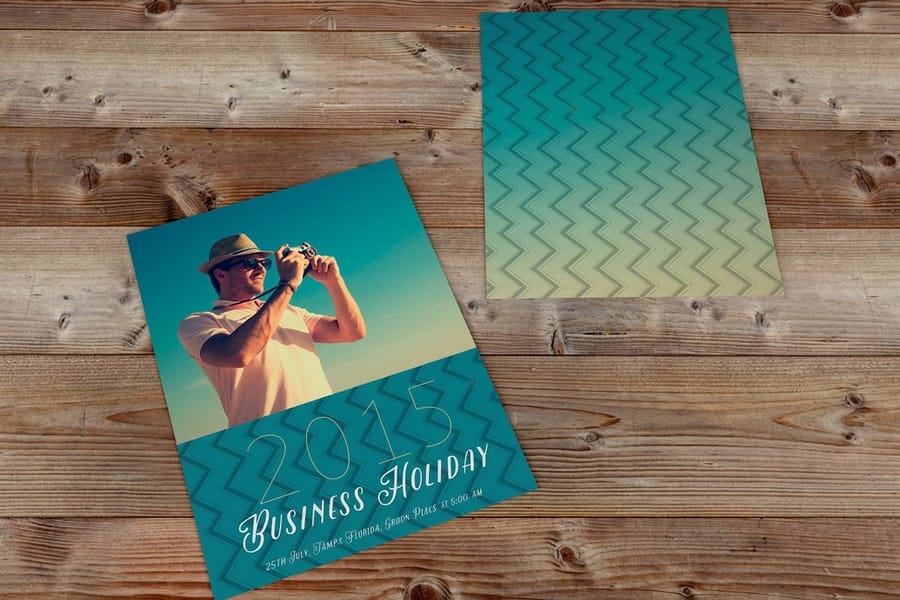
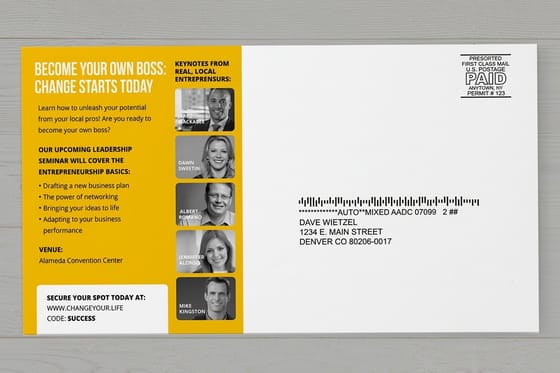
Addressing a postcard comes down to three zones on the back of the card. Every postcard, whether it is a standard 4x6 or an oversized 6x11, follows the same basic structure. The back is divided into a left half and a right half, with a vertical line (printed or imaginary) separating them.
The left side is your message. This is the larger area and your canvas for whatever you want to say, from a quick "wish you were here" to a customer offer. Keep it concise and do not let your handwriting or printed text cross the center line. Postal machines scan the right side, and stray ink in that zone confuses the reader.
The right side is the destination. This half is strictly business, reserved only for the recipient's mailing address and postage. No doodles, no extra messages, no logos overlapping the address block. For business postcards the left side is prime real estate for your offer, headline, or call to action, and the layout principles in our guide on how to make flyers apply to postcard messaging too.
The card size you fill out decides the postage, and the back stock decides the pen. If you will write on the card, order an uncoated or silk back rather than a gloss or UV coated one.
| Card size | Postage | Back stocks that take a pen | Order it as |
|---|---|---|---|
| 4 x 6 or 4.25 x 5.5 in | Postcard rate | 14pt, 16pt or 18pt uncoated, 100# silk or matte cover | Standard postcards, from 50 for $16.48 |
| 5 x 7 up to 6 x 11 in | First class letter postage | The same uncoated and silk stocks | Oversized postcards, from 50 for $51.62 |
| 4 x 6 up to 6 x 11 in, bulk | Printed indicia in the stamp corner | 14pt matte or silk, 14pt uncoated | Direct mail postcards, from 500 for $89.68 |
The recipient address zone

The right half is the business end of your postcard, reserved for the recipient's mailing address and postage. Position the address in the center-right area of this half and write it in three or four lines.
- Line 1: the recipient's full name or company name, skipping nicknames to avoid confusion.
- Line 2: the street address, plus apartment or suite number. Use common USPS abbreviations like ST for Street, AVE for Avenue, and BLVD for Boulevard.
- Line 3: the city, the two-letter state abbreviation such as CA for California, and the ZIP code.
- Line 4 (if needed): the destination country name for international mail.
Use dark ink, black or dark blue works best, and print clearly in block letters so both humans and machines can read it. For a unit inside a building, use APT for an apartment, STE for a suite, and BLDG for a building.
Where does the return address go on a postcard
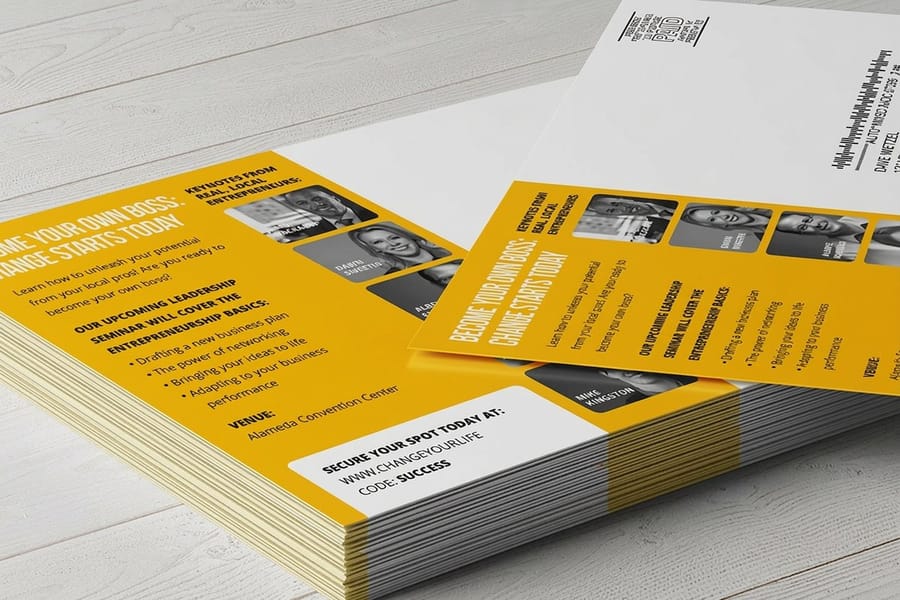
The return address goes in the top-left corner of the address side, above and to the left of the recipient address.
It is smaller text, usually two or three lines with your name or company name, street address, and city, state, and ZIP. USPS does not require it on postcards, but it is smart to include one. If the card cannot be delivered, it comes back to you instead of disappearing, and for business postcards the return address doubles as branding.
Keep it tight against the top-left of that half so it never crowds the recipient block below it. On a 4x6 card, two or three lines set a size or two smaller than the recipient address is plenty. If you are hand-stamping return addresses on a run of cards, our guide on how to clean rubber stamps keeps the impression sharp enough to scan.
Where does the stamp go on a postcard

The stamp goes in the top-right corner of the address side, and USPS scanners look for postage in exactly that spot.
This one is non-negotiable. For standard postcards (minimum 3.5 x 5 inches, maximum 4.25 x 6 inches) postcard-rate stamps apply, while oversized cards may need first-class letter postage instead. If you are sending bulk mail for a business campaign, a printed postage indicia goes in that same top-right position. Our 3D postcards and standard postcards all follow USPS size requirements, so the address zone is always in the right place. The same stamp and zone rules cover USPS change of address cards, and our guide shows how to make them.
Set the stamp square to the corner, roughly a quarter inch in from the top and right edges. A stamp tilted across the corner, wrapped around the edge, or dropped into the middle of the card forces the piece out of the automated stream and into manual handling, which costs days.
USPS formatting rules you should follow
USPS recommends a specific format for machine-readable addresses. Following these rules speeds up delivery and reduces errors.
- Use ALL CAPS for the entire address block.
- Skip punctuation, no commas, periods, or hyphens in the address lines.
- Left-align all address lines.
- Use standard abbreviations: ST for Street, AVE for Avenue, APT for Apartment, STE for Suite.
- Include the ZIP+4 code when you know it, since it speeds sorting.
- Leave at least 1/2 inch of clear space below the address for the barcode area.
Here is an example of a properly formatted postcard address: JANE SMITH, 123 MAPLE AVE APT 4B, PORTLAND OR 97201-1234, written on three separate lines with no commas. That bottom half-inch of the right side is where USPS prints an Intelligent Mail barcode during processing. If you have text, images, or decorative elements in that zone, the barcode cannot print correctly. It is one of the most overlooked rules when people learn how to address a postcard.
Handwritten versus printed addresses
Handwritten postcards have a personal charm that printed ones cannot match, but legibility matters more than style. If your handwriting is hard to read, print in block letters. Use a fine-point pen with dark, permanent ink, because felt-tip markers can bleed on glossy card stock.
For business mailings, printed addresses are the way to go. They are consistent, machine-readable, and professional. If you are running a direct mail campaign, variable data printing lets you personalize each card with a unique recipient address. For more printing and mailing tips across projects, browse our guide hub.
Addressing postcards for international mail

Sending a postcard overseas keeps the same format with a few additions. Write the destination country name in ALL CAPS on the last line of the address, using the country's full English name, so FRANCE rather than FR and JAPAN rather than JP.
Some countries format addresses differently. In Japan, addresses run from largest to smallest unit (prefecture, city, district, building). In the UK, the postcode goes on its own line. When in doubt, follow the recipient country's postal format for the local address lines, but always put the country name last in English. A few worked examples:
- Canada: MS HELEN SAUNDERS, 1010 CLEARWATER DR, OTTAWA ON K1A 0B1, then CANADA on its own line.
- United Kingdom: MR THOMAS HOWARD, 45 ABBEY RD, LONDON NW8 9AY, then UNITED KINGDOM on its own line.
- Australia: CHLOE HARRIS, 27 KANGAROO AVE, SYDNEY NSW 2000, then AUSTRALIA on its own line.
International postcard postage costs more than domestic. As of 2026, USPS charges a higher rate for international postcards, so check current rates before you stamp and send.
Addressing postcards for business campaigns
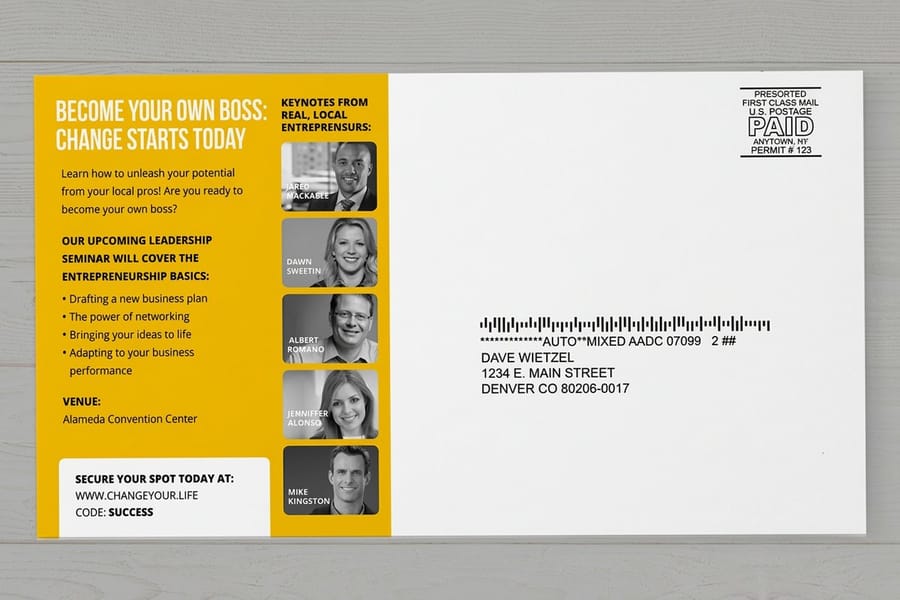
Direct mail postcards follow the same addressing rules, but the stakes are higher because you are paying for printing, postage, and a mailing list. A bad address means wasted money. A few tips specific to business mailings:
- Clean your mailing list before printing by running it through USPS CASS certification to verify addresses.
- Use USPS-compliant address blocks with proper font sizes, a minimum of 8pt for machine reading.
- Include a barcode clear zone at the bottom of the address side.
- Consider Every Door Direct Mail (EDDM) if you are targeting entire neighborhoods, since no individual addressing is needed.
Watch the details that quietly break delivery. Forgetting a unit like APT 4B or STE 101 leaves the card undeliverable even when the carrier finds the right building. A missing directional such as N for North or SW for Southwest can send a card to the wrong part of the city. Outdated ZIP codes cause the same trouble, so confirm the current five-digit or full ZIP+4 code on the USPS website. If you are creating postcards for a campaign, learn how to make envelopes for letter campaigns, read about custom magnets for an alternative direct mail format, or see how to fold a brochure for folded mailers.
Postcard size requirements for mailing
Not every card qualifies for postcard-rate postage. USPS has strict size requirements:
- Minimum size: 3.5 x 5 inches.
- Maximum size for postcard rate: 4.25 x 6 inches.
- Maximum thickness: 0.016 inches.
- Cards larger than 4.25 x 6 require first-class letter postage.
Oversized postcards like 5.5 x 8.5 or 6 x 11 still work great for marketing, they just cost more to mail, and the addressing format stays identical regardless of size. For a greener run, our green printing program offers postcards made with recycled materials and eco-friendly inks. When you want the printing, list, and postage handled end to end, we can check your design for postal compliance, help clean and manage your mailing list, and take care of sorting, bundling, and delivery to the post office at the best available postage rates.
Postcard addressing mistakes that delay or kill delivery
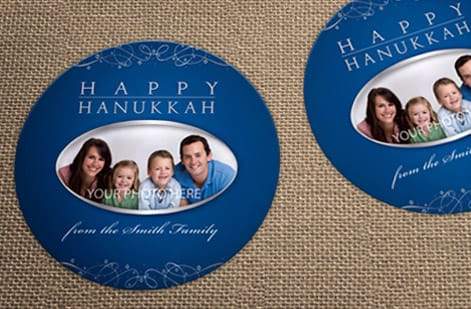
Even people who know how to address a postcard make these errors. Here are the most common ones and how to avoid them.
- Writing across the center line. Your message bleeds into the address zone and sorting machines cannot tell your note from the address. Stay on your side.
- Putting the address on the left. The recipient's address must be on the right half. The left side is for your message only.
- Using light-colored ink. Pencil, light blue, or pastel inks do not scan well. Stick to black or dark blue.
- Skipping the ZIP code. Without a ZIP, your postcard relies on manual sorting, which slows delivery dramatically.
- Decorating the address area. Stickers, washi tape, or drawings in the barcode clear zone block machine processing.
- Wrong postage. Oversized postcards need letter-rate stamps, not postcard-rate. Check your card's dimensions before stamping.
4OVER4.COM prints postcards with pre-marked address zones and guide lines, so you always know exactly where to write. That small detail saves a lot of returned mail.
Wally explains postcard addressing
Right half for the address, left half for the message
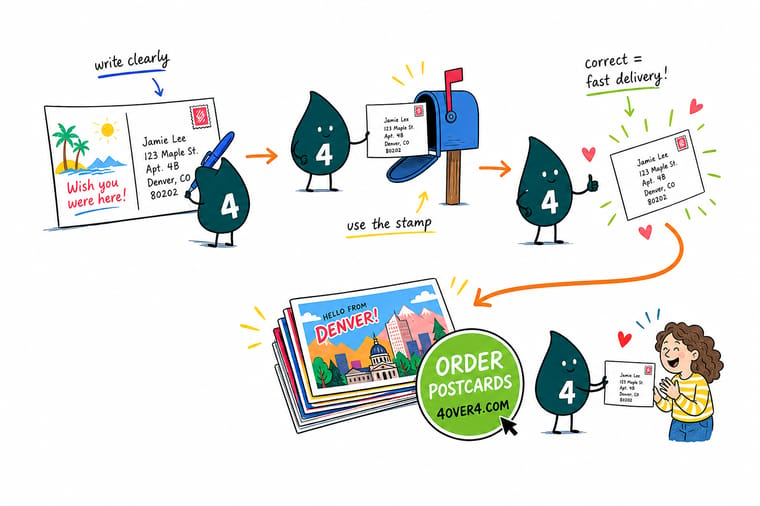
Wally treats a postcard like a tiny mail route: the address and stamp live on the right half where the scanners look, your message stays on the left, and the bottom strip stays clear for the barcode. Write in all caps with dark ink and no punctuation and the machine reads it in one pass. When you are ready to mail a real run, order postcards printed with clean address zones already built in at 4OVER4.
Order postcards →At a glance
What goes where on a postcard
| Element | Correct placement | Why it matters |
|---|---|---|
| Recipient's address | Right-hand side, below the postage stamp. | This is the exact zone USPS automated sorting machines are programmed to scan. |
| Return address | Top-left corner of the right side (optional but recommended). | If the postcard is undeliverable, this is what lets it come back to you. |
| Personal message | Left-hand side, clear of the address and postage areas. | Keeps the mailing information clean and prevents scanning errors or confusion. |
| Postage stamp | Top-right corner, directly above the recipient's address. | Machines detect postage in this exact spot to process the mail. |

Specs and pricing
Postcard specs and pricing
Here is what a fresh run of postcards gives you at 4OVER4.COM, with live specs and price-per-unit straight from the configurator so your addressing zone always sits in the right place.
| Quantity | Price Per Unit | Total |
|---|---|---|
| 50 | 33.0¢ | $16.48 |
| 100 | 24.2¢ | $24.16 |
| 200 | 15.9¢ | $31.86 |
| 300 | 12.8¢ | $38.45 |
| 400 | 11.3¢ | $45.04 |
| 500 | 10.3¢ | $51.62 |
| 600 | 9.89¢ | $59.31 |
| 700 | 9.57¢ | $67.00 |
Print it
Postcards built for easy addressing and fast delivery
Now that you know how to address a postcard, you need a card worth sending. Every card is printed on thick, durable stock with clean address zones on the back and meets USPS size and thickness requirements right out of the box. For what goes on the message half, our guide on how to fill out a postcard covers the writing side.

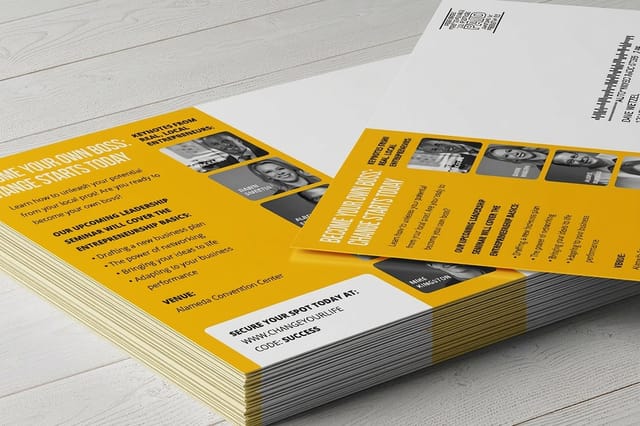

See it in use
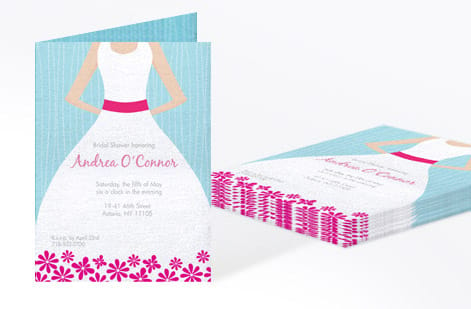
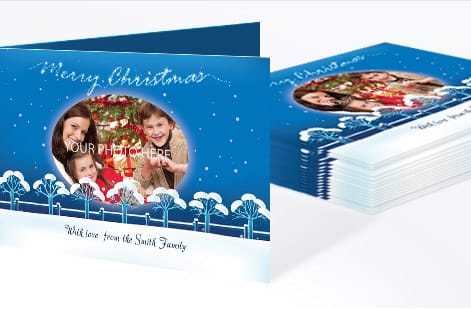
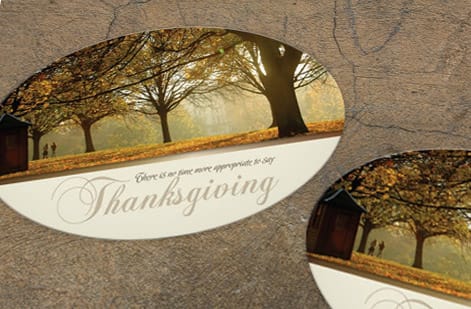
Postcards we printed before they were addressed






Explore more
Where to go next



By the numbers
Postcards that get delivered at 4OVER4
Common Questions
Your postcard addressing questions, answered
Which side of a postcard do you write the address on?
The address goes on the back of the postcard, on the right half. The left half is reserved for your personal message, and the front of the postcard is for your image or design. This layout is standard across USPS and most international postal services.
Do I need a return address on a postcard?
USPS does not require a return address on postcards, but it is a good idea to include one. Place it in the top-left corner of the right side, above the recipient's address. If the card is undeliverable, it comes back to you instead of getting discarded.
What size postcard qualifies for postcard-rate postage?
USPS postcard rate applies to cards between 3.5 x 5 inches and 4.25 x 6 inches, with a maximum thickness of 0.016 inches. Anything larger requires first-class letter postage. Standard postcards from 4OVER4.COM are designed to meet these requirements.
Can I print a QR code on the address side of a postcard?
Yes, but only on the left message side. Never place a QR code in the address zone or barcode clear area on the right side. A QR code that links to your website, menu, or landing page belongs with your message so scanners still read the address cleanly.
Should I use cursive or print when addressing a postcard by hand?
Print in block letters using dark ink. Cursive can be difficult for postal sorting machines to read, which may delay delivery. All caps with no punctuation is the USPS-recommended format for the best machine readability.
Where do you put a return address on a postcard?
The return address goes in the top-left corner of the address side, above and to the left of the recipient address. Keep it to two or three lines set slightly smaller than the recipient block. USPS does not require a return address on a postcard, but without one an undeliverable card is destroyed rather than sent back to you.
Where does the stamp go on a postcard?
The stamp goes in the top-right corner of the address side, roughly a quarter inch in from the top and right edges. USPS scanners look for postage in exactly that spot. A stamp placed anywhere else, tilted across the corner, or wrapped around an edge pushes the card out of automated sorting and into slower manual handling.
How do I address a postcard to another country?
Follow the same format as domestic mail, but add the destination country name in ALL CAPS on the last line. Use the full English name of the country such as FRANCE or JAPAN. International postcard postage rates are higher than domestic, so check current USPS rates before mailing.
Get Started
Ready to print and mail your postcards?
Pick your size, drop in your design, and we print postcards on durable stock with clean address zones that mail without a hitch.
Legal Disclaimer
Gold Standard guarantees apply to all standard orders placed through 4over4.com. Price match requires verifiable proof of a competitor's published price for an equivalent product with matching specifications and turnaround time. Satisfaction guarantee covers manufacturing defects and print quality issues. Contact support with order number and documentation.
