
Outsourced Printing Services That Cut Costs and Keep Quality


Marcus is our print marketing voice, built from the knowledge of our production team, with over 20 years in printing.
Hand off your print work to a specialist and skip the presses, the maintenance, and the paper closet. Here is how to pick the right partner, prep clean files, and get professional results while spending less per piece.
Outsourced printing services let you print professionally without owning a press. You skip the cost of equipment, staff, and maintenance while gaining offset and digital presses plus specialty finishing, and the price per piece falls as the run grows. Choose a partner on catalog range, on-time reliability, and real guarantees, send press-ready CMYK files at 300 DPI with a 0.125 inch bleed, and always approve the proof before production.
The short answer
What you will learn about outsourcing your print work
Outsourced printing services let you skip the cost of in-house equipment, staff, and maintenance while getting professional-grade results without owning a single press. Here, 100 standard business cards cost $17.57 and 500 full-color 4.25 x 5.5 inch flyers cost $108.75, each printed in 3 business days. This guide breaks down how to pick the right partner, what to look for in quality and turnaround, and how to avoid the mistakes that waste your budget. 4OVER4.COM has served 150,000+ businesses with 1,000+ products, so we know what works.
Watch it printed
See standard business cards on the press, in 167 seconds
The run in the video is the job you would send out: 2 x 3.5 inch standard business cards, from $17.57 for 100 on stocks from 14pt Gloss Cover to 80pt UltraWhite Uncoated, printed in 3 business days.
Run the numbers
In-house vs outsourced printing, a cost comparison
Fill the in-house column with your own figures, because they are the only honest ones: your lease payment, your toner cost, your reams, your service contract, your staff hourly rate. We are not going to quote a machine we have never seen. The outsourcing column is what actually happens when the job leaves your office, and the last line links straight to the live configurator so the price you compare against is a real one. For reference, full-color flyers start at $108.75 for 500 at 4.25 x 5.5 inches there, with sizes up to 11 x 25.5 inches.
| Cost line | Printing in-house | Outsourcing |
|---|---|---|
| Equipment or lease | Your purchase price spread over the machine's working life, or the monthly lease payment for as long as the contract runs. | Nothing. The press belongs to the printer, and so does the depreciation. |
| Toner and ink | Cartridge price divided by rated yield, then multiplied by how much coverage your art actually uses. Heavy full-color pages burn through yield far faster than the rating suggests. | Built into the per-piece price. Full-bleed color costs the same as a light layout. |
| Paper stock | Cost per ream, plus the reams you buy for one project and never finish. Office machines also limit you to the weights they can feed. | Built in, across 60+ paper types, including heavy cover stocks and specialty finishes an office printer cannot pull through. |
| Maintenance and service contract | Annual contract cost, plus every call-out and part the contract does not cover, plus the days the machine is down. | Nothing. Press uptime is the printer's problem. |
| Staff time | Hours per month someone spends loading stock, clearing jams, babysitting a long run and reprinting it, times their hourly rate. | Minutes to upload a press-ready PDF and approve the proof. |
| Finishing equipment | Cutter, folder, scorer and binder bought separately, or every folded and bound job sent out anyway. | Included: cutting, folding, scoring, laminating, foil stamping, embossing, die cutting and binding, all under one roof. |
| Waste and reprints | Every misfed, misregistered or wrong-color sheet you bin, at full paper and toner cost, plus the time to run it again. | Caught at prepress and at final inspection before the job ships, so the reprint risk sits with the printer. |
| Cost per 500 full-color flyers | Add the eight lines above for one month, divide by the pieces you actually produced that month, then multiply by 500. | Set the quantity to 500 in the flyers configurator and read the price and the per-unit number straight off the page. |
Decide in a minute
When to outsource your printing, a checklist
Six yes or no questions. One yes usually pays for itself. Two or more and the office printer is costing you money you are not counting.
- Is the run longer than 500 pieces? Yes means outsource. Office machines are priced per page with no volume break, so the 501st sheet costs exactly what the first one did, while press pricing keeps falling as the count climbs.
- Does the job need finishing your office cannot do? Folding, scoring, perfect binding, saddle stitching, die cutting, foil, embossing, spot UV, rounded corners. If any of those are on the spec, a yes here settles it on its own.
- Does the color have to match a brand standard? If a logo has to hit a specific Pantone or match last year's brochure, you need CMYK workflow, a proof and a press held to a standard, not a toner engine that drifts as the cartridge empties.
- Is there real deadline pressure? A yes cuts both ways, so be honest about it. A printer with rush and same-day options beats an office machine that jams at 4pm on the day you need the piece, but you still have to leave room for transit.
- Do you have somewhere to keep stock and finished pieces? If cases of paper and boxes of last quarter's flyers are living under someone's desk, outsourcing removes the inventory, not just the printing.
- Does this job come back on a schedule? Monthly menus, weekly inserts, quarterly mailers. Recurring work is where a saved file, an approved proof and a repeat order turn into the biggest time saving of all.
Why smart businesses don't print in-house anymore
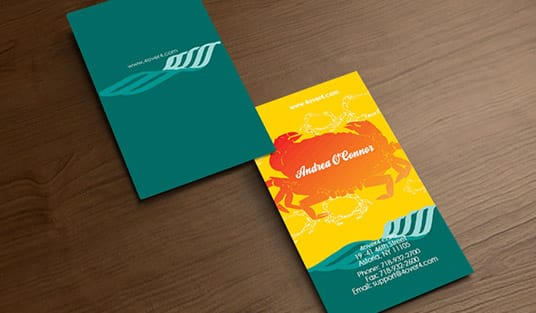
Outsourcing your print work trades clunky office printers and constant ink refills for a professional production partner who handles everything from file prep to finishing. An office machine feeds only the weights it can pull through, while a print partner like 4OVER4.COM runs 60+ paper types, from text weight flyers to heavy cover business cards. Specialized print providers deliver better quality at lower per-unit costs because printing is all they do, every single day.
Browse the 4OVER4.COM showcase to see what professional outsourced printing makes possible. If you handle specialty items, resources like how to clean rubber stamps cover the fine details, and when you are ready to design, grab free design templates to speed things up. To vet a printer before the first order, read How to Choose a Print Service Provider That Delivers On Time.
What outsourced printing services actually include
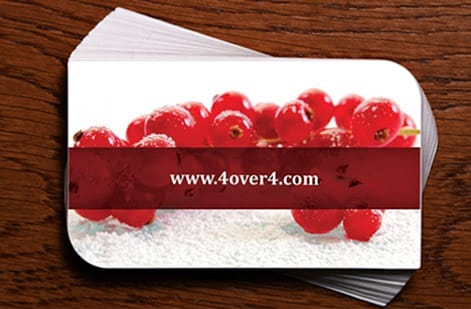
Outsourced printing means you rent press time one job at a time, whether that job is 100 business cards or 500 flyers. Instead of buying industrial presses, hiring operators, stocking paper, and maintaining equipment, you hand off the entire job to a specialist. They handle prepress file checks, color matching, printing, cutting, finishing, and shipping.
This goes way beyond emailing a PDF to someone with a laser printer. A real outsourced printing partner gives you access to offset presses for high-volume runs, digital presses for short runs and variable data, and specialty equipment for foil stamping, embossing, and die cutting. You are plugging into infrastructure that would cost hundreds of thousands of dollars to build yourself.
The scope covers nearly everything a business needs: business cards, postcards, brochures, flyers, banners, packaging, stickers, labels, envelopes, and more. If you need help with folded pieces, check out how to fold a brochure for setup tips before you send files to your printer.
Outsourced printing or managed print services, two different things
Search for outsource printing and half the results sell something else. Managed print services means a vendor puts copiers and printers in your office, supplies the toner, services the machines and bills you per page. The printing still happens at your desk. That is a facilities contract, and it makes sense for a company that prints thousands of internal documents a month.
Outsourced printing, the subject of this guide, means the job leaves the building. You send a press-ready file to a commercial printer, and the printer runs it on offset, digital or large format equipment, finishes it, and ships the boxes back. Standard business cards and flyers take 3 business days here. You own no hardware and you pay per job, starting at $17.57 for 100 business cards, rather than per month.
The two are not rivals. Plenty of businesses keep a managed office printer for contracts and internal paperwork and send every customer-facing piece, business cards, brochures, postcards, banners and packaging, to a print partner. The test is simple. If the piece has to look like a product, it goes out. If it is a memo, it stays in.
When outsourcing makes more sense than in-house
Here is a quick gut check. If you are printing fewer than 10,000 pieces per month, outsourcing almost always wins on cost. Office-grade printers cannot match the per-unit economics of industrial equipment. A single commercial press can produce in one hour what your office printer takes a full day to finish.
Outsourcing makes sense when you need consistent color accuracy across multiple print runs. It makes sense when you want specialty finishes like soft-touch lamination, spot UV, or metallic foils. It makes sense when your team's time is better spent on strategy and sales than babysitting a printer that jams every 200 pages.
Even large companies with in-house print departments outsource specialty jobs. The equipment for 3D lenticular postcards, for example, requires specialized printing technology that most businesses will never own.
The only scenario where in-house might win is when you need a handful of black-and-white pages right now, this second. For everything else, outsourcing is the smarter play.
The trade-offs of outsourcing print, and how to manage each one
Outsourcing wins on cost and quality, but it is honest to name what you give up and how to get it back.
- Less immediate control. You cannot walk over and stop the press. The fix is the proof. Approve the digital proof only when every line is right, and for a new provider order a hard copy proof before the first big run.
- Lead time. Production runs 2 to 5 business days plus shipping, so a print date has to sit in the project plan from day one. Rush and same-day options exist, but they cost more than planning ahead.
- A learning curve on files. CMYK, 300 DPI, bleed and outlined fonts are new to a team that has only printed from Word. One press-ready template per product, saved once, removes the problem for every later order.
- Vendor selection. The first order with any printer is a test. Start with one product, check the color and the trim against the proof, then move the rest of the work over.
Every one of these is a process fix, not a reason to keep buying toner.
How to choose the right outsourced printing partner
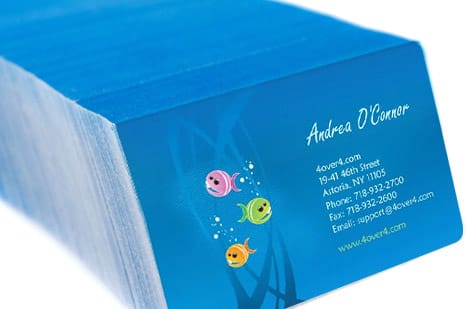
Four checks separate a print partner you keep from one you replace: product range, turnaround and reliability, quality guarantees, and file support with proofing.
Product range matters. A provider with a wide catalog means you consolidate vendors. 4OVER4.COM offers 1,000+ products across 60+ paper types, so you are not juggling three different printers for three different jobs. One relationship, one account, one set of brand specs on file.
Turnaround and reliability. Ask about on-time delivery rates. Ask what happens when something goes wrong. A provider that ships early on the majority of orders gives you a buffer, because late deliveries kill campaigns, events, and product launches.
Quality guarantees. Look for providers who back their work with real guarantees, not vague promises. Does the printer offer reprints if something does not match your proof? Do they have a price match policy? These details matter when your brand reputation is on the line.
File support and proofing. Good providers catch file errors before they hit the press. They flag low-resolution images, missing bleed, and color space issues. Bad providers just print whatever you send and blame you for the result. For more product-specific guidance, the guide hub covers common questions across dozens of product categories.
Preparing your files for outsourced printing

File prep is where most outsourced printing problems start. Get this right and the rest is smooth.
Resolution. Use 300 DPI minimum for anything that will be printed. That Instagram graphic at 72 DPI looks like a pixelated mess on paper, so always design at print resolution from the start.
Color mode. Design in CMYK, not RGB. Your screen uses RGB and presses use CMYK. If you submit RGB files, colors shift, sometimes dramatically, and that bright electric blue on your monitor might print as a muddy purple.
Bleed. Add a 0.125 inch bleed on all sides. Bleed is the extra image area that extends past the trim line. Without it, you get thin white edges on your finished pieces where the cutter did not land perfectly.
Fonts. Outline all fonts or embed them in your PDF. If the printer's system does not have your font installed, it substitutes something else, and you do not want your luxury brand showing up in Arial. If you are working on specific formats, guides like how to make flyers and how to make envelopes walk through file setup step by step.
Understanding paper stocks and finishes
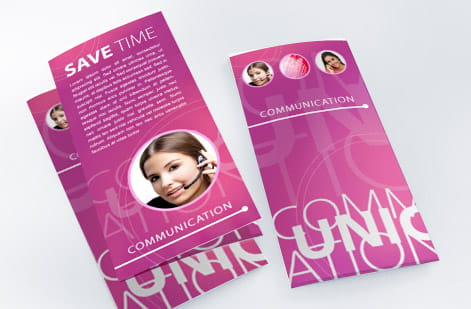
Paper choice affects how your printed piece feels, looks, and performs. This is where outsourcing really shines, because you get access to stocks you would never keep in your office supply closet.
Weight and thickness are measured in points. A 14pt card stock feels sturdy and professional, similar to a standard business card. A 32pt stock is thick, rigid, and hefty, the kind of card people do not throw away because it feels expensive in their hand. Thickness communicates credibility before anyone reads a single word.
Coatings and finishes change everything. Gloss makes colors pop and photographs look vivid. Matte gives a smooth, sophisticated feel. Soft-touch lamination adds a velvety texture people cannot stop rubbing between their fingers. Spot UV lets you add a glossy raised effect to specific areas, like your logo, while the rest stays matte.
Specialty stocks include kraft paper for a natural, earthy look, linen for texture, and pearl for a subtle shimmer. Each stock tells a different story about your brand. A yoga studio and a law firm should not be using the same paper. Want to see creative applications? Browse the showcase for real examples of what different stocks and finishes look like in finished projects.
Managing costs when you outsource printing

Outsourced printing saves money, but only if you are strategic about it. Here is how to keep costs under control.
Order in bulk when possible. Per-unit costs drop a lot at higher quantities. If you know you will need 5,000 postcards over the next six months, order them all at once instead of five separate runs of 1,000.
Standardize your sizes. Custom sizes cost more because they require special cutting. Stick to standard dimensions, 3.5 by 2 inches for business cards and 4 by 6 or 6 by 9 inches for postcards, and you avoid upcharges.
Consolidate orders. Shipping costs add up when you place small orders every week. Batch your projects and ship them together.
Do not over-spec. A 32pt card with spot UV and foil stamping is gorgeous, but if you are handing it out at a trade show where 80 percent of recipients will toss it in a bag, a sharp 14pt gloss card gets the job done at a fraction of the cost. Match the material to the moment. For unique promotional items that stretch your budget further, learn how to make custom magnets to add variety without a big spend.
What to expect after you place an order
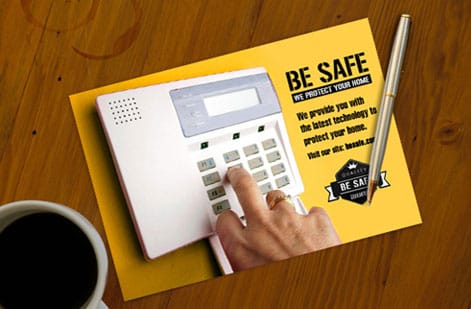
Once your files are uploaded and your order is placed, here is the typical workflow with a professional provider.
File review. The printer checks your files for errors. Good providers catch problems and notify you before production starts, and this step alone saves countless reprints.
Proofing. You receive a digital proof showing exactly how your piece will look. Check it carefully and approve it only when everything is right. This is your last chance to catch typos, color issues, or layout problems.
Production. Your job hits the press. Depending on the product and quantity, production typically takes 2 to 5 business days, and rush and same-day options are often available for time-sensitive projects.
Finishing. After printing, your pieces go through cutting, folding, laminating, or whatever your order requires. This is where coatings, die cuts, and specialty treatments are applied.
Shipping. Your finished order is packaged and shipped. Track your order and plan your campaign timeline around the delivery date.
Digital, offset, and large format: matching the method to the job

Part of the value a print partner brings is choosing the right press for your run. Each method has a sweet spot.
Digital printing is best for short runs of roughly 50 to 1,000 pieces, tight turnarounds, and personalized materials. Use it for business cards, last-minute event flyers, conference handouts, and direct mail campaigns where each piece carries a unique name or discount code. With no real setup costs, small quantities stay affordable and print fast.
Offset printing is best for large quantity jobs, usually 1,000 or more pieces, where per-unit cost is a major factor. It is the workhorse behind brochures, catalogs, magazines, books, and big runs of marketing postcards, delivering an unbeatable cost-per-piece and beautiful, consistent color across the entire job.
Large-format printing is best for eye-catching visuals in advertising, events, and environmental branding. It covers banners, posters, trade show displays, wall murals, vehicle wraps, and all kinds of signage, producing high-visibility assets built to last indoors or out.
Specialty finishing rounds it out: foil stamping adds a shiny metallic layer, embossing and debossing press a raised or indented texture into the paper, die-cutting shapes paper into custom outlines or peek-through windows, and UV coating makes chosen spots shine against a matte background.
Costly mistakes to avoid when outsourcing print jobs
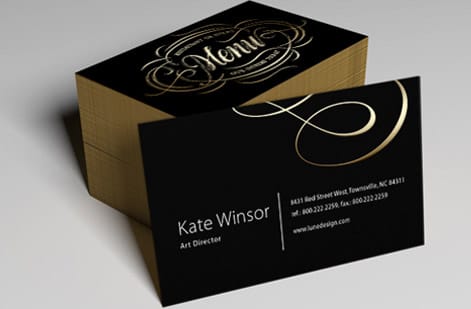
Even experienced marketers trip up when working with outsourced printing services. Here are the mistakes that burn time and money.
Skipping the proof. Approving without reviewing the digital proof is the fastest way to end up with 5,000 flyers that have your phone number wrong. Always proof, always.
Submitting RGB files. This is the single most common color complaint in outsourced printing. Design in CMYK from the start, or convert before uploading.
Ignoring bleed and safe zones. Text too close to the edge gets trimmed off. Images without bleed leave white borders. Both look unprofessional.
Ordering too late. Do not place a print order three days before your event and expect magic. Build print production and shipping time into your project timeline from day one.
Choosing the cheapest option every time. Price matters, but so does quality. A flimsy business card with dull colors does more harm to your brand than no card at all. 4OVER4.COM backs every order with a quality guarantee, so you are not gambling with your brand image.
Wally explains outsourcing
Rent the press, keep the savings
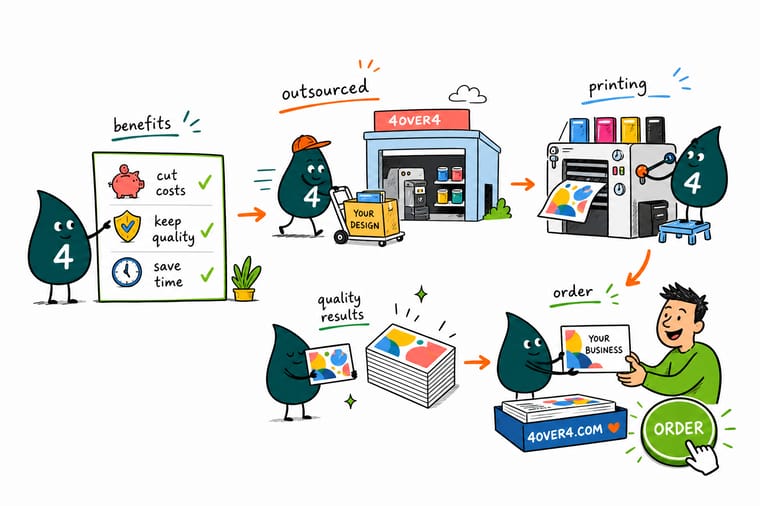
Wally does the math on the office printer: ink, toner, jams, repairs, and a drawer full of paper you rarely use. Hand the same job to a print partner and you tap offset and digital presses, specialty finishing, and prepress checks for a lower price per piece. Send clean CMYK files at 300 DPI with a 0.125 inch bleed, approve the proof, and let the specialist handle the rest.
Shop marketing materials →
Specs and pricing
Business card specs and pricing
Here is what a professionally printed business card gives you at 4OVER4.COM, with live specs and price-per-unit straight from the configurator, so you can see the outsourced economics for yourself.

| Quantity | Price Per Unit | Total |
|---|---|---|
| 100 | 17.6¢ | $17.57 |
| 200 | 11.5¢ | $23.07 |
| 300 | 9.15¢ | $27.46 |
| 400 | 7.96¢ | $31.86 |
| 500 | 7.25¢ | $36.26 |
| 600 | 6.77¢ | $40.64 |
| 700 | 6.43¢ | $45.04 |
| 800 | 6.18¢ | $49.43 |
Print it
Best products to start outsourcing today
If you are new to outsourced printing services, start with the products where the quality gap between office-printed and professionally printed is impossible to miss.



See it in use
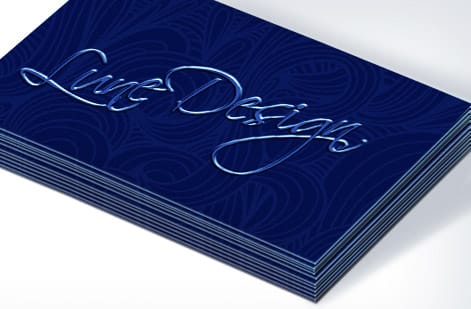
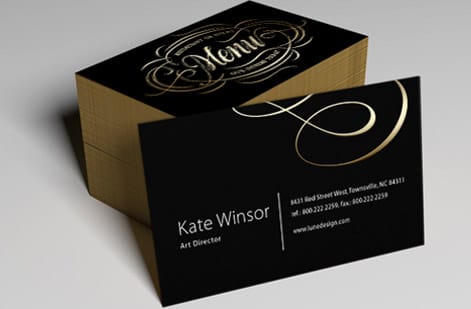
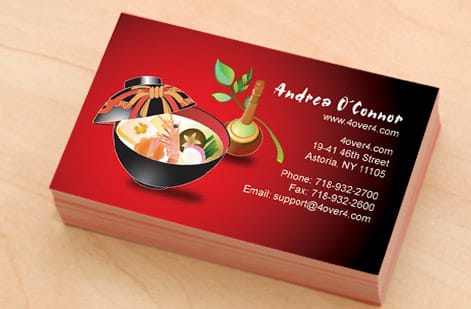
Real print work, produced in-house



Explore more
Where to go next




By the numbers
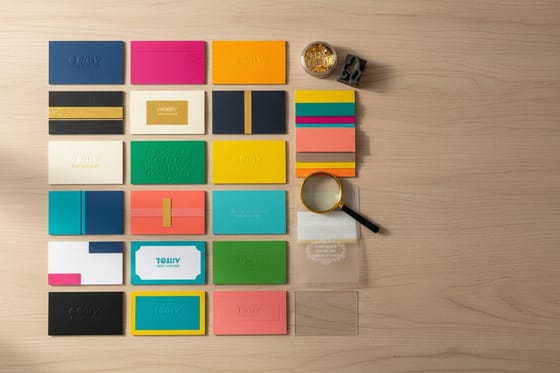
The outsourced floor this guide is describing
Common Questions
Your questions about outsourcing print services, answered
What is outsource printing?
Outsource printing means sending a print job to a commercial printer instead of producing it on equipment you own. You upload a press-ready file, choose the stock, size, finish and quantity, approve a proof, and the printer runs the job on offset, digital or large format presses, finishes it and ships it to you. It covers everything from business cards and flyers to banners, labels and packaging, and it is how most businesses get professional print without buying a press.
Is print a declining industry?
Parts of it are, and parts are growing. Newspapers, magazines and general office printing have shrunk as reading moved to screens. Packaging, labels, signage and targeted direct mail have grown, and digital presses made short runs and personalized pieces affordable for the first time. For a business buying print, the shift works in your favor. Commercial printers have consolidated around better equipment and wider catalogs, so an outsourced order today buys more capability per dollar than it did a decade ago.
Is outsourcing a dying concept?
No. What is fading is the idea that a company should own every function, including a print room. Businesses now keep the work that sets them apart in house and hand specialized production to partners who do it every day, and printing is the textbook case, because presses, finishing equipment and trained operators are expensive to own and cheap to rent one job at a time. The model has moved online, where you configure, upload, proof and track the order yourself, but the logic is the same.
What types of products can I outsource to a professional printer?
Professional print providers handle nearly everything: business cards, postcards, brochures, flyers, banners, stickers, labels, envelopes, packaging, and large-format signage. 4OVER4.COM offers 1,000+ products across 60+ paper types, so most businesses can consolidate all their print needs with a single provider instead of managing multiple vendors.
How much cheaper is outsourced printing compared to in-house?
It depends on your volume and on what your office machine really costs you, so add up its lease, toner, paper, service and staff time for a month and divide by the pieces it produced. Outsourcing removes equipment costs, maintenance, ink and toner purchases, paper inventory, and the labor hours spent running and troubleshooting printers. The per-unit cost drops even more at higher quantities because commercial presses are built for efficiency.
How do I make sure my brand colors print accurately?
Design all files in CMYK color mode. RGB files shift during printing because screens and presses use different color systems. Request a hard copy proof for your first order with a new provider to confirm the colors match your expectations. Once a proof is approved, reorder from the same file and the same stock so the next run starts from that standard.
What file format should I submit for outsourced printing?
Submit press-ready PDF files with fonts outlined, images at 300 DPI, and a 0.125 inch bleed on all sides. Most professional printers accept PDF/X-1a format. Avoid submitting Word documents, JPEGs, or PowerPoint files, because those formats lack the resolution and color accuracy needed for professional output.
How long does outsourced printing take from order to delivery?
Standard turnaround is 3 to 5 business days for production, plus shipping time. Many providers, including 4OVER4.COM, offer rush and same-day printing options for time-sensitive projects. Always factor in 1 to 2 days for file review and proofing before production begins.
Can I outsource small print runs or is it only for large quantities?
Digital printing technology makes small runs cost-effective. You can order as few as 50 postcards or flyers, or 100 business cards. Per-unit costs are higher on small runs, but you still get professional quality that is impossible to match with office equipment. This is ideal for testing designs before committing to a large order.
Get Started
Ready to outsource your next print run?
Upload your art, pick your stock and finish, and we handle prepress, printing, and finishing so every piece lands sharp and on time.
Legal Disclaimer
Gold Standard guarantees apply to all standard orders placed through 4over4.com. Price match requires verifiable proof of a competitor's published price for an equivalent product with matching specifications and turnaround time. Satisfaction guarantee covers manufacturing defects and print quality issues. Contact support with order number and documentation.
