
Common Brochure Sizes Guide for Print


Sofia is our design and templates voice, built from the knowledge of our production team, with over 20 years in printing.
Most pamphlets and brochures start as an 8.5 by 11 inch sheet folded to 3.67 by 8.5 inches, or a half-letter sheet folded to 4.25 by 5.5 inches. Pick the flat size first, then the fold, and your finished dimensions, reading order, and envelope all fall into place. Here are the eight sizes you will actually use and where each one fits.
The most common brochure size is 8.5 by 11 inch letter. Tri-folded it closes to 3.67 by 8.5 inches and fits a number 10 envelope, while a bi-fold on the same sheet gives a wider 5.5 by 8.5 inch page. The other common sizes are legal, tabloid, roll fold, 9 by 12, half letter, 4 by 9 rack, and 6 by 9, with A4 and DL as the international defaults and square as the specialty shape. Choose the flat size and fold to match your content, your budget, and how it will be handed out or mailed. For every panel measurement of the letter tri-fold, see our trifold brochure size guide.
Quick tips
Brochure size rules to settle before you design
Pick the flat size and fold before you design. Use 8.5 by 11 letter tri-folds for mailers that fit a number 10 envelope, legal or Z-folds for copy-heavy menus, and half-letter bi-folds for quick event handouts. Add 0.125 inch bleed, keep text inside the safe zone and off the fold lines, work at 300 DPI, and export in CMYK. 4OVER4.COM scores, folds, and trims every order so your chosen size arrives ready to hand out.
Reference
Brochure and pamphlet sizes, flat and folded
Flat sheet, typical folded dimensions, and the job each size does best. All eight print through 4OVER4.COM brochure production.
Jump to a size: 8.5 x 11 (Letter) · 8.5 x 14 (Legal) · 11 x 17 (Tabloid) · 11 x 25.5 (Roll fold) · 9 x 12 · 5.5 x 8.5 (Half letter) · 4 x 9 (Rack) · 6 x 9
| Flat size (inches) | Flat size (mm) | Folded to | Panels | Best for |
|---|---|---|---|---|
| 8.5 x 11 (Letter) | 216 x 279 mm | Tri-fold: 3.67 x 8.5 · Bi-fold: 5.5 x 8.5 | Tri-fold: 6 · Bi-fold: 4 | The default. Fits a #10 envelope tri-folded, ideal for mailers and handouts. |
| 8.5 x 14 (Legal) | 216 x 356 mm | Z-fold: 4.67 x 8.5 · Tri-fold: 4.67 x 8.5 | 6 | More panels for menus, service lists, and detail-heavy sales sheets. Needs a #10 policy or 6 x 9 envelope. |
| 11 x 17 (Tabloid) | 279 x 432 mm | Bi-fold: 8.5 x 11 · Tri-fold: 5.67 x 11 · Roll fold: 4.25 x 11 | Bi-fold: 4 · Tri-fold: 6 · Roll fold: 8 | A full booklet-style spread for real estate and product catalogs. |
| 11 x 25.5 (Roll fold) | 279 x 648 mm | Roll fold: 5.5 x 8.5 · Four fold: 6.375 x 11 | 8 | Four reveal panels for step-by-step or premium brand stories. |
| 9 x 12 | 229 x 305 mm | Bi-fold: 6 x 9 · Tri-fold: 4 x 9 | Bi-fold: 4 · Tri-fold: 6 | A slightly larger, upscale format that stands out in a stack. |
| 5.5 x 8.5 (Half letter) | 140 x 216 mm | Bi-fold: 4.25 x 5.5 | 4 | Compact event programs, price cards, and quick giveaways. |
| 4 x 9 (Rack) | 102 x 229 mm | Flat rack card | 2 | The classic rack card that slots into brochure displays and racks. |
| 6 x 9 | 152 x 229 mm | Flat or bi-fold: 4.5 x 6 | Flat: 2 · Bi-fold: 4 | A postcard-adjacent size for direct mail with room to breathe. |
International and specialty sizes
A4 and DL are the defaults outside North America, and square is the shape you choose when the shape is the point. Panel sizes are for the fold named in the same row.
| Flat size (inches) | Flat size (mm) | Folded to | Panels | Best for |
|---|---|---|---|---|
| 8.3 x 11.7 (A4) | 210 x 297 mm | Tri-fold: 3.9 x 8.3 | 6 | The international default. Use it for anything printed for or mailed outside North America. |
| 3.9 x 8.3 (DL) | 99 x 210 mm | Flat: 3.9 x 8.3 · Bi-fold: 3.9 x 4.15 | Flat: 2 · Bi-fold: 4 | One third of an A4 sheet, built for a DL envelope. Direct mail and countertop racks. |
| 8 x 8 or 8.5 x 8.5 (Square) | 203 x 203 mm | Bi-fold: 4 x 8 | 4 | Lookbooks, menus, and launches where the shape is the point. Needs a custom envelope and extra postage. |
Related sizing
Flyer size versus brochure size
A flyer is a single flat sheet, so its size is its finished size: flyers start at 50 for $39.54 in nine sizes, while brochures start at 50 for $57.11 in six sheet sizes, flat or folded. A brochure is a flat sheet plus a fold, so it has two dimensions that matter: the sheet you print and the piece the reader holds. That is why the same 8.5 by 11 sheet is a flyer one day and a tri-fold brochure the next.
| Format | Standard flyer size | Standard brochure size | What changes |
|---|---|---|---|
| Letter sheet | 8.5 x 11 flat | 8.5 x 11 flat, 3.67 x 8.5 tri-folded | The fold turns one reading surface into six panels. |
| Half sheet | 5.5 x 8.5 flat | 5.5 x 8.5 flat, 4.25 x 5.5 bi-folded | Same sheet, half the visible face, twice the sequence. |
| Quarter sheet | 4.25 x 5.5 flat | Rarely folded at this size | Below half letter a fold leaves panels too small to design. |
| Tabloid sheet | 11 x 17 flat | 11 x 17 flat, 8.5 x 11 bi-folded | A poster-scale flyer, or a four panel brochure. |
If your piece has one message and one call to action, print it as a flyer. If it has sections that need an order, fold it and print brochures instead. A pamphlet is the same piece by another name, usually a letter sheet tri-folded to 3.67 by 8.5 inches or a 5.5 by 8.5 inch sheet folded once to 4.25 by 5.5, printed on 100# gloss or silk text. Printing an informational piece rather than a sales piece? The same sheets are covered as pamphlet sizes.
Size decides the panels, the fold and the envelope
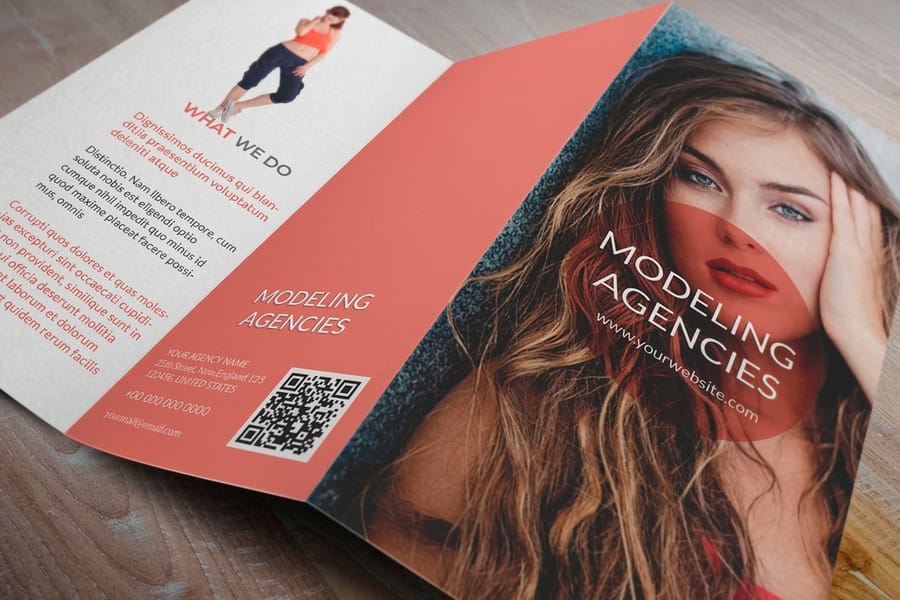
An 8.5 by 11 sheet tri-folded closes to 3.67 by 8.5 inches and slides into a number 10 envelope; the same sheet folded once is 5.5 by 8.5 inches and needs an A9 or a 6 by 9. Pick the size before you draw a single panel, because the flat size and the fold together set your finished dimensions, your reading order, and even the envelope your brochure ships in. Get it right and everything downstream falls into place. Get it wrong and your copy runs off the panel, the fold lands in the middle of a headline, or the finished piece will not fit its mailer.
This guide walks through the eight brochure sizes you will actually use, the folds that go with each one, and the file setup that keeps panels lined up. Whether you are printing a restaurant menu, a real estate flyer, or a trade show handout, the same rules apply. If you want to see how the folds themselves behave, our guide on how to fold a brochure pairs perfectly with the sizing here, and the online designer lets you build the whole thing in the browser.
Need related pieces for the same campaign? Learn how to make flyers that share your brochure file setup, or read up on how to make envelopes so your tri-fold mailer has a matching cover. The same precision that keeps a fold crisp shows up in every 4OVER4.COM guide, from sizing here to how to clean rubber stamps.
Eight flat sheets and the job each one does

Almost every brochure starts from one of eight flat sizes. We print six of them as brochures: 5.5 x 8.5, 8.5 x 11, 8.5 x 14, 9 x 12, 11 x 17 and 11 x 25.5 inches, on 100# gloss text, 100# silk text, 70# uncoated text or 14pt gloss cover, with a standard or high gloss UV finish, from 50 for $57.11 in 3 business days. Upload a PDF at the flat size plus 0.125 inches of bleed, with the fold lines marked. Each size has a natural job, and knowing the job saves you from over-designing a format that will not hold your content or ship the way you need.
- 8.5 x 11 (Letter). The default sheet. Tri-folded it closes to 3.67 by 8.5 inches and slides into a number 10 envelope, which is why it rules mailers and handouts.
- 8.5 x 14 (Legal). Three extra inches of panel, roughly 27% more printable area than letter, for menus, service lists, and copy-heavy sales sheets, usually as a Z-fold or tri-fold. It will not fit a number 10 envelope, so plan on a number 10 policy envelope or a 6 by 9.
- 11 x 17 (Tabloid). A booklet-style spread, exactly double the letter sheet. Bi-folded it becomes a full 8.5 by 11 page, ideal for catalogs and property listings, and tri-folded it gives panels of about 5.67 by 11 inches.
- 11 x 25.5 (Roll fold). Four reveal panels for step-by-step stories and premium brand pieces.
- 9 x 12. A slightly upscale format that stands taller in a rack or a stack.
- 5.5 x 8.5 (Half letter). Compact event programs, price cards, and quick giveaways.
- 4 x 9 (Rack). The classic rack card sized to drop into standard brochure displays.
- 6 x 9. A postcard-adjacent size with room to breathe, popular for direct mail.
All eight print through 4OVER4.COM brochure printing, so once you settle on a size you can move straight to stock and finish.
A4, DL and square brochures
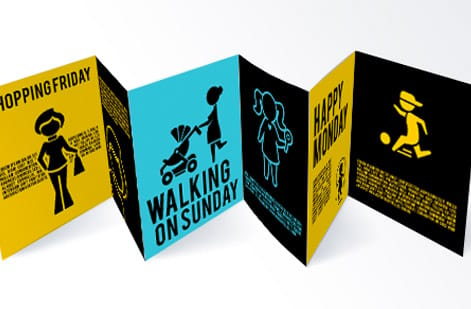
Three more sizes come up often enough to plan for. Two are the international defaults, and one is a specialty shape that trades postage for impact.
A4 (8.3 x 11.7, 210 x 297 mm). The international standard, slightly narrower and taller than letter. Tri-folded it closes to about 3.9 by 8.3 inches with six panels, against 3.67 by 8.5 for letter. For most layouts the difference will not change the design, but repurposing a piece between US and international markets means adjusting margins and bleed rather than scaling the file. Many global brands keep two versions of every key piece, letter for North America and A4 for everyone else.
DL (3.9 x 8.3, 99 x 210 mm). One third of an A4 sheet, sized to slide into a standard DL envelope. It is the most common brochure size in Europe and Australia and is gaining ground in North America for direct mail. Tall and narrow, it stands out in a stack of letter-sized mail and sits neatly in countertop holders and racks. Print it flat, or bi-fold it to 3.9 by 4.15 inches.
Square (8 x 8 or 8.5 x 8.5). Equal sides make a balanced canvas for image-led pieces such as lookbooks, portfolios, and launch collateral, and a bi-fold closes it to 4 by 8 inches. The trade-off is postage: square brochures do not qualify for standard letter rates and do not fit standard envelopes, so budget for custom envelopes or hand them out at events and in store instead. All three print as folded brochures at 4OVER4.COM.
The letter tri-fold at 3.67 by 8.5 inches
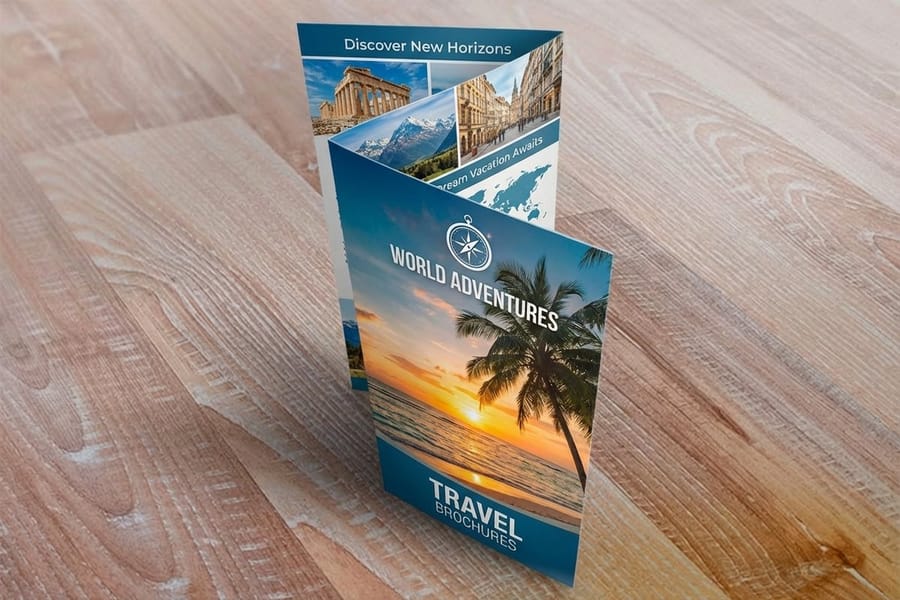
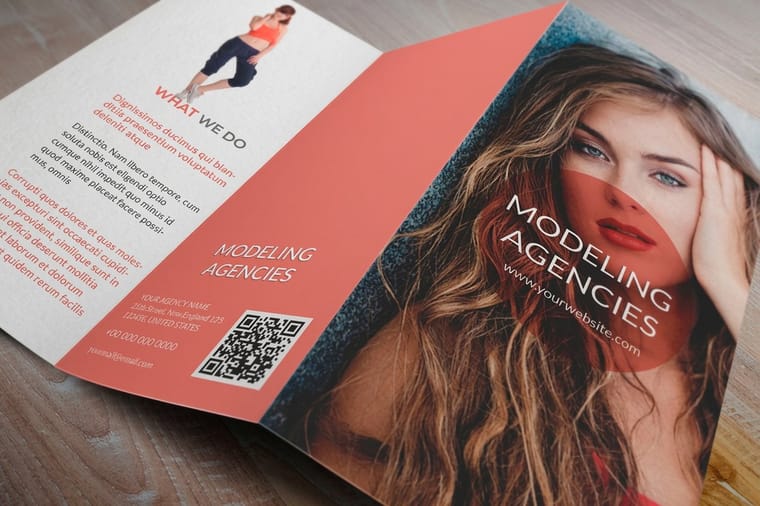
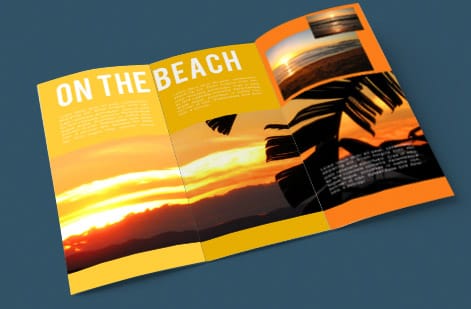
When someone says brochure, they usually picture a tri-fold. It prints on an 8.5 by 11 inch letter sheet and folds down to roughly 3.67 by 8.5 inches, giving you six panels to work with: a front cover, a back, and four inside faces that reveal in sequence as the reader opens it.
The detail that trips people up is the inner panel. On a tri-fold the panel that tucks inside is cut about 1/16 to 1/8 inch narrower than the outer panels, so the brochure closes flat instead of buckling at the spine. Design that panel a touch smaller and keep its critical text well inside the safe zone. If you need more room, step up to a legal 8.5 by 14 tri-fold, which is the standard move for restaurant menus and clinics with long service lists.
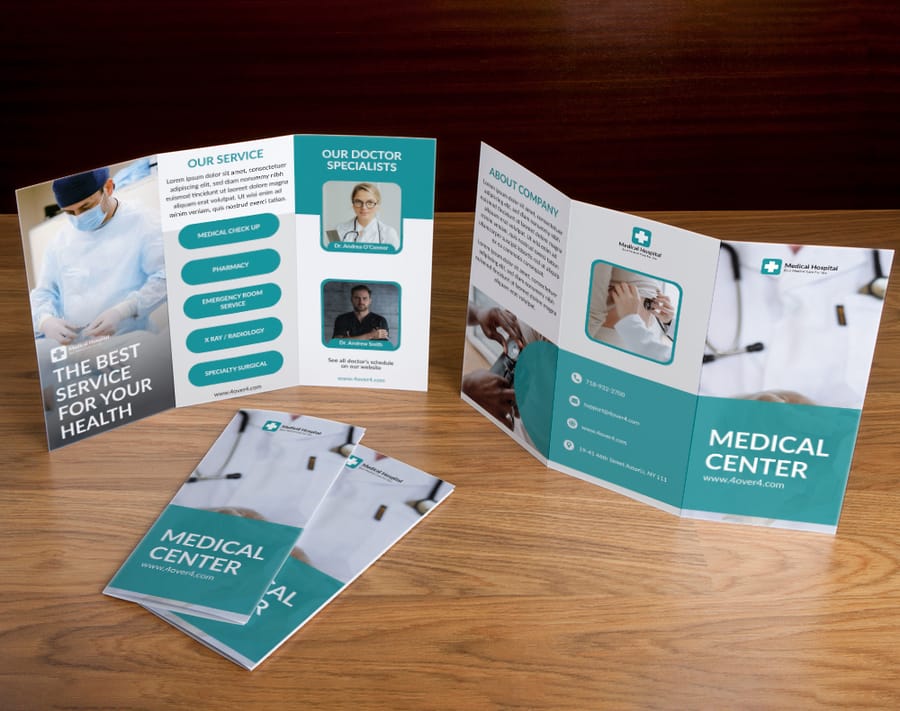
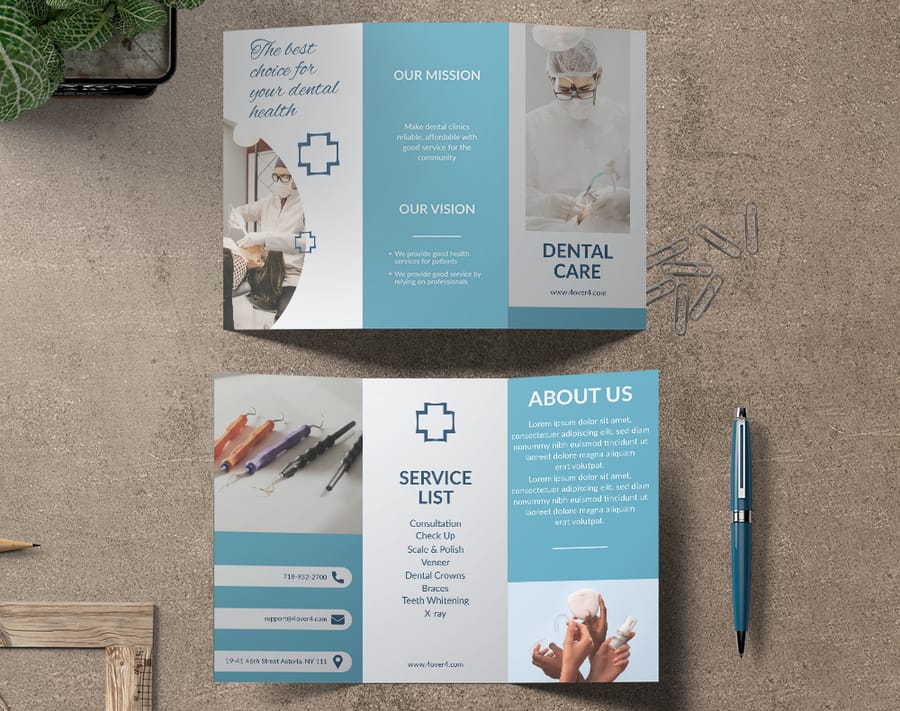
Tri-folds carry the day for mailers because the folded size fits a number 10 envelope. Prefer to skip the setup work? Start from a medical brochure template or a dental clinic brochure template that already has the panels and fold marks in place.
The bi-fold and its book style spread
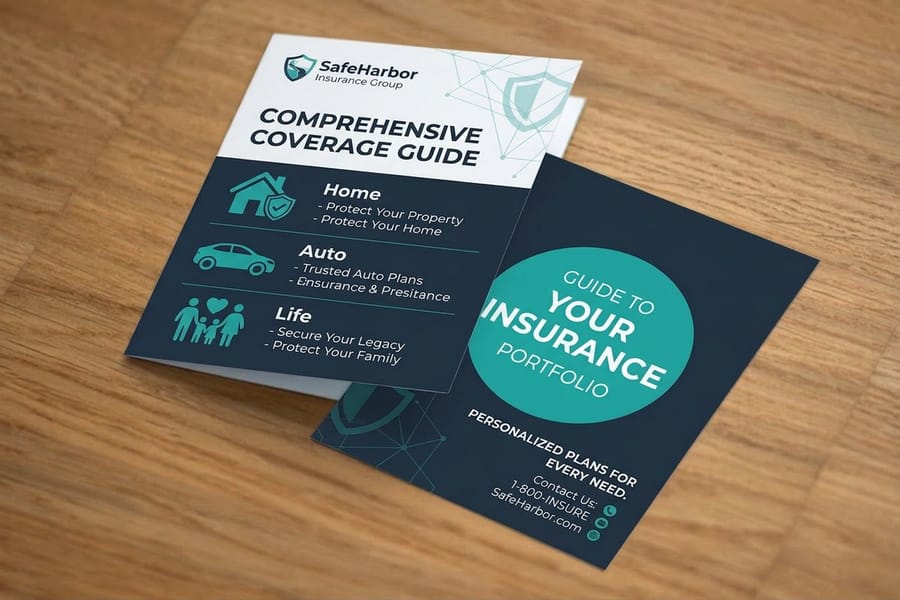
A bi-fold has a single center fold that creates four panels and a wider, more book-like page. On an 8.5 by 11 inch sheet it closes to 5.5 by 8.5 inches, and on an 11 by 17 sheet it opens to a generous 8.5 by 11 page. That extra width makes bi-folds the natural choice for image-led layouts, portfolios, and product features where a photograph needs to fill the page.
Because there is only one fold, a bi-fold reads more like a small booklet than a sequence of panels. Put your strongest visual on the cover, let the inside spread carry the story, and use the back for contact details or a call to action. Real estate agents lean on the 11 by 17 bi-fold for property listings because a single interior spread can hold a hero shot, floor plan, and highlights side by side.
If your brochure is part of a broader brand rollout, a matching set keeps everything consistent. Pair a bi-fold with free business cards so your leave-behind and your handout share the same look.
Z-fold and roll fold for more panels
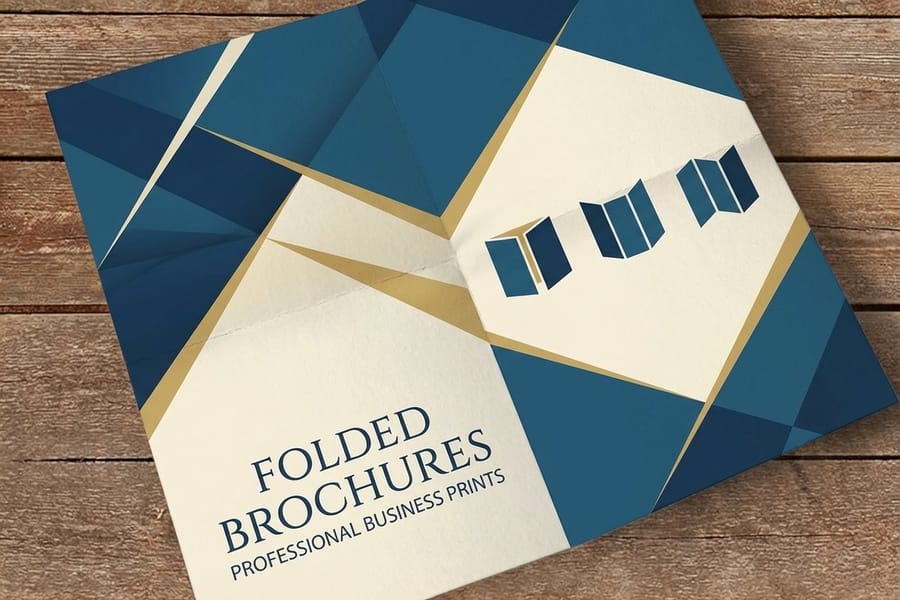
When a tri-fold runs out of room, the Z-fold and the roll fold give you more panels without a bigger footprint. Both put six panels on the sheet, but they behave differently as the reader opens them.
A Z-fold folds like an accordion, so every panel is the same width and the whole piece pulls open in one motion to show all three inside faces at once. That makes it great for step-by-step content, timelines, and menus where you want the full spread visible instantly. A roll fold tucks each panel inside the next, so it reveals one panel at a time, building toward a payoff. Because the innermost panels get progressively narrower on a roll fold, size them down by 1/16 to 1/8 inch each so they nest cleanly.
For the roomiest option, an 11 by 25.5 inch roll fold gives you four reveal panels for a premium, story-driven piece. Direct mail campaigns often pair these heavier layouts with direct mail brochures so the fold and the mailing spec are handled together.
Gate, French and four-panel folds, panel by panel
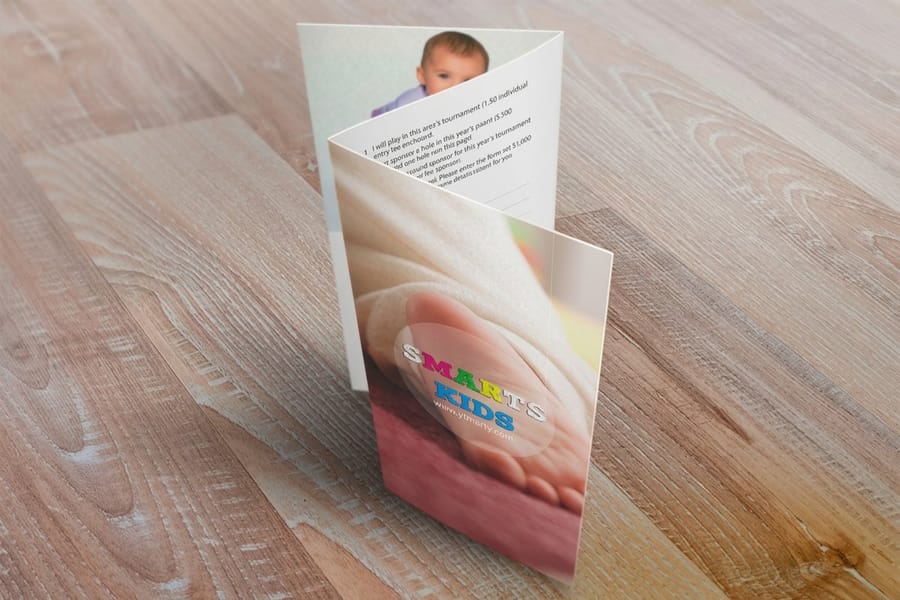
A few folds sit outside the big four and each one changes the finished size from the same sheet. A gate fold swings two outer panels open from the center for a dramatic reveal, which suits product launches and event invitations. A French fold is folded in half horizontally and then vertically, so a compact four-panel piece opens into a near-poster spread. Our guide to what a French fold brochure is and when the right angle fold wins covers that one in depth.
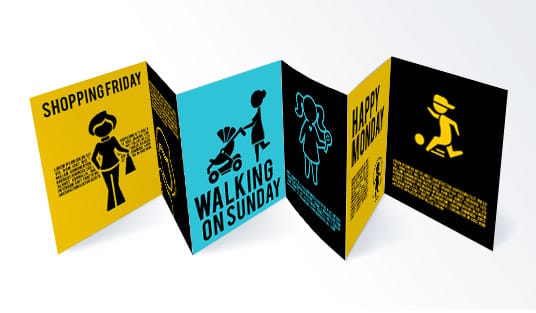
A four-fold brochure carries three fold lines and eight panels, four on each side, in one of two styles. The accordion zigzags so every panel opens flat in one pull, and every panel is the same width because nothing nests. The double parallel folds the sheet in half and then in half again in the same direction, so the two innermost panels tuck inside and need to run about 1/16 inch narrower each, or the fold bulges and the crease cracks.
- Letter, 8.5 x 11. Accordion: four equal panels of 2.125 by 11 inches, folded across the 8.5 inch side. Double parallel: outer panels 2.1875 inches, inner panels 2.0625 inches, finished at 2.1875 by 11.
- Legal, 8.5 x 14. Accordion: four panels of 3.5 by 8.5 inches, folded across the 14 inch side. Double parallel: outer panels 3.5625 inches, inner panels 3.4375 inches, finished at 3.5625 by 8.5.
- 11 x 25.5. Accordion: four panels of 6.375 by 11 inches. Double parallel: outer panels 6.4375 inches, inner panels 6.3125 inches, finished at 6.4375 by 11.
Pick the accordion when the content runs in a sequence the reader should see all at once, like a timeline or a process. Pick the double parallel for a compact piece that opens in stages, mails better, and fits a rack. Both print as folded brochures, and both need scoring on anything 16pt or heavier.
Bleed, safe zone, and file setup for any brochure size
Once you know your finished size and fold, set the file up correctly so the print matches the plan. Three measurements matter, and they are the same across every brochure size.
- Trim size: the final, folded-flat dimension after cutting. This is the size you have been choosing.
- Bleed: an extra 0.125 inch (1/8 inch) of artwork past the trim on all sides, so backgrounds run edge to edge without white slivers.
- Safe zone: keep text and logos at least 0.125 inch inside the trim and away from every fold line, so nothing is cut off or lost in a crease.
Always build the file at the full flat size, never the folded size. A letter tri-fold file is 8.75 by 11.25 inches once the bleed is included, with the fold lines set at the panel widths and the tuck-in panel about 1/16 inch narrower. Our primer on bleed and trim shows how the trim line, bleed area, and safe zone stack up.
Work at 300 DPI minimum and export in CMYK, not RGB, so your colors print the way they look on screen. Mark your fold lines on a separate guide layer and confirm that each panel width matches your fold plan before you export. The easiest way to get all of this right is to start from a blank brochure template that has the bleed, safe zone, and fold marks already built in. If a panel width or fold still looks off before you order, our help center can check the file setup with you.
Paper and finish. 100 lb text (150 gsm) is the sweet spot for most brochures, solid in hand and easy to fold. 70 to 80 lb text keeps high-volume handouts affordable, and 80 to 100 lb cover gives bi-folds and booklet covers a premium, durable feel. Gloss makes photos pop, matte keeps text-heavy layouts easy to read, and silk or satin lands in between with a low sheen. Anything 16pt and heavier should be scored before folding so the crease does not crack, and 4OVER4.COM scores heavy stock as standard practice. For the full stock comparison, see the best paper types for brochures.
How to choose the right size for your project

The right brochure size comes down to three questions: how much content you have, how it will be handed out or mailed, and how you want the reader to move through it.
Match the size to the content. A short pitch with a few images fits a half-letter bi-fold. A full menu or a detailed service list wants a legal tri-fold or a Z-fold. Do not force long copy onto a small format, and do not blow up thin content to fill a tabloid spread.
Match the size to distribution. Mailing it? A letter tri-fold fits a number 10 envelope, and half-letter and DL keep postage down too, while square and tabloid need custom envelopes and cost more to send. Racking it? A 4 by 9 rack card is built for the slot, and DL and half-letter suit racks as well. Handing it out at an event? A half-letter piece is light and easy to carry, and smaller formats get kept more often.
Match the size to budget. Smaller sizes use less paper and ink, so a half-letter brochure costs roughly half as much per unit as a tabloid, and printing in bulk lowers the per-unit cost at every size.
Still weighing options? Our guide hub covers the neighboring decisions, from paper weight to finish, and a matching custom magnet or a set of real estate brochure template panels can round out the campaign.
When a brochure should become a booklet, or a self-mailer
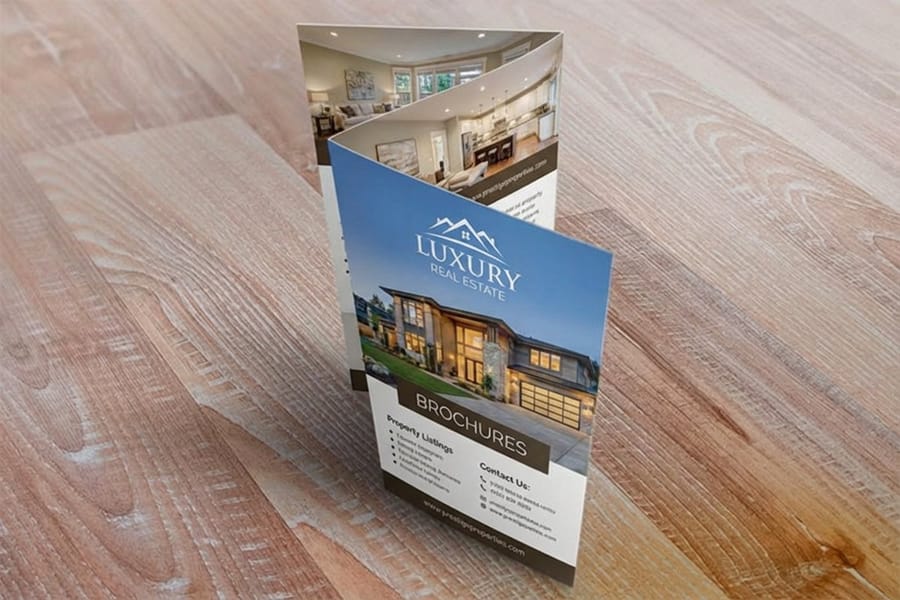
A folded sheet has a ceiling. Past roughly six to eight panels of content the folds get bulky and hard to read, and that is the point to move to a bound format. A booklet gives you as many pages as you need in multiples of four, held with saddle stitching or another binding, and most finish at the same 8.5 by 11 or 5.5 by 8.5 inch page sizes as a brochure, so the layout carries across. Catalogs suit a product range or a program guide, and newsletters suit a regular multi-page update. If the reader needs to flip rather than unfold, print a booklet; if one sheet still tells the whole story, the brochure is lighter and cheaper, and the elements of brochure design help you judge when your content has outgrown a fold.
Mailing adds the post office to the brief. A self-mailer has to fold flat, stay sealed and fall within postal size and thickness limits, so confirm the finished dimensions before you design. The easiest mailers are compact: a letter tri-fold, a half-letter bi-fold, or a slim 4 by 9 inch panel, and for a neighborhood campaign a rack card or postcard format often mails more cheaply. If the campaign leans on inserts instead of folds, buckslips add a message without adding much postage weight.
Brochures start at 50 for $57.11 on 100# gloss text, and the price per piece falls as the quantity climbs, so set the size, fold, stock and quantity in the configurator and compare a matte tri-fold against a gloss bi-fold before you order.
Sizing mistakes that ruin brochures

Even seasoned designers slip on brochure sizing. Avoid these and your run comes back clean.
Forgetting the bleed. If a background color or image stops at the trim line, cutting leaves thin white edges. Extend art 0.125 inch past every edge.
Ignoring the narrower inner panel. On tri-folds and roll folds the tucked-in panel must be slightly narrower, or the brochure will not close flat.
Designing at the folded size instead of the flat size. Your file needs the full unfolded dimensions with bleed. Design at 3.67 by 8.5 inches thinking that is your tri-fold and you end up with a brochure a third of the size you wanted.
Skipping the score on heavy stock. Stocks of 16pt and above can crack along the fold if they are not scored first. Ask for scoring on thick brochure stock, which 4OVER4.COM includes on heavy paper brochures as standard practice.
Putting text on the fold. A headline that lands on a crease gets broken or cracked. Keep type inside the safe zone and clear of every fold line.
Choosing a size that will not mail. If your piece has to ship, confirm the folded size fits your envelope before you design, not after.
Designing in RGB. Brochures printed from RGB files often shift or dull. Convert to CMYK early so what you see is what prints. When you want the sizing, scoring, and folding handled for you, 4OVER4.COM blank templates and brochure production take care of the mechanics so the file is the only thing you manage.
Wally explains brochure sizes
Pick the size and fold first, and the rest lines up
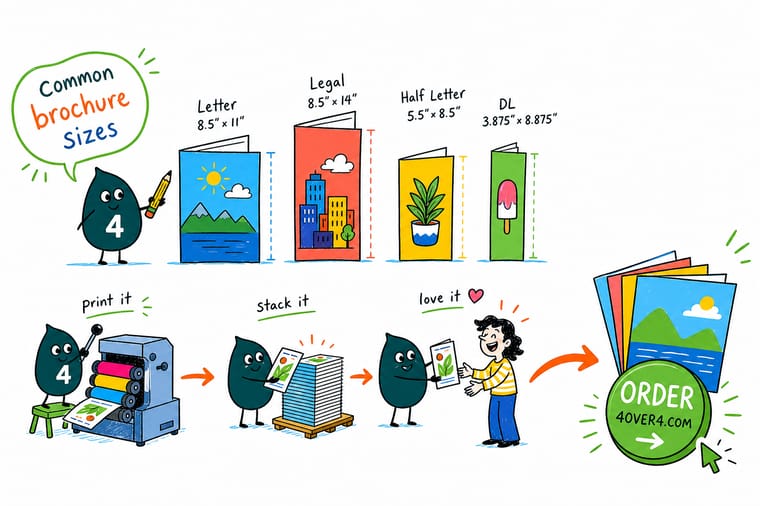
Wally thinks of a brochure like a sheet of paper with a plan: the flat size and the fold decide how it opens, how it reads, and whether it fits the envelope. Choose those two first, add the bleed and safe zone, and the panels line up every time. When the file is ready, 4OVER4 scores, folds, and trims it so your brochure arrives crisp in whatever size you picked.
Order brochures →
Specs and pricing
Custom brochure specs and pricing
Brochures print in six sheet sizes from 5.5 by 8.5 to 11 by 25.5 inches on four stocks, from 50 for $57.11 and 100 for $82.38, in 3 business days.

| Quantity | Price Per Unit | Total |
|---|---|---|
| 50 | $1.14 | $57.11 |
| 100 | 82.4¢ | $82.38 |
| 200 | 53.3¢ | $106.55 |
| 300 | 41.0¢ | $123.02 |
| 400 | 34.9¢ | $139.49 |
| 500 | 31.2¢ | $155.97 |
| 600 | 26.7¢ | $160.36 |
| 700 | 23.5¢ | $164.75 |
Print it
Order brochures in every size and fold at 4OVER4

Start from a template
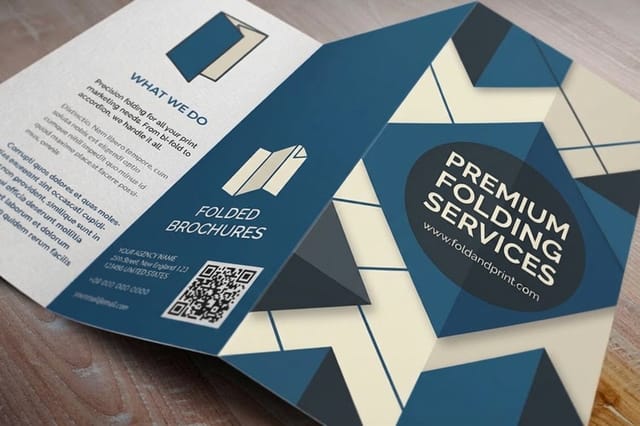
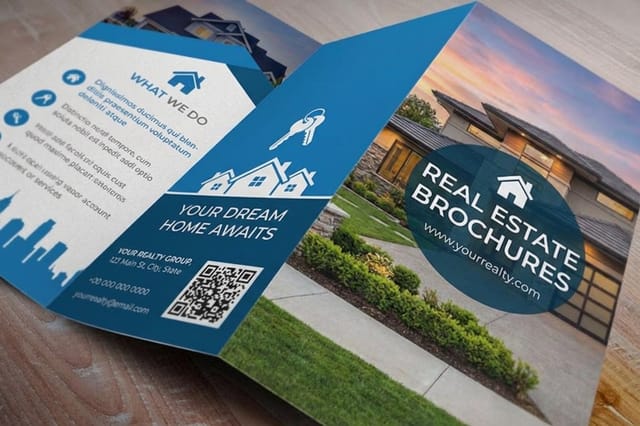
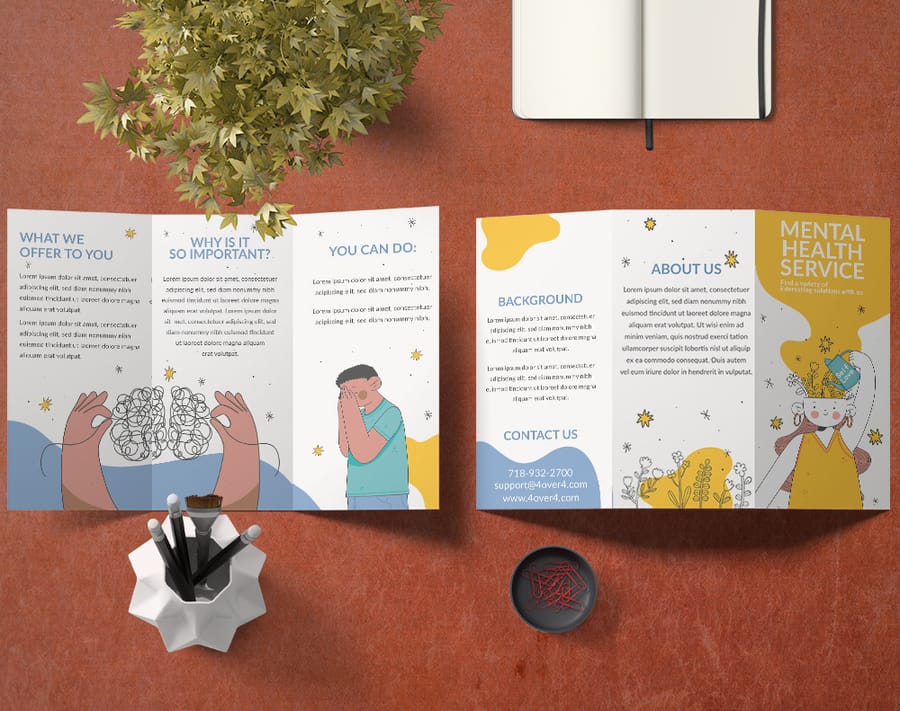
Ready-to-use brochure templates
Panel sizing, bleed, and fold marks already built in. Open one in the designer and drop in your content.
See it in use
Brochures in their finished folds, from real orders
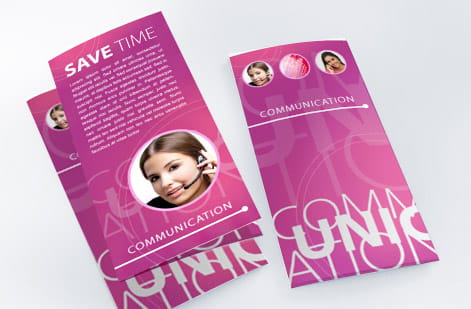


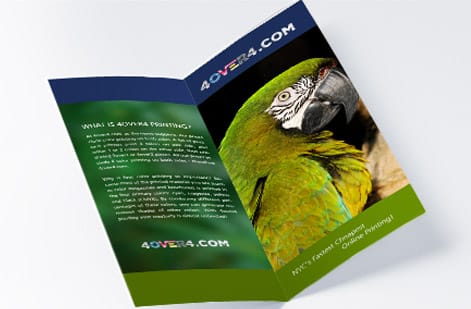
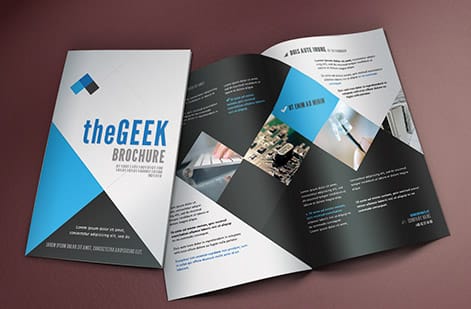
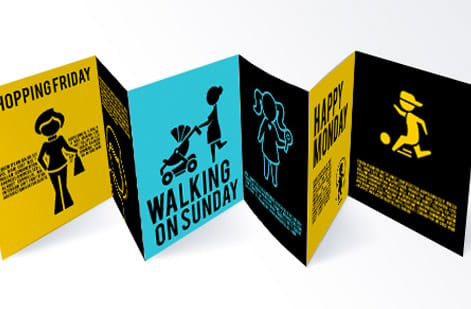
%22%2F%3E%3Ccircle%20cx%3D%2249%22%20cy%3D%2220%22%20r%3D%2224%22%20fill%3D%22%232dd4bf%22%20opacity%3D%220.15%22%2F%3E%3Ccircle%20cx%3D%2254%22%20cy%3D%2227%22%20r%3D%22-3%22%20fill%3D%22%232dd4bf%22%20opacity%3D%220.1%22%2F%3E%3Crect%20x%3D%2279%22%20y%3D%22-9%22%20width%3D%2234%22%20height%3D%2220%22%20rx%3D%224%22%20fill%3D%22%232dd4bf%22%20opacity%3D%220.08%22%20transform%3D%22rotate(44%2080%2030)%22%2F%3E%3C%2Fsvg%3E)
Explore more
Where to go next



By the numbers
Eight brochure sizes, sixty paper types, ten billion prints
Common Questions
Common questions about brochure sizes
What is the most common brochure size?
The 8.5 by 11 inch letter sheet is the most common brochure size by a wide margin. Folded into a tri-fold it closes to a slim 3.67 by 8.5 inch panel that fits a standard number 10 envelope, which makes it the default for mailers, restaurant menus, and trade show handouts. It uses the same sheet as everyday office printing, so it is affordable and easy to design around.
What is the difference between a bi-fold and a tri-fold brochure?
A bi-fold has one center fold that creates four panels and a wider, book-like page, so an 8.5 by 11 sheet closes to 5.5 by 8.5 inches. A tri-fold has two folds that create six panels and a narrower page, closing that same sheet to 3.67 by 8.5 inches. Bi-folds suit image-led layouts, while tri-folds guide a reader through short, sequential sections.
What size is a standard tri-fold brochure?
A standard tri-fold prints on an 8.5 by 11 inch letter sheet and folds down to roughly 3.67 by 8.5 inches. The inner panel is cut about 1/16 to 1/8 inch narrower so the brochure closes flat instead of buckling. Legal-size 8.5 by 14 tri-folds are also common when you need more room for menus or detailed service lists.
How much bleed do I need for a brochure?
Add 0.125 inch (1/8 inch) of bleed on every edge so background colors and images run all the way to the trim after cutting. Keep all text and logos at least 0.125 inch inside the fold and trim lines so nothing gets clipped or lost in a crease. The blank brochure templates from 4OVER4.COM already include these bleed and safe-zone guides.
Which brochure size fits in a standard envelope?
An 8.5 by 11 inch letter brochure folded as a tri-fold closes to about 3.67 by 8.5 inches, which slides neatly into a number 10 business envelope. That combination is the workhorse of direct mail. For a larger mailer, a bi-folded 8.5 by 11 brochure fits a 6 by 9 inch envelope, and a flat 6 by 9 brochure mails as an oversized postcard. A half-letter bi-fold and a DL brochure at 3.9 by 8.3 inches also fit standard envelopes and regular postage. Legal brochures need a number 10 policy or 6 by 9 envelope, and square or tabloid pieces need non-standard envelopes and cost more to mail.
Can I order a custom brochure size instead of a standard one?
Yes. Standard sizes keep costs down and setup simple, but 4OVER4.COM prints custom brochure dimensions and fold styles too. If you want a size outside the common eight, upload a print-ready file at 300 DPI in CMYK with 0.125 inch bleed, and the press scores, folds, and trims to your spec. Custom dimensions can affect pricing and turnaround because they need non-standard cutting, so contact the 4OVER4.COM support team to confirm feasibility and get a quote. Start from a blank template so your panels and fold marks line up before you commit to a run.
What is the international standard brochure size?
Outside North America the default is A4 at 8.3 by 11.7 inches, or 210 by 297 mm. Tri-folded it closes to about 3.9 by 8.3 inches with six panels, slightly narrower and taller than a letter tri-fold. DL at 3.9 by 8.3 inches is one third of an A4 sheet and is the most common brochure size in Europe and Australia, because it fits a standard DL envelope. If you repurpose a letter design for A4, adjust the margins and bleed rather than scaling the whole file.
What is a 4 fold brochure size?
A four fold brochure has three fold lines and eight panels. On a letter sheet folded accordion style you get four panels of 2.125 by 11 inches. On a legal sheet you get four panels of 3.5 by 8.5 inches. On an 11 by 25.5 inch sheet you get four panels of 6.375 by 11 inches. If the fold is a double parallel rather than an accordion, the two inner panels run about 1/16 inch narrower each so they nest without bulging.
What paper weight works best for brochures?
For most brochures, 100 lb gloss text or 100 lb matte text gives a professional feel without being too stiff to fold. Thinner 70 to 80 lb text keeps high-volume handouts affordable. For a sturdier, more premium piece, 80 to 100 lb cover or 14pt and 16pt cardstock works, but anything 16pt and heavier should be scored along the fold lines first so the crease does not crack. 4OVER4.COM scores heavy stock as standard practice.
What is the difference between a flyer size and a brochure size?
A flyer is a single flat sheet, so the size you print is the size the reader holds, most often 8.5 by 11, 5.5 by 8.5, or 4.25 by 5.5 inches. A brochure is a flat sheet plus a fold, so it has two sizes that matter: the flat sheet and the finished folded piece. An 8.5 by 11 sheet is a letter flyer flat, and a 3.67 by 8.5 inch tri-fold brochure once it is folded.
What is the difference between a brochure and a pamphlet size?
In printing, brochure and pamphlet are often used interchangeably. Both usually start as letter or A4 sheets and get folded, so the standard sizes are identical. The distinction is about content rather than size. Brochures tend to be marketing-focused with images and calls to action, while pamphlets lean informational or educational.
Get Started
Ready to print your brochure?
Pick your size and fold, drop in your design, and we score, fold, and trim a crisp brochure that opens exactly how you planned.
Legal Disclaimer
Gold Standard guarantees apply to all standard orders placed through 4over4.com. Price match requires verifiable proof of a competitor's published price for an equivalent product with matching specifications and turnaround time. Satisfaction guarantee covers manufacturing defects and print quality issues. Contact support with order number and documentation.
