
How to Print Custom Business Receipts and Numbered Receipt Books


Emma is our prepress and print production voice, built from the knowledge of our production team, with over 20 years in printing.
What a receipt has to show, when a carbonless book beats a single sheet, and the setup choices that decide whether the second copy is readable.
A usable business receipt prints six blocks: your business name and contact details, a sequential receipt number, the date, the line items, the subtotal with tax and total, and the payment method with a signature line. Print it as a 2 or 3 part carbonless book whenever the customer and your own records need to hold the same numbered document, since a single-part pad gives everything away and leaves you nothing to file.
Quick answer
Six blocks on the sheet, and a copy that stays with you
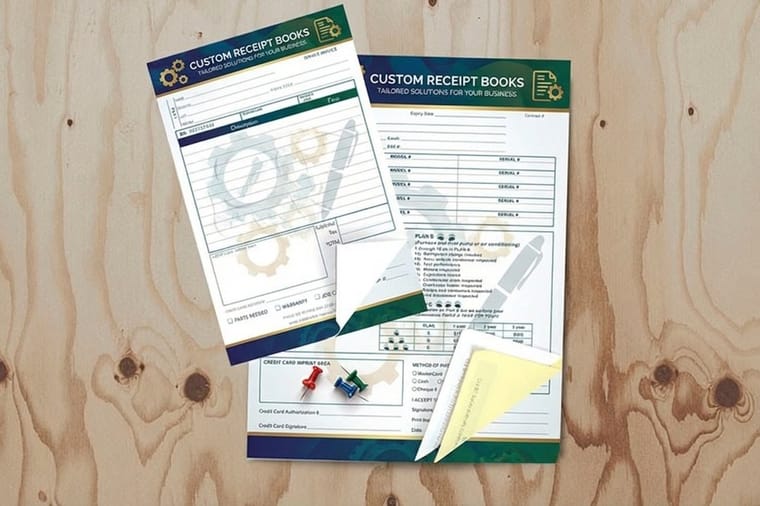
Print the header, the sequential number, the date, the line items, the tax and total, and the payment and signature line. Then decide how many parts you need, because that is the choice a receipt lives or dies on. Two parts keeps a numbered file copy in the book for counter sales. Three parts sends a copy with the driver or technician and still leaves one behind. The layout below shows where each block sits and how the carbonless coatings pass writing down the stack.
How to print receipts
From the six blocks to a box of numbered sets
Lay out the six blocks, pick the size and the part count, give a starting number, then order enough sets to spread the setup. Receipts print at 5.5 by 8.5, 8.5 by 11 or 8.5 by 14 inches, as 2 part white and canary, 3 part with pink, or 4 part with goldenrod. Print the header in black or full color, keep body text at 8 point or above, and start from the receipt book blank template. Custom receipt books start at $120.82 for 100 sets, with 5 business days as standard.
What Every Business Receipt Has to Show
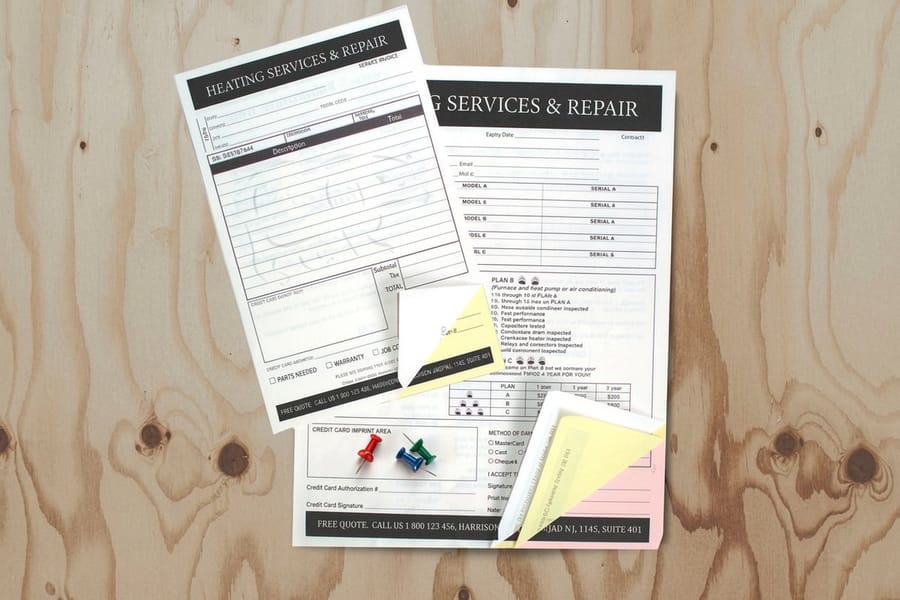
A receipt is a record of a completed payment, so it has to answer four questions on its own, months later, with nobody around to explain it: who took the money, from whom, for what, and how much of that was tax. Six printed blocks do that job.
| Block | Why it is printed | What goes wrong when it is missing |
|---|---|---|
| Business header | Name, street address, phone, and your tax ID if you collect sales tax. | A customer claiming a resale exemption, or an accountant matching a deposit, has nothing to work from. |
| Receipt number | A unique sequential number, printed, not handwritten. | You cannot prove a refund matched a sale, and a missing book is invisible. |
| Date | The date payment was taken, not the date of the estimate. | The sale lands in the wrong reporting period. |
| Line items | Description, quantity, unit price, and a ruled area wide enough to write in. | Disputes turn into memory tests, and warranty claims have no product detail. |
| Subtotal, tax, total | Three separate lines, with the tax rate written next to the tax amount. | Tax collected cannot be separated from revenue at filing time. |
| Payment and signature | Method, amount taken, balance due, and a line for both signatures. | A part payment gets remembered as a full one. |
Two of those deserve more room than designers usually give them. The line-item area is where the writing actually happens, so print faint ruled lines rather than a heavy grid, and keep the boxes at least a quarter inch tall so a pen has somewhere to go. The balance-due line matters on any job taken in stages: without it, a deposit and a final payment look identical on paper. If your work is quoted before it is paid, pair the receipt book with matching business forms so the estimate and the receipt carry the same layout and the same numbering series.
Single Part, Carbonless, or a Thermal Roll

The format question is really a question about who needs a copy and where they are standing when the money changes hands. Answer that first and the rest follows.
| Format | Copies you keep | Where it fits | The catch |
|---|---|---|---|
| Single-part pad | None, unless someone writes it twice. | Cloakrooms, raffle stubs, anything with a matching numbered stub. | No file copy at all, so it is useless as an accounting record. |
| 2-part carbonless | One identical numbered copy in the book. | Counter sales, trades, market stalls, anywhere one person handles the money. | Nothing to hand a second department. |
| 3-part carbonless | Two copies: one travels, one stays. | Delivery drivers, service technicians, field sales, cash on collection. | The third copy is lighter, and it costs more per set. |
| Thermal POS roll | Whatever the till software stores. | Fixed registers with a card terminal already in place. | Thermal print fades in months, faster in a hot van or a sunny window. |
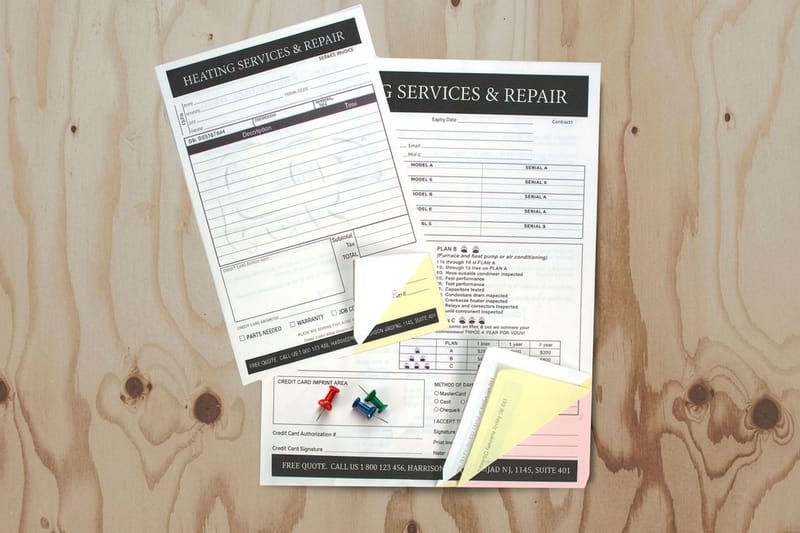
Carbonless earns its keep by making both copies the same document rather than two versions of it. Pressure from the pen bursts microcapsules of dye on the coated back of the top sheet, which react with the clay coating on the front of the sheet below. That is why the parts come in a fixed order: coated back on top, coated front and back in the middle, coated front only at the bottom. It is also why three parts is the sensible ceiling, since the bottom sheet has no coated back to pass anything further down. The full chemistry is in our guide to what carbonless forms are, and the naming history sits in carbon copy paper and NCR forms explained.
One more thing the trade knows and nobody puts on a spec sheet: carbonless does not love heavy ink. Large solid areas on coated stock can look mottled and slow the drying, so a strong one or two color design with a bold header beats a full-bleed photographic background every time. Save the heavy coverage for the notepads on the counter.
How to Print Custom Receipt Books, Step by Step
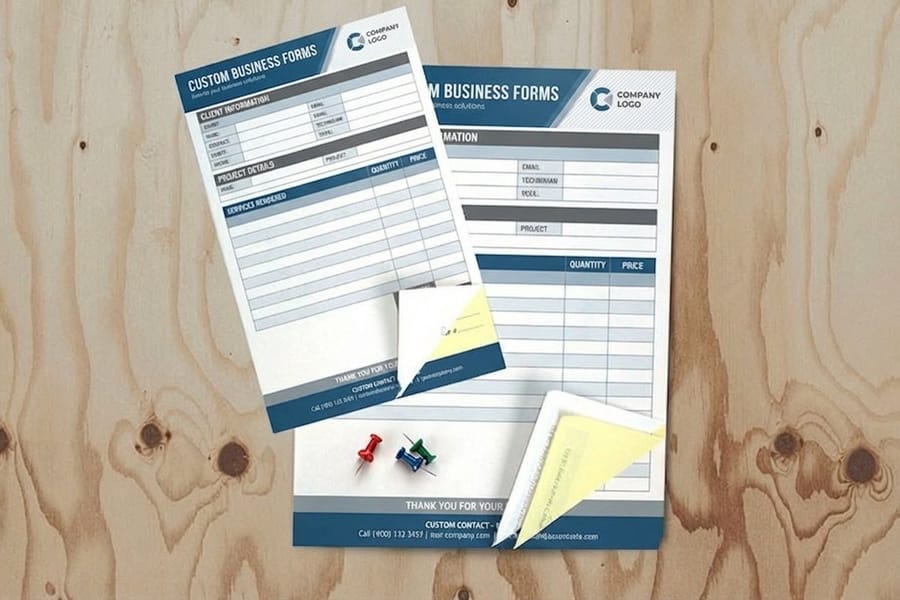
Ordering a book is more decisions than ordering a flyer, because the finishing choices are made before printing rather than after. Work through them in this order and nothing gets missed.
- Pick the size. Half letter, 5.5 by 8.5 inches, is the standard receipt size and fits a clipboard or a glovebox. Go to full letter, 8.5 by 11, only if you routinely write more than about eight line items, because the bigger sheet costs more and is harder to hold.
- Choose the part count. Two if one person handles the money, three if a copy has to travel. Decide the color order too, since white, canary, pink is the convention people already recognize.
- Lock the numbering. Give a starting number, not just a request for numbering. If this is a reorder, start where the last book ended.
- Set the artwork up flat. Build at full size with fonts converted to outlines, keep body text at 8 point or above, and start from the receipt book blank template so the trim and the safe area are already right.
- Leave the bound edge alone. Books are glued at the head, so keep artwork and ruled lines a quarter inch clear of that edge or the padding compound will sit on top of them.
- Decide the perforation. Perforating the top part only lets the customer tear off their copy while every file copy stays in the book. Perforating all parts is for sets that get split three ways.
- Ask for the writing shield. A stiff card that slides under the set stops pen pressure carrying through to the sets below it. Without one, the second page of a fresh book already has ghost writing on it.
- Order enough to be worth the setup. The press setup and the padding are the same work whether you print one book or twenty, so the per-book price falls steeply on the first few. Run the numbers on the receipt books configurator before you settle on a quantity, or read our guide to getting an instant online quote.
Proof the first copy, not just the artwork. Print your PDF at 100 percent, write on it with a ballpoint, and check that the ruled boxes are big enough for real handwriting and that the totals block lines up with how your staff actually add things up. Ten minutes there saves a reprint of the whole run.
The Details That Decide Whether the Book Gets Used

A receipt book fails quietly. Nobody complains about it, the copies just come back unreadable and eventually the pad ends up in a drawer. Three things cause almost all of it.
The pen. Transfer is pressure, so a ballpoint works and a gel or felt-tip pen does not. A rollerball lays ink down with almost no force, which gives you a gray ghost on part two and nothing legible on part three. Buy cheap ballpoints with the books and keep one clipped to the cover.
The surface. Writing on a knee, a car seat, or a stack of paper absorbs the pressure that was supposed to reach the bottom sheet. The chipboard backing on a properly made book exists for exactly this, so ask for it and train people to keep the book closed on the back cover while they write.
Storage. Carbonless coatings are pressure sensitive and heat sensitive. A book left face down under a toolbox comes back with gray smears across the top sheet, and a box stored above a radiator or on a dashboard will discolour. Keep spares flat, in the box, out of direct sun.
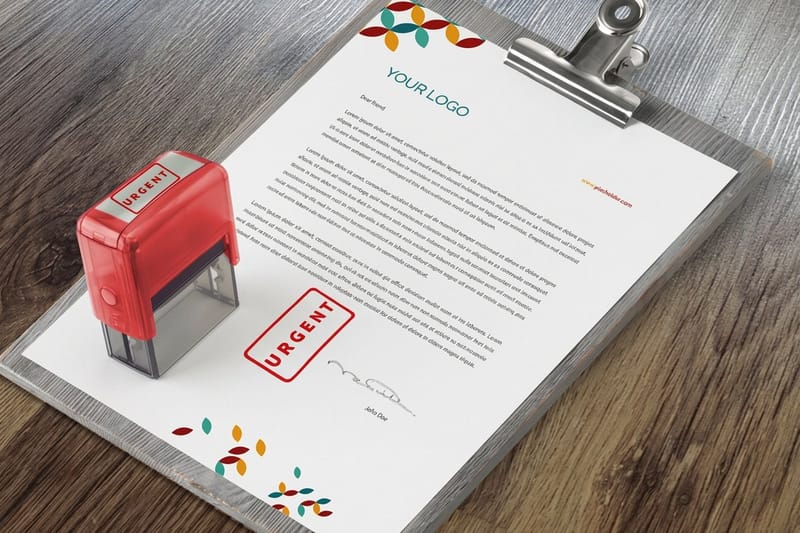
Once the book works, the rest of the paperwork should match it. Print the same header and the same numbering series on your estimates and work orders so a job can be followed from quote to payment on one number, which is what carbonless forms printing is really for, and the carbonless forms video walks through the part sets. A rubber stamp at $31.29 handles the parts that change constantly, such as PAID, the deposit account line, or a returns policy on the back, and every size sits in our rubber stamp print range. And if a customer asks how long the reprint takes before they run out of books, our turnaround and order tracking guide sets the expectation properly. Reorder at roughly a quarter of a book remaining, not at the last page.
Wally explains receipt books
One number, two copies, nothing to argue about later
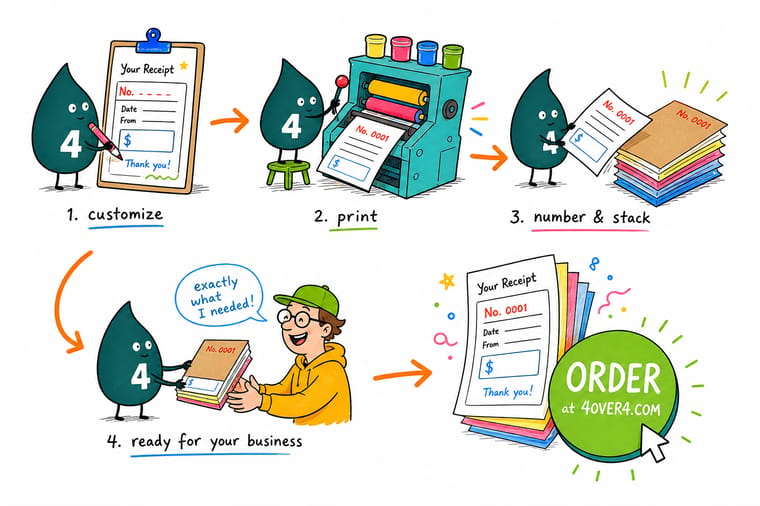
Wally writes on the top sheet with a ballpoint, pressing on the hard back cover of the book. The pressure bursts tiny dye capsules on the underside of that sheet, so the canary copy fills in with the same words and the same printed number. The customer keeps the white one. Wally keeps the canary in the book, which is the whole point. Give him a gel pen or a soft surface to write on and the copy comes back gray and useless.
Order custom receipt books →
Specs and pricing
Sizes, part counts, and starting prices
Compare the receipt and forms options side by side, with live configuration choices and starting prices straight from the 4OVER4.COM configurator. All three start at $120.82 for 100 sets in 5.5 by 8.5, 8.5 by 11 or 8.5 by 14 inches, in 2, 3 or 4 parts, with the binding edge set to the top, left, right or bottom.



Print it
Order receipts your bookkeeping can follow
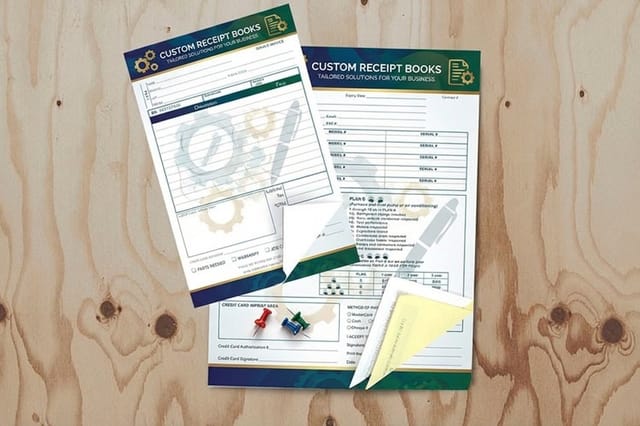
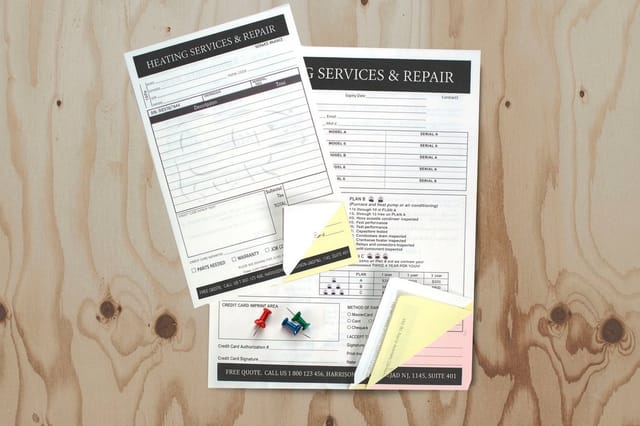
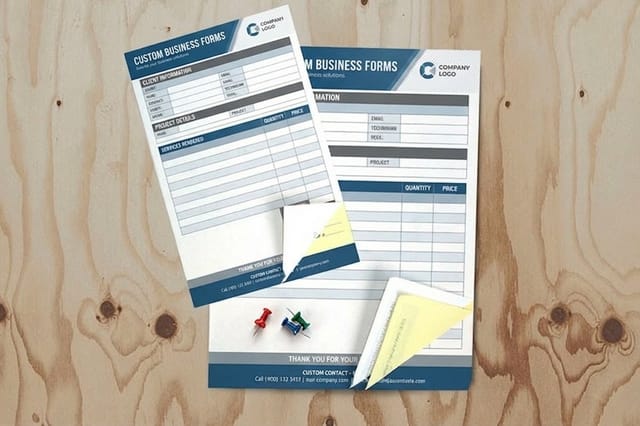
Custom receipt books for the counter, carbonless forms for invoices and work orders, and custom business forms for estimates on the same numbering series, each from 100 sets at $120.82.

Explore more
Where to go next
Four guides cover what carbonless forms are, carbon copy paper and NCR, turnaround and tracking, and instant quotes. The last two cards open carbonless forms printing and rubber stamps.


By the numbers
Carbonless sets numbered and padded here
Common Questions
Your receipt printing questions, answered
What has to be printed on a business receipt?
Six blocks cover it. Your business name with an address and phone number, a sequential receipt number, the date of the sale, the line items with quantity and unit price, the subtotal with the sales tax rate and amount and then the total, and finally the payment method with a signature line. If you collect sales tax, print your tax ID or seller permit number in the header block as well, because a customer claiming a resale exemption will ask for it. Sales tax record rules are set state by state, so check your own state guidance for how long you have to keep the file copy.
Do I still need a receipt book if I already email invoices?
Only if you take money away from a desk. An emailed invoice covers billed work, but a plumber taking a check in a kitchen, a market stall taking cash, or a driver collecting on delivery has no printer and often no signal. That is the gap a numbered book fills. The other reason is the signature: a customer signing a paper copy on the spot is far easier to point at later than an email nobody replied to.
How many parts should my receipt book have?
Two parts if one person handles the money, three if the paperwork has to travel. A 2-part book gives the customer the white sheet and leaves you the canary copy in the book. Go to 3-part when a driver, technician, or salesperson keeps one copy, the office gets one, and the customer keeps the original. Past three the copy quality falls off, because each layer absorbs some of the pen pressure that has to reach the bottom sheet.
Can you print sequential numbers on custom receipt books?
Yes, and you should specify the starting number when you order rather than assuming it begins at 1. Numbering is normally printed in the top corner in red so it is easy to find, and it is applied through the whole set so every part carries the same number. If you are reordering, start the new run where the last one finished. Two books with overlapping numbers is the single most common problem we see on a second order.
Can I run carbonless forms through my office printer?
Do not plan on it. The rollers in a laser printer grip hard enough to trigger the coating and leave gray streaks and spot marks across the sheet, and the fuser heat does the finish no favors. Carbonless sets are also collated and glued as a unit, so pulling one apart to feed it defeats the point. If you need variable information such as a job number or a customer name, print it with the form at the same time or leave a ruled blank and write it in.
How much do custom receipt books cost at 4OVER4.COM?
Receipt books start at $120.82 at 4OVER4.COM, and generic carbonless forms start at the same $120.82. The price moves on three things: the number of parts, the sheet size, and the quantity of sets. Because carbonless is padded and glued into books after printing, small runs carry a larger share of the setup, so the per-book price drops sharply between one book and ten. Configure the size and part count on the product page to see the live figure for your run.
Get Started
Order 100 receipt sets from $120.82
Pick the size, choose 2 or 3 part carbonless, give us a starting number, and we print numbered books that leave a readable copy behind every time.
Legal Disclaimer
Gold Standard guarantees apply to all standard orders placed through 4over4.com. Price match requires verifiable proof of a competitor's published price for an equivalent product with matching specifications and turnaround time. Satisfaction guarantee covers manufacturing defects and print quality issues. Contact support with order number and documentation.
