
How to Design a Custom Notepad That Stays on the Desk


Emma is our prepress and print production voice, built from the knowledge of our production team, with over 20 years in printing.
Four bands, one glued edge, and a writing field that belongs to the customer. Lay the pad out so people keep using it instead of filing it in a drawer.
Design a notepad as four horizontal bands: a half inch glue strip at the top that stays empty, a header for the logo, a writing field left white or ruled at a light tint, and a slim footer carrying the phone number and web address. The footer matters most, because the header sheet is torn off in the first week and the footer is still on the desk at sheet forty. Then pick the size from where the pad will sit, and the sheet count from whether you want thicker pads or more desks.

Quick answer
Four bands, and the writing field is not yours
Keep the top half inch clear for the padding compound, put the logo in the header, leave the writing field white or lightly ruled, and repeat the contact details in a slim footer bar. Rules print best at a 15 to 20 percent tint so a ballpoint still reads over them, college ruling sits at 9/32 inch and wide ruling at 11/32 inch. Size follows the desk: 4.25 by 5.5 beside a keyboard, 5.5 by 8.5 as the office default, 8.5 by 11 for meetings. Anything touching an edge extends 0.125 inch past the trim.
Design the Pad in Four Bands, Top to Bottom
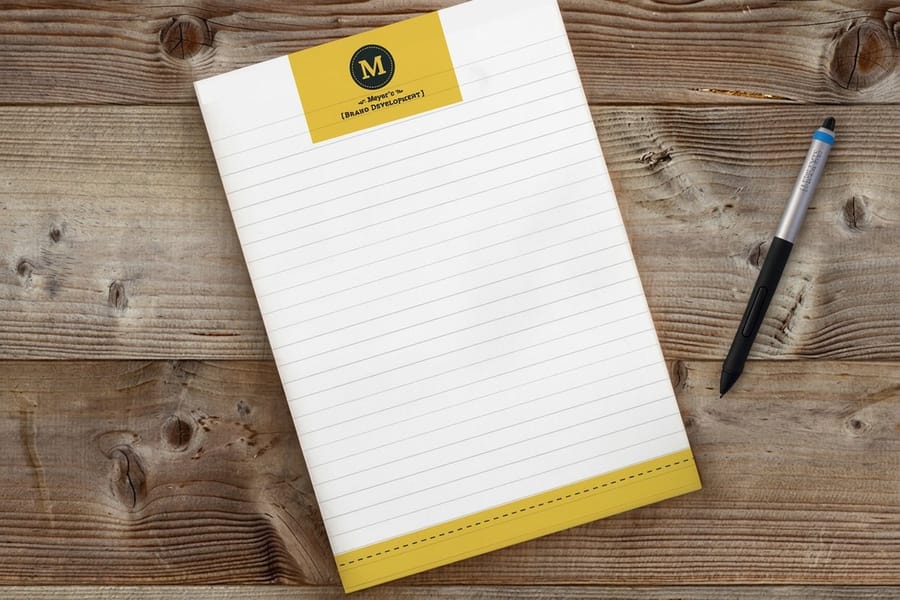
A notepad is not a small poster. It is a working surface with one edge glued shut, and the fastest way to get the layout right is to stop treating the sheet as a canvas and start treating it as four horizontal bands.
The glue band, roughly the top half inch. Padding compound is brushed along that edge so sheets tear off one at a time. The paper there is stiffened, a little darker, and partly covered by the backer wrap. Nothing live goes in it.
The header, the next inch and a half. Logo, and at most one short line beside it. This is the only band that reads from across a desk, so it earns the brand mark and nothing else. Resist putting the address here, because it competes with the mark and it belongs at the bottom anyway.
The writing field, the bulk of the sheet. This belongs to whoever is holding the pen. White, or ruled at a light tint. Every square inch you decorate here is an inch someone cannot write on.
The footer, half an inch to three quarters. Phone, web address, one location. It is a small band doing the heaviest lifting on the page, because the header sheet gets torn off in the first meeting and the footer is still there at sheet forty.
Then build the file for those bands. Set the artboard at the finished pad size, run any bar that touches the edge an eighth of an inch past the trim, outline the fonts and draw the ruling as artwork. Pick black ink only when the header, the rules and the footer all work in one color, and full color when the header carries a photo or a brand color.
That last point is the argument for printing pads at all. A flyer gets one look. A pad sits on a desk for weeks with a phone number on every sheet, which is why standard notepads start at $93.37 for a run and still work out cheaper per exposure than almost anything else we print.
Choosing the Size and the Sheet Count
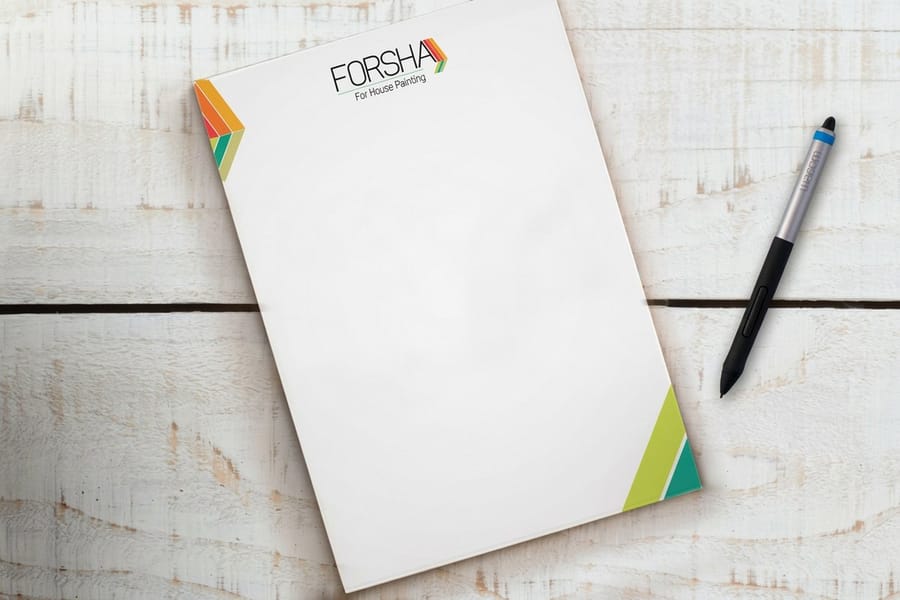
Size is not a taste question. It follows from where the pad sits and what gets written on it, and picking the wrong one is why a beautifully designed pad ends up in a drawer.
| Size | Where it lives | What it holds | Sheet count that suits it |
|---|---|---|---|
| 4.25 x 5.5 in | Beside a keyboard, in a reception tray, in a bag. | A phone message, a name, a number. About 12 ruled lines. | 25 to 50. Light enough to hand out in quantity. |
| 5.5 x 8.5 in | The general office desk. The default pad. | A short list, meeting notes, a rough sketch. Around 22 ruled lines. | 50. Enough body to stay put under a hand. |
| 8.5 x 11 in | Conference tables, estimates, site visits. | Full paragraphs, a drawn layout, a quote worked out longhand. | 50 to 100. It is a working pad, not a giveaway. |
| Magnetic pad | A refrigerator, a filing cabinet, a service van door. | A shopping list or a running reminder, read by the whole household. | 25 to 50. The magnet is the product, the sheets are the refill. |
Sheet count is a trade, not an upgrade. Thicker pads feel better and stay flat while someone writes. Thinner pads get your brand onto more desks for the same money. If the run is going out at a trade show counter, more pads at 25 sheets beats fewer pads at 100 every time.
The magnetic version changes the calculation completely, because magnetic notepads at $93.37 stick where the whole family or the whole crew sees them, and a pad on a refrigerator door gets read by people who never met your business. If the pad instead has to leave a copy behind for the office, you are describing a form rather than a notepad, and carbonless forms at $120.82 handle that with a second and third sheet that take the impression.
On the order form, standard notepads come in 4.25 x 5.5, 4 x 6, 3.5 x 8.5, 5.5 x 8.5 or 8.5 x 11 inches, with 50 or 100 sheets of 70 lb uncoated text per pad, printed in black only or full color, from 25 pads with 7 business days of standard production. Magnetic notepads come in 4 x 5, 4 x 8 or 3.5 x 8.5 inches at 25 sheets per pad. Upload one PDF of a single sheet at final size, and we pad it.
Ruling, Grids, and Layouts That Do Real Work
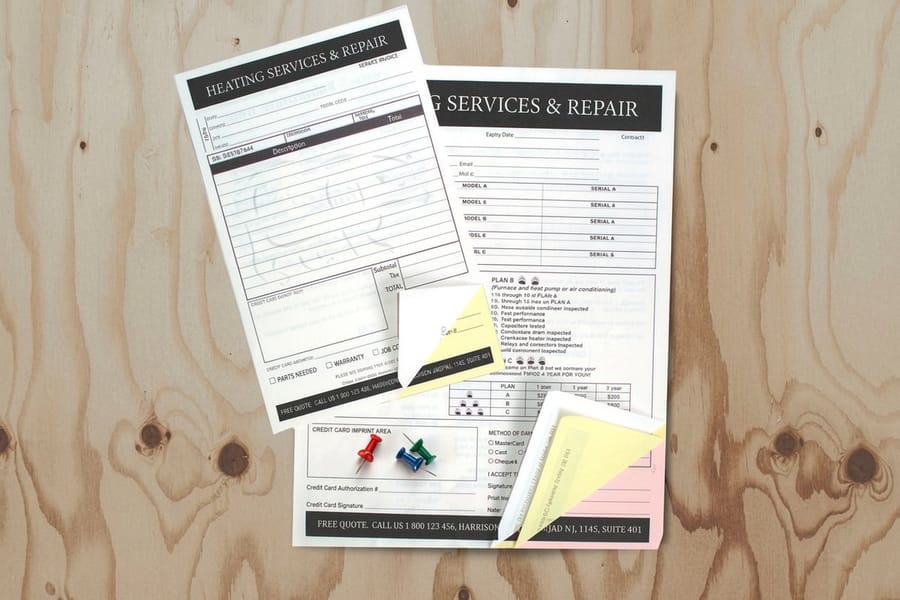
Blank is the safe default and often the right one. Everything past blank should earn its place by matching how the pad gets used, and there are only a few patterns worth printing.
- Plain ruling. College ruling at 9/32 inch, wide ruling at 11/32 inch. Wide ruling for pads people fill standing up or with a marker, college ruling when you want more lines on a 5.5 by 8.5 sheet without cramping the hand.
- Dot grid. Dots at quarter inch spacing guide both writing and quick sketches, and they disappear behind the content in a way ruled lines never quite do. Useful for anyone who draws while they talk.
- A short field block. Two or three printed labels at the top of the writing area, such as date, job, and callback number, turn a pad into a message form without making it feel like paperwork.
- Column headings. For order pads and service calls, printed columns with a light vertical rule keep handwriting aligned enough to read back later. Push this any further and you are designing a form, not a pad.
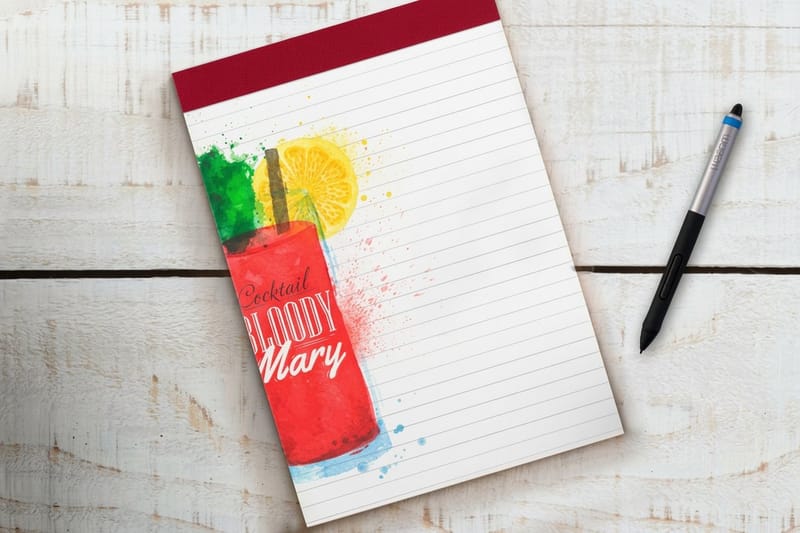
Print rules and grids as a tint. A rule at 15 to 20 percent of your brand color, or a warm light gray, stays visible under office light and still lets blue ballpoint read straight over it. At full strength the rules compete with the handwriting, and on a photo of the pad they look heavier than they did on screen. Keep the ruling clear of the glue band at the top and stop it above the footer bar, so the design does not look like it collided with the trim.
Set the file up the way you would any print job, at full size, with fonts outlined and the ruling built as artwork rather than a text field. Our bleed and trim guide covers the eighth of an inch that keeps the footer bar clean, the blank template library has correctly sized layouts to start from, and the companion notepad templates and paper guide goes deeper on the stock itself.
Ink Coverage, Color, and the Four Mistakes That Ruin a Pad
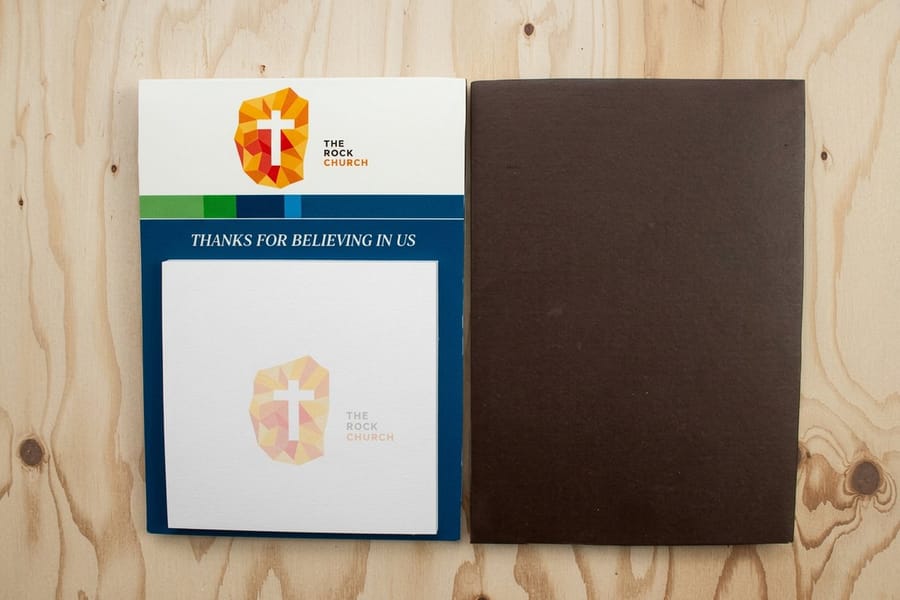
Notepad sheets are uncoated writing paper, which is a design constraint before it is a paper choice. Ink soaks into the fiber instead of sitting on a sealed surface, so saturation drops a visible step and fine edges soften slightly. Deep navy reads greyer, bright orange reads warmer and flatter, and a hairline rule can thicken.
Design for that rather than fighting it. Heavier weights hold up better than thin ones at small sizes. A two color job in solid brand inks often looks stronger on uncoated stock than a full color build does, and it is cheaper on a long run, which our guide to spot color printing explains in detail.
Four failures account for most of the pads that get quietly binned:
- A flood of dark ink across the writing field. It photographs beautifully and it is unusable, because ballpoint ink does not show on it. Brand the header and the footer, leave the middle alone.
- Type running into the glue band. The top half inch is stiffened, darkened, and partly wrapped. A logo placed there looks clipped on all fifty sheets.
- A footer bar built to the trim line with no bleed. It leaves a thin white sliver that varies pad to pad and makes a careful design look like a mistake.
- Contact details only on the header. Sheet one is gone by the end of the week. Whatever you actually want people to read has to repeat at the bottom.
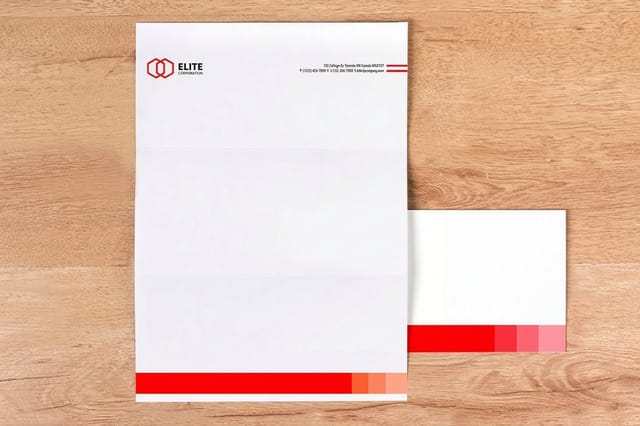
Once the pad works, match it to the rest of the set. The same header block and footer bar scaled onto standard letterheads at $99.95 and onto printed envelopes gives a small business a stationery family for the price of one design pass, and our stationery set guide walks through how the pieces line up. To see the pad options with live sizes and pricing, the notepad printing category lists them all.
Wally lays out a notepad
Four bands, and the middle one belongs to the pen
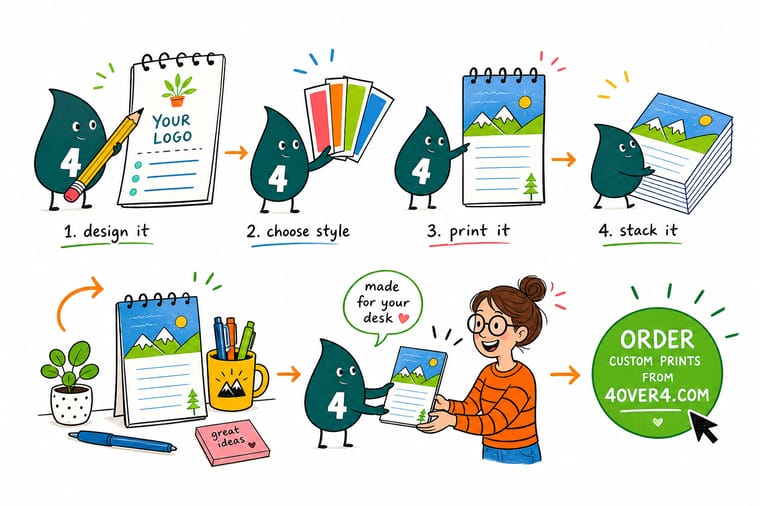
Wally rules a line half an inch down from the glued edge and keeps everything above it empty, because that strip is stiffened by the padding compound. The logo goes in the header. The middle of the sheet stays white, or gets rules at a light tint that a ballpoint can write straight over. The phone number and web address go in a slim bar at the bottom, where they survive to the last sheet after the first one has been torn off and handed to somebody.
Order custom notepads →
Specs and pricing
Pad sizes, sheet counts, and starting prices
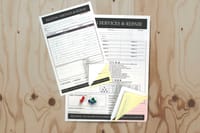
Compare the pad options side by side, with live configuration choices and starting prices straight from the 4OVER4.COM configurator. Notepads run five sizes at 50 or 100 sheets, magnetic pads three sizes at 25 sheets, and carbonless forms come in 2, 3 or 4 parts at 5.5 x 8.5, 8.5 x 11 or 8.5 x 14 inches from 100 sets.


Print it
Print the pad your design was built for
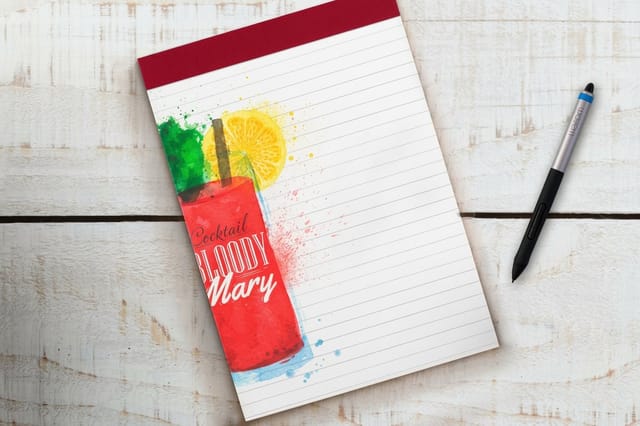
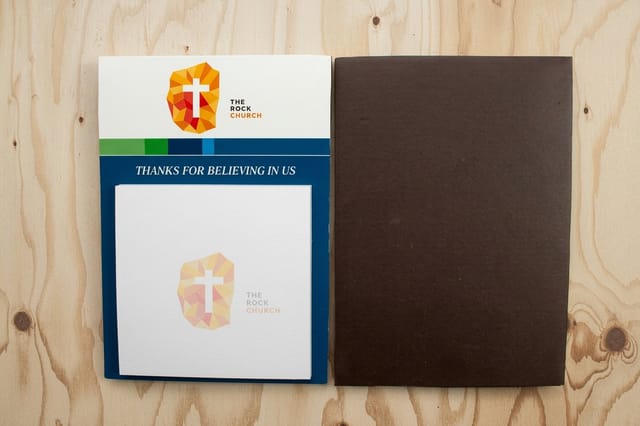
Standard notepads and magnetic notepads from 25 pads on 70 lb uncoated text, and letterheads from 50 sheets at 8.5 x 11 inches on uncoated text, Royal Laid or Royal Linen to carry the same header.
%22%2F%3E%3Ccircle%20cx%3D%2241%22%20cy%3D%2245%22%20r%3D%2226%22%20fill%3D%22%2314b8a6%22%20opacity%3D%220.15%22%2F%3E%3Ccircle%20cx%3D%2280%22%20cy%3D%2262%22%20r%3D%2226%22%20fill%3D%22%2314b8a6%22%20opacity%3D%220.1%22%2F%3E%3Crect%20x%3D%2271%22%20y%3D%2221%22%20width%3D%2226%22%20height%3D%2232%22%20rx%3D%224%22%20fill%3D%22%2314b8a6%22%20opacity%3D%220.08%22%20transform%3D%22rotate(6%2080%2030)%22%2F%3E%3C%2Fsvg%3E)
Explore more
Where to go next
Five guides and the notepad range: templates and paper for pads, a matching stationery set, carbonless forms, bleed on a footer bar, a branded notebook, and every pad we print.



By the numbers
Pads glued at the head on 70# uncoated text
Common Questions
Your notepad design questions, answered
What size should a custom notepad be?
Pick the size from where the pad will live. A 4.25 by 5.5 pad fits beside a keyboard or in a reception tray and works for phone messages. A 5.5 by 8.5 pad is the general office default and the size most people picture when they hear notepad, with room for a header, a ruled field and a footer without crowding. An 8.5 by 11 pad suits meetings and estimates where people write full paragraphs or sketch a layout. If you are printing one size for the whole company, 5.5 by 8.5 is the safe answer.
Which edge gets the glue, and how much space do I leave?
Padding compound goes along one edge of the stack, almost always the short top edge, and that is what lets a sheet tear off in one clean pull. Leave the top half inch of the design clear of live type and logo marks. The adhesive stiffens and slightly darkens the paper there, the backer wrap can cover a few millimeters of it, and a headline that runs into that strip looks trimmed on every sheet.
Can I print on both sides of a notepad sheet?
You can, but think about what a second side is for. Sheets get torn off and handed over, so a back side that carries a service list or a map does get read. What does not work is a back side heavy enough to show through, because notepad stock is thin writing paper rather than card. If the front is a light ruled field, keep the back light too, or move the heavy content onto a companion piece like a letterhead.
What line spacing should I use for the ruling?
College ruling is 9/32 inch between lines and wide ruling is 11/32 inch. Anything tighter than college ruling forces small handwriting and gets skipped. Print the rules as a tint rather than a solid: 15 to 20 percent of your brand color, or a light warm gray, stays visible under office light and still lets blue ballpoint read cleanly across it. Solid black rules at full strength fight with whatever gets written on them.
How many sheets should each pad have?
It is a trade between how the pad feels and how many desks you reach. A 25 sheet pad is light and cheap enough to hand out at a counter or a booth. A 50 sheet pad has enough body to stay put under a hand while someone writes, which is what most offices want on a desk. Past 100 sheets the pad gets top heavy and the last sheets curl. If the run is a giveaway, more pads at 25 sheets beats fewer pads at 100.
Will my brand colors look the same on notepad paper?
No, and planning for that is part of the design. Notepad sheets are uncoated so the ink soaks into the fiber instead of sitting on a sealed surface, which drops saturation by a visible step and softens fine edges. Deep navy reads slightly greyer, bright orange reads warmer and flatter. If the brand hangs on one exact color, a spot ink holds it more reliably than a four color build, which is covered in our guide to spot color printing.
Do I need a bleed if the design has a colored footer bar?
Yes. Any element that touches the edge of the sheet has to extend 0.125 inch past the trim line so the cut never leaves a white sliver. Keep live text at least 0.125 inch inside the trim on the other side. A footer bar that stops exactly at the trim line is the single most common notepad file error, and it shows up as a thin white edge that varies from pad to pad.
Get Started
Order 25 notepads from $93.37
Pick the pad size, the sheet count and the ruling, upload the layout, and we pad, back and trim it so the design sits exactly where you drew it.
Legal Disclaimer
Gold Standard guarantees apply to all standard orders placed through 4over4.com. Price match requires verifiable proof of a competitor's published price for an equivalent product with matching specifications and turnaround time. Satisfaction guarantee covers manufacturing defects and print quality issues. Contact support with order number and documentation.
