
4OVER4.COM Carbonless Forms With Real Customer Designs


Emma is our prepress and print production voice, built from the knowledge of our production team, with over 20 years in printing.
Clean, professional multi-part forms that copy every word without carbon. Browse real customer invoices, receipts, and NCR sets, then compare 2-part, 3-part, and 4-part options with specs, pricing, and design tips.
A carbonless form copies your writing to every sheet with zero carbon. Pick 2-part for receipts, 3-part for a file copy, or 4-part for multi-department workflows, printed on pressure-sensitive NCR paper. 4OVER4 prints each set with a free online proof. Across all its products, 4OVER4 is trusted by 150,000+ businesses and backed by 10,000+ reviews.
Customer showcase
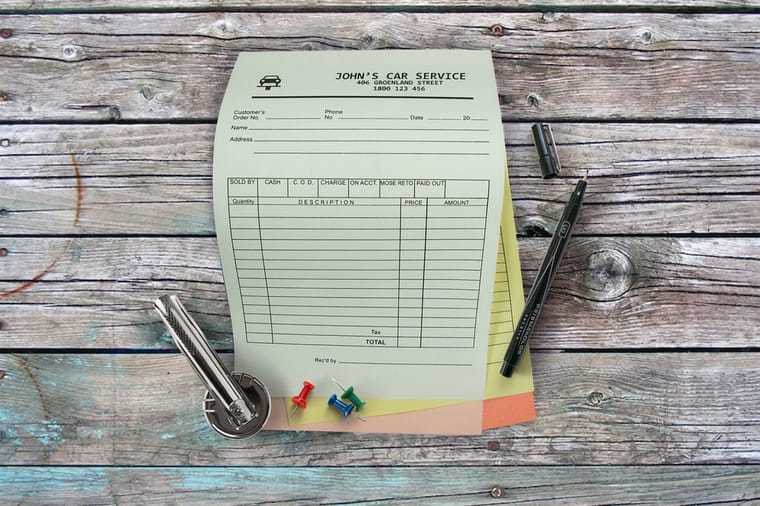
4OVER4.COM Carbonless Forms Showcase: Real Customer Designs

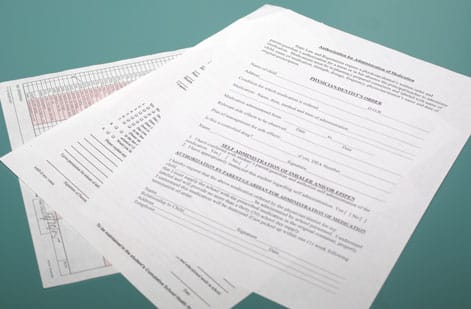
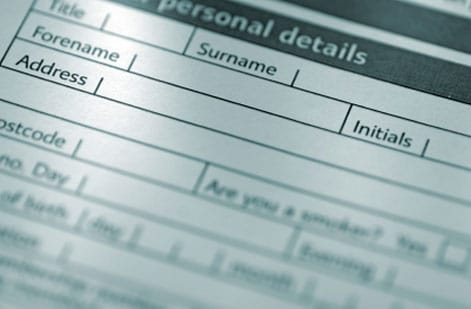
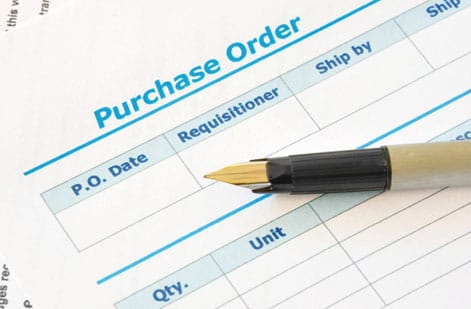
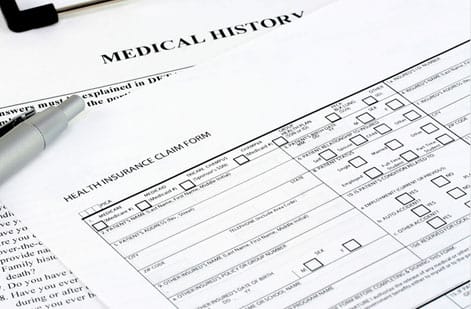

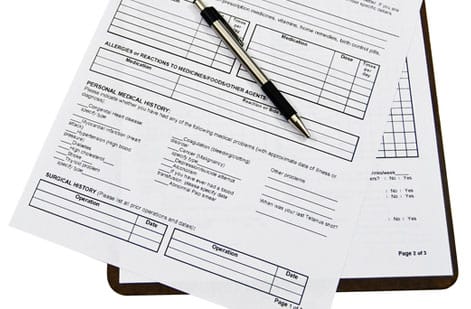
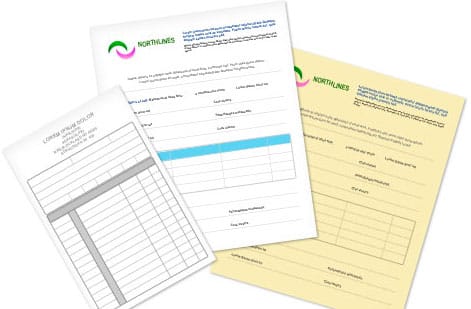

The overview
Multi-part forms that copy clean without carbon paper
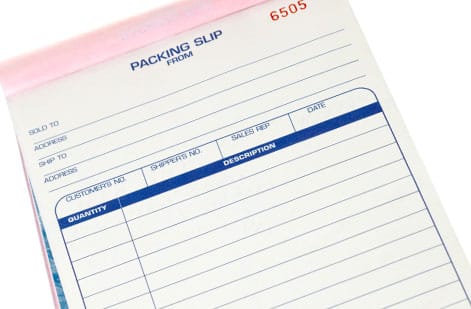
4OVER4 carbonless forms give you clean, professional multi-part forms that create instant copies without the mess of carbon paper. Invoices, work orders, receipts, purchase orders: what you write on the top sheet transfers to every copy beneath it, on sets of 2, 3 or 4 parts at 5.5 by 8.5, 8.5 by 11 or 8.5 by 14 inches. Across every product it prints, 4OVER4 serves 150,000+ businesses, so you are in good company.
That is the whole point of a carbonless form. You fill out one sheet, and your client, your office, and your records each get a matching copy with no smudges and no carbon residue on your hands, just crisp, readable duplicates every time. 4OVER4 prints these on pressure-sensitive NCR paper that reacts to the pressure of a pen or printer. Our guide on how to order custom carbon copy forms that copy cleanly every time covers the setup before you order.
Not sure carbonless forms are the right fit? Order free samples before you commit to a full run, feel the paper, and test the transfer quality. 4OVER4 also backs every order with a price match guarantee, so you are never overpaying. A run starts at 100 forms for $120.82, which is $1.21 each, printed in 5 business days. The business forms video overview shows the product before you configure it.
The configurations
How many copies does your form need?
4OVER4 carbonless forms come in multiple configurations so you can match the form to the job. Pick 2-part for simple receipts, 3-part when you need a file copy, or 4-part for complex workflows where multiple departments each need a record. Every form prints on genuine NCR paper with color-coded sheets, and you can add numbering, perforation, or padding.
2-Part (White / Canary)
An original plus one instant copy, ideal for simple receipts and quick invoices where the customer keeps the white sheet and you keep the canary.
3-Part (White / Canary / Pink)
Adds a file copy so the customer, the office, and accounting each walk away with a matching record of the transaction.
4-Part (White / Canary / Pink / Goldenrod)
Four color-coded plies for complex workflows where several departments each need their own record from a single signature.
Numbered and Padded Sets
Add sequential numbering and pad into books of 25 or 50 so bookkeeping, audits, and dispute resolution stay simple.

Match it
Match the form to the transaction
The right form depends on how many people need a copy: 2 parts give you white and canary sheets, 3 parts add pink, 4 parts add goldenrod. Decide who keeps a record first, and the part count follows. A 2-part receipt covers a simple sale, a 3-part work order adds a file copy, and a numbered set keeps your bookkeeper happy at audit time.
Service invoices
2-partA 2-part set hands the customer a white copy and keeps the canary for your books, filled out the moment the job is done.
Field work orders
3-partA 3-part set gives the technician, the customer, and the office a signed record on-site with no scanning or emailing.
Delivery receipts
LogisticsMulti-part receipts confirm the drop-off for the warehouse, the driver, and the recipient, all from one signature.
Purchase orders
NumberedSequential numbering and a perforation line let your bookkeeper tear out and file the office copy in seconds.
Test the paper first
Free samplesOrder free samples to feel the NCR weight and check the transfer quality before you commit to a full run.
Our delivery team goes through about 500 carbonless receipt pads a quarter. The forms hold up in the truck, the ink transfers clean even in the cold, and they look far more professional than generic pads.
The lineup
Two part, three part, four part: the sets on offer
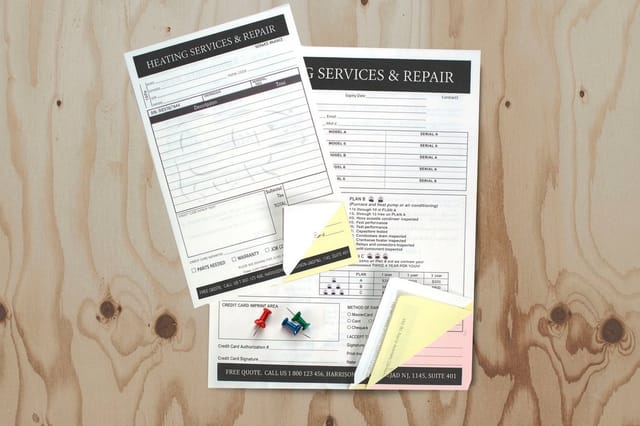
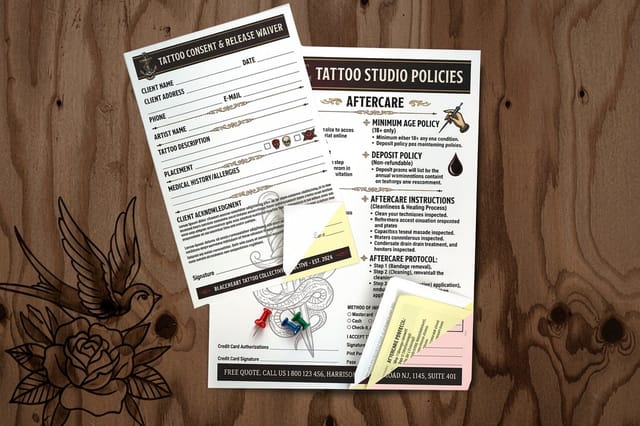
Two products carry every set on this page: carbonless forms and tattoo consent forms, each in 2, 3 or 4 parts, three sizes and runs from 100 to 5,000, with their live price, specs and reviews on the card. 4OVER4 has built forms that transfer clean and hold up in the field for 25+ years.
Specs & options
Parts, ink, binding, and proof options
These are the real configurator options behind every carbonless form, from the number of parts to the ink layout (black or full color, one side or both), the binding edge at the top, right, left or bottom, and the proof you review before it runs. Every choice below pulls straight from the live product configurator.

| Option | Available choices |
|---|---|
| Parts | 2-part (white / canary), 3-part (adds pink), 4-part (adds goldenrod) |
| Ink color | 1/0 black front, 1/1 black both sides, 4/0 full color front, 4/1 full color front with black back |
| Binding | Loose sets, or padded into books |
| Binding edge | Top, right, left, or bottom |
| Proof options | Straight to production, free online proof, or next day hardcopy proof |
Pricing
Volume pricing that drops as you scale
Carbonless forms get cheaper per unit the more you order: 100 forms cost $120.82, about $1.21 each, and 500 cost $153.78, about 31 cents each. The live configurator prices your exact size and part count, and the tiers below show how the per-unit cost falls with volume.
| Quantity | Price Per Unit | Total |
|---|---|---|
| 100 | $1.21 | $120.82 |
| 200 | 63.7¢ | $127.41 |
| 300 | 44.3¢ | $132.91 |
| 400 | 35.7¢ | $142.79 |
| 500 | 30.8¢ | $153.78 |
| 600 | 27.5¢ | $164.75 |
| Quantity | Price per unit |
|---|---|
| 100 | $1.21 |
| 500 | $0.31 |
| 900 | $0.22 |
| 5,000 | $0.12 |
At a glance
Every configuration, compared
A quick scan of the part options, the copies each one produces, the sheet colors from white and canary to pink and goldenrod, and the job each fits best, so you can shortlist the right form before you open the configurator.
| Configuration | Copies | Sheets | Best for |
|---|---|---|---|
| 2-Part | Original plus 1 | White, Canary | Receipts and simple invoices |
| 3-Part | Original plus 2 | White, Canary, Pink | Work orders with a file copy |
| 4-Part | Original plus 3 | White, Canary, Pink, Goldenrod | Multi-department workflows |
| Numbered set | Any part count | Sequential numbering | Audits, tracking, disputes |
| Padded book | 25 or 50 sets | Wraparound cover | Office and field use |
Wally makes a copy without the carbon
One signature, matching records for everyone
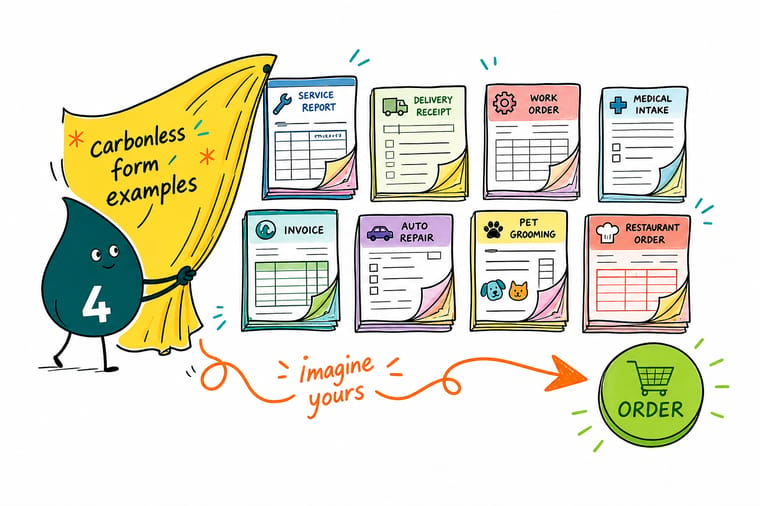
Carbonless forms do the copying for you. Write once on the top sheet and the canary, pink, and goldenrod plies capture it instantly, with no carbon and no smudges. Pick your parts, add numbering if you need it, and let the free proof confirm it before it prints.
Order carbonless forms →Where they work
Where carbonless forms earn their keep
A delivery team goes through about 500 receipt pads a quarter, a bookkeeper files the office copy of each numbered purchase order. Carbonless forms are a daily workhorse for businesses that need instant paper records without relying on a printer or an internet connection. They travel with you, fill out fast, and leave everyone with a matching copy.
Auto repair and service shops
Hand the customer the white top copy, keep the canary shop copy, and send the pink to accounting. The whole transaction is documented the moment the pen leaves the paper.
Contractors and field service
Plumbers, electricians, and HVAC techs use carbonless work orders on-site. The customer signs one sheet and both parties keep a record, with no scanning or emailing.
Delivery and logistics
Drivers use multi-part delivery receipts so the warehouse, the driver, and the recipient each keep a signed copy that confirms the drop-off.
Medical and dental offices
Patient intake forms, consent documents, and billing summaries all work as carbonless sets. The office keeps one copy and the patient takes another.
Restaurants and catering
Catering teams use carbonless order forms to confirm event details on-site. The client signs off, keeps a copy, and the caterer holds a binding record of the agreement.
Design tips
Design tips that make your carbonless forms work better
A well-designed carbonless form saves time and reduces errors. Here is how to get the most out of yours, from font weight and field layout to numbering and breathing room.
Keep fonts bold and simple
Thin, decorative fonts do not transfer well through multiple plies. Stick with bold sans-serif type at 10pt or larger so the bottom copy reads as clearly as the top.
Use boxes and lines for handwriting
If the form gets filled out by hand, give people clear boxes and ruled lines. Neat handwriting presses evenly and transfers cleanly across every copy.
Color-code your copy labels
Print Office Copy on the yellow sheet and Customer Copy on the white sheet. Small labels like these stop the confusion when someone pulls apart a 3-part or 4-part set.
Add sequential numbering
Numbering each form makes tracking and filing simple, and it helps with audits and disputes because you can reference a form number instead of digging through stacks.
Fields with room to write in
Do not cram every field onto one page. White space makes a form easier to fill out and less intimidating for a customer signing quickly.
I added numbering and a perforation line to our purchase order forms. Game changer for our bookkeeper. She tears out the office copy and files it by number in seconds.
Start fast
Free carbonless form templates
The blank carbonless forms template gives you the trim for your sheet size, 5.5 by 8.5, 8.5 by 11 or 8.5 by 14 inches. Open a ready-to-customize template in the designer, and you will see a free proof before anything prints.
Myth vs fact
Numbering, padding and perforation, explained
Four common myths about carbonless forms, set straight, so you order the right set the first time and know exactly how NCR paper behaves.
Carbonless forms leave carbon smudges on your hands.
They use pressure-sensitive NCR paper, so there is no carbon at all. The plies react to the pressure of a pen or printer and transfer a clean copy every time.
You need a special pen to write on carbonless forms.
Any ballpoint pen works. The paper reacts to pressure, not ink type, so a firm ballpoint stroke transfers through every copy.
A 2-part and a 3-part form are basically the same.
The number is how many copies you get. A 2-part gives an original plus one copy, a 3-part gives an original plus two, and each ply is a different color so they are easy to tell apart.
Every copy can print in full color.
The white top sheet can print in full color, but the lower plies usually print in one color because the NCR coating changes how ink adheres to them.
By the numbers
The numbers behind a carbonless order
Real results
Delivery crews and bookkeepers on their form orders
I have used 4OVER4 for carbonless forms for a year now. Consistent quality every time, and the online designer made it easy.
I switched to 4OVER4 and saved 40 percent on carbonless forms. Better quality than my old printer, and there are 60+ paper options.
Our delivery team goes through about 500 carbonless receipt pads a quarter. The forms hold up in the truck, the ink transfers clean even in the cold, and they look far more professional than generic pads.
I added numbering and a perforation line to our purchase order forms. Game changer for our bookkeeper. She tears out the office copy and files it by number in seconds.
Upside & trade-offs
Where a paper copy beats an app, and where it does not
The honest pros and cons, so you know exactly where a carbonless form shines and where it needs a little planning before you commit to a run.
A signed copy for both hands
- Instant duplicate copies the moment your pen or printer touches the top sheet
- Color-coded plies make it easy to route the white, canary, pink, and goldenrod copies
- Works anywhere with no printer, no power, and no internet connection
- Numbering, perforation, and padding options keep filing and audits simple
Fixed fields, and a reprint to change them
- Lower copies usually print in a single color because the NCR coating limits ink on those plies
- Ballpoint pressure works best, so felt-tip markers and light pencil do not transfer well
- A full-color top sheet costs more than a plain black-ink run
- Once printed the layout is fixed, so proof the file carefully before production
How they work
How carbonless forms copy every word without carbon
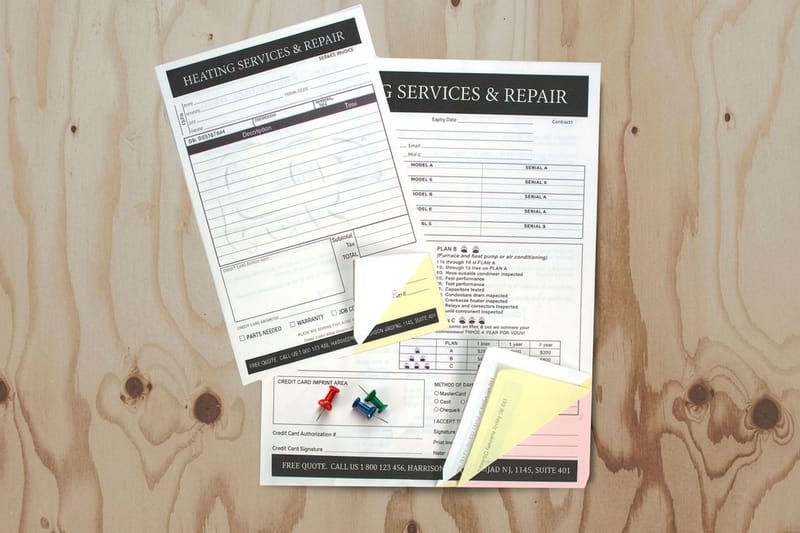
Carbonless forms print on pressure-sensitive NCR paper, which stands for No Carbon Required. The sheets react to the pressure of a pen or a printer and transfer ink from one ply to the next, so the top sheet, the file copy, and every record beneath it match without a scrap of carbon paper.
You choose 2-part, 3-part, or 4-part sets depending on how many copies you need per transaction. Each ply is a different color, from white to canary to pink to goldenrod, so it is obvious which copy goes to the customer, which stays in the office, and which lands on the accounting desk.
On the job
Forms built for the counter, the truck, and the job site
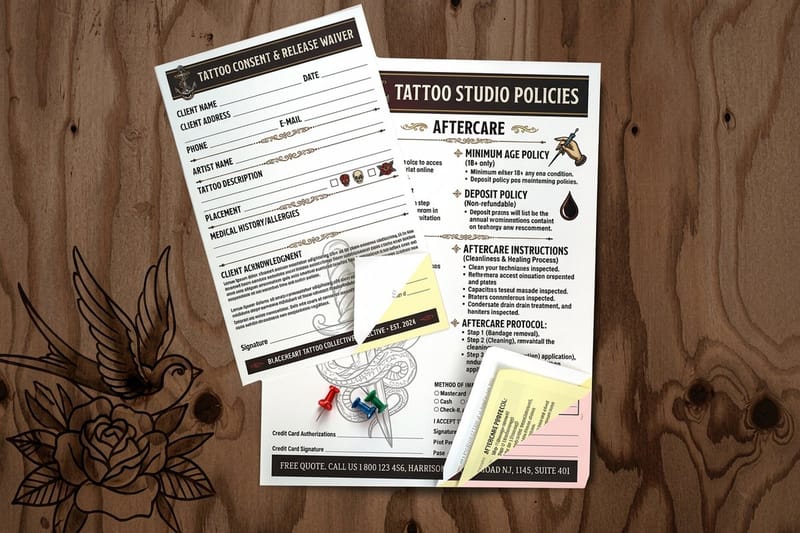
Carbonless forms are the daily record for businesses that need paper copies without a printer or an internet connection. A mechanic hands over the white copy and keeps the canary, a contractor gets a signed work order on-site, and a driver leaves a signed delivery receipt at every stop.
Because the copy is created the moment the pen leaves the paper, both parties walk away with a matching record. There is nothing to scan and nothing to email, which is why field service teams, medical offices, and catering companies reach for carbonless sets every day.
Design and file prep
Set your file up so the bottom copy reads as clean as the top
A well-designed carbonless form saves time and cuts errors. Keep fonts bold and simple so they carry through every ply, give handwritten fields clear boxes and ruled lines, and label each copy so nobody mixes up the office and customer sheets. Add sequential numbering when you need to track, audit, or settle a dispute by form number.
When you build your file, design only the front of the top sheet and let 4OVER4 handle the NCR layering. The same file discipline carries across your whole kit, so carbonless forms pair naturally with bound materials like booklets and large-format banners for a complete branded setup. Browse the carbonless form templates to jump-start your layout.

Trusted by
Carbonless forms rated 4.9 by 65 buyers
Explore more
Related forms and print showcases
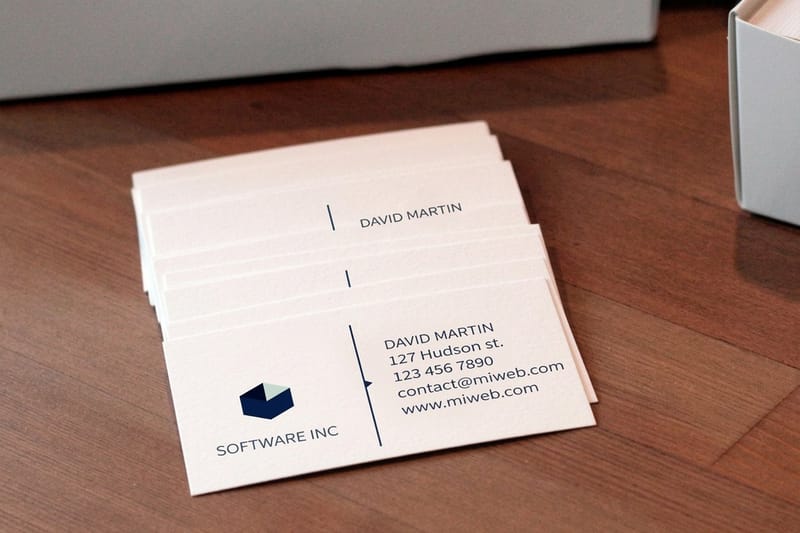 Showcase All print showcases Browse real customer designs across every 4OVER4 print product. Product Shop carbonless forms Configure parts, ink, numbering, and padding with live pricing. Templates Free carbonless form templates Start from a ready-made layout and customize it in the designer.
  Showcase Booklet printing ideas Bound materials for policy manuals, handbooks, and catalogs.
  Showcase Label printing options Design ideas for product, shipping, and branding labels.
  Showcase Banner stand displays Portable retractable and fabric stands for trade shows and events.
  Samples Order free samples Feel the NCR paper weight and test the transfer before you commit.
 Questions, answered
Common questions about carbonless forms
Parts, pens, padding, sizes, and file prep, straight answers for 2, 3 and 4 part sets. Wider questions sit in the full 4OVER4 FAQ library.
What does 2-part or 3-part mean for carbonless forms?
The number is how many copies you get per form. A 2-part carbonless form gives you an original plus one copy, and a 3-part gives you an original plus two. Each ply is a different color so you can tell them apart at a glance. 4OVER4 carbonless forms are available in up to 4-part sets.
Do I need a special pen to write on carbonless forms?
No. Any ballpoint pen works because the NCR paper reacts to pressure, not ink type. Press firmly with a standard pen and the writing transfers through all copies. Felt-tip markers and light pencil strokes do not transfer as well, so stick with a ballpoint.
Can I get my carbonless forms padded or bound into books?
Yes. You can order them as individual sets, padded into pads of 25 or 50, or bound into books with a wraparound cover. Padding works well for field use, and books are better for offices where you want everything in one place.
What sizes are available for carbonless forms?
Standard sizes include 5.5 by 8.5 inches (half letter) and 8.5 by 11 inches (full letter), which cover most invoice, receipt, and work order needs. Check the specs section above for the full list of available dimensions.
How do I set up my file for carbonless form printing?
Design only the front of the top sheet and let 4OVER4 handle the NCR layering. Submit your file as a high-resolution PDF with fonts outlined and images at 300 DPI. If you need help, the Help Center has file setup guides.
Can carbonless forms be printed in full color?
The white top sheet can print in full color with your logo, branding, and layout. The copies beneath it usually print in one color, most often black, because the NCR coating affects how ink adheres to the lower plies.
Are carbonless forms good for legal or compliance records?
Yes. Many businesses use them for signed agreements, inspection reports, and chain-of-custody documents, because the instant duplicate gives both parties a matching record at the moment of signing. For bound compliance materials, take a look at 4OVER4 booklet printing for policy manuals and handbooks.
What is the turnaround time for carbonless forms?
Turnaround depends on your order size and configuration, and standard production typically takes a few business days. If you are planning a large event or seasonal push, pair your forms with 4OVER4 banners for a complete branded setup.
Get Started
Order 100 carbonless forms from $120.82 in the set you saw
Pick your parts, add numbering or padding if you need it, and we will print your set on genuine NCR paper with a free online proof, ready to copy every word the moment you write.
Legal Disclaimer
Gold Standard guarantees apply to all standard orders placed through 4over4.com. Price match requires verifiable proof of a competitor's published price for an equivalent product with matching specifications and turnaround time. Satisfaction guarantee covers manufacturing defects and print quality issues. Contact support with order number and documentation.
Published . Last updated .
