
Stickers for MacBook Design Ideas to Try in 2026


Jordan is our labels, packaging and sustainability voice, built from the knowledge of our production team, with over 20 years in printing.
Stickers for MacBook design ideas that actually look good
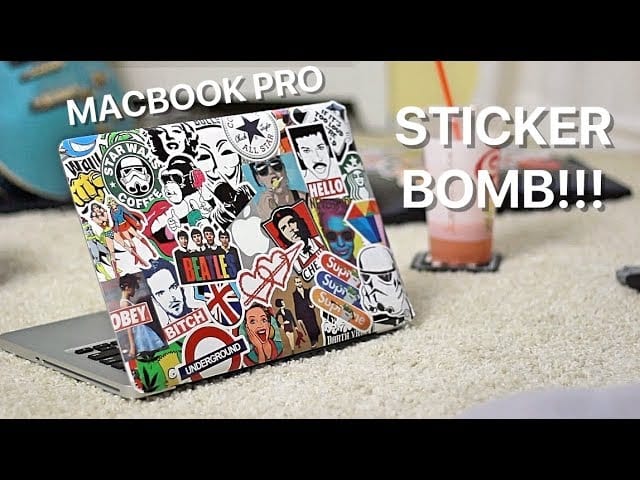
Stickers for MacBook design ideas run from a single 3 x 3 inch die cut decal in the center of the lid to a full stickerbomb of 40 to 60 pieces that turns your laptop into a portable art piece. Across its whole catalog, 4OVER4.COM prints for 150,000+ businesses with 10,000+ reviews behind the work, and vinyl stickers resist water, heat and bag friction for daily use. Start from our free sticker templates if you have no artwork yet. 4OVER4.COM prints stickers in a range of shapes, sizes, and finishes, so a plain MacBook becomes something worth showing off.
Your MacBook goes everywhere with you. Coffee shops, meetings, coworking spaces, flights. It is one of the most visible things you own, so leaving it looking like everyone else's is a missed chance. Whether you are a designer building a personal brand, a founder who wants your logo front and center, or someone who just likes good art, stickers are the fastest and most reversible way to make a laptop yours.
This guide covers the whole process. How to pick the right stickers, how to lay them out, how to protect the design, and where to find stickers for MacBook design ideas that do not look like they came from a vending machine.
20 MacBook sticker design ideas, from one decal to a full bomb
Twenty layouts that hold up in a coffee shop and in a client meeting, grouped by how far you want to take it. Read each one as a brief: a style you can hand to a designer or build yourself, then print in the shape and finish that suits it.
Minimal single decals
1. Logo above the apple. Your mark centered on the top third of the lid so the glowing apple sits under it like a full stop at the end of a sentence.
2. The apple as a character. A die-cut shape that folds the glowing apple into an illustration, a hot air balloon, a lightbulb, a basketball mid-flight.
3. Corner mark. One sticker under 2 in in the lower corner. The laptop equivalent of a signature, and the safest option for a client-facing machine.
4. One line of type. A short phrase in a single clean typeface running along the bottom edge, nothing else on the lid.
5. Outline shape. A single-line drawing, a mountain range, a wave, a skyline, in white on a dark lid or black on silver.
6. Monogram. Two initials inside a circle or a hexagon, sized to sit beside the apple rather than above it.
7. Map fragment. A country outline or a slice of a city map, one color, no text, for the machine that travels.
Full stickerbomb layouts
8. Edge-in bomb. Dense along the hinge edge, thinning out toward the top, so the apple still reads through the gap.
9. Halo bomb. A ring of stickers around the apple with a clean circle of bare aluminum left around it.
10. Full-cover bomb. No gaps, no metal showing, 25 to 40 pieces overlapping at consistent angles so it reads as one surface.
11. Two-color bomb. Every sticker in the same two colors, black plus one accent. The limit is what turns chaos into a pattern.
12. Chronological bomb. Conferences, cities and releases added in the order they happened, edges left visible so the layers read as a timeline.
13. Diagonal band. One stripe of overlapping stickers running corner to corner, the rest of the lid untouched.
14. Frame bomb. Stickers along all four edges only, the center left clean like a matted print.
Industry and brand sets
15. Founder set. Logo, tagline, QR code and URL as four separate die-cut pieces, handed out together at events.
16. Developer set. Language and tool marks laid out in a tidy grid instead of scattered, which reads as a resume rather than clutter.
17. Designer set. Tool marks in grayscale with one full-color piece of your own artwork as the focal point.
18. Photographer set. A camera body silhouette, a film stock swatch, and a small contact strip printed on clear vinyl.
19. Conference giveaway set. The same mark at 1 in, 2 in and 3 in, so people can put it wherever their lid still has room.
20. Client gift set. Their logo and yours in matching finishes, sent with the deliverable. It costs almost nothing and it lands on the machine they use all day.
Whichever layout you pick, order a few spares of the pieces you care about. Stickerbombs get rebuilt more often than people expect, and the one sticker you cannot replace is always the one that peels first.
Picking the right stickers for your MacBook
Material matters more than you think
Not all stickers are equal. A flimsy paper sticker peels, fades, and looks tired within weeks. You want vinyl or a coated material that can take the heat a MacBook gives off, the friction of sliding in and out of a bag, and the occasional coffee spill.
4OVER4.COM prints on durable vinyl with a strong adhesive that will not leave residue when you decide to switch things up. That matters. Nobody wants to scrape gummy leftovers off an aluminum lid with a credit card.
Size and shape options
Think about your approach before you order. Going for a single statement decal? Size it to fit the Apple logo area or span the full lid. Planning a stickerbomb? Smaller stickers in varied shapes work best for that layered, collage look.
Custom die-cut stickers suit MacBook designs because they follow the exact outline of your artwork. No white borders, no rectangular backgrounds, just your design. That is the route to take when you want to print your own laptop stickers cut to a shape nobody else is carrying, and clear stickers push it a step further by putting the art straight onto the aluminum with no visible edge at all. That keeps layering and overlapping clean instead of cluttered. For extra motion, 3D lenticular stickers add depth that shifts as people walk past your laptop, and that starts a conversation every time.
Color and finish choices
Gloss stickers pop with vivid, saturated color. They catch light and pull the eye. Matte stickers feel softer and more refined, which works for minimalist designs or a monochrome palette. If you want texture, soft-touch finishes add a tactile layer.
Your MacBook aluminum surface is already sleek and cool to the touch. A matte sticker blends with that look, while a glossy sticker creates contrast. Neither is wrong. It comes down to the vibe you are after.
What size sticker fits each MacBook lid
Measure the lid, not the screen. The number on the box is a screen diagonal, and the flat aluminum you actually get to decorate is smaller than that once the bezel and the rounded edges are out of the picture.
13-inch lids. Roughly 11.5 by 8 in of usable surface. A single statement decal reads best at 3 to 4 in wide, set above or beside the Apple logo. For a stickerbomb, work in 1.5 to 2.5 in pieces, because bigger ones fill the lid after six stickers.
14-inch lids. Roughly 12 by 8.5 in of usable surface. A statement decal can run 4 to 5 in wide without crowding the logo, and stickerbomb pieces in the 2 to 3 in range keep the collage varied.
16-inch lids. Roughly 13.5 by 9.5 in, the only lid with room for a 5 to 6 in centerpiece. Mixed 2 to 3.5 in pieces cover it properly, and a full bomb here takes 25 to 40 stickers rather than the dozen a 13-inch lid needs.
Whatever size you order, keep every sticker about half an inch clear of the lid edges. Stickers that wrap the curve lift first, and anything crossing the seam catches every time the laptop slides into a bag.
Print it
Standard stickers, ready to brand
Preset shapes and sizes, the fastest way to put your design on a MacBook.
Design approaches that work
The single statement decal
Sometimes less is more. One well-placed sticker on your lid makes a stronger impression than fifty random ones. This approach suits professionals who want personality without chaos.
Popular single-decal ideas include a company logo centered on the lid, a short quote in clean type, a geometric pattern that frames the Apple logo, or an illustration that plays off the glowing apple. For more branded approaches, see logo sticker design ideas.
The full stickerbomb
Stickerbombing a MacBook Pro is its own art form. The goal is covering every visible inch of the lid, and sometimes the palm rest, with overlapping stickers. Done right, it looks bold and intentional. Done wrong, it looks like a middle school binder.
The key to a good stickerbomb is cohesion. Pick a color palette, even a loose one. Mix sizes but keep shapes varied. Layer larger stickers first, then fill the gaps with smaller ones. Let a few overlap the edges, then trim them with a sharp blade for a clean finish.
I stickerbombed my MacBook Air with about 40 custom die-cut stickers from 4OVER4.COM. The vinyl quality made layering easy, and nothing has peeled after three months of heavy use.
The curated collection
This sits between the single decal and the full bomb. Place five to ten stickers in a deliberate arrangement, maybe clustered in one corner or scattered with intentional spacing. Each sticker gets room to breathe while the whole thing still reads as composed.
Think of it like a gallery wall for your laptop. Every piece is chosen for a reason. Places you have traveled, brands you love, inside jokes with your team. The spacing matters as much as the stickers.
The brand builder
If you run a business, your MacBook is a walking billboard. Every time you open it at a meeting or a coffee shop, people see the lid. Stickers with your logo, tagline, or brand colors turn that real estate into passive marketing.
This works well for creative professionals. A photographer with a bold logo sticker. A developer with marks from the tools they use. A founder with the company identity front and center. It signals competence and personality at the same time.
Quantity and price
Standard sticker pricing and specs
Real configurator numbers, so the more you order, the lower the per-unit cost drops.
| Quantity | Price Per Unit | Total |
|---|---|---|
| 25 | 95.5¢ | $23.88 |
| 50 | 72.9¢ | $36.44 |
| 100 | 42.7¢ | $42.72 |
| 150 | 32.7¢ | $49.01 |
| 200 | 27.6¢ | $55.29 |
| 250 | 24.6¢ | $61.57 |
How to apply stickers to your MacBook, step by step

Prep the surface
Clean your lid with a microfiber cloth and a little isopropyl alcohol. That removes the oils, dust, and fingerprints that weaken adhesive. Let it dry fully, because even a thin film of moisture can cause bubbles.
If your MacBook already wears a case or skin, decide whether you are sticking to the case or straight to the aluminum. A case lets you swap everything out later. Direct application looks cleaner but asks for more commitment.
Plan before you peel
Lay your stickers on the lid without removing the backing. Move them around. Take a photo from arm's length to judge the arrangement. This dry run saves you from crooked placement and awkward gaps.
For a stickerbomb, start from the center and work outward. For a curated collection, find your anchor piece first, the largest or most important sticker, then build around it.
Start from a blank template
If you would rather not design from scratch, print-ready blanks keep your artwork inside the cut line. Grab a 3D lenticular sticker template or a bumper sticker template and drop your design straight in.
Apply with precision
Peel the backing slowly. Set one edge down first, then smooth across the surface with a credit card or squeegee to push air bubbles out toward the edges. Work slowly, because rushing causes wrinkles. If a sticker lands crooked, lift it gently and reposition. Quality vinyl from 4OVER4.COM handles a couple of repositions without losing grip. Cheap stickers do not.
Seal and protect
For a stickerbomb, a clear vinyl overlay or a matte clear coat made for stickers unifies the surface, guards against scratches, and stops edge peeling. One light coat is plenty, so do not drown it. For a single decal or a small cluster, good vinyl holds up fine on its own.
Start fast
Templates and print-ready blanks
Sticker design templates and exact-size blanks so your artwork lands inside the cut line.
Designer skins versus stickers, what is the difference
Designer skins are full-coverage wraps cut to your exact MacBook model, with laser-precise openings for every port, hinge, and vent. Stickers are individual pieces you arrange yourself, from half inch accents to 9 x 9 inch die cuts, and they peel off when you change the layout. Choose a skin for one uniform look, stickers for a layout you will keep changing.
Skins give you a polished look with almost no effort, and they guard against scratches and scuffs. The tradeoff is that the design is someone else's. Stickers hand you total creative control over every piece, placement, and layer, so the result is only yours.
Plenty of people combine both. A textured or colored skin as the base, with a few chosen stickers on top, creates depth that neither reaches alone. For more inspiration across print design, browse the printing articles library.
Stickers for MacBook design ideas by industry
For creative professionals
Designers, illustrators, and photographers can turn a MacBook into a portfolio preview. Print your best work as 2 x 2 or 3 x 3 inch die cut stickers, 25 for $93.37, and apply them to the lid. When a potential client sees your laptop, they are already seeing what you can do. For more on showing creative work, see graphic design portfolio examples.
For startup teams
Startups love stickers. They are cheap to produce, easy to hand out, and they build recognition organically. Order a batch of custom logo stickers for the team. When every laptop carries the brand, it creates visual unity at coworking spaces, conferences, and pitch meetings.
For students and educators
Students use MacBook stickers to show interests, affiliations, and humor. Club logos, favorite bands, meme stickers, study-abroad souvenirs. Educators can use stickers for classroom branding or to make their tech feel more approachable.
For event marketers
Hand out branded stickers at trade shows and conferences. Attendees stick them on their laptops, and your brand rides along to every meeting and coffee shop for months. It is marketing that keeps working long after the event ends. Greeting card and business card designs make strong companion pieces when you want a full branded set.
Sticker sheet specs
Sticker sheets for variety packs
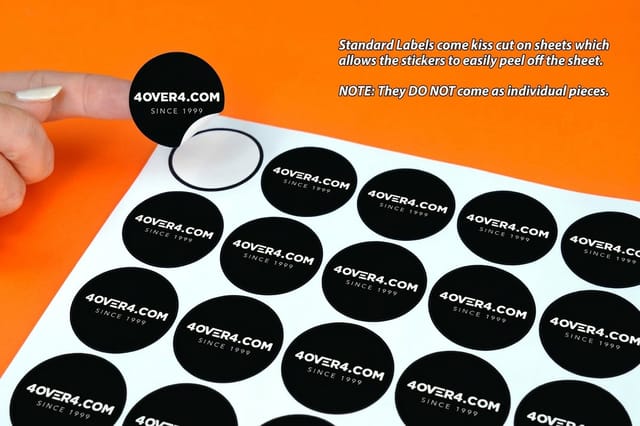
Group multiple designs on one kiss-cut sheet, great for events and team giveaways.
Will stickers damage a MacBook?
A quality vinyl sticker on a MacBook lid does not damage the aluminum. What damages a laptop is the wrong adhesive, the wrong placement, or a rushed removal, and all three are avoidable.
What the adhesive actually does
Anodized aluminum is a hard, sealed surface, so a removable-grade adhesive sits on top of it instead of bonding into it. That is the grade you want on a lid: strong enough to survive a bag, gentle enough to peel off in one piece. Permanent industrial adhesives are the ones that leave a gummy film behind, and cheap paper stickers are worse again, because the paper tears halfway off and the glue stays put.
Heat, vents, and where not to stick
The lid runs warm, not hot, so it is safe ground. Keep stickers off the vents at the hinge, off the bottom panel where the machine sheds heat into the desk, and off the palm rest and trackpad where they wear through within weeks. Nothing goes inside the screen bezel or on the keyboard deck either, because anything with thickness there presses into the display every time the lid closes.
Removing without leaving a mark
Warm the sticker for about ten seconds with a hair dryer so the adhesive softens, peel slowly at a low angle rather than straight up, and clear any residue with a little rubbing alcohol on a microfiber cloth. The care section below has the full routine. What you must never do is take a blade or an abrasive pad to a cold sticker, because that is how the anodized finish gets scratched.
One more reason stickers beat a wrap or a paint job: resale value survives. Peel everything off, wipe the lid down, and the machine looks stock again.
Maintaining your stickered MacBook
Cleaning without damage
Wipe a stickered MacBook with a slightly damp microfiber cloth. Skip harsh chemicals, window cleaners, and abrasive cloths, since those fade color, dissolve adhesive, or scratch glossy finishes. For a stubborn smudge on a glossy sticker, a tiny drop of dish soap on a damp cloth works. Wipe gently, then dry right away, and never let moisture sit on the edges, because that is where peeling starts.
Dealing with peeling edges
If an edge lifts, press it back down firmly. If it will not hold, put a tiny dot of clear craft glue under the lifted edge and press flat for thirty seconds. The fix is invisible and lasts months. Prevention beats repair, though. Strong-adhesive vinyl rarely peels, while cheap paper peels constantly, so it pays to buy good stickers up front.
Removing stickers cleanly
When it is time for a refresh, peel slowly at a low angle. Do not yank straight up, because that can leave residue or mar the anodized finish. If residue stays behind, a little rubbing alcohol on a microfiber cloth clears it without harming the aluminum. A hair dryer helps too. Warm the sticker for ten seconds to soften the adhesive, then peel, which is a big help on stickers that have been on for a year or more.
Roll sticker specs
Roll sticker materials and finishing
Indoor and outdoor stocks, lamination, and application options for roll stickers.
Trending MacBook sticker styles for 2026
Minimalist line art
Single-line illustrations in black or white are everywhere right now. They are clean, elegant, and work on any MacBook color. A line-art portrait, landscape, or abstract shape makes a sophisticated statement without visual noise. Print it as a die cut sticker at 3 x 3 or 4 x 4 inches so the line reads from across a desk, with no white border around the shape.
Retro and Y2K aesthetics
Bold color, chrome effects, pixelated graphics, and early-internet nostalgia are trending hard. These stickers pop against the modern MacBook, creating an intentional clash of old and new that feels fresh.
Nature and botanical themes
Pressed-flower illustrations, mushrooms, mountain silhouettes, and ocean waves bring organic warmth to the cold aluminum. They are popular with remote workers who want their tech to feel less sterile.
Custom typography
A single word or short phrase in a distinctive typeface. Create. Build. Dream bigger. These read as daily reminders and personal mantras, they are easy to design, and they feel deeply personal.
We ordered 500 custom die-cut stickers with our brand mark for a tech conference. Half of them ended up on attendees' MacBooks. Best $80 we ever spent on marketing.
Common questions about MacBook sticker design
Will stickers damage a MacBook?
No, not when the sticker is printed vinyl with a removable-grade adhesive. Anodized aluminum is a sealed surface, so the adhesive sits on top of it and lifts away cleanly. Keep stickers off the hinge vents, the bottom panel and the palm rest, and warm them with a hair dryer before peeling.
What size stickers fit a MacBook lid?
A 13-inch lid gives you about 11.5 by 8 in of usable aluminum, a 14-inch about 12 by 8.5 in, and a 16-inch about 13.5 by 9.5 in. Size a single statement decal at 3 to 4 in wide on the 13-inch, 4 to 5 in on the 14-inch, and 5 to 6 in on the 16-inch. Stickerbomb pieces work best between 1.5 and 3.5 in, and every sticker should stay about half an inch clear of the lid edges.
What sticker material lasts longest on a laptop?
Printed vinyl with a gloss, matte or soft-touch coating over it. Vinyl handles the warmth of the lid, the friction of a bag and the odd spill, while the coating is what keeps the color from fading and the edges from scuffing. Paper is the material that curls and tears within weeks. Matte blends with the aluminum, gloss makes the color pop.
How do I remove laptop stickers without residue?
Warm the sticker for ten seconds with a hair dryer, lift one corner with a fingernail, and pull slowly at a low angle so the vinyl comes away in a single piece. If a film of adhesive stays behind, a little rubbing alcohol on a microfiber cloth clears it without harming the aluminum. Never yank straight up, and never pick at a cold sticker.
Where to find quality stickers for MacBook design ideas
4OVER4.COM takes you from idea to finished sticker in four steps: upload your design, choose your material and finish, pick a size from 2 x 2 to 9 x 9 inches for die cut or smaller for standard stickers, and order from 25 pieces, $23.88 for standard stickers or $93.37 for die cut. Go with standard shapes or fully custom die-cut outlines that follow your artwork exactly.
If design is not your thing, 4OVER4.COM offers blank templates you can customize. Start with a shape, add your text or image, and preview before ordering. It takes minutes, not hours.
The quality gap between 4OVER4.COM stickers and generic marketplace stickers shows the moment you hold them. Thicker vinyl, sharper print, richer color, stronger adhesive. These are stickers built to last on a device you use every single day.
Compare formats
Popular sticker products, side by side
Stock, finish, quantity, turnaround, and from-price across our most-ordered stickers.
 Standard Stickers |  Premium Stickers |  Roll Stickers |  Bumper Stickers | |
|---|---|---|---|---|
| Min price | $23.88 | $29.16 | $322.98 | $38.44 |
| Paper / stock | Standard Uncoated Label | Uncoated Label | White Gloss (Indoor) | White Vinyl Permanent |
| Finish | - | - | - | UV Coating |
| Size | .375" x 1" | 3" x 5" | 1" x 1" | 2" x 5" |
| Default qty | 25 | 25 | 100 | 25 |
| Turnaround | 3 business days | 3 business days | 6 business days | 5 business days |
| Rating | ||||
| View & customize | View & customize | View & customize | View & customize |
Wally turns your laptop into a canvas
One lid, seen in every meeting and coffee shop
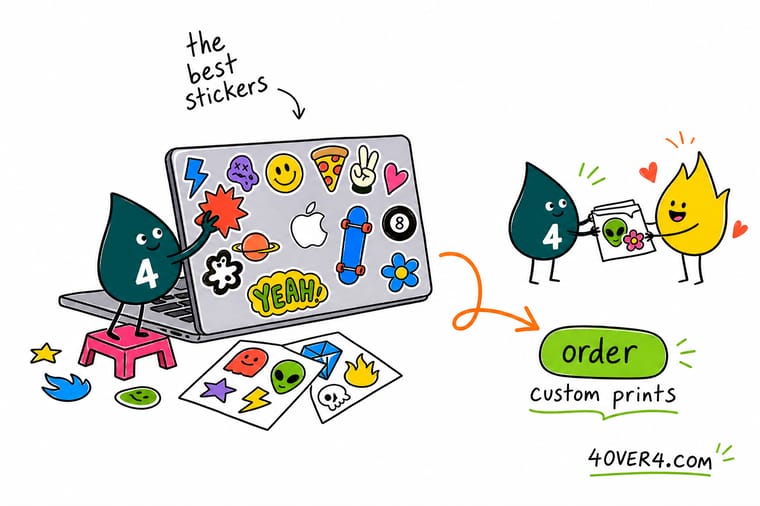
A MacBook is one of the most visible things you own, so make it yours. Clean the lid with alcohol, dry-fit your layout, then apply vinyl stickers from one edge and smooth out the bubbles. Custom die-cut stickers follow your artwork for a clean stickerbomb, and good vinyl peels off later with no residue. Order a few sizes and let your laptop do the talking.
Order custom die-cut stickers →What to remember about MacBook sticker design
Why sticker templates work
- Time-saving. Swap colors, text, and graphics into a ready layout instead of starting from a blank page.
- Consistency. Every sticker matches your brand, which keeps your logo recognizable across materials.
- Professional look. Pre-built layouts give clean, polished results without hiring a designer.
- Cost-effective. You skip the design fees while still getting a custom look.
- Flexibility. Scale from small packaging labels to large decals with the same starting point.
- Creativity. A template is a base you can still make your own with different color, type, and graphics.
- Ease of use. Anyone can customize and print, no advanced design skills needed.
Explore more
More ways to brand with stickers and labels
Related pages on 4OVER4.COM, one card each, so you can keep exploring sticker printing.
 Shop Stickers Printing Browse every sticker format in one place. Hub Sticker & Label Printing The full sticker and label hub.
 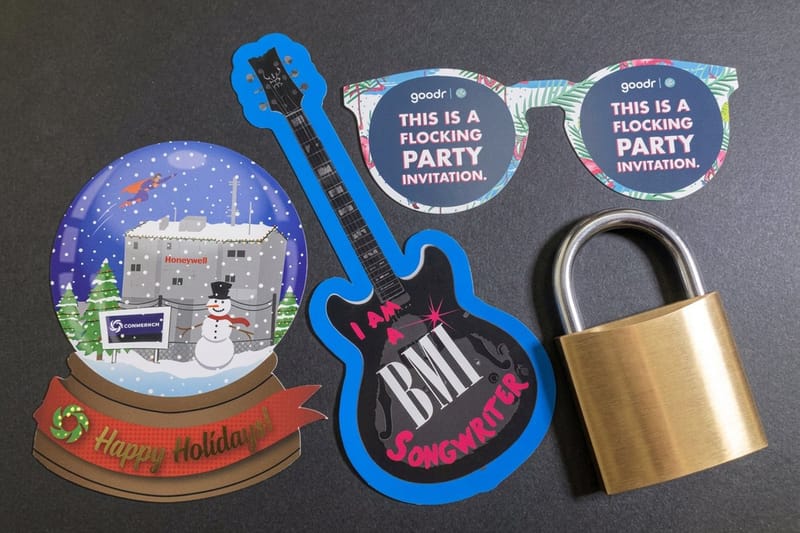 Product Custom Die-Cut Stickers Contour-cut stickers that follow your artwork.
 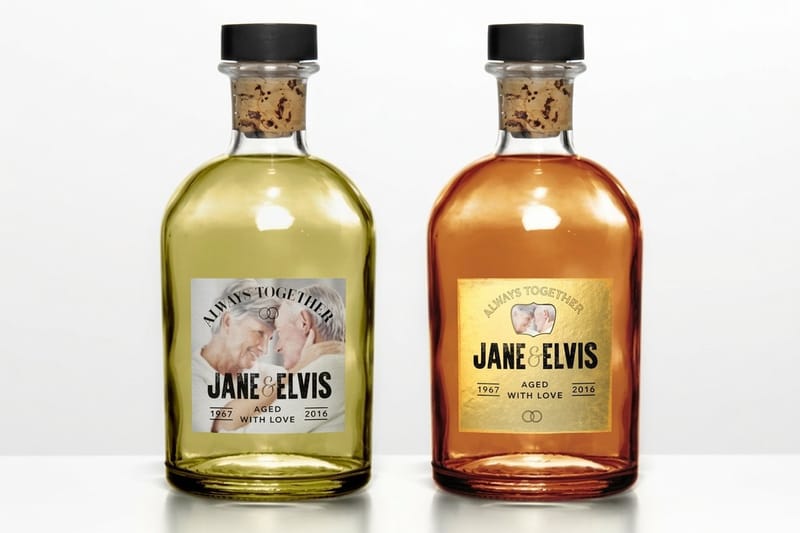 Product Premium Stickers Durable vinyl stickers built for daily use.
  Product Adhesive Wall Fabric Bigger branded surfaces beyond the laptop.
 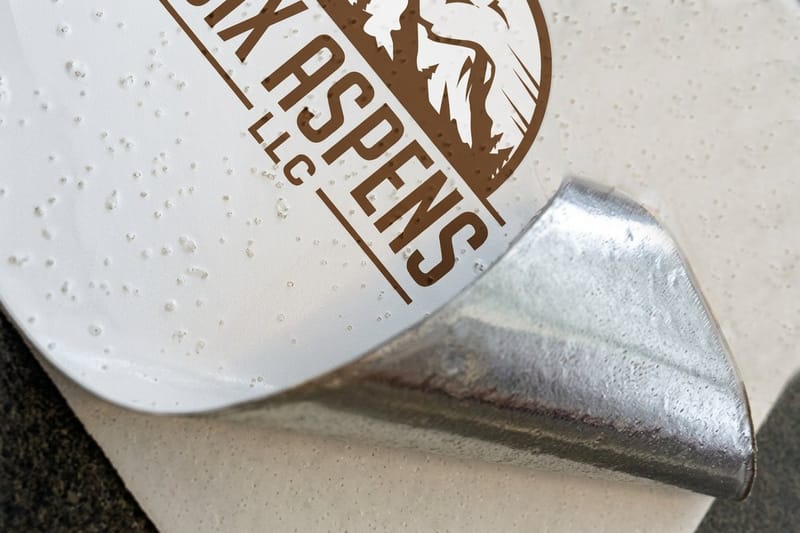 Product Aluminum Floor Graphics High-impact branding for events and retail.
  Article Logo Sticker Design Ideas Branded sticker ideas for promotion.
  Article Graphic Design Portfolio Examples Show creative work across formats.
  Article Funny Print Ad Examples Playful design that grabs attention.
  Samples Free Samples Feel the vinyl and print quality first.
 Ready to customize your MacBook?
Upload your design or start from a free template, pick vinyl and a finish, and 4OVER4.COM prints it sharp, as fast as same day.
More MacBook sticker questions
What are some cool stickers I can put on my laptop?
The ones that hold up are simple and personal. A single line drawing in white on a dark lid, a monogram beside the apple, a country outline for a machine that travels, or a set of tool marks laid out as a grid rather than scattered. Custom die cut pieces of your own artwork beat anything from a variety pack, because nobody else has them and the shape follows your design with no white border.
What are some good stickers for a MacBook Air?
Treat it like the 13 inch lids in this guide and size down rather than up. A single statement decal at 3 to 4 in sits well above or beside the apple, and stickerbomb pieces between 1.5 and 2.5 in keep the collage from filling the lid after six stickers. Keep everything about half an inch clear of the edges, since the Air has the same rounded lip that lifts a sticker first.
What are the best practices for stickers for MacBook design ideas?
Always clean your MacBook lid with isopropyl alcohol before applying stickers. Use vinyl stickers rather than paper for durability. Plan your layout by dry-fitting stickers before peeling the backing. Apply from one edge and smooth outward to avoid bubbles. For stickerbombs, start from the center and work outward. Consider a clear sealant for full-coverage designs. Quality stickers from 4OVER4.COM stay repositionable during application, so you have room to adjust.
How do I choose the right stickers for MacBook design ideas?
Start with your goal. A single branded decal for professional settings calls for a custom die-cut logo sticker. Full creative expression means mixing sizes, shapes, and themes for a stickerbomb. Match your finish to your aesthetic, with matte for minimalism and gloss for bold color. For larger surface projects beyond your laptop, look at Adhesive Wall Fabric. Always check that sticker dimensions fit your specific MacBook model.
What makes stickers for MacBook design ideas effective for marketing?
Your MacBook lid is visible every time you open it in public. A branded sticker turns that surface into passive advertising at meetings, coffee shops, and conferences. Hand out custom stickers at events and they travel on attendees laptops for months. It is low-cost, high-visibility marketing. For other creative surface branding, explore Aluminum Floor Graphics as a complementary option for physical spaces.
How much should I budget for stickers for MacBook design ideas?
Custom vinyl stickers for personal MacBook use typically cost between $5 and $30 depending on size, quantity, and finish. For business branding, ordering in bulk drops the per-sticker cost a lot, so you can get hundreds of custom die-cut stickers for under $100. 4OVER4.COM offers transparent pricing with no hidden setup fees. Investing in quality vinyl saves money long-term because you will not need to replace faded or peeling stickers every few weeks.
