
Scale Smarter With SOPs Your Team Will Actually Follow


Marcus is our print marketing voice, built from the knowledge of our production team, with over 20 years in printing.
SOPs are how a business stops depending on the one person who knows how. A task earns a document at a certain point, six parts belong on the page, the placement decides whether it gets used, and a review habit keeps it true.
An SOP is a one page record of the current best way to do a single repeatable task, owned by one named person and carrying a review date. You scale with SOPs by writing one the third time a task recurs, limiting it to a trigger, numbered steps, the two or three branches, and a definition of done, then keeping it within arm's reach of the work rather than in a shared drive. The review date is what stops the library from quietly describing a business you no longer run. On paper that means a bound booklet for week one, a notepad at the station to capture steps, a dry erase poster for steps that still change, and a label on the machine itself.

Quick answer
Third repeat, one page, and a date on it
An SOP earns its existence on the third repeat of a task, and it earns its trust from a review date. Keep each one to a single task with a single owner. Six parts belong on the page: the trigger, the owner, numbered steps that begin with verbs, the two or three branches, a definition of done, and a version with a review date. Put the finished document where the hands are, because the distance between the procedure and the work predicts whether anyone follows it far better than the writing does.
What an SOP Is, and What It Is Not
An SOP records the current best way to do one repeatable task, in the order a person does it, and most settle between half a page and two pages. Teams mix it up with a policy, a training course and a checklist, and that mix-up stalls most document projects. The table below keeps the four apart.
The distinction matters because each of these documents changes on a different clock. A policy changes when leadership changes its mind, maybe once a year. An SOP changes when the tools or the suppliers change, which might be twice a quarter. A checklist changes almost never once the SOP behind it is settled. Fold them into one file and every small software update forces you to reopen a document that also contains your refund rules.
| Document | What it answers | Scope | How often it changes |
|---|---|---|---|
| Policy | What we allow, and why. | The whole business or a department. | Rarely. When leadership decides differently. |
| SOP | How this one task gets done, step by step. | A single task with a single owner. | Whenever a tool, supplier or step changes. |
| Checklist | Did every step happen this time. | One run of one task. | Almost never, once the SOP is stable. |
| Training guide | Why the task matters and what good looks like. | A role, not a task. | When the role changes. |
Read that table as a build order. Write the SOP first, because it is the only one of the four that contains the actual knowledge. The checklist falls out of it in ten minutes, and the training guide becomes a short introduction that points at the SOPs rather than repeating them. Teams that start with the training guide usually produce something warm and general that nobody can follow on a Tuesday morning.
The Third Time Rule: When a Task Earns a Document

Write the SOP the third time the task comes around. Once is an incident. Twice might be a coincidence. Three times means it is going to keep happening, and from there the cost of working it out again exceeds the twenty minutes writing it down would take.
The opposite mistake is more expensive than most people expect. Documenting a task on its first run locks in a method you invented under pressure, and because it is now written, the team treats it as decided. You end up defending a bad sequence for a year. Give a new task two or three passes to settle, then capture the version that survived.
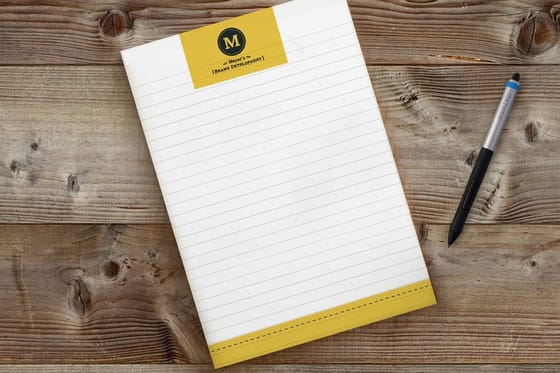
Capture beats composition. The reliable method is to have the person doing the task narrate it out loud while working, and write the steps down in the moment rather than reconstructing them afterwards. Memory smooths over exactly the awkward parts a newcomer will trip on. A pad at the station works better than a laptop here, because the writing has to happen without stopping the work, which is one small reason custom notepads start at $93.37 and still earn their place in operations that live away from a desk.
One more filter before you write. Ask whether the task should exist at all. Some recurring work is the residue of a decision nobody has revisited, and documenting it makes it permanent. Running the list through a prioritisation pass first, the way the Eisenhower matrix blueprint lays out, kills a surprising number of candidates before they cost you a document.
The Anatomy of an SOP People Actually Follow

Six parts, in this order. Anything else you are tempted to add is background, and background goes in two lines at the top or it goes in the training guide.
- Trigger. What starts the task. "A customer emails asking for a refund" or "the last delivery van leaves". Without a trigger, people know how to do the task but not when, which is the most common reason a written procedure sits unused.
- Owner. One named person who is allowed to change the document. Everyone else raises a correction. Shared ownership means nobody notices when it goes stale.
- Steps. Numbered, each beginning with a verb, each one action. If a step contains the word "and", it is probably two steps.
- Branches. The two or three places the task forks. "If the product has been opened, go to step 9." Missing branches are where new hires stop and ask, which defeats the point of the document.
- Definition of done. The observable thing that proves the task finished. A row in a spreadsheet, a confirmation email sent, a green light on a machine. Without it people stop at the last step they remember.
- Version and review date. A number and a date on the page. This is the part everyone skips and the part that decides whether the library is worth anything in a year.
Length follows from the test, not from a rule. Hand the draft to somebody who has never done the job and watch them work through it without help. Every point where they pause and look up is a missing step. Every line they skim past is padding. Most tasks settle between half a page and two pages once the background is stripped out.
Format follows the room. A task done at a desk can live as a document. A task done standing up, near a machine, or in a room where nobody carries a laptop needs to be visible from where the hands are. Procedures that are still shifting week to week suit a dry erase poster, printed from $29, because the frame stays and the detail gets rewritten in marker until it stops moving. Once it stops moving, print it properly.
Put the Procedure Where the Work Happens

Distance between the document and the task predicts whether an SOP gets followed better than the quality of the writing does. A procedure two clicks away in a shared drive competes with asking a colleague, and asking wins every time, which is how a documented business still runs on interruptions.
Match the medium to the room. Anything screen based stays digital. Anything physical needs a copy at the point of use, and the format follows how often it changes and how many people need to see it at once.
| Where the task happens | What works | Why |
|---|---|---|
| At a desk, on a screen | A digital document, linked from the tool itself. | Opening it costs three seconds. Printing adds a version to control for no benefit. |
| Standing at a station | A wall poster or a dry erase board in the line of sight. | Hands are busy. Anything requiring a device gets skipped under pressure. |
| On or around an object | A label on the machine, the shelf or the box. | The instruction travels with the thing it applies to, so it cannot be looked in the wrong place. |
| A new hire, week one | A bound handbook plus a folder of the SOPs for their role. | They read it away from the floor, and it gives them something to annotate. |
For point of use instructions, custom labels start at $25 and cover the small, specific cases that a poster handles badly: the settings for one machine, the sequence for one valve, which bin a component goes in. The full labels range covers the sizes and materials, including the ones that survive being wiped down.
For onboarding, a printed handbook still beats a link. Standard booklets start at $240.55 and hold the SOPs for a role in one bound object a new hire can carry, mark up and hand back with their questions written in the margin. Order them in small runs and reprint after each review cycle, rather than printing two hundred and watching them go out of date on a shelf. The booklets and catalogs range covers the page counts and binding options.
Whatever you print, put the version number and the review date on the sheet. A printed copy with no date keeps looking official for months after the steps on it went out of date.
Why SOPs Rot, and the Review Loop That Stops It

Most SOP libraries do not fail on day one. They fail around month eight, when a supplier changes, a piece of software gets an update, and three documents quietly stop matching reality. Nobody announces it. The team just goes back to asking each other, and the library becomes decoration.
You fix it with a date. Every document carries a review date. When the date arrives the owner reads it against what people actually do, and either confirms it with a new date or edits it and bumps the version. Quarterly suits most tasks. Anything touching money, safety or a regulator deserves a shorter cycle. Anything that has not changed through two review cycles can move to twice a year.
Alongside the calendar, you need a correction channel that costs nothing to use. One place where anyone can say "step 6 is wrong now", and a visible fix within a week. The moment reporting an error feels like criticising the person who wrote the document, corrections stop and the rot resumes, which is the same social mechanic that decides whether written rules get followed on a shop floor. The safety culture guide covers that dynamic in more depth.
Two habits make the whole thing compound. Use the SOP as the training material, so learning the job and learning the document happen in the same act. And when someone asks you a question the SOP covers, answer by pointing at it rather than just answering, so the knowledge lands back in the place it belongs. That is how a documented process turns into consistent delivery, which is the mechanism underneath a consistent customer experience and behind predictable rather than lumpy growth.
Finally, be honest about what SOPs cannot do. They will not fix a task that should not exist, they will not make an untrained person competent, and they do not replace judgement at the edges. What they do is stop your business from depending on the one person who happens to know how. More of the same thinking sits in the business model blueprint and across our business applications guides.
Wally explains SOPs
Third repeat, one page, a date at the bottom
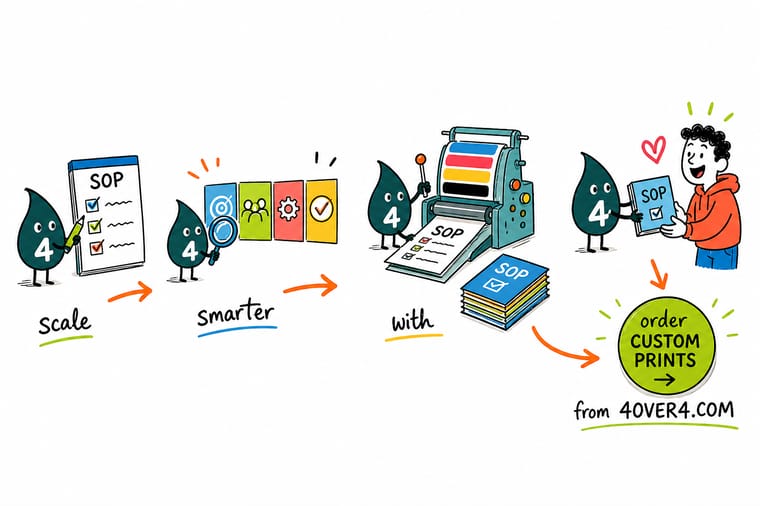
Wally does a task once and shrugs. He does it twice and raises an eyebrow. The third time, he writes it down: what starts it, who owns it, the steps as plain verbs, the two places it forks, and how he knows it finished. Then he pins it above the bench where his hands already are, not in a folder three clicks deep. Last thing he writes is the review date, because a procedure with no date on it turns into confident bad advice about six months later.
Print your SOP handbook →%22%2F%3E%3Ccircle%20cx%3D%2244%22%20cy%3D%221%22%20r%3D%2219%22%20fill%3D%22%23a78bfa%22%20opacity%3D%220.15%22%2F%3E%3Ccircle%20cx%3D%2240%22%20cy%3D%2250%22%20r%3D%225%22%20fill%3D%22%23a78bfa%22%20opacity%3D%220.1%22%2F%3E%3Crect%20x%3D%2274%22%20y%3D%22-7%22%20width%3D%2229%22%20height%3D%2210%22%20rx%3D%224%22%20fill%3D%22%23a78bfa%22%20opacity%3D%220.08%22%20transform%3D%22rotate(9%2080%2030)%22%2F%3E%3C%2Fsvg%3E)
Specs and pricing
Formats for the procedures that leave the screen
Standard booklets are saddle stitched at 5.5 x 8.5, 8.5 x 11 or 11 x 11 inches, from 8 pages up, which holds a role's SOPs in one handbook. Notepads come in five sizes from 4.25 x 5.5 to 8.5 x 11 inches, 50 or 100 sheets of 70# uncoated text a pad, so a pen writes fast at the station. Dry erase posters run from 11 x 17 to 48 x 72 inches, or any size, with an adhesive vinyl backer that holds to the wall by the machine.



Print it
Put the procedure within arm's reach of the work
One booklet per new hire with the SOPs for their role, one dry erase poster at each station where the steps still change, and a label on the machine for the settings that stay put. Each carries its version number and review date.




Explore more
Where to go next
Cut the tasks that should not exist before you document them, see why teams follow some written rules and skip others, then read how one procedure at the counter turns into a customer experience you can repeat.





By the numbers
The print side of your operations, handled
Common Questions
Your SOP questions, answered
How many SOPs does a small business actually need?
Far fewer than most owners assume. Start with the tasks that cost you money when they go wrong and the tasks you get interrupted about: opening and closing, taking an order, handing a job to a supplier, onboarding a new hire, issuing a refund, chasing an unpaid invoice. That is usually six to ten documents for a team under fifteen people, and it covers the majority of interruptions. Writing forty SOPs in a burst produces a library nobody maintains, which is worse than having none, because people follow stale instructions with confidence.
What is the difference between an SOP and a policy?
A policy states a rule and the reason behind it. An SOP states the sequence of actions that satisfies the rule. "Refunds are issued within seven days on any unused product" is a policy. "Open the order in the system, confirm the product is unopened, issue the refund to the original card, log the reference in the returns sheet, email the customer the confirmation" is the SOP. Policies change when the business changes its mind. SOPs change when the tools change, which is far more often, so keeping them in separate documents saves you rewriting a rule every time a piece of software updates.
Should the manager write the SOP or the person doing the work?
The person doing the work drafts it, the owner of the process approves it. A manager writing from memory produces the idealised version of a task, missing the workaround everyone actually uses at step four. The fastest reliable method is to have the person narrate the task out loud while doing it, capture the steps as they go, then clean the draft up the same day. It also removes the quiet resentment that comes from being handed a procedure written by someone who has not done the job in two years.
How detailed should an SOP be?
Detailed enough that a competent new hire can complete the task without asking a question, and no more. The practical test is to hand the draft to someone who has never done the job and watch them work through it without helping. Every point where they stop and look up is a missing step. Every line they skim past without needing it is padding you can cut. Most tasks land between half a page and two pages once you strip the background out.
Do SOPs need to be printed, or is a document enough?
It depends on where the work happens. Anything done at a desk in front of a screen can live as a document, because opening it costs three seconds. Anything done standing up, with hands busy, near a machine, or in a room where people do not carry laptops needs a physical copy at the point of use. That is why a kitchen has laminated line checks on the wall and an accounts team does not. If you print, put the version number and the review date on the sheet, otherwise a printed copy quietly becomes the wrong instructions with no way to tell.
How do you get a team to actually use SOPs?
Three habits do most of the work. Use the SOP as the training material, so learning the job and learning the document are the same act. Make correcting it easy and public, so anyone who finds a step wrong can flag it in one message and see it fixed. And refer to it by name when you answer a question, rather than just answering, so the answer lands in the same place next time. A team ignores SOPs when the fastest way to get an answer is to ask a person, so the document has to become faster than the interruption.
Get Started
Notepads run 25 for $93.37 on 70# Uncoated Text
Print the handbook your new hires can carry, the wall sheet the team can see from the station, and the labels that put the instruction on the object itself.
Legal Disclaimer
Gold Standard guarantees apply to all standard orders placed through 4over4.com. Price match requires verifiable proof of a competitor's published price for an equivalent product with matching specifications and turnaround time. Satisfaction guarantee covers manufacturing defects and print quality issues. Contact support with order number and documentation.
