
Google Business Profile Setup That Wins the Local Map Pack


Marcus is our print marketing voice, built from the knowledge of our production team, with over 20 years in printing.
Claiming the profile takes an afternoon. Ranking with it takes one honest primary category, reviews that keep arriving, and fifteen minutes a month so nobody quietly edits your listing for you. The reviews part is a print job: the review link on business cards from $17.57, a clear counter sticker from $25 and a postcard from $16.48.
A Google Business Profile is the free listing that puts your business into Google Maps and into the three-result local pack above the organic results. You earn a position there with three things Google names openly: relevance, which you control through one accurate primary category and a filled-in services list, distance, which you cannot control at all, and prominence, which is built from recent reviews, photos and mentions elsewhere on the web. Everything else on this page is detail underneath those three.
Quick answer
Relevance and prominence are the job, because distance is already decided
Google ranks local results on relevance, distance and prominence, and only two of those accept your input. Relevance comes from the primary category first, then secondary categories, services and attributes. Prominence comes from review volume, rating and recency, from photos, and from being mentioned and linked to elsewhere. Distance is measured from wherever the searcher happens to be, which is why a thin profile two streets away can beat a strong one across the city, and why a business that serves a wide area needs prominence to make up the difference. The inputs have hard limits: one primary category, up to nine secondary ones, up to 20 service areas and a 750 character description.
Writing the business description? Google gives it 750 characters. Open with what you do and who you do it for, put the service words that do not belong in your business name here and in the services list, and skip the keyword run, because people read this field and the ranking does not count it.
Claim the Profile and Survive Verification

Search your business name in Google. One of three things is true, and each has a different first move.
If a profile appears with a Claim this business link, Google built it from public data and nobody owns it yet. If it appears with an Own this business? prompt, someone claimed it, possibly a former agency or an ex-employee, and you request access from the current owner with a form. If nothing appears, you create it from scratch.
Verification is where most people stall, and you do not get to pick the method. Google offers what it offers based on category, address history and risk. Phone and email are the quick paths. Video verification is now routine for trades and service businesses: one unedited recording that walks from your signage to your tools to your face, proving the three things a reviewer checks, which are location, equipment and authority to manage. Postcards are the slow path, allowed up to 14 days.
Two rules while a code is in flight. Do not change the business name, and do not change the address, because either edit voids the postcard already in the mail. And when you do type the name, type exactly what is on your signage and your business cards. Google's guideline is that the profile matches how the business presents itself in the real world, so the name on the listing, the name on your printed material and the name on your invoices should be one string.
Your Primary Category Decides Which Searches You Show Up In
One primary category, up to nine secondary ones. Of everything you can edit, the primary is the field that changes results the most, because it is the label Google matches an intent against before it looks at anything else.
Pick the narrowest category that is honestly true. A shop that mostly sells and fits tyres and also does oil changes belongs under Tire shop, not under the roomier Auto repair shop, because the narrow term is the one people type. The way to check is to search the term you want to win, open the profiles ranking in the pack, and read the category shown under each name. That is the category Google is rewarding for that query, and it is visible without a tool.
Fill the rest properly while you are in there. Services and products carry the vocabulary your categories cannot hold. The description gives you 750 characters, and it is read by people, not counted by the algorithm, so open with what you do and who for rather than a keyword run. Attributes such as wheelchair access, women owned or free parking appear as filters in Maps, which means a single checkbox can make you eligible for a filtered search you were invisible in.
| Field | Limit | What it changes | How often to revisit |
|---|---|---|---|
| Primary category | One | The queries you are eligible for at all. | Quarterly, and after any change of focus. |
| Secondary categories | Up to nine | Widens the query set without diluting the primary. | Quarterly. |
| Services | Long list | Adds the words customers use that no category covers. | Whenever you add or drop a service. |
| Description | 750 characters | Persuades the person reading, not the ranking. | Once a year is plenty. |
| Service areas | Up to 20 | Where a business without a shopfront is eligible. | When you expand or pull back. |
Do not spray categories to cover more ground. Adding categories that only half apply pulls you into searches you cannot satisfy, and the click-through and the reviews that follow are worse than the ones you gave up.
Reviews Are the Engine, and Asking Well Is a Printed Job

Prominence is the signal you build, and reviews are most of it. Not the count alone: the rating, how recent the newest ones are, whether they mention the service by name, and whether the owner replies. Google surfaces short phrases from review text as justifications under a result, which is why a review that says the actual service is worth more than one that says great guys.
Ask everyone, every time, and ask in the two minutes after the job goes well. Your profile carries a short review link, generated under the Ask for reviews control, and that link is the whole campaign. Where it fails is delivery. A link read aloud is forgotten before the customer reaches the car.
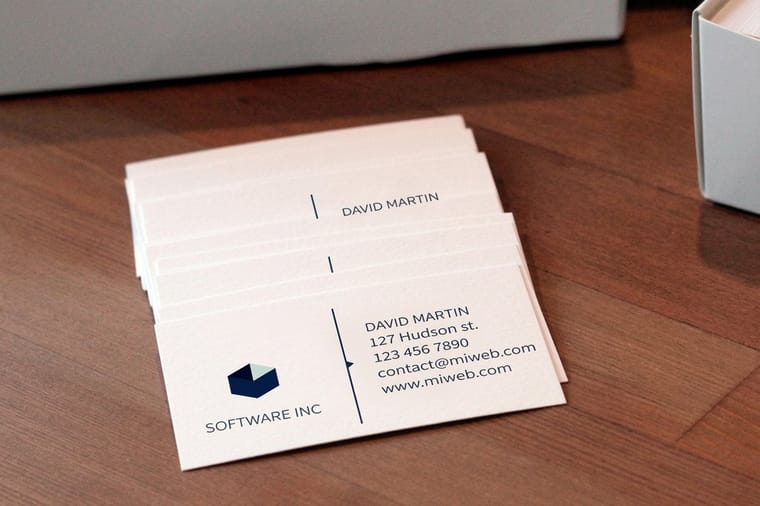
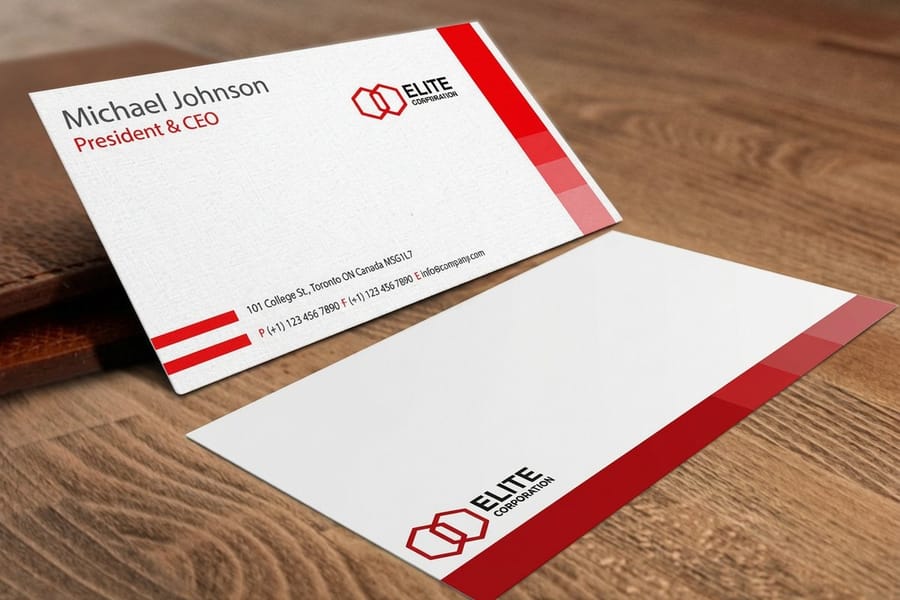
So print it. A QR code on the back of a standard business card, which starts at $17.57 a box at 4OVER4.COM, turns the ask into something the customer keeps in a wallet. A clear sticker from $25 sits on the counter glass or the payment terminal and does the asking on the days you forget. And for customers who left months ago, a mailed postcard from $16.48 reaches the people who no longer open your email, which is the segment most likely to leave a review that resets your recency. Our guides on QR codes on business cards and QR codes on postcards cover the placement and quiet zone that make a code scan on the first try.
Two lines you do not cross. Do not offer anything for a review, and do not filter: sending happy customers to Google and unhappy ones to a private form is review gating, and it breaks Google's policy whatever the software calls it. Ask all of them. Then reply to every review, short and plain, because the reply is public and the next reader is judging how you handle a complaint more than the complaint itself. That is customer experience work as much as marketing, and the customer experience guide follows the thread further.
Photos, Posts and the Things That Keep a Profile Alive

Photos are the second half of prominence, and the useful ones are not the pretty ones. Google accepts JPG or PNG from 250 by 250 pixels up, and the shots that earn their place are the exterior from the direction people approach, the entrance itself, the interior at the moment a customer walks in, and the work you actually did. The exterior shot is doing a specific job: it is how somebody standing on the pavement confirms they found the right door.
That is also the argument for physical markers. A visible sign, a lawn sign at a job address, a window graphic, all of them get photographed by customers, and customer photos count as third party confirmation in a way owner uploads do not. Yard signs start at $25, and if you are working out what to put where, the guide to choosing small business signs is the practical version of that decision.
Posts sit lower in the hierarchy than either. Use them for what is genuinely time-bound: an offer with a real end date, an event, a holiday closure, a new service. A weekly rhythm is enough. Where posts pay properly is seasonal hours, because wrong holiday hours produce the one review nobody recovers from quickly.
Then read the Performance report rather than guessing. It separates how people found you, splits calls from direction requests from website clicks, and shows the search terms that surfaced you. Tag the website link on your profile with a UTM parameter before you rely on any of it, or the traffic lands in your analytics as ordinary organic and you can never prove the profile did anything.
The Monthly Checklist, and the Mistakes That Cost Rankings

A profile is not a setup task. It decays, and it decays quietly, because the public can suggest edits to your hours, your address, your phone number and your category, and Google can apply them without telling you first. Fifteen minutes a month covers it.
- Open the profile and read it as a stranger. Check the name, the category, the hours and the phone number against what is true today.
- Clear the new reviews. Reply to all of them, including the good ones, in a sentence or two.
- Add two photos. Recent work, not stock, with the date they were actually taken.
- Set special hours ahead of the next holiday rather than on the morning of it.
- Search your own name and your main category from outside your office network and see where you land.
- Check for duplicates. A second listing built from an old address splits your reviews and your ranking signal, and it needs to be merged or removed.
The mistakes that cost the most are boring. A keyword in the business name. An address you do not staff. Categories chosen to widen reach rather than to describe the business. Review gating dressed up as a feedback funnel. Hours nobody updated after a change of season. None of these look dramatic in the dashboard, and all of them either suppress the profile or lose it.
The last one is a strategy error rather than a policy one: treating the profile as the whole local plan. It is the front door, and it works best when other things point at it. A mailed piece to the surrounding blocks, a card that stays in a wallet, a sign on the site of the job you just finished. Every one of those turns into a branded search, and a branded search that ends in a call is exactly the pattern Google reads as prominence. The marketing strategy guides cover how the offline half is planned, and the business basics collection is where the print for it lives.
Before you print
Which printed piece carries your review link, and its size and stock
Copy the short review link from the Ask for reviews control, turn it into a QR code, and put it on the piece that meets the customer at the right moment. Every order goes through the free file check before it runs.
| Piece | Size and stock | Where it does the asking | Starts at |
|---|---|---|---|
| Business card | 3.5 by 2 in, 14pt to 24pt cover | The QR code on the back, handed over when the job goes well | 100 for $17.57 |
| Clear sticker | 2 by 3.5 to 5 by 7 in, or any size from 2 by 2 to 11 by 17 | On the counter glass or the payment terminal | 25 for $25.00 |
| Postcard | 2.5 by 2.5 to 6 by 11 in, 14pt to 24pt cover | Mailed to customers who left months ago | 50 for $16.48 |
| Yard sign | 12 by 18, 12 by 24 or 18 by 24 in, 4mm coroplast | At the job address, where customers photograph it | 1 for $25.00 |
Wally explains the local pack
One honest category, then reviews that never stop arriving
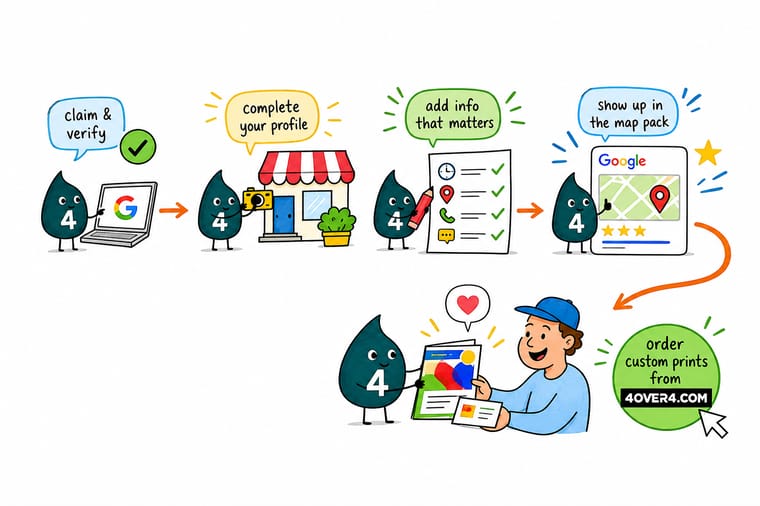
Wally picks the narrowest category that is actually true, fills in the services with the words customers type, and stops there. Then he does the part that compounds: he asks every single customer for a review while the job is still fresh, and he prints the review link on a QR card so nobody has to remember it. He replies to all of them, including the bad one. He cannot move his shop closer to the searcher, so he stops worrying about distance and spends the effort on the two signals he owns.
Print business cards with a review QR code →
Specs and pricing
The print that points people at your profile
The three pieces that carry a review link into the real world. Business cards start at 100 for $17.57, postcards at 50 for $16.48 in 14 sizes from 2.5 by 2.5 to 6 by 11 inches, and yard signs at one sign for $25 on 4mm coroplast at 12 by 18 up to 18 by 24 inches.



Print it
Put the review link somewhere customers keep it
Business cards, postcards and clear stickers all take 3 business days of standard production, and clear stickers start at 25 pieces.




Explore more
Where to go next
See how the paid half of Google charges you, place a QR code on a card or a postcard so it scans first time, and fit the local profile into the wider channel mix. The category card prices the everyday print a local business runs on.





By the numbers
Local businesses print with 4OVER4
Common Questions
Your Google Business Profile questions, answered
Does a Google Business Profile cost anything?
No. Claiming, verifying and managing the profile is free, and it always has been. Google does not charge to appear in Maps or in the local pack, and it does not sell a higher position there. If you get a call warning that your listing is about to expire unless you pay, that is not Google. Ads are the only paid placement, and a promoted local result is labeled as an ad.
How long does verification take, and what if the postcard never arrives?
It depends which method Google offers you, and you do not get to choose. Phone and email verification can finish in minutes. Video verification, now common for service businesses, takes a single unedited recording that shows your tools, your signage and your face, and a reviewer usually answers within a few days. Postcards are the slow route: Google allows up to 14 days for delivery, and if nothing lands you can request a new code from the dashboard. Never edit the business name or address while a postcard is in transit, because that cancels the code.
Can I put my city or my main service in the business name?
Not without risking the profile. Google requires the name to match how the business is represented in the real world, on the sign over the door and on your printed material. Adding a keyword usually gives a short lift and then a suspension, and a hard suspension removes the listing and every review attached to it. If your registered name genuinely contains the service word, keep it. If it does not, put those words in the description and the services list instead, which is where Google expects them.
Can I get a bad review deleted?
Not for being negative. You can report a review, and Google removes it only if it breaks a policy: spam, off-topic content, a conflict of interest, or a review from someone who never visited. A fair one-star review from a real customer stays. Reply to it in public, briefly, without arguing, and then bury it under newer honest reviews. A steady flow of recent reviews moves the average far faster than a removal request ever will.
Do I need a shopfront to rank in a city?
You need either a verified address or a defined service area. A business that goes to the customer hides the street address and lists up to 20 service areas instead, which keeps it eligible in Maps without publishing a home address. What Google does not allow is renting a mailbox or a virtual office to claim a location you do not staff, and that is a well known reason for removal.
How often should I post updates on the profile?
Weekly is a sensible rhythm, and posting more often than you have something to say is worse than posting less. Posts do not carry the weight a category or a review does. What they do is fill the profile with current information, which matters most for offers, seasonal hours and events, since offer and event posts carry real start and end dates that Google displays.
Get Started
Put the review link on 50 postcards from $16.48
Print the review link on something a customer keeps. Cards for the wallet, a sticker for the counter, postcards for the customers who left months ago.
Legal Disclaimer
Gold Standard guarantees apply to all standard orders placed through 4over4.com. Price match requires verifiable proof of a competitor's published price for an equivalent product with matching specifications and turnaround time. Satisfaction guarantee covers manufacturing defects and print quality issues. Contact support with order number and documentation.
